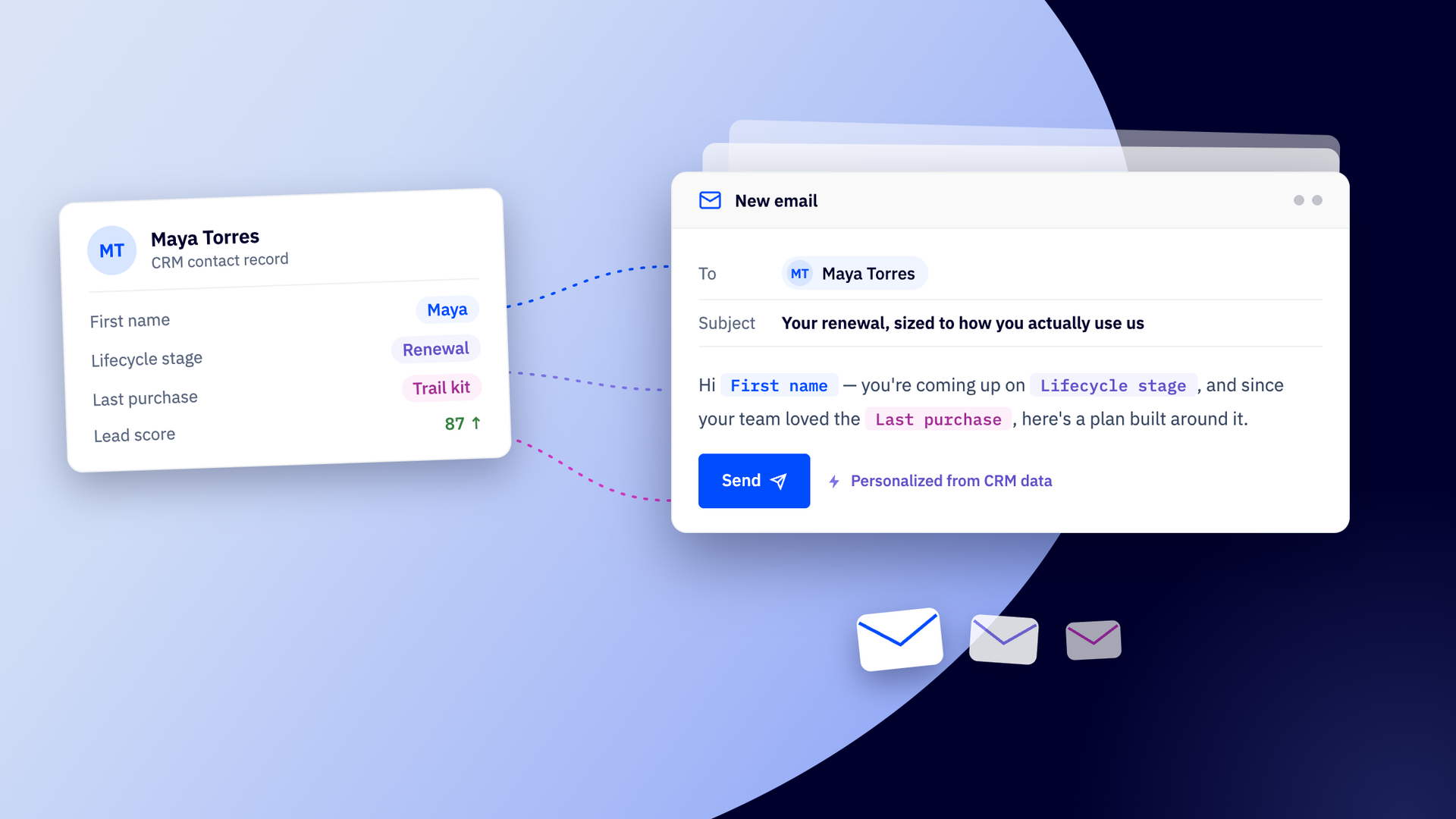
For many teams, a CRM is still treated as a necessary—but uninspiring—system of record. A place to log deals, update fields, and keep pipelines tidy. Useful, yes. Transformative? Rarely. But in a world where buyers have become accustomed to behavior-driven experiences, a CRM can’t afford to be passive. It has to be intelligent. It has to do something.
When paired with automation and real-time behavioral insight, a CRM becomes a customer intelligence engine—one that shapes journeys, personalizes communication, and coordinates how marketing, sales, and customer success engage at every stage.
That’s how ActiveCampaign’s CRM works: not as rigid software, but as an automation-ready canvas. In this article, we’ll explore creative ways teams use it to automate the unscalable, power revenue streams, and deliver personalized experiences at a global scale.
Why having a flexible CRM matters
Today’s buyers don’t move in straight lines. They expect interactions that are timely, relevant, and shaped by what they’ve already done—not generic follow-ups or one-size-fits-all campaigns. If your CRM can’t respond to behavior, it quickly becomes a liability instead of an asset. Leads get over- or under-contacted. Sales follows up without context. Customers receive messages that ignore what they’ve already done, killing momentum.
At the same time, internal teams are getting leaner, work is more distributed, and expectations are higher. Marketing, sales, and customer success are asked to do more. In that environment, a rigid CRM creates friction: bottlenecks, workarounds, and constant rebuilding whenever something changes.
A flexible CRM creates leverage. It lets teams adapt without starting over—launch new products, enter new markets, scale across regions, and automate repeatable work so people can focus on strategy.
This is exactly what ActiveCampaign’s CRM does. It is designed as a full toolkit for building a custom, autonomous marketing system.
8 creative workflows you can build with ActiveCampaign’s CRM
A flexible CRM is only as powerful as the systems you build with it. In this section, we’ll explore eight inventive workflows, from personalized sales sequences to global personalization, that go beyond basic pipeline management.
1. Lead-to-lifecycle personalization engine
This workflow evolves messaging automatically as people move through the buying journey. In ActiveCampaign, deal stages aren’t just labels—they can trigger automations that change channels, cadence, and content based on intent.
Use the following techniques to personalize the lead lifecycle from your ActiveCampaign CRM:
- Automations run rules when a deal moves between CRM stages, so emails, tasks, or updates happen automatically.
- Site tracking detects intent. Recording actions like page visits, clicks, logins, and feature use will help you understand what someone is interested in.
- Lead scoring prioritizes leads by assigning points for actions (opens, page visits, demo requests) so the most engaged contacts surface first.
- Conditional content blocks dynamically change sections of messages, and let one campaign adapt to multiple stages.
Design these rules once, and your CRM will adapt automatically every time a lead moves through your funnel.
For example, someone browsing top-of-funnel content might receive light educational emails. When they start viewing pricing or attend a webinar, they move into evaluation and receive comparison guides or case studies. When interest spikes, trigger reminders to loop in sales at the right time.
2. Automated onboarding and education tracks
This workflow delivers onboarding that adapts to what each customer has completed, skipped, or struggled with. ActiveCampaign’s CRM uses real-time data to shape what happens next, giving customers help when they actually need it.
Use the following techniques to build adaptive onboarding from your ActiveCampaign CRM:
- Trigger automations when milestones—like completing a profile or making a first purchase—are reached, so the next lesson or message is sent automatically.
- Track events such as missed logins, inactive trials, or incomplete setups to identify where customers need guidance.
- Use If/Else logic to send different content based on role, plan type, or features someone is exploring, creating personalized learning paths.
- Send reminders only when needed, nudging users who are inactive while leaving engaged users undisturbed.
- Automatically create CRM tasks when urgency increases, such as if a customer stalls or triggers a support signal. This helps your team steps in at the right time.
These rules help provide a dynamic onboarding experience that genuinely helps each customer in the best way for them.
Feminist finance company and online learning platform Her First $100K uses ActiveCampaign to deliver highly personalized onboarding and activation content to their users.
The funnel begins with a social media-driven quiz that collects email addresses and key financial information. ActiveCampaign then applies a set of 279 tags to each contact, capturing specific interests, such as “debt defeater” or “career climber.” Such granular tagging allows the team to send extremely targeted content based on behavioral data they have collected about a subscriber’s personal financial goals.
3. Multi-thread sales sequences
This workflow helps sales teams stay in sync with prospects, without juggling multiple channels manually. ActiveCampaign allows you to coordinate email, SMS, and messaging apps like WhatsApp so customers get communication on the best channel while reps spend less time managing follow-ups.
Build multi-thread sequences using these features:
- Combine email, SMS, and WhatsApp marketing software and match the right channel to the message and customer type. For example:
- Deliver emails for detailed updates, guides, or proposals, while using SMS for quick reminders or time-sensitive notices.
- Send WhatsApp messages for high-touch interactions, international contacts, or channels where customers prefer instant messaging.
- Segment contacts by engagement, location, product interest, or lifecycle stage and choose the channel that works best for them.
- Use predictive sending to deliver emails at exactly the time each contact is most likely to engage.
- Trigger human follow-ups through CRM tasks when a personal touch can add value.
For example, set up your CRM to send a detailed email with a proposal, a WhatsApp reminder for an upcoming demo in the right time zone, and a CRM task for the rep to follow up personally. Multi-channel messaging creates seamless, context-aware experiences for both the customer and the team.
4. Product-interest tagging architecture
This workflow turns everyday interactions into signals about which parts of your product each person cares about. In ActiveCampaign, tags and fields update automatically as people interact with emails and your site, so you can respond accordingly.
With this, you can design a tagging architecture that listens—every click, visit, reply, purchase, and form fill enriches a contact profile automatically. Tags then power segmentation, personalization, and deal creation without manual updates.
From the customer’s side, it feels invisible. They read a comparison page, watch a product video, click “pricing,” and request a demo. From the CRM’s side, each of those actions quietly applies (or removes) interest tags and updates fields, creating a live profile that reflects what they care about right now.
Those signals immediately do useful work, such as:
- Triggering automations tied to specific products or use cases.
- Swapping in dynamic email content based on interest tags.
- Creating or routing deals only when intent is clear.
- Giving sales reps a concise snapshot of what to talk about.
If a contact clicks a feature comparison email, visits the pricing page for Product A, and submits a demo form. Tags could stack automatically to mark “Product A – High Interest” instantly fueling targeted campaigns for that product.
5. Post-sale nurture to expansion automation
This workflow turns a closed deal into a starting point, automatically launching upsell, cross-sell, and referral campaigns. These revenue engines extend the customer relationship and turn every sale into an ongoing opportunity.
Some example flows you could try building include:
- Onboarding → check-ins → expansion: A new customer completes onboarding, triggering a series of automated emails with tips and resources. After 30 days, conditional automations check product usage and send tailored suggestions for add-ons.
- Usage milestones → targeted offers: When a customer hits a key adoption milestone, tags and custom fields trigger relevant upsell offers or cross-sell campaigns via email, SMS, or WhatsApp.
- Referral engine activation: AI lead scoring identifies highly engaged customers and triggers an automated invitation to a referral program, complete with personalized links and reminders.
Add CRM tasks and reminders to alert account managers when particularly high-value expansion opportunities appear, letting automation handle routine nurture.
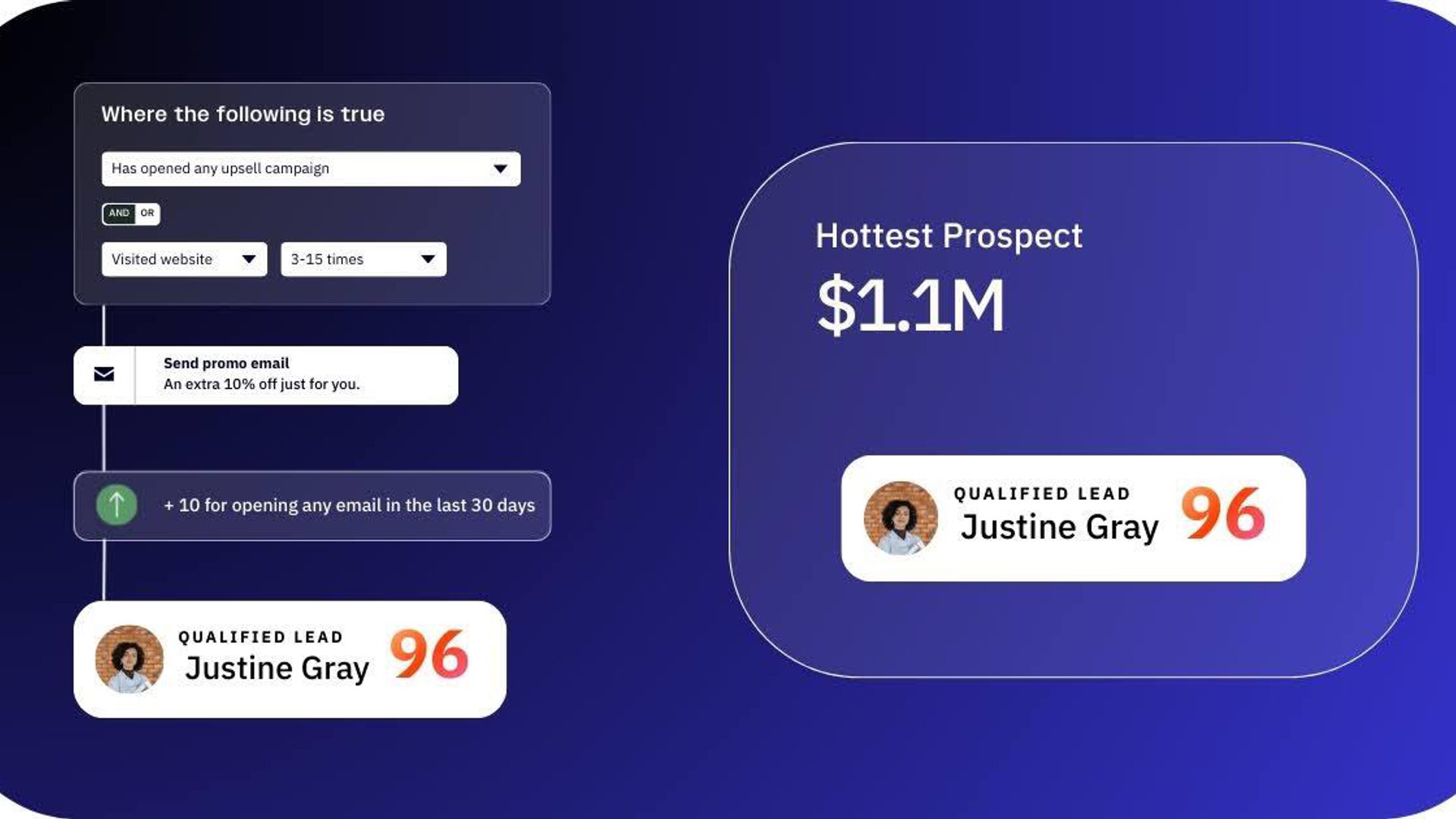
These flows transform single closed deals into the start of a meaningful relationship. Customers receive timely guidance, product tips, and relevant offers that help them get more value from their purchase, while businesses benefit from increased adoption and revenue, and without manually following up.
6. Global localization system
This workflow helps you to serve an audience that spans languages, cultures, and time zones, and cater to their specific requirements. ActiveCampaign lets you automate truly localized marketing experiences so messaging, timing, and content adapt to each contact’s region without having to manually duplicate entire systems.
Instead of building separate campaigns for every locale, you can design one framework that serves many:
- Segment audiences by region, language field, or behavior so each contact is set up to receive campaigns that feel native to them.
- Use AI Translations to automatically translate subject lines, body text, and calls‑to‑action into a contact’s preferred language—all from a single campaign draft.
- Apply dynamic message variables to personalize pricing, images, currencies, and offers based on geographic or regional data stored in your CRM.
- Automate cross‑channel delivery that respects local preferences and cultural norms (e.g., SMS where it’s preferred, email where open rates are highest).
For example, a global campaign can automatically send Spanish content at optimal times to Latin American customers, show euros and relevant imagery to people in Europe, and trigger WhatsApp reminders for regions where that channel drives higher engagement — all from the same underlying automation.
This system eliminates duplication, cuts setup time, and ensures every audience feels seen.
7. Smart VIP and loyalty tiers
This workflow transforms customer data into a dynamic loyalty program. Instead of manually tagging VIPs or creating static lists, ActiveCampaign lets you score contacts automatically based on behavior and value, to trigger rewards, perks, or exclusive access.
Set up scoring rules that consider important signals and automatically move customers between tiers as their engagement changes. Signals that could be used for loyalty scoring include:
- Deal value: Larger purchases increase tier scores, and unlock higher perks.
- Frequency: Repeat buyers climb tiers faster, rewarding loyalty over time.
- Recency: Recent activity keeps high-value customers active in top tiers.
- Behavior: Engagement with emails, site visits, event attendance, or referrals boosts loyalty scores.
Try using our ready-built automation recipe to add loyalty points after a customer makes a purchase.
Make sure your loyalty program works for what your customers really find value in. For example, if a customer frequently purchases mid-tier products and opens promotional emails their score might move them into the “Gold” tier, automatically triggering early access to new releases or priority support. If they later refer friends or make a high-value purchase, your CRM can upgrade them to “Platinum,” unlocking exclusive offers.
With this approach, loyalty programs reward top customers and incentivize engagement, with every interaction reinforcing the customer’s value to the business.
8. Central automation hub
Turn your CRM into the central automation hub by connecting multiple systems into a single, actionable flow. ActiveCampaign functions as the orchestration layer of a composable platform architecture, so that automated processes span email, SMS, forms, payments, and third-party apps without manual intervention.
Here are some examples of the kinds of interactions you can automate by connecting your ActiveCampaign via integrations and APIs:
- E-commerce platforms like Shopify, and WooCommerce automatically create deals when an order is placed, trigger post-purchase emails, or launch abandoned cart recovery sequences.
- Payment processors like Stripe update deal status after payment, trigger invoices, or start loyalty tier automation based on purchase value.
- Booking and scheduling apps like Calendly schedule appointments, send confirmation emails/SMS, and assign follow-up tasks to staff.
- Forms and surveys like Typeform capture submissions as new contacts, update tags or custom fields, and trigger automated journeys.
- Customer support tools like Zendesk and Help Scout automatically log support tickets, escalate high-priority cases, or adjust engagement scoring.
- Communication platforms like Slack notify staff of deal updates, send real-time customer alerts, or trigger personalized multi-channel sequences.
By connecting these systems, your CRM acts as a single source of truth, orchestrating interactions across apps and ensuring every customer touchpoint is tracked and actionable without manual effort.
How real teams with the “Builder Mindset” are using ActiveCampaign’s CRM
The most innovative organizations design and build intelligent systems with their CRM. Take a look at these teams that leverage ActiveCampaign CRM to do truly impactful work.
- Homes for Older Women (HOW) does big things beyond traditional sales and marketing with their CRM. The non-profit organization leverages the ActiveCampaign CRM to deliver measurable social impact, supporting women aged 55+ facing housing insecurity and homelessness.
Their CRM orchestrates complex, mission-critical operations, automating assignments to volunteers and processing communications to help place 1.2 vulnerable women per week in housing.
- Motrain uses ActiveCampaign to personalize training paths and automate learner engagement. The CRM tracks real-time behavior—like course progress and feature usage—to trigger relevant emails, reminders, and content recommendations, keeping learners on track without manual follow-up.
These businesses treat their CRM as a construction set, building workflows that adapt as the business evolves. Sustainable systems mean operations keep running smoothly and free teams to focus on strategic initiatives.
A CRM that bends to your business (not the other way around)
ActiveCampaign’s CRM adapts to your processes instead of forcing you to change how you work. Teams can design custom workflows, automations, and journeys that match real-world needs, whether for sales, marketing, or operations.
It’s also built for anyone to use: no coding required, no rigid templates. You can experiment, iterate, and launch systems that actually fit your business.
With this flexibility, your CRM becomes a growth engine that gets more done and delivers better outcomes for every customer.
I think every startup should have the chance to use ActiveCampaign and automations. It’s so easy to use, and it takes so much workload off of people who are writing emails. That’s a real win.
ActiveCampaign is the vehicle that puts us in the inboxes of new prospects, warm leads, and existing customers. Sales and marketing are feeding each other in a way that’s driving our business growth for the first time with ease. We have only scratched the surface as a startup, but we have the foundational processes to scale with ActiveCampaign as our sole CRM system.
ActiveCampaign has been instrumental in growing the business. It allows me to be effective in multiple areas, and I’m able to better scale and grow the business. I’m very excited about the future.
Ready to rethink what a CRM can do?
Sign up for a free trial and start building workflows that fit your business, automate the unscalable, and deliver personalized experiences at every stage of the customer journey.
FAQs
What is a CRM builder mindset, and why does it matter?
A CRM builder mindset treats the CRM as a flexible toolkit, not just a contact database. Teams design workflows, automations, and custom processes that match their real-world operations, allowing them to scale, adapt, and deliver personalized experiences without being constrained by rigid structures.
Can non-technical teams set up advanced CRM workflows?
Yes, modern CRMs like ActiveCampaign provide drag-and-drop automation builders, conditional logic, and integrations that let non-technical users create complex workflows, personalized campaigns, and multi-step automations without writing code.
How does automation improve team efficiency in CRM systems?
Automation handles repetitive, time-consuming tasks—like follow-ups, lead scoring, or multi-channel messaging—so teams can focus on high-value strategy and customer engagement. It ensures consistency, reduces errors, and scales processes without adding headcount.
What features should I look for in a flexible CRM?
Look for a CRM that offers customizable pipelines, automation triggers, dynamic content, multi-channel messaging, integrations, and real-time reporting. Flexibility means it adapts to your business processes and supports collaboration across teams.