Mailchimp has long stood as a popular email marketing tool, often chosen for its ease of use and broad range of features. It's familiar, easy to pick up, and well suited to businesses sending newsletters or running simple campaigns. But for many teams, the point eventually comes when "easy to start" no longer means "easy to grow."
As marketing gets more ambitious, that early simplicity can easily turn into a ceiling. Many teams find themselves looking for an alternative with stronger automation, more flexible segmentation, better insight into what's working, and a platform that can support the next stage without creating more manual work.
There is a world of Mailchimp alternatives that could be a better fit for your company. If you're looking for a platform that you know will help you work toward future growth goals from day one, or you've realized that it might be time to switch to a tool that can support an expanding strategy, we've got you covered. This guide will help you choose the platform that fits not just where your marketing is today, but where it's headed next.
Why are so many people moving away from Mailchimp recently?
Mailchimp raised prices roughly 11% across tiers in January 2026, cut its free plan from 500 contacts to 250 in February, and added another 11–13% increase for legacy accounts in April. Combined with contact-based pricing that climbs as your list grows and automation gated behind higher tiers, many users find their bill rising faster than the value they get back.
How we evaluated these Mailchimp alternatives
We evaluated each Mailchimp alternative on the same five criteria, using a mix of independent third-party testing and verified customer sentiment rather than vendor marketing claims:
- Deliverability: independently tested inbox placement rates, sourced from EmailToolTester's ongoing deliverability benchmark.
- Automation depth: how far each platform's triggers, branching logic, and segmentation go beyond basic autoresponders.
- Pricing at scale: not just entry price, but how cost changes as a contact list or send volume grows.
- Real customer sentiment: verified reviews on G2 and Capterra, not just vendor-selected testimonials.
- Migration support: how much help each platform gives you to actually move off Mailchimp without losing list history, automations, or reporting continuity.
Mailchimp alternatives at a glance
| Platform | Best for | Value | Starting price | Deliverability (EmailToolTester) | Templates | Integrations |
|---|---|---|---|---|---|---|
| Mailchimp | Simple campaigns, good to get started | Free trial. Great entry, worse value and you grow. | $13/mo (500 contacts) | 89.5% | 250+ | 300+ |
| ActiveCampaign | Advanced automation & AI-native marketing, scales with you | Free trial. Everything available from day one — value grows as you scale. | $15/mo (1,000 contacts) | 94.2% | 250+ email templates, 1,000+ automation recipes | 1,000+ |
| MailerLite | Simple, budget-friendly newsletters | Cheap and easy to use, but entry plan caps sends at 5,000/mo and automation hits a ceiling fast. | $10.80/mo (500 subscribers) | 89.8% | 50+ (paid plans only) | 100+ |
| Moosend | Lean teams that want affordable automation | Cheapest entry. Billed on active subscribers, so value holds as lists grow — but no CRM. | $7/mo (500 contacts) | 90.1% | 130+ | 80+ |
| Brevo | Email, SMS, and WhatsApp in one place | Send-based pricing suits large databases. Broad toolkit, but the weakest deliverability here. | $9/mo (5,000 emails) | 88.3% | 40+ | 150+ |
| Omnisend | Ecommerce brands (Shopify, BigCommerce) | Strong prebuilt ecommerce automations, but no CRM layer and the lowest deliverability on this list. | $16/mo (500 contacts) | 75.1% | 250+ | 250+ |
| Kit | Creators, newsletters, digital products | Most generous free tier (10,000 subscribers), but a steep jump to paid and few templates. | $33/mo (1,000 contacts) | 91.3% | 3 (plus community templates) | 50+ |
| AWeber | Small teams that want hands-on support | Features unlock early and support is 24/7 human — but deliverability lags the field. | $12.50/mo (500 contacts) | 83.1% | 600+ | 750+ |
| GetResponse | Webinars, funnels, and lead generation | Solid all-in-one for lead gen. Best features sit behind higher tiers. | $19/mo (1,000 contacts) | 90.09% | 150+ | 170+ |
| HubSpot | B2B teams needing tight sales + marketing alignment | Cheap to start, expensive to actually use. Automation requires Professional at $800/mo plus $3,000 mandatory onboarding | $20/mo per seat (1,000 marketing contacts) | 77.7% | Not published | 2,000+ |
How to choose the right Mailchimp alternative
Choosing a Mailchimp alternative isn't about finding the longest feature list. It's about matching a platform to the kind of marketing you want to run over the next 12 to 18 months. Two tools can both claim "automation" or "AI," but how far those capabilities actually go varies enormously — so compare alternatives on the criteria below first, then see how each vendor in this guide stacks up.
Across review platforms, Mailchimp is consistently praised for its ease of use and accessibility for beginners, and that reputation is earned — for a first newsletter, it's still one of the simpler platforms to pick up and a name most small businesses already recognize. The tradeoff shows up as marketing programs grow. Recurring feedback on G2 points to automation depth, segmentation flexibility, pricing at scale, and support access as the areas where Mailchimp most often becomes a ceiling rather than an enabler.
For teams that have outgrown simple newsletters and need advanced segmentation, behavioral triggers, or tight CRM connectivity, Mailchimp can quickly feel like a limitation rather than an enabler.
Six things worth evaluating before you switch:
| Automation depth. Look past whether a tool has an "automation" tab and check how much branching logic, how many triggers, and how long a journey can actually run unattended. ActiveCampaign's automations branch dynamically across behaviors, channels, and funnel stages without duplicating campaigns; Moosend and MailerLite cover common sequences well but hit a ceiling faster; HubSpot's deeper automation is gated behind its $800/month Professional tier plus a mandatory $3,000 onboarding fee. |
| Segmentation and personalization. The difference between static merge fields and segments built from real behavior, purchase intent, or lifecycle stage is often what separates "automation" in name from automation that adapts. ActiveCampaign builds segments from 100+ condition options; Brevo and Omnisend offer solid segmentation within their respective channels; Mailchimp's segmentation stays comparatively basic once you're past simple tags. |
| AI-assisted workflow creation. Ask whether the AI drafts copy, or actually builds and runs the campaign. ActiveCampaign's Active Intelligence can generate a full campaign or automation from a plain-language prompt and proactively surface insights; GetResponse's AI extends to building landing pages and websites; Mailchimp's AI is currently limited to content generation. |
| Multichannel reach. If email alone won't reach your customers where they actually are, look at whether SMS, WhatsApp, or push notifications live inside the same automation builder or sit bolted on separately. Brevo and Omnisend build messaging channels into the core workflow; ActiveCampaign runs SMS, WhatsApp, and on-site messaging through the same automation engine as email; Mailchimp and Kit remain primarily email-first. |
| Ease of use. Mailchimp's drag-and-drop builder is genuinely easy to pick up, and that's a real reason many businesses start there. MailerLite and AWeber match or beat that simplicity at a lower price. ActiveCampaign's learning curve is steeper on day one, but flattens faster than most as complexity increases — the conversational AI console can build a full, goal-aware journey from a single prompt, so less of the setup work falls on you as your program grows. |
| Ease of use. Mailchimp's drag-and-drop builder is genuinely easy to pick up, and that's a real reason many businesses start there. MailerLite and AWeber match or beat that simplicity at a lower price. ActiveCampaign's learning curve is steeper on day one, but flattens faster than most as complexity increases — the conversational AI console can build a full, goal-aware journey from a single prompt, so less of the setup work falls on you as your program grows. |
Your priorities will differ by business type. For example…
Ecommerce businesses usually weigh automation for abandoned carts, product recommendations, and post-purchase follow-up most heavily.
Service-based businesses tend to prioritize CRM capability to track leads and client interactions.
B2B companies with longer sales cycles often need multi-step nurturing, lead scoring, and tighter sales alignment.
SaaS companies typically want a CRM tight enough that marketing, product, and follow-up data stay in sync.
Creators and educators usually value nurture and re-engagement automation and audience growth tools.
Businesses selling in international or mobile-first markets tend to prioritize channels beyond email.
Migration support is the seventh practical factor, and it varies more than most teams expect. A strong migration path reduces manual setup and gives you visibility into what moves automatically, what needs review, and what requires a manual fallback:
- ActiveCampaign offers an in-app Migration Agent for eligible Mailchimp switchers: connect your Mailchimp account with an API key, review the assets it finds, and start a background migration covering contacts, audiences or lists, tags, custom fields, forms, email campaigns, and supported automations.
- Moosend is self-serve focused, supporting CSV/TXT/Excel imports and a Mailchimp Synchronizer for campaigns, lists, and custom fields.
- Brevo offers free Mailchimp integration for importing and syncing contacts, with step-by-step migration content.
- Kit will migrate subscribers, forms, automations, and more for free on paid plans, with migration guidance specific to Mailchimp switchers.
- AWeber emphasizes free expert migration and 24/7 support for moving lists, templates, and other account assets.
- GetResponse provides Mailchimp migration guides and dedicated migration support on its MAX tier.
- MailerLite offers a one-click Mailchimp importer with AI field mapping that recreates custom fields and converts Mailchimp tags into MailerLite groups automatically.
- Omnisend includes a free built-in migration tool syncing contacts, tags, segments, and engagement data with no CSV export required, plus a free Kickstart service that rebuilds up to four workflows for larger lists.
- HubSpot has no dedicated Mailchimp importer: teams export CSVs, map fields through HubSpot's CRM importer, and rebuild automations from scratch — the heaviest lift on this list.
For the full step-by-step on ActiveCampaign's Migration Agent, see the ActiveCampaign section above or the complete migration guide.
The best Mailchimp alternative isn't the one with the most features on paper. It's the one whose automation depth, pricing model, and migration support line up with how your business expects to grow over the next year. If your main concern is keeping costs low while improving on basic automation, a simpler tool like Moosend or AWeber may be enough. If you're moving toward more advanced journeys, multichannel reach, or tighter sales alignment, a comprehensive platform like ActiveCampaign supports that next stage now rather than forcing another migration later.
Based on a survey of over 450 ActiveCampaign customers: 88% said ActiveCampaign delivers value faster than competitors, 77% report better lead generation and conversion, 67% achieved ROI within 6 months, and 86% say the switch let them focus on strategic work instead of busy work. ("Surveyed respondents" refers to customers surveyed through UserEvidence, not all ActiveCampaign customers.)
Sign up for a free trial to see the difference for your own lists.
ActiveCampaign
Best for: advanced automation & AI-native marketing
ActiveCampaign is a strong Mailchimp alternative for businesses that have outgrown basic email marketing and need a platform that can support more sophisticated, results-driven campaigns. It’s designed specifically to make ongoing marketing easier as complexity increases, and the automation capabilities in particular go beyond what's typically expected from email marketing software.
For businesses that have outgrown basic email marketing, ActiveCampaign offers stronger capabilities in the areas where Mailchimp most often starts to feel limited.
- Better deliverability and performance focus: ActiveCampaign provides a suite of features that help ensure emails reach the inbox and drive engagement. Native domain verification tools, dedicated IPs, bounce management, and list hygiene automations all help to secure your sending reputation.
Additionally, ActiveCampaign consistently performs at the top of third-party tests. With a 94.2% deliverability score from EmailToolTester, it comes in first place out of the 15 tools tested.
- Automation saves time as you scale: ActiveCampaign emphasizes enabling autonomous marketing, helping teams scale without increasing workload. A single automation can branch dynamically based on extensive triggers, actions, and goals that sync with customer data points, behaviors, and conditions. Instead of requiring separate campaigns, duplicated segments, and manual setup, dynamic automations adapt workflows in real time, across multiple channels and funnel stages.
Customers who switch to ActiveCampaign report saving more than 10 hours per week by reducing manual tasks.
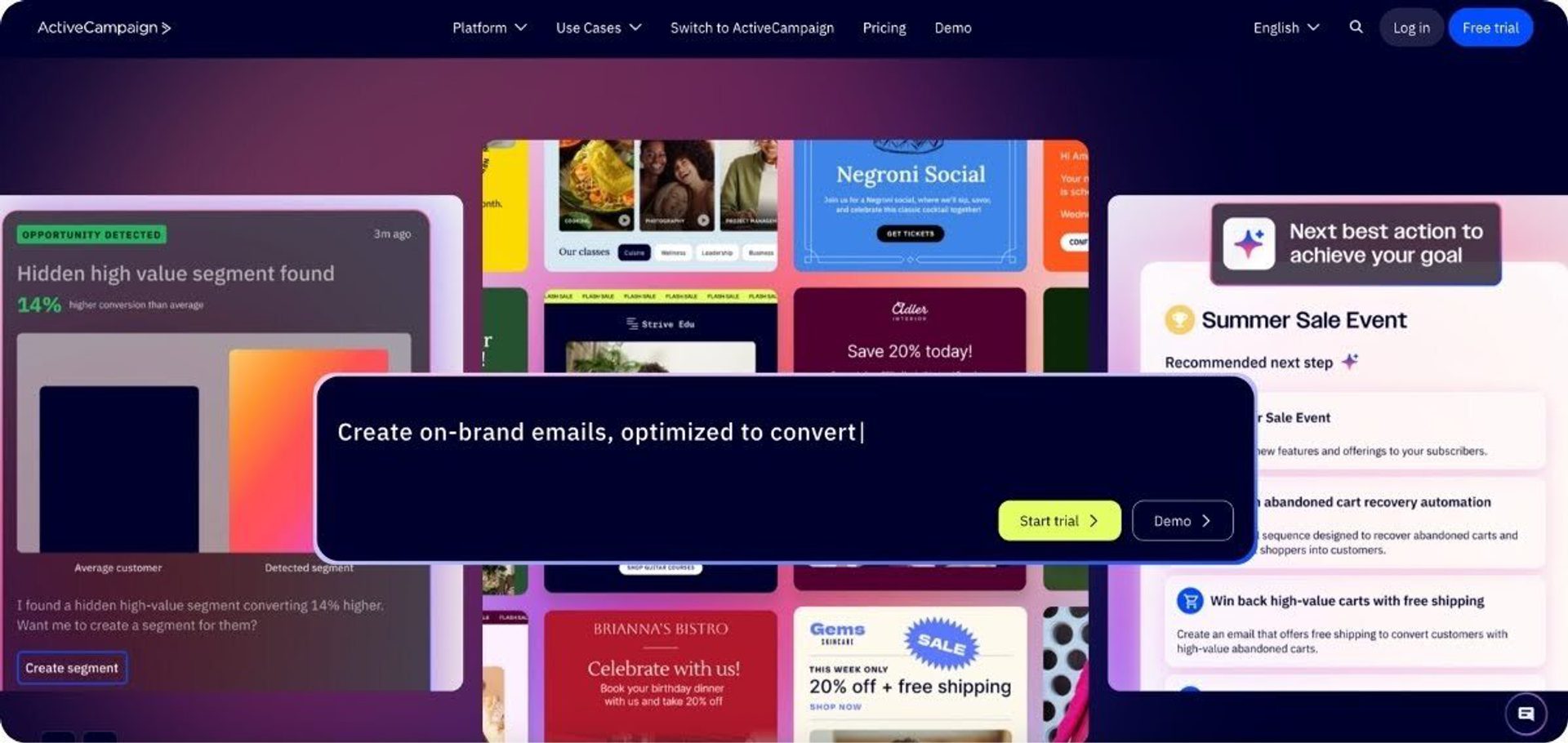
- AI doesn’t just assist, but proactively executes, analyzes, and optimizes: The platform is built on an AI-native system called Active Intelligence. While most marketing platforms (including Mailchimp) offer some basic AI assistance for content generation, Active Intelligence helps to build and run full campaigns end-to-end. It can identify high-value segments, create campaign content, proactively surface insights, answer questions and produce reports, and even recommend strategies to improve performance. It offers significantly more granular targeting than Mailchimp, with Predictive Sending that delivers email timing optimized for each individual contact.
- Ease of use that improves as marketing gets more complex: Intelligent automation tools help you do more with fewer builds. The conversational AI console can build full, goal-aware journeys from a single prompt, so you’re executing based on targets, rather than tasks. Paired with libraries of templates and automation recipes, you’ll spend significantly less time on setup work as your program scales. While Mailchimp might look easier for your first campaign, ActiveCampaign is easier for your next 100.
- Built for more than just email: ActiveCampaign brings together email marketing, CRM, SMS, WhatsApp, landing pages, forms, transactional email, and on-site messaging, and can automate cross-channel journeys from one console. Businesses can create more connected customer journeys and manage marketing and sales activity in a single system, rather than relying on multiple disconnected tools.
Explore more of the ActiveCampaign platform in our immersive product tours.
Across review platforms, ActiveCampaign is frequently praised for its powerful automation and flexibility. Many users highlight its ability to support more advanced marketing strategies, particularly around customer journeys and personalization.
Overall, we couldn’t be happier. ActiveCampaign doesn’t just offer tools; it feels like a partner that actually helps us grow. If you’re considering switching from Mailchimp or any other platform, do it — the results will speak for themselves and of course a great customer support to help you out.
ActiveCampaign is a powerful choice for any business seeking to elevate their marketing strategy at an affordable price point.
Zapier’s review of ActiveCampaign vs. Mailchimp concluded that “ActiveCampaign is a natural next step for businesses that have outgrown basic email marketing,” and highlighted that “for businesses that want to up their marketing automation, sales automation, and CRM game, ActiveCampaign has much more to offer—especially if you're experimenting heavily with AI marketing workflows.”
| ActiveCampaign | Mailchimp | |
| Deliverability | 94.2% | 89.5% |
| Which businesses choose this platform? | More often chosen by teams that want deeper automation, better segmentation, stronger personalization, and a platform that can support more sophisticated marketing over time. | More often chosen by beginners or smaller teams that prioritize quick setup, simple campaign building, and an easy starting point for email marketing. |
| Pricing & value | Free trial available. Paid plans start from $15/month for 1,000 contacts. Automation available from day one and pay for advanced tools only when you need them. An accessible price point that delivers a clearer path for teams expecting to scale into sales alignment and AI-driven workflows. | Limited free tier available. Paid plans from $13/month for 500 contacts. Restricted access to automation on lower-tier subscriptions. Pricing is designed for straightforward email marketing, and a low-cost entry point for very small lists. |
| Templates | 250+ responsive, AI-powered email templates. 1,000+ automation recipes. | 250+ email templates. |
| Integrations | 1,000+ native integrations | 300+ native integrations |
To dive deeper into the differences between Mailchimp and ActiveCampaign, read our full ActiveCampaign vs. Mailchimp comparison.
A guided migration path for Mailchimp switchers
Switching platforms doesn't have to mean starting from a blank slate. ActiveCampaign's Migration Agent offers a guided, in-app path for eligible Mailchimp switchers. Powered by Quazzlient, the Migration Agent connects to your Mailchimp account, identifies all eligible marketing assets, and helps you bring selected data into ActiveCampaign with a few clicks.
The process is designed for team that want to move more than just their contact list. Depending on what's available in your account, the Migration Agent can move over audiences or list, contacts, tags, custom fields, forms, email campaigns, and select supported automations. Once you kickstart the process with the Migration Agent, all you need to do is:
- Review and agree to Quazzlient's terms and conditions
- Enter your Mailchimp API key
- Review the assets the Migration Agent finds
- Click Start Migration
Note: If the migration card doesn't appear, your account may not be eligible, the card's already been used, or your account may not meet the current availability requirements. Users can still follow ActiveCampaign's standard migration and CSV-import resources for a manual pathway.
MailerLite
Best for: beginners who want Mailchimp's simplicity at a lower price.
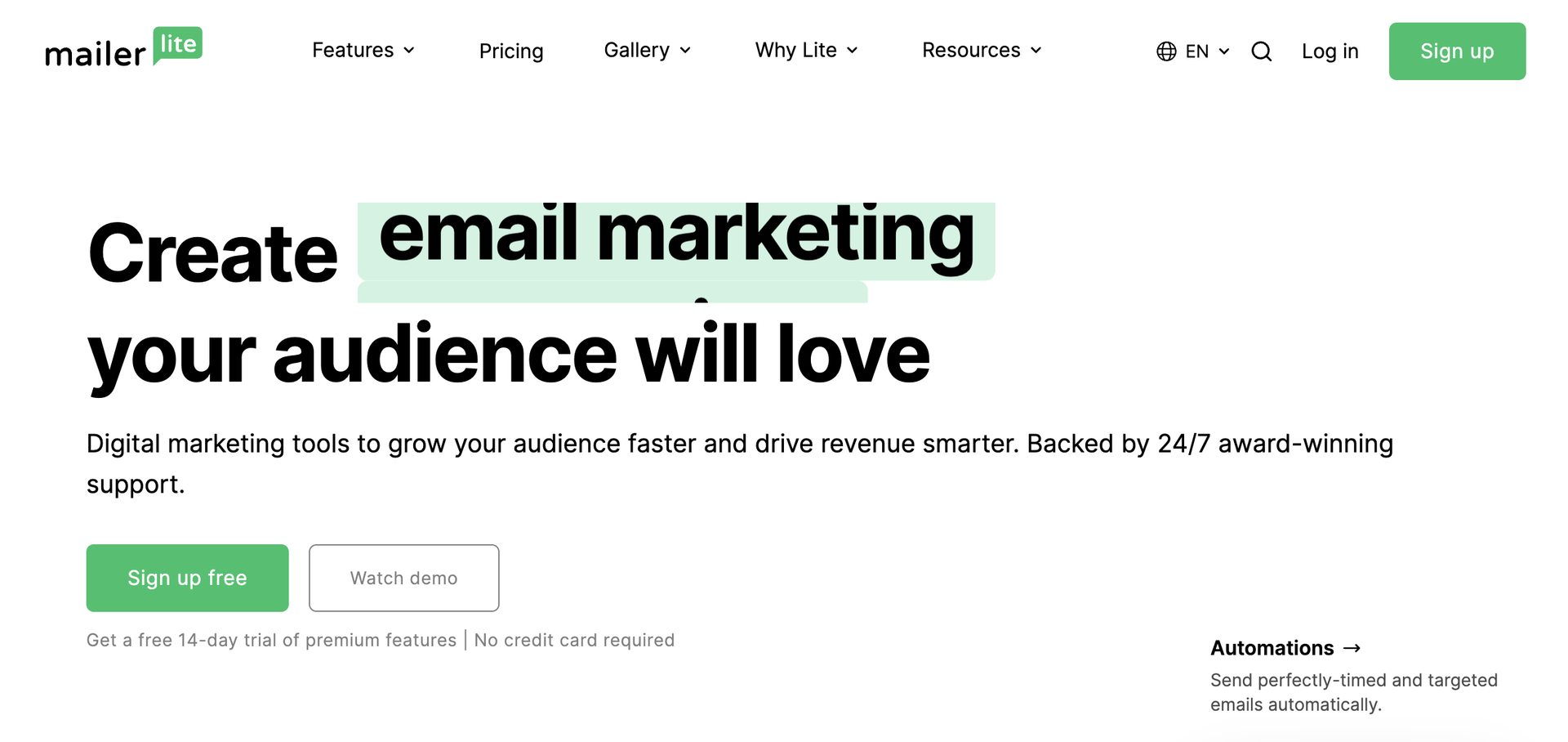
MailerLite is a Mailchimp alternative for small businesses and solo creators who want an even simpler, more affordable entry point than Mailchimp without needing advanced automation or a CRM. It's frequently recommended alongside Mailchimp for straightforward newsletter sending.
- Generous free tier: MailerLite's free plan supports a meaningful number of subscribers with core email and landing page features.
- Simple, clean interface: Consistently praised in reviews for being easy to learn, similar to Mailchimp's original appeal.
- Lighter automation than ActiveCampaign or Mailchimp: Good for basic sequences and newsletters, not built for complex, multi-channel journeys.
| MailerLite | Mailchimp | |
|---|---|---|
| Deliverability | 89.8% | 89.5% |
| Which businesses choose this platform? | More often chosen by creators and small teams running budget friendly newsletters who value simple setup and low cost over deep automation. | More often chosen by beginners and small teams that want a familiar name and a simple way to get their first campaigns out the door, with room to lean on ecommerce features later. |
| Pricing & value | Free tier available. Paid plans from $10.80 a month for 500 subscribers. Automation is included early but hits a ceiling fast, and the entry plan caps sends at 5,000 a month. A cheap, easy starting point for budget conscious senders. | Limited free tier available. Paid plans from $13 a month for 500 contacts. Automation is restricted on lower tier subscriptions. A low cost entry point that works well for simple campaigns, though value tends to slip as your list grows. |
| Templates | 50+ (paid plans only) | 250+ |
| Integrations | 100+ | 300+ |
Across review platforms, MailerLite is frequently praised for its ease of use and clean, intuitive design. Many users highlight how quickly they can get campaigns out the door, particularly around newsletters and simple automations, without a steep learning curve.
What I like best about MailerLite is its simple and user-friendly interface. The drag-and-drop email editor makes creating campaigns quick, and the automation features are easy to set up.
Moosend
Best for: small teams on a budget
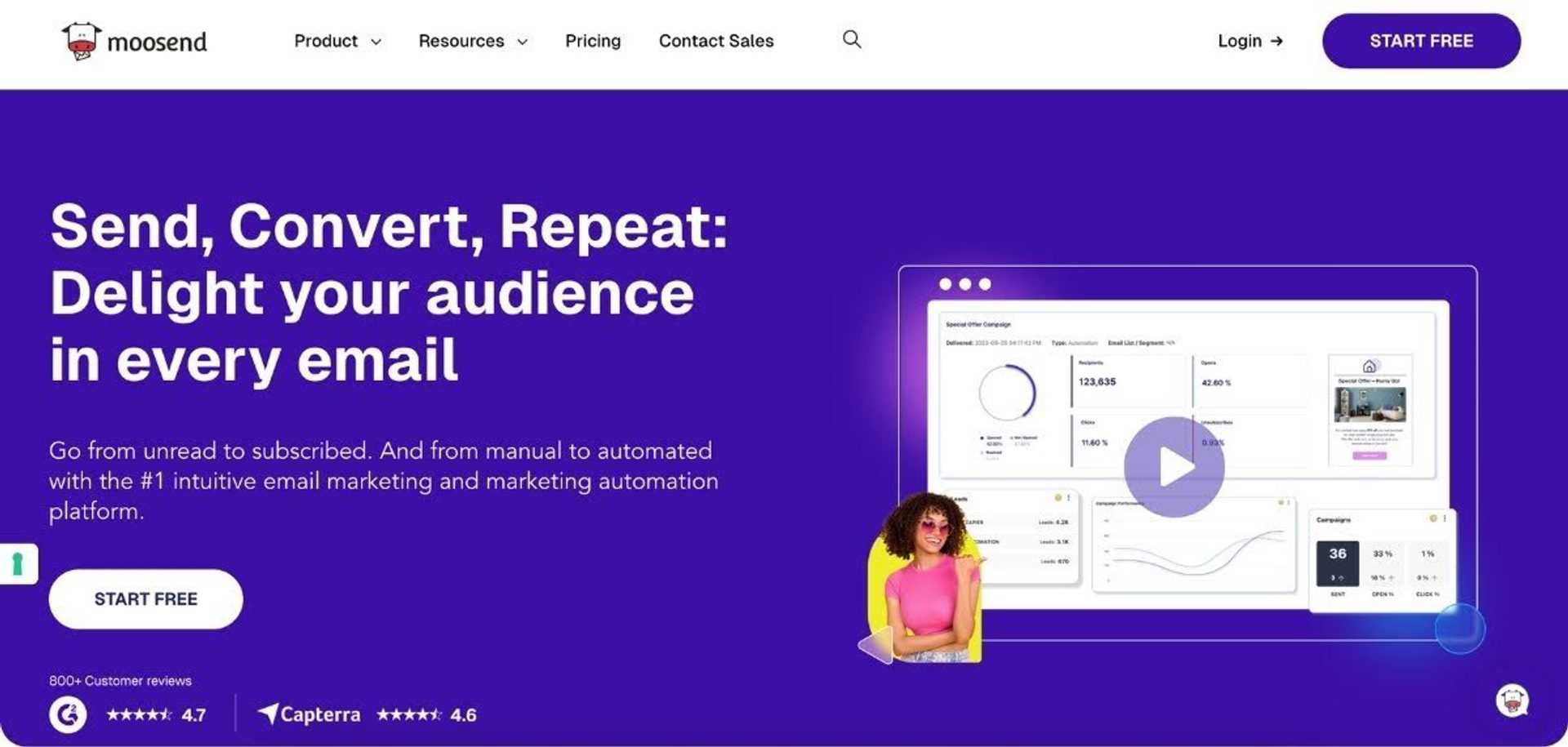
Moosend works as a Mailchimp alternative for small businesses and lean marketing teams that enjoy the intuitive feel that Mailchimp is known for. It combines an easy-to-use interface with practical campaign automation tools, so it’s a good fit for teams that want more capabilities, but don’t need a full marketing-and-sales suite.
For businesses that have outgrown basic email sends but do not yet need a more complex platform, Moosend offers an affordable path to stronger audience targeting.
- Better value for small teams with growing lists: Moosend’s pricing is one of its biggest advantages, with a low-cost entry point ($7/month) and billing based on unique active subscribers rather than total stored contacts. This can make it more cost-efficient than Mailchimp as lists grow, especially for businesses managing multiple audiences or inactive contacts.
- Practical automation without added complexity: Moosend offers automation workflows for common marketing tasks as well as triggers and segmentation that go beyond simple newsletters, while remaining easy to set up and manage. It’s a good middle ground for teams that want more than basic campaigns without the overhead of more advanced platforms.
- Stronger segmentation and reporting for SMB teams: The platform includes audience segmentation, A/B testing, and detailed reporting features like heatmaps and engagement tracking. This makes it easier to personalize campaigns and improve performance without needing additional tools.
Moosend works well when email is your primary channel and you don’t need deep CRM functionality or complex cross-channel journeys. It’s less suited to businesses that need tight marketing-sales alignment or advanced lifecycle orchestration.
Across review platforms, Moosend is generally praised for being easy to use, affordable, and surprisingly capable for smaller teams. The tradeoff is that it’s more often seen as a strong SMB email platform than a full-scale marketing system for more complex needs.
It doesn’t include a CRM and has fewer third-party integrations available than other Mailchimp alternatives, so if you’re looking at Enterprise growth, this may not be the right choice.
I like Moosend’s great balance of ease of use, affordable pricing, and solid automation, which makes it ideal for small-to-medium B2B teams looking for powerful email marketing without the complexity or cost of enterprise tools.
| Moosend | Mailchimp | |
| Deliverability | 90.1% | 89.5% |
| Which businesses choose this platform? | More often chosen by small teams that want better automation, segmentation, and pricing without added complexity. | More often chosen by businesses that prioritize polished templates and a familiar platform for running straightforward email campaigns. |
| Pricing & value | Free trial available. Paid plans start from $7/month for 500 contacts. Upper tiers add enterprise features and transactional email. Pricing is easy to understand and may offer better value as lists grow. | Limited free tier available. Paid plans from $13/month for 500 contacts. Restricted access to automations on lower-tier subscriptions. Also has a low entry point, but pricing jumps are common as contact lists expand. |
| Templates | 130+ email newsletter templates. | 250+ email templates. |
| Integrations | 80+ native integrations | 300+ native integrations |
Brevo
Best for: email + SMS/WhatsApp multichannel
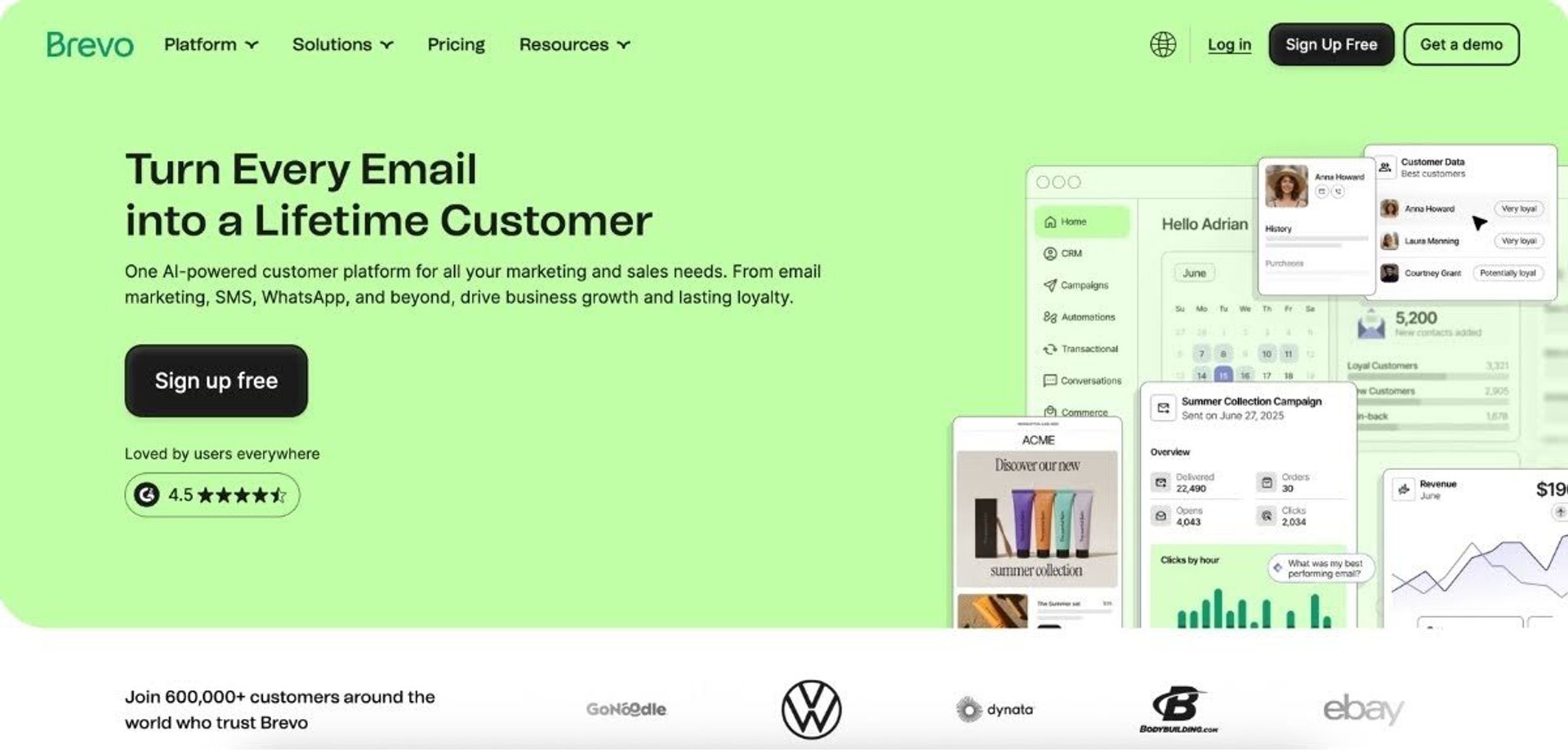
Brevo offers a Mailchimp alternative for businesses that want more than email without jumping to a much more complex platform. It combines email, SMS, WhatsApp, automation, and lightweight CRM tools in one system, which can make it a better fit for teams running broader customer engagement programs.
For businesses that have outgrown Mailchimp’s email marketing focus, Brevo offers multichannel tools.
- Built for email plus SMS and WhatsApp: Brevo’s biggest advantage is that it treats SMS and WhatsApp as part of the core platform, not just an add-on to basic email marketing. That makes it a stronger fit for businesses that want to run automations and campaigns across multiple channels from one place.
- Pricing can work better for large contact databases: Brevo prices its marketing plans based primarily on email sends, rather than charging for contacts in the same way Mailchimp does. That can be more appealing for businesses with larger databases that do not want contact-based pricing to climb as quickly.
- More complete built-in toolkit: Brevo bundles email marketing, automation, CRM, live chat, transactional email, and multichannel messaging into one platform. That reduces the need to stitch together separate tools just to manage customer communication and follow-up.
While Brevo gives teams a broader communications stack than Mailchimp, it is not usually the first choice for businesses that need highly advanced automation logic, granular reporting, or a specialized CRM. It tends to appeal most to SMBs that want one platform for email, messaging, and basic customer management.
Across review platforms, Brevo is often praised for send-based affordability and the convenience of having multiple channels in one place. However, some reviewers find automation and reporting less powerful and more confusing to implement than more specialized platforms. It’s also worth noting that Brevo’s deliverability scores are lower than Mailchimp’s. So, if you choose this platform, you’ll want to keep a close eye on list health and sending best practices.
The platform makes it easy to create email campaigns and basic automations without a steep learning curve, which is great for small teams and growing businesses. Some advanced automation and segmentation features feel limited compared to more robust platforms. For more complex customer journeys, workarounds or external integrations may be necessary, adding complexity as the business grows.
| Brevo | Mailchimp | |
| Deliverability | 88.3% | 89.5% |
| Which businesses choose this platform? | More often chosen by businesses that want email, SMS, WhatsApp, automation, and light CRM capabilities in one platform. | More often chosen by businesses that are primarily focused on email marketing and prefer a simpler, email-first platform without needing built-in SMS or multichannel complexity. |
| Pricing & value | Free tier available. Paid plans start at $9/month for 5,000 emails. Pricing is based on sends rather than stored contacts. | Limited free tier available. Paid plans from $13/month for 500 contacts. Plans scale by contact tier and stored contacts across audiences. |
| Templates | 40+ email templates. | 250+ email templates. |
| Integrations | 150+ native integrations. | 300+ native integrations. |
Want to see how Brevo compares to ActiveCampaign? Read our deep dive comparison of ActiveCampaign vs. Brevo.
Omnisend
Best for: ecommerce brands on Shopify, BigCommerce, or WooCommerce.
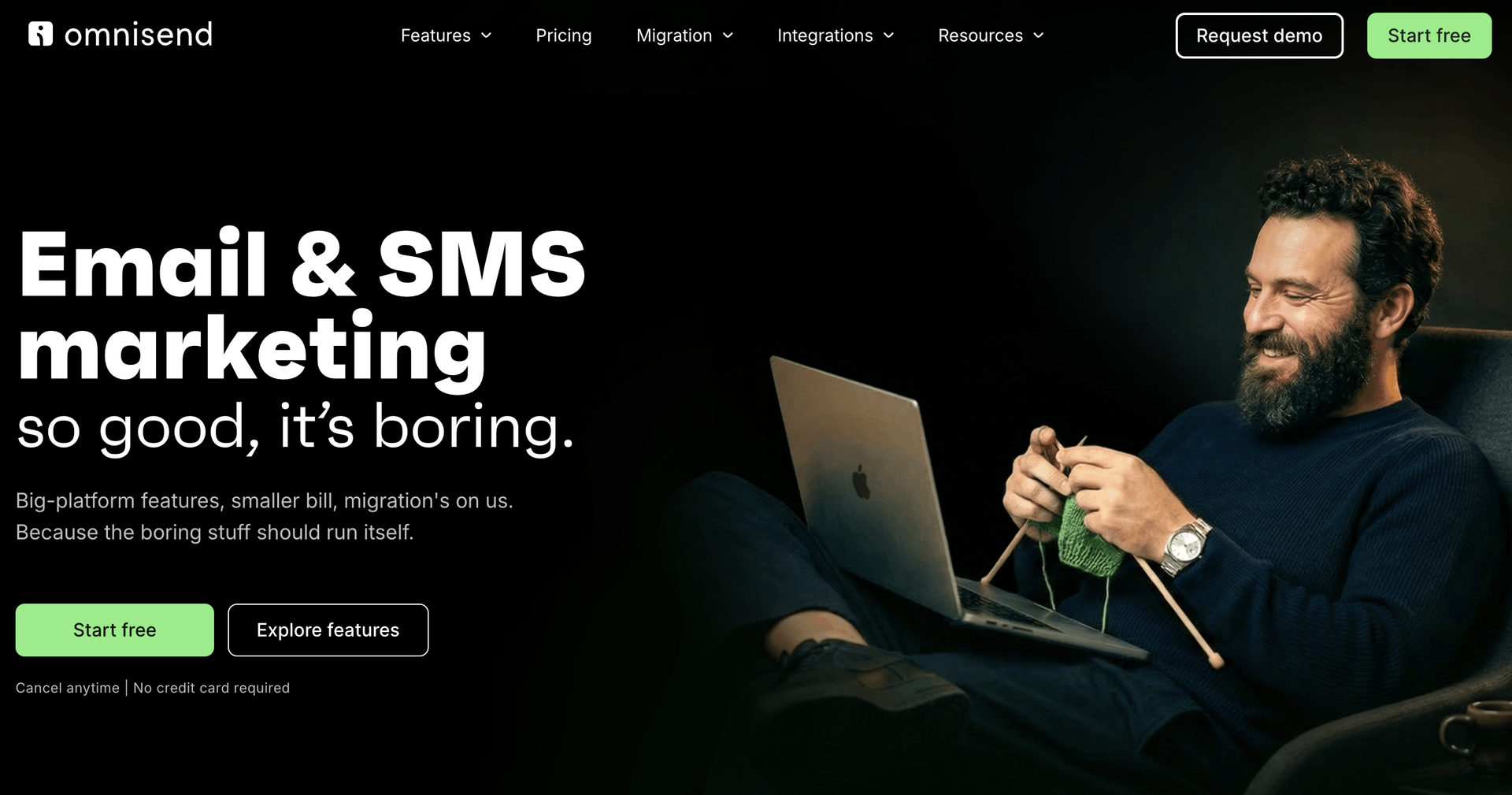
Omnisend is a Mailchimp alternative purpose-built for ecommerce, with pre-made automation for cart abandonment, browse abandonment, order and shipping confirmations, and product recommendations synced directly to store data. For merchants, this is typically much faster to set up than replicating the same flows in a general-purpose platform like Mailchimp.
- Deep ecommerce platform integrations: native syncing with major ecommerce platforms for product, order, and customer data.
- Pre-built ecommerce automation workflows: abandoned cart, welcome series, post-purchase, and win-back flows ready out of the box.
- Multichannel by default: email, SMS, and push notifications in one workflow builder.
| Omnisend | Mailchimp | |
|---|---|---|
| Deliverability | 75.1% | 89.5% |
| Which businesses choose this platform? | More often chosen by ecommerce brands, especially those on Shopify or BigCommerce, that want strong prebuilt automations built specifically for online selling. | More often chosen by beginners and small teams that want a familiar name and a simple way to get their first campaigns out the door, with room to lean on ecommerce features later. |
| Pricing & value | Free tier available. Paid plans from $16 a month for 500 contacts. Strong prebuilt ecommerce automations right out of the box, though there is no CRM layer and deliverability lags the field. | Limited free tier available. Paid plans from $13 a month for 500 contacts. Automation is restricted on lower tier subscriptions. A low cost entry point that works well for simple campaigns, though value tends to slip as your list grows. |
| Templates | 250+ | 250+ |
| Integrations | 250+ | 300+ |
Across review platforms, Omnisend is frequently praised for its ecommerce-focused automation and quick setup. Many users highlight its prebuilt workflows for online stores, particularly around abandoned carts and product-driven campaigns.
I also like that you can do email and SMS from the same place instead of paying for separate services. The templates are actually decent looking out of the box too, which is nice because I don’t have a designer on staff.
Kit
Best for: creators and newsletter-led businesses
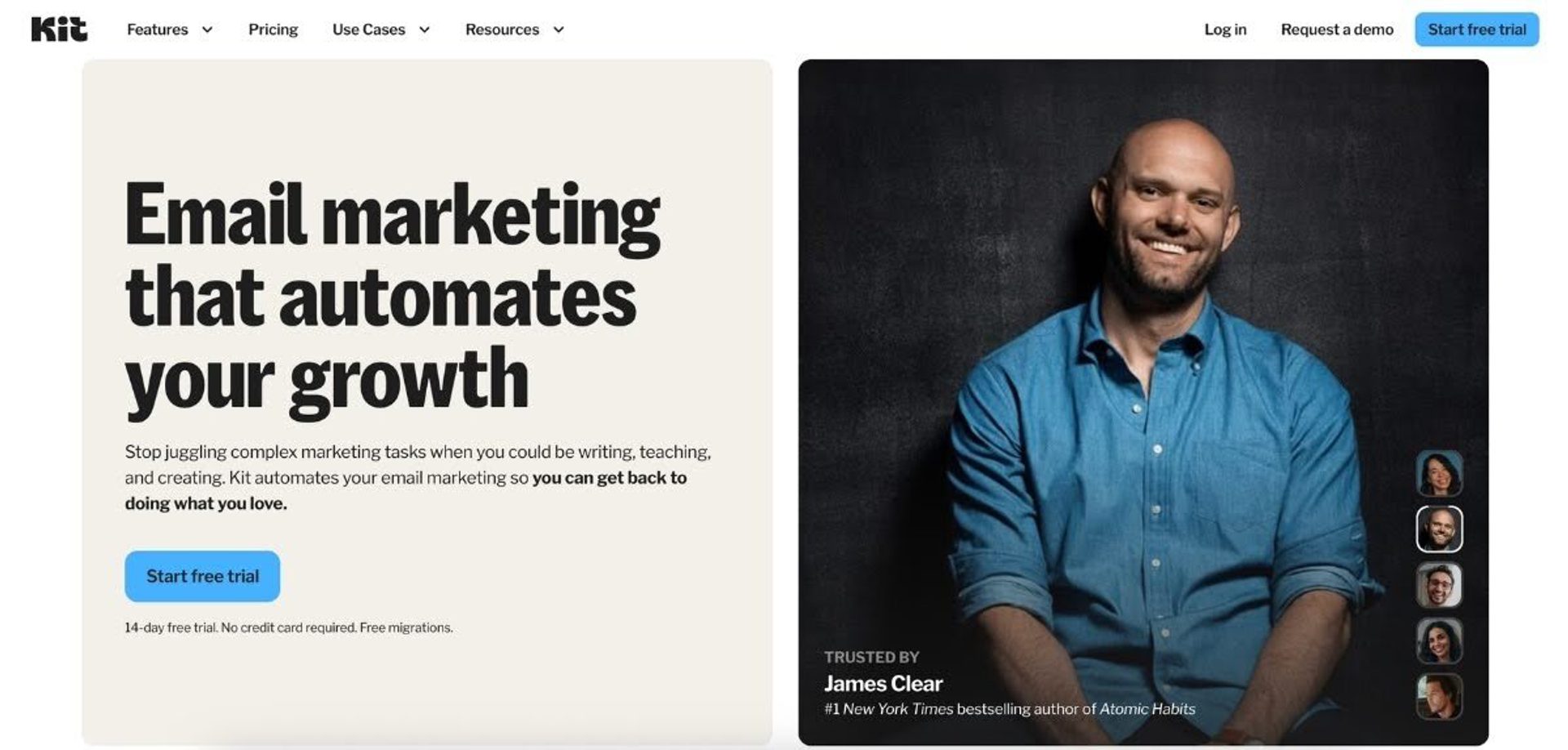
Kit (formerly ConvertKit) is a Mailchimp alternative for creators, educators, and other audience-first businesses that want email marketing built around newsletters, subscriptions, and digital products. It is designed specifically for creator-led growth, so the platform feels more tailored than Mailchimp for businesses focused on building and monetizing an audience.
Kit offers stronger features in the areas where creators often need more support.
- Built for creators: Kit is designed around subscriber growth and selling digital products. It includes a creator network for partnerships, and helps to run social media by suggesting posts, creating simple creative, scheduling, and even running retargeting ads. It’s especially appealing to creators, coaches, and media-style B2C businesses.
- Better automation and segmentation for audience-first businesses: Kit offers visual automations with branched workflows based on clicks, purchases, and engagement, making it easier to personalize email journeys as your list grows. It’s a strong fit for creators who want more than simple newsletter sends but do not need a full CRM-led platform.
- More generous free plan for list growth: Kit’s free Newsletter plan supports up to 10,000 subscribers, which is significantly more generous than Mailchimp’s free plan limits. That’s attractive for creators who are focused on audience growth first and monetization second.
Kit does offer fewer templates and less developed SMS marketing than Mailchimp, so won’t meet the flexibility required by more complex brands.
Across review platforms, Kit is frequently praised for its ease of use and creator-friendly workflows. The most common tradeoff is that while users like its focus and simplicity, its automations and integrations are narrower than many marketing platforms, so it is less suited to B2B businesses or those that need a full multichannel or sales-driven system.
I really appreciate how effortless Kit makes small-business marketing. It’s perfect for people who aren’t experts in social media or advertising, and that shows in every part of the tool. It does a good job with simple social posts and retargeting ads, but you can’t customize sequences, set up more specific rules, or tailor the messaging to different customer groups.
| Kit | Mailchimp | |
| Deliverability | 91.3% | 89.5% |
| Which businesses choose this platform? | More often chosen by creators, publishers, coaches, and newsletter-led businesses that want audience growth, automations, and monetization tools built for their model. | More often chosen by businesses that want a broader, more general-purpose email marketing platform. |
| Pricing & value | More generous free tier available. Paid plans start at $33/month for 1,000 contacts. Fairly large jump in cost for users who need more than one automation, monetization features, and white-labelling. | Limited free tier available. Paid plans start at $13/month for 500 contacts. Pricing is more incremental, but similarly based on gated features. |
| Templates | 3 email templates, plus some community-created templates. | 250+ email templates. |
| Integrations | 50+ native integrations. | 300+ native integrations. |
Want to see how Kit compares to ActiveCampaign? Read our deep dive comparison of ActiveCampaign vs. Kit.
AWeber
Best for: hands-on, 24/7 human support
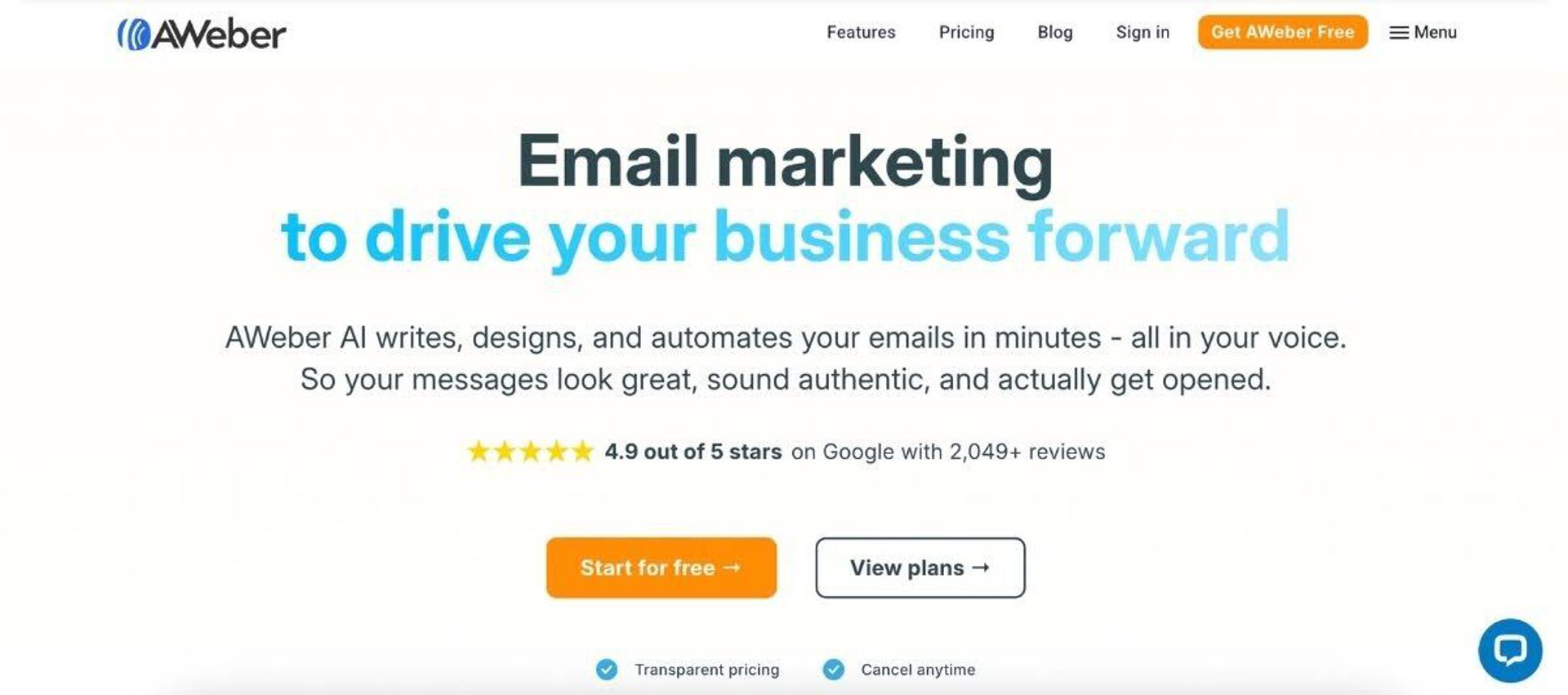
AWeber is a Mailchimp alternative for small businesses and solopreneurs that are fond of Mailchimp’s ease of use, but don’t need advanced automation or multichannel complexity. It’s particularly well known for its hands-on customer support and straightforward email marketing experience, making it a dependable option for businesses that want to get campaigns running without friction.
For businesses that have struggled with Mailchimp sticker shock, but don’t need advanced automation, AWeber offers a simple, supported path to consistent email marketing.
- Reliable support that’s easy to access: AWeber’s biggest differentiator is its 24/7 customer support, including access to real human assistance via chat, email, and phone. This makes it especially appealing to less technical users who want fast, hands-on help when issues come up.
- Simple, dependable email marketing experience: AWeber focuses on making core email marketing tasks easy, with a user-friendly interface, a very large library of pre-built templates, and straightforward campaign setup. Like Mailchimp, it’s a good fit for businesses that want to launch campaigns quickly.
- Best suited to email-first, lower-complexity use cases: AWeber works well for newsletters, basic automations, and ongoing communication with subscribers, but does have less advanced segmentation, automation, and cross-channel marketing.
While AWeber prides itself on offering all features at a reasonable price point, its deliverability is scored lower than Mailchimp. There are also fewer features, less responsive automation capabilities, and limited reporting compared to more modern marketing platforms.
Across review platforms, AWeber is praised for its customer support, ease of use, and reliability. However, if strategy growth is your goal, you might find similar limitations to Mailchimp.
Good platform for simple requirements. The automation builder lacks branching/conditional logic. So if you don’t need those things it’s a good starting point.
| AWeber | Mailchimp | |
| Deliverability | 83.1% | 89.5% |
| Which businesses choose this platform? | More often chosen by small businesses that need a stable platform, with reliable 1:1 human support at a reasonable price. | More often chosen by businesses that want a widely adopted platform with more third-party educational resources. |
| Pricing & value | Free trial available. Paid plans start at $12.50/month for 500 contacts. Unlimited feature access unlocked earlier in the subscription hierarchy, with expert assistance on the top tier. | Limited free tier available. Paid plans start at $13/month for 500 contacts. Stricter monthly send limits and bigger pricing jumps to unlock additional features. |
| Templates | 600+ email templates. | 250+ email templates. |
| Integrations | 750+ native integrations. | 300+ native integrations. |
Want to see how AWeber compares to ActiveCampaign? Read our deep dive comparison of ActiveCampaign vs. AWeber.
GetResponse
Best for: webinars and lead-gen funnels
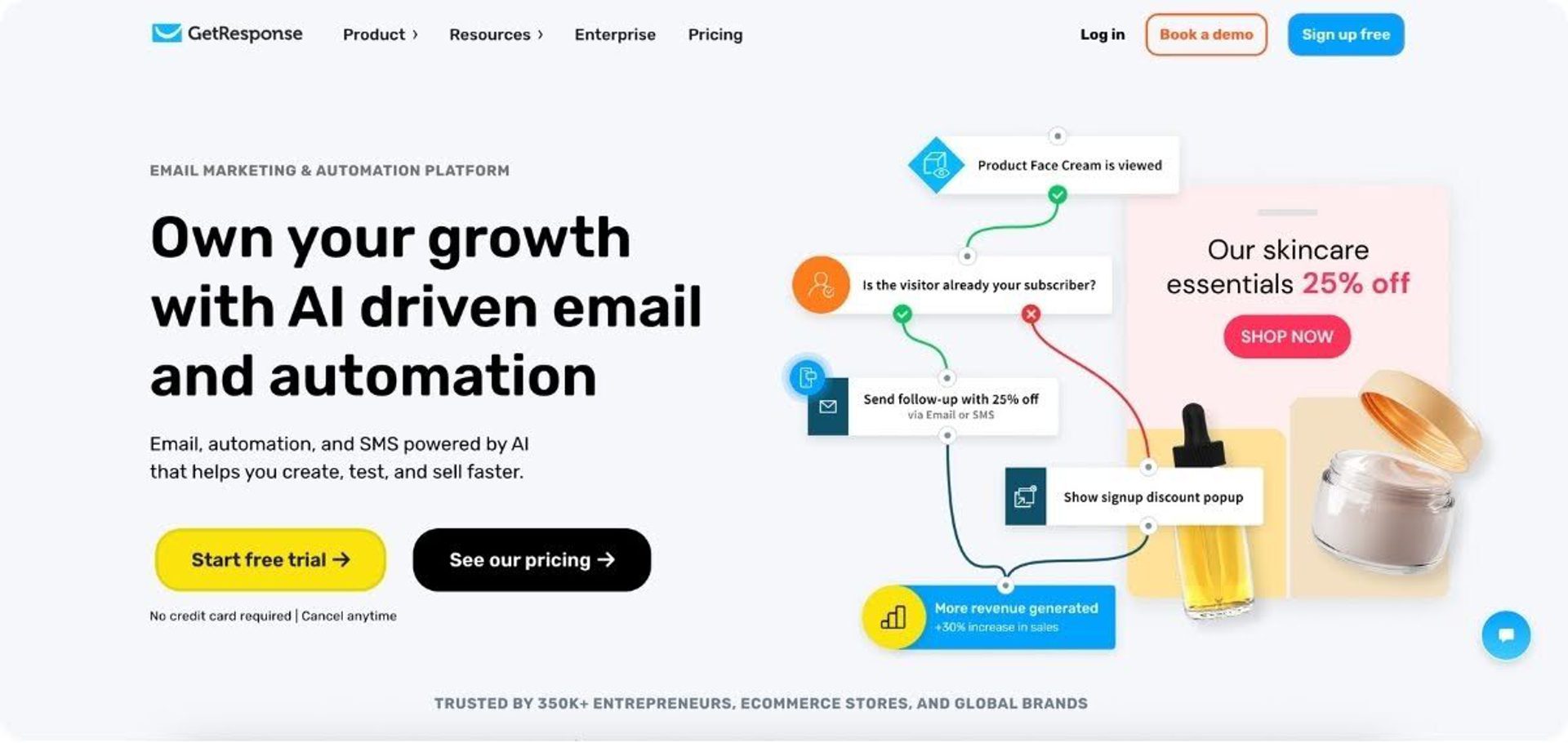
GetResponse is a Mailchimp alternative for businesses that want to combine email marketing automation with lead generation and webinars in one platform. It supports fuller campaign funnels out of the box, especially for businesses that use webinars to capture, nurture, and convert leads.
GetResponse offers stronger lead-generation capabilities than Mailchimp.
- Built-in webinars for lead generation and conversion: GetResponse includes native webinar tools, so businesses can run registration, reminders, follow-up, and nurture in one system instead of stitching together separate webinar and email platforms. That makes it especially appealing for coaches, educators, and businesses that rely on events to generate pipeline.
- Stronger funnel-building for email-first marketers: Beyond newsletters, GetResponse combines email marketing, landing pages, automations, forms, and sales flows in one platform. This makes it a better fit than Mailchimp for businesses that want to build end-to-end campaigns around lead capture and conversion.
- AI tools build campaigns and websites faster: GetResponse has one of the more interesting AI offerings on this list. As well as generating emails, it can build landing pages and even full websites based on a few inputs. This helps smaller teams to launch campaigns and build an online presence without needing separate tools.
Because GetResponse offers more built-in breadth than Mailchimp for webinar and funnel use cases, it can come with a steeper learning curve. For that reason, it’s less compelling if your main priority is simply sending polished email campaigns from a familiar, beginner-friendly interface.
Across review platforms, GetResponse is often praised for giving businesses a lot of capability in one place, especially for webinars and lead generation. However, while users appreciate the platform’s breadth, some note that automation setup and account management can feel more involved than simpler tools.
GR helps manage email marketing and lead generation in one place. Instead of using many different tools, everything such as emails, landing pages, and contact lists can be handled in one dashboard. Some advanced automation features may take time to learn for beginners.
| GetResponse | Mailchimp | |
| Deliverability | 90.09% | 89.5% |
| Why businesses choose the platform | More often chosen by businesses that want webinars, landing pages, automation, and lead generation tools in one platform. | More often chosen by businesses that want an email-first platform without added complexity. |
| Pricing & value | Free trial available. Paid plans start at $19/month for 1,000 contacts. Higher tier plans unlock stronger features. | Free plan available. Paid plans start at $13/month for 500 contacts. Higher tier plans unlock stronger features. |
| Templates | 150+ email templates. | 250+ email templates. |
| Integrations | 180+ native integrations. | 300+ native integrations. |
Want to see how GetResponse compares to ActiveCampaign? Read our deep dive comparison of ActiveCampaign vs. GetResponse.
HubSpot
Best for: B2B teams that need tight sales and marketing alignment.
HubSpot is a Mailchimp alternative for B2B businesses that want email marketing built directly into a fuller CRM and sales platform, rather than bolted on separately. It's a common next step for teams that have outgrown Mailchimp specifically because they need marketing and sales data living in one system.
- Native CRM at the core: email marketing, forms, and automation are built directly on top of contact and deal records, not a separate audience list.
- Strong for lead scoring and sales handoff: built for marketing and sales teams that need shared visibility into the same pipeline.
- Steeper pricing and learning curve than Mailchimp: HubSpot's depth comes with a materially higher cost at scale.
| HubSpot | Mailchimp | |
|---|---|---|
| Deliverability | 77.7% | 89.5% |
| Which businesses choose this platform? | More often chosen by B2B teams that want their sales and marketing tightly aligned inside one connected platform. | More often chosen by beginners and small teams that want a familiar name and a simple way to get their first campaigns out the door, with room to lean on ecommerce features later. |
| Pricing & value | Free tools available. Paid plans start at $20 a month per seat for 1,000 marketing contacts. Cheap to start and expensive to actually use, since real automation lives in the Professional tier at $800 a month with a $3,000 mandatory onboarding fee on top. | Limited free tier available. Paid plans from $13 a month for 500 contacts. Automation is restricted on lower tier subscriptions. A low cost entry point that works well for simple campaigns, though value tends to slip as your list grows. |
| Templates | Not published | 250+ |
| Integrations | 2,000+ | 300+ |
Want to see how HubSpot compares to ActiveCampaign? Read our deep dive comparison of ActiveCampaign vs. HubSpot.
Across review platforms, HubSpot is frequently praised for its all-in-one platform and tight sales and marketing alignment. Many users highlight its ability to connect the full customer lifecycle in one place, particularly around CRM-driven workflows and reporting.
What’s helpful is the consolidation. Having email, landing pages, forms, and contact data in one place means I’m not stitching together separate tools or exporting CSVs to reconcile data.
FAQs
Is there a better option than Mailchimp?
It depends on which limitation is driving the search — there’s no single universal “better” option. The most common reasons teams look elsewhere are automation depth, deliverability, pricing at scale, and multichannel reach; match your top constraint to the criteria and comparison table above rather than to a feature checklist.
What is the best free email newsletter platform?
For a genuinely free-forever plan, MailerLite and Kit currently offer more generous limits than Mailchimp. Kit’s free Newsletter plan supports up to 10,000 subscribers and MailerLite’s free tier includes core email and landing-page features — both ahead of Mailchimp’s current 250-contact free cap. ActiveCampaign doesn’t offer a capped free-forever plan; it gives full-featured access during a free trial so you can test real automation and deliverability before committing.
Why do businesses look for Mailchimp alternatives?
Most businesses outgrow Mailchimp once their marketing needs more automation depth, segmentation, or sales alignment than a newsletter tool provides. Ecommerce brands typically need lifecycle automation for carts and post-purchase flows; creators and educators want stronger segmentation and monetization tools; B2B companies need lead nurturing and CRM integration without rebuilding their stack.
What is the best Mailchimp alternative for growing businesses?
For businesses actively scaling, ActiveCampaign is the strongest fit on this list, because of its automation depth, AI-native workflow creation, and built-in CRM. See the decision criteria above to confirm it matches your specific constraint before switching.
How is ActiveCampaign different from Mailchimp?
ActiveCampaign goes further than Mailchimp on automation depth, dynamic segmentation, built-in CRM, and AI-assisted workflow creation, while Mailchimp remains the simpler, faster on-ramp for straightforward campaigns. Teams tend to move from one to the other once they need branching automation or tighter sales alignment rather than a bigger template library.
Does ActiveCampaign improve email marketing performance compared to Mailchimp?
Yes, independent testing puts ActiveCampaign’s inbox placement meaningfully ahead of Mailchimp’s. EmailToolTester’s 2026 benchmark scored ActiveCampaign at 94.2% deliverability (1st of 15 platforms tested) versus 89.5% for Mailchimp (7th of 15), a roughly 4.7‑point gap in inbox placement. Paired with dynamic automation, Predictive Sending, and more granular segmentation, that higher deliverability generally translates into more contacts actually seeing, and acting on, each campaign.
What resources or training does ActiveCampaign offer to help users quickly master automation and advanced features?
ActiveCampaign backs new users with free guided onboarding plus an ongoing library of support resources, webinars, and courses, and AI-assisted building reduces how much there is to learn manually in the first place. Goal-based automation, AI-assisted campaign creation, and prebuilt automation recipes let users launch sophisticated campaigns with less trial and error than building from scratch.
How does ActiveCampaign’s Mailchimp Migration Agent work?
The Migration Agent connects to your Mailchimp account with an API key, scans it for eligible assets, and imports what you select in the background. Eligible customers start from the Active Intelligence homepage — select Connect my account, accept migration partner Quazzlient’s terms, then enter the Mailchimp API key. See the migration support section above for the full list of assets it can move and what to do if the migration card isn’t available, or read the complete migration guide for a manual, CSV-based path.