The best inbox for WhatsApp
Organize your conversations, assign labels to contacts, and filter the chats you need, saving you and your team time & effort with inbox for WhatsApp Messaging.
Organize your conversations, assign labels to contacts, and filter the chats you need, saving you and your team time & effort with inbox for WhatsApp Messaging.
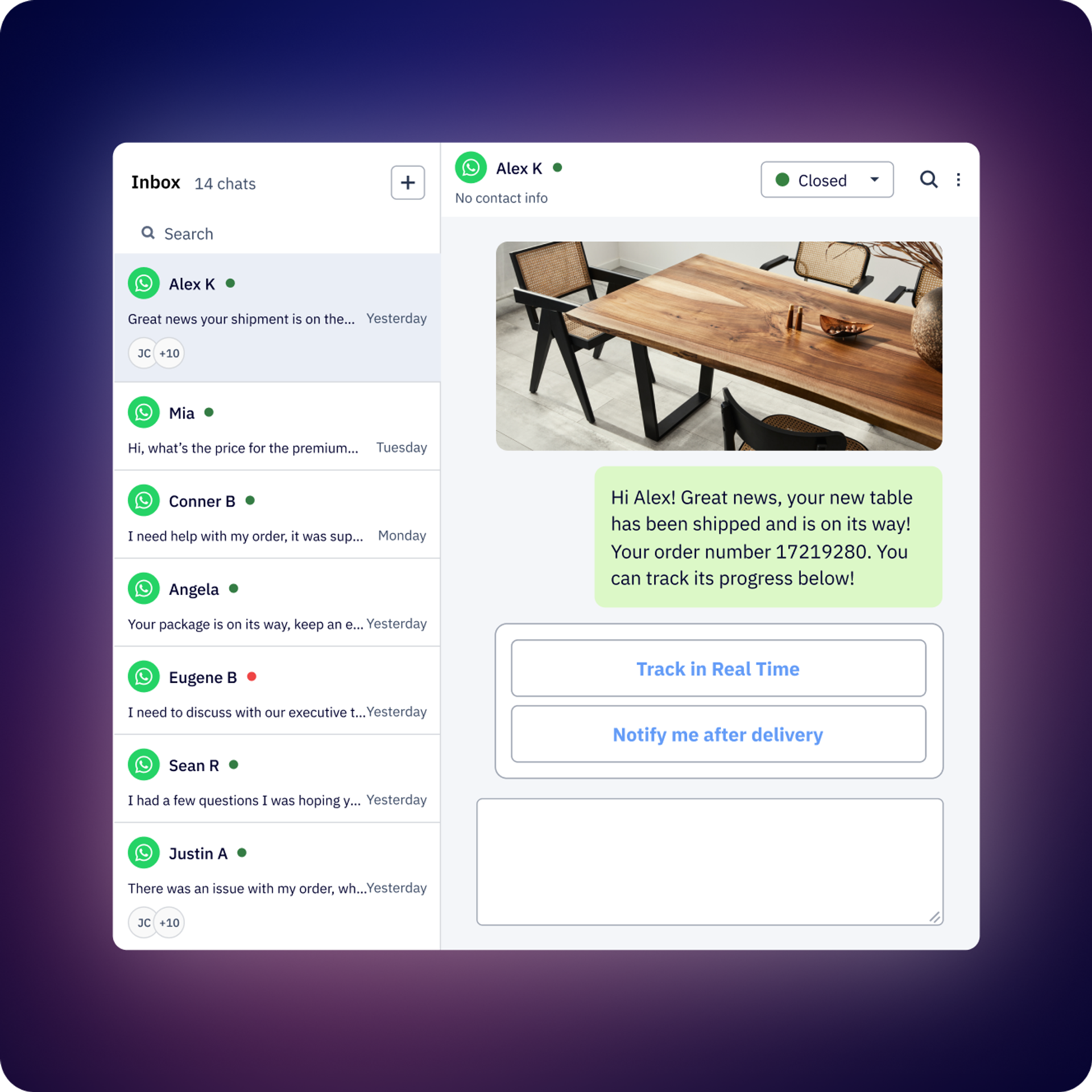
Assign one or more agents to a conversation so everyone knows its status and will be notified of replies.
Easily find the conversations you're interested in with our filters (e.g., status, if the last message was answered, who it is assigned to, tags, and more). Save filtered views to organize and find your conversations faster.
Start and manage automations and chatbots directly from the Inbox.
Add conversation and contact tags to easily identify your tasks. Leave notes within the conversation for the rest of your team.
Attach files and send voice notes just as you would in WhatsApp, directly from the Inbox.
Save common responses so your team doesn't need to type them every time. Quickly search and organize them with tags.
Too late to respond? Is the follow-up in a couple of days? Schedule the message from Inbox so you don't miss it.
Assign one or more agents individually or create a team with custom assignment rules.
Schedule an automatic satisfaction survey at the end of a flow or when closing a conversation.
Get reports with advanced analytics by conversation and by agent. Export them in a downloadable CSV for more detail, including all historical conversations.
Average first response time, average conversation duration, number of conversations, etc.
Create customized roles and permissions for your team. Choose who can see or manage almost every part: contacts, templates, billing, who can create flows, and even who can see conversations from a specific WhatsApp number.
Inbox is a multi-agent WhatsApp interface that allows multiple team members to manage WhatsApp Business API conversations from a single shared inbox. It’s designed like WhatsApp but built for teams, enabling Sales, Support, and other departments to collaborate on customer conversations with organization features like tags, assignments, notes, and conversation tracking.
Multiple agents can work simultaneously. The exact number of users depends on your plan (see details on the Pricing page). All agents access the same unified inbox while seeing who’s handling each conversation.
Yes. You can manually assign one or more agents to any conversation. WhatsApp Messaging also supports automatic agent assignment rules, so conversations can be routed to the right person based on criteria you define. The system includes “sticky assignment,” meaning once you assign an agent to a contact, that person continues handling future conversations with that contact.
Quick replies are pre-saved message templates that let your team respond to common questions instantly without retyping the same information. You can create quick replies for frequently asked questions, standard responses, or common workflows, and agents can insert them into conversations with a single click.
Yes. Inbox shows complete conversation history with full context, including who sent each message (whether it was an agent, automation, or the customer), when messages were sent, status changes, tag additions, notes, and assignee changes. When a contact enters a Flow or receives a broadcast, the inbox also shows which flow or broadcast sent each message.
You can filter conversations by:
You can save your frequently used filter combinations as custom views (public or private) for quick access. Inbox also includes advanced search to make it easy for you to find specific messages or conversations.
ActiveCampaign supports all WhatsApp message types, including text, images, videos, voice notes, stickers, documents, and WhatsApp templates. You can send any media type that WhatsApp Business API supports.
ActiveCampaign can automatically send Customer Satisfaction (CSAT) surveys after conversations are resolved. You can configure when surveys are sent and analyze satisfaction scores by agent, team, or overall. This helps you track customer satisfaction levels and identify which agents or processes are performing well.
Yes. When customers frequently request specific actions or services, you can start an outbound flow directly from the inbox conversation. This lets you automate multi-step processes while freeing your team to focus on other customers. While a contact is in a flow, ActiveCampaign doesn’t send notifications for every reply until they complete it.
Yes. You can leave internal notes within any conversation that are visible only to your team members, not to customers. This helps agents share context, document important information, or leave instructions for colleagues who might handle the conversation later.
You can schedule messages to be sent at a later time instead of sending them immediately. This is useful for following up with customers at optimal times or preparing responses during off-hours that will be delivered when appropriate.
WhatsApp Messaging delivers significant ROI through dramatically higher engagement rates, compared to traditional channels. For example, comparing against email, businesses using WhatsApp typically see 98% open rates versus email’s 20–30%, leading to faster conversions and increased revenue per contact.
The financial impact varies by industry, business model, and use case. Key ROI drivers include:
To understand the specific financial impact for your business, explore our WhatsApp Messaging ROI Report, which breaks down our customers’ conversion rates, revenue lift, and efficiency gains. You can also calculate your potential returns using our WhatsApp ROI Calculator, which estimates revenue impact based on your current contact volume, average order value, and conversion goals.
For businesses with ActiveCampaign’s WhatsApp Messaging, additional ROI comes from team efficiency improvements through multi-agent collaboration, automated customer satisfaction surveys, conversation assignment rules, and advanced reporting that tracks agent performance and conversation metrics.
Try it free for 14 days.


