Transactional emails are real-time, automated emails sent to users after a certain action takes place on a platform, app, or website.
These are also called triggered emails because an event or trigger has to take place for the email to be sent.
Despite the name, not all transactional emails have to do with money or purchases. Transactional emails can include:
- Purchase receipts
- Shipping confirmations
- Email verifications
- Account updates
- Password resets
- Social media notifications
- Event notifications
- Legal notifications
- And much more!
Most people don’t think much about these types of emails. As customers, we take transactional emails for granted. But transactional emails are an important part of running an ecommerce store, software company, or any other online business.
Transactional emails vs. marketing emails: What’s the difference?
The three main differences between transactional emails and marketing emails are:
- Marketing emails have to be opted into. Transactional emails do not.
- Marketing emails aren’t always triggered by an action within the platform. All transactional emails are.
- Marketing emails (should) come from a different server and provider than transactional emails
Should you send transactional emails through your marketing automation platform?
In many cases, you can send transactional emails through your marketing automation platform — but whether you should depends on your goals and setup. There are advantages and disadvantages to doing so:
Pros of sending transactional emails through your marketing automation platform:
- Unified data: Keep customer engagement data in one place, allowing you to see how contacts interact with both marketing and transactional messages.
- Consistent branding: Use the same design assets, templates, and personalization tokens to keep every email on-brand.
- Automated workflows: Easily trigger transactional messages (like order confirmations or password resets) based on events or actions within your CRM or automation workflows.
Cons of sending transactional emails through your marketing automation platform:
- Deliverability concerns: Transactional and marketing emails serve different purposes, and sending both through the same infrastructure can sometimes affect deliverability.
- Speed and reliability: Transactional emails must be sent instantly. Any delay can lead to customer frustration. Some marketing platforms aren’t optimized for the millisecond-level delivery these messages require.
- Compliance and separation: Customers should always be able to unsubscribe from marketing emails. It’s the law! But you probably don’t need to let your customers unsubscribe from transactional emails. If customers unsubscribe from transactional emails, they'll miss out on important account updates, purchase confirmations, and other notifications.
With this in mind, some organizations prefer to keep transactional and marketing email systems separate for peace of mind on clarity, compliance, or data security.
While ActiveCampaign is a marketing automation platform, we also offer a built-in, reliable way to send transactional emails: the Postmark App for ActiveCampaign.
Postmark is known for its speed, reliability, and exceptional deliverability, making it the perfect companion for sending important transactional emails like receipts, order confirmations, and password resets. It’s now also fully integrated with ActiveCampaign, giving you the best of both worlds: fast transactional delivery and powerful marketing automation in one platform.
Customers like Paperbell and Spanishland send their transactional and marketing emails with ActiveCampaign and Postmark, for the most seamless workflow. Later on, we’ll show you exactly how to connect your transactional and marketing email systems as well.
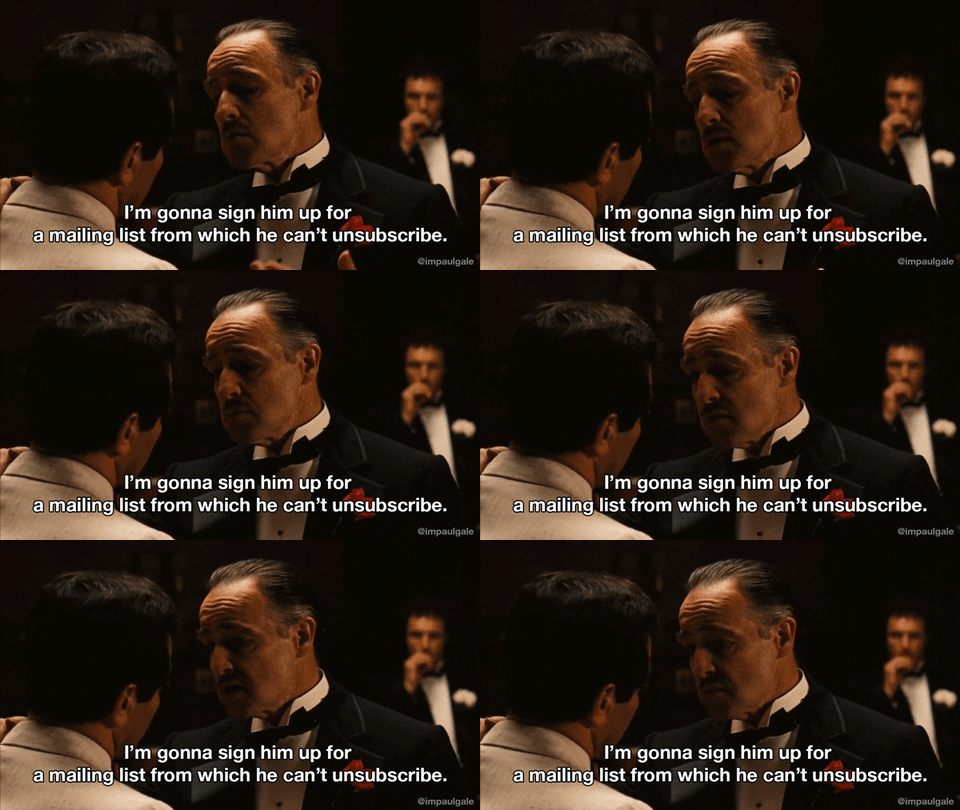
This is you using a transactional email provider. Don’t let them unsubscribe! (via GIPHY)
7 common types of transactional emails
Here are the 7 most common types of triggered transactional emails:
- Purchase receipt and order confirmation emails
- Account creation and welcome emails
- Password reset emails
- Email validation emails
- Account update
- Event-driven notifications
- Required by law
Let’s take a look at some examples of these transactional emails, and best practices for sending them.
1. Purchase receipt and order confirmation emails
When a customer places an order through your online store, it triggers an order confirmation email. These emails usually include information about:
- Items purchased
- Payment method used
- Shipping timeline or ticket details
Many ecommerce stores send additional shipping confirmation emails once an order is on its way.
Best practices:
- Send order confirmations and receipts immediately after purchase. Speed builds trust.
- Work on optimizing your marketing email quantities to maintain transactional status and avoid deliverability issues.
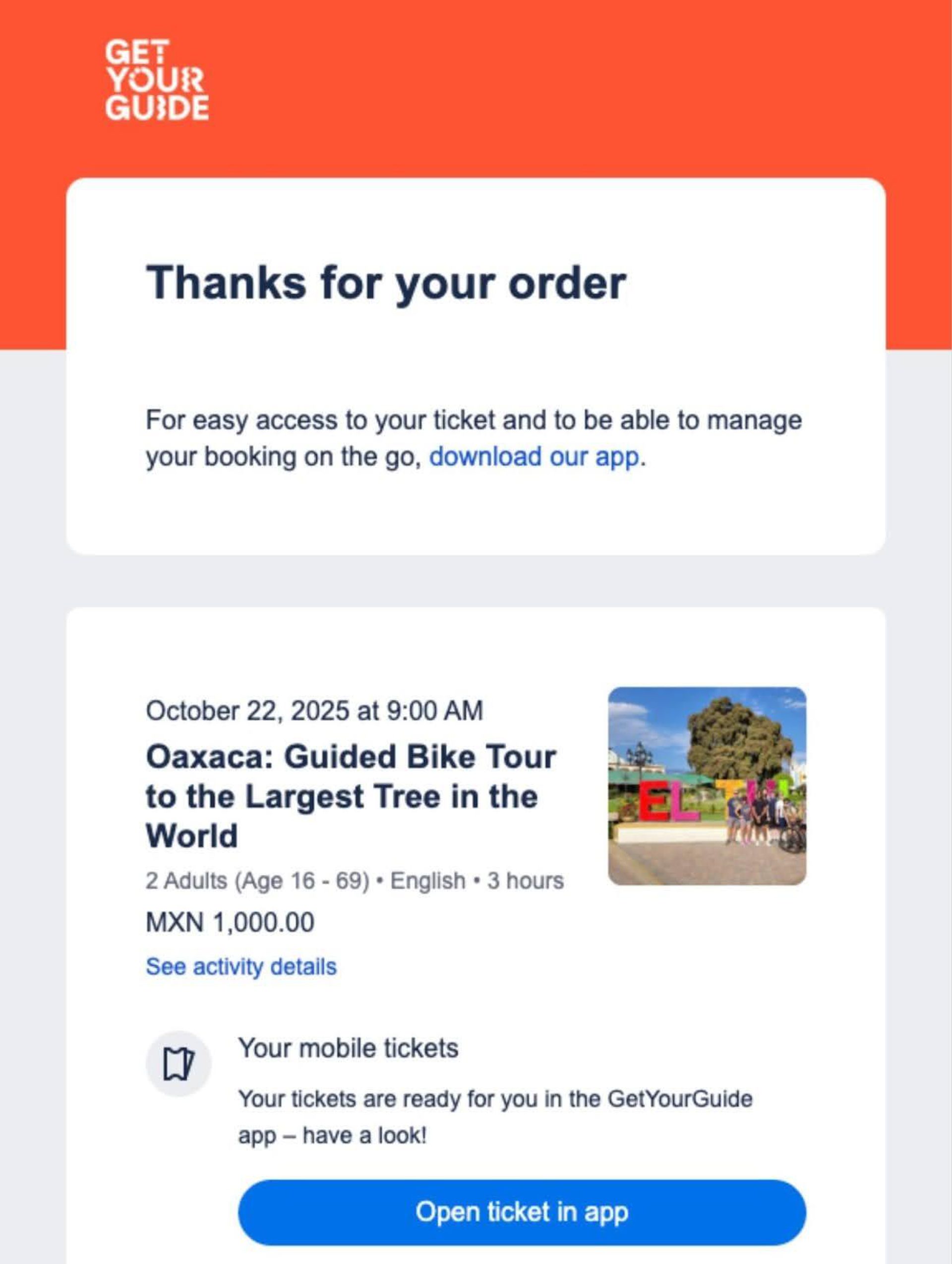
GetYourGuide’s purchase confirmation email keeps key information up top, and even includes a CTA to download the app for the most optimal experience.
2. Account creation and welcome emails
Account creation emails are triggered when a customer creates a new account on your website or app.
These emails should make customers feel great about the account they just created (and inspire them to use it). Make sure you include any next steps you want your customers to take.
Best practices:
- Send instantly upon signup to confirm success and sustain engagement.
- Keep content focused on onboarding or activation — help users take their next step.
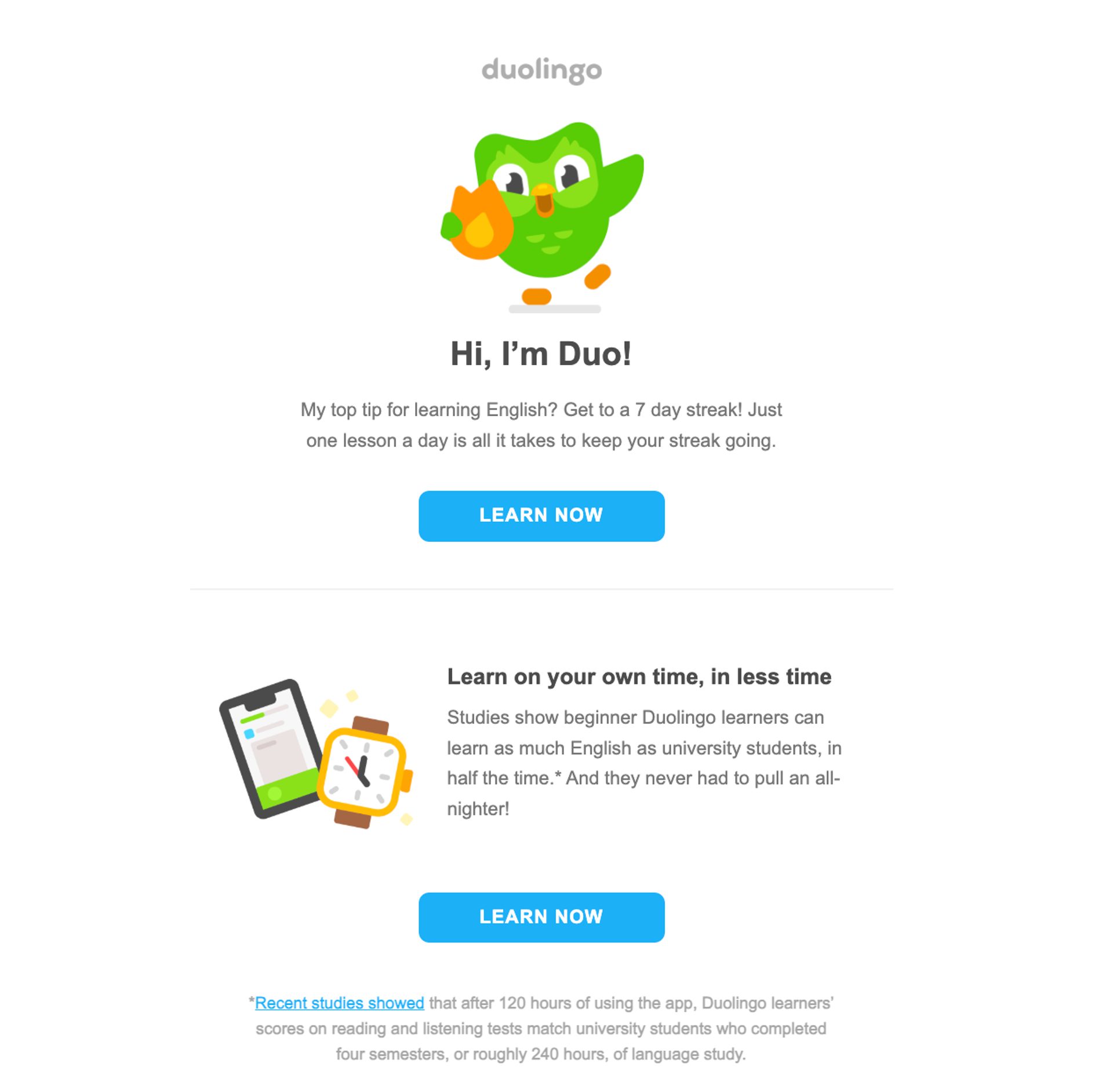
Duolingo’s welcome email introduces a key brand icon and encourages users to activate right away.
3. Password reset emails and login code emails
Everyone forgets passwords sometimes; to err is human. Make it super simple for your customers to reset their password or log in quickly. Too many clicks or forms and a user might give up and go elsewhere.
Best practices:
- Prioritize deliverability and speed. These emails must arrive within seconds.
- Use a clear, direct subject line (“Password reset request”) and avoid unnecessary design clutter.
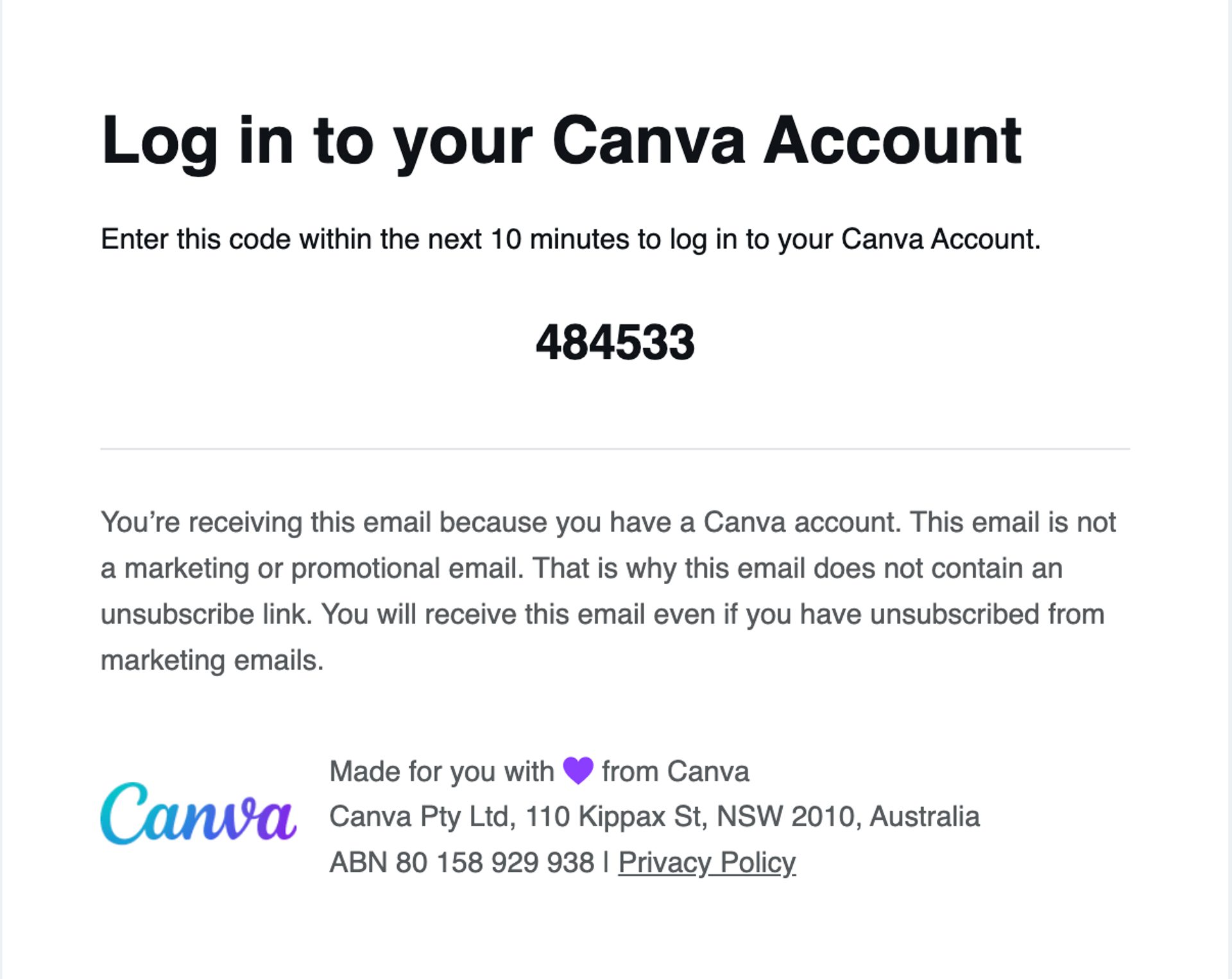
Simple and no frills. Canva’s password reset email for their design platform lets me easily log back into my account with a code.
4. Email validation emails
Also called email verification emails or email confirmation emails, email validation emails make sure you’re emailing who you think you’re emailing. No spam or fake accounts allowed!
You can use email verification tools to make your work easier. Requiring email validation helps keep your deliverability high because you’ll only send emails to people who want them, not fake mailboxes, spam traps, or users who’ll send you straight to spam.
Best practices:
- Use clear language and a strong CTA button (e.g., “Verify your email”) to minimize confusion.
- Expire verification links after a short window to reduce security risks.
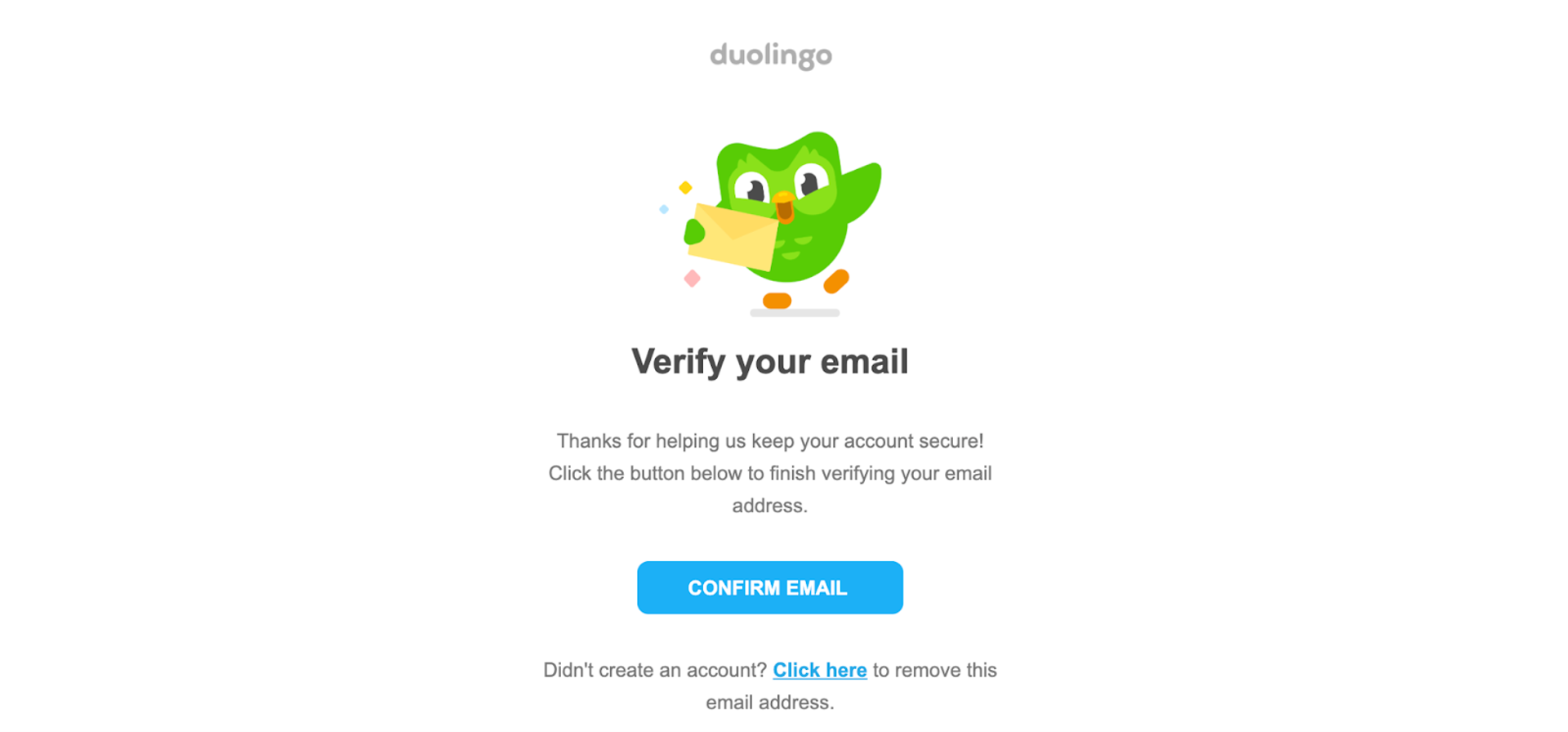
This email from Duolingo tells me exactly what to do to confirm my email for signup, or what to do if my email is being wrongly used.
5. Account update
When a user updates their account info, a quick confirmation email lets them know you (or your system) got it. The information updated can include:
- Contact information
- Payment method
- Subscription or plan
- Password
- User preferences
Best practices:
- Send account update confirmations automatically to reassure users of secure changes.
- Include a link or support contact in case the update wasn’t made by the recipient.
- Optionally, include a confirmation code or link to confirm that the changes are legitimate.
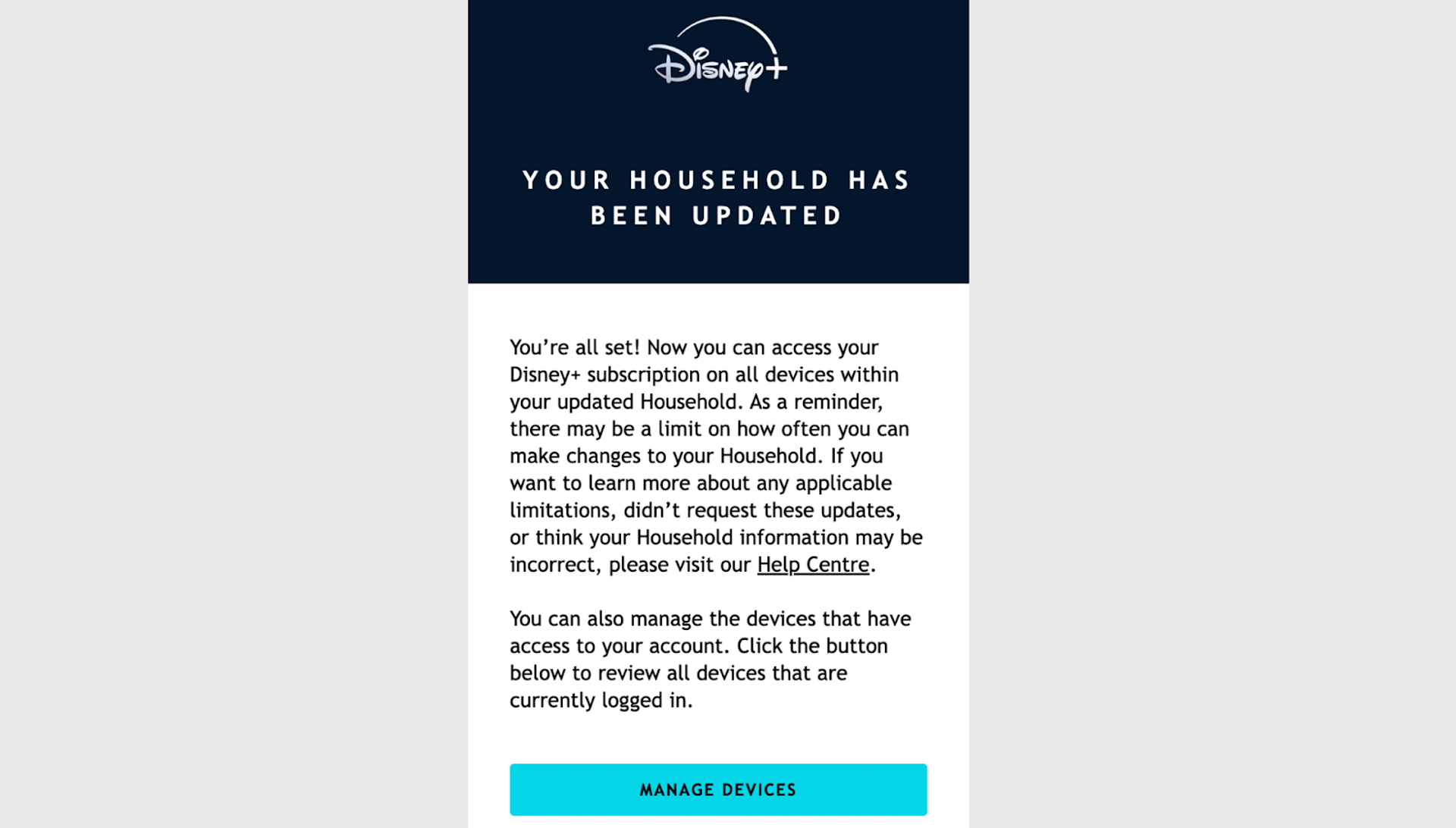
Disney+ provides a quick and easy notification when you update your household, along with information on what to do if you didn’t make the changes.
6. Event-driven notifications
Event-driven notifications are triggered whenever something happens in your software product, online platform, or mobile app and you want to let your customers know. Notifications can include:
- Security alerts
- Social media notifications
- Event RSVPs
- And more!
Customers can usually choose which types of event-driven email notifications they want to receive. Make sure to include next steps in these emails, so your customers know what to do with the info you share.
Best practices:
- Let users manage their notification preferences easily to avoid fatigue.
- Keep subject lines action-oriented and relevant to the triggered event.
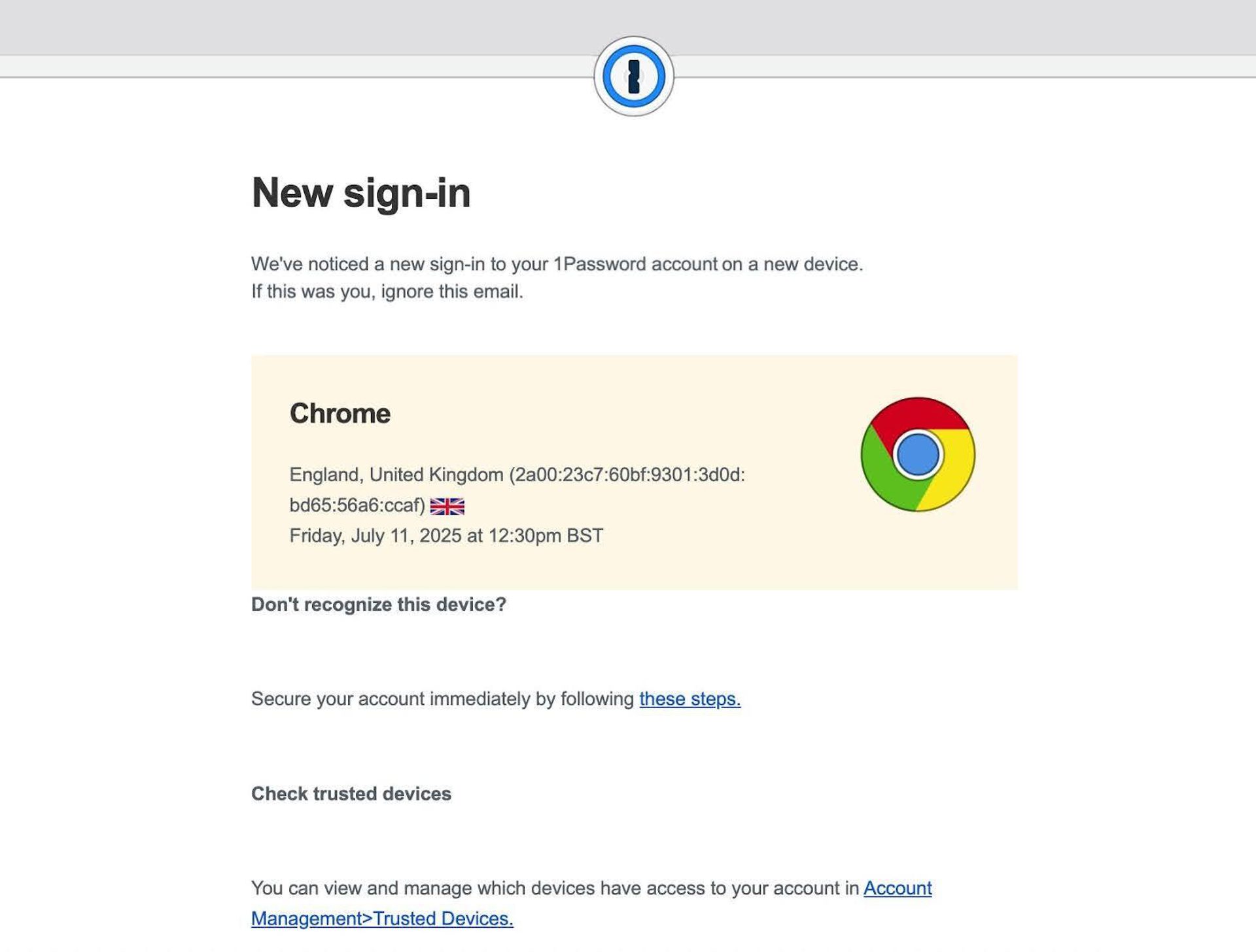
1Password recognized an unusual login to my account. Their event-driven email clearly shows the key details of when and where this happened so I can check if it’s something to be concerned about.
7. Legally required transactional emails
Some transactional emails are required by law, such as annual plan descriptions, compliance notices, or updates to terms and conditions. These are essential to maintaining transparency and compliance.
Best practices:
- Keep content clear and factual, avoiding marketing language.
- Ensure accessibility and deliverability. It’s essential that legally required transactional emails reach every intended recipient.
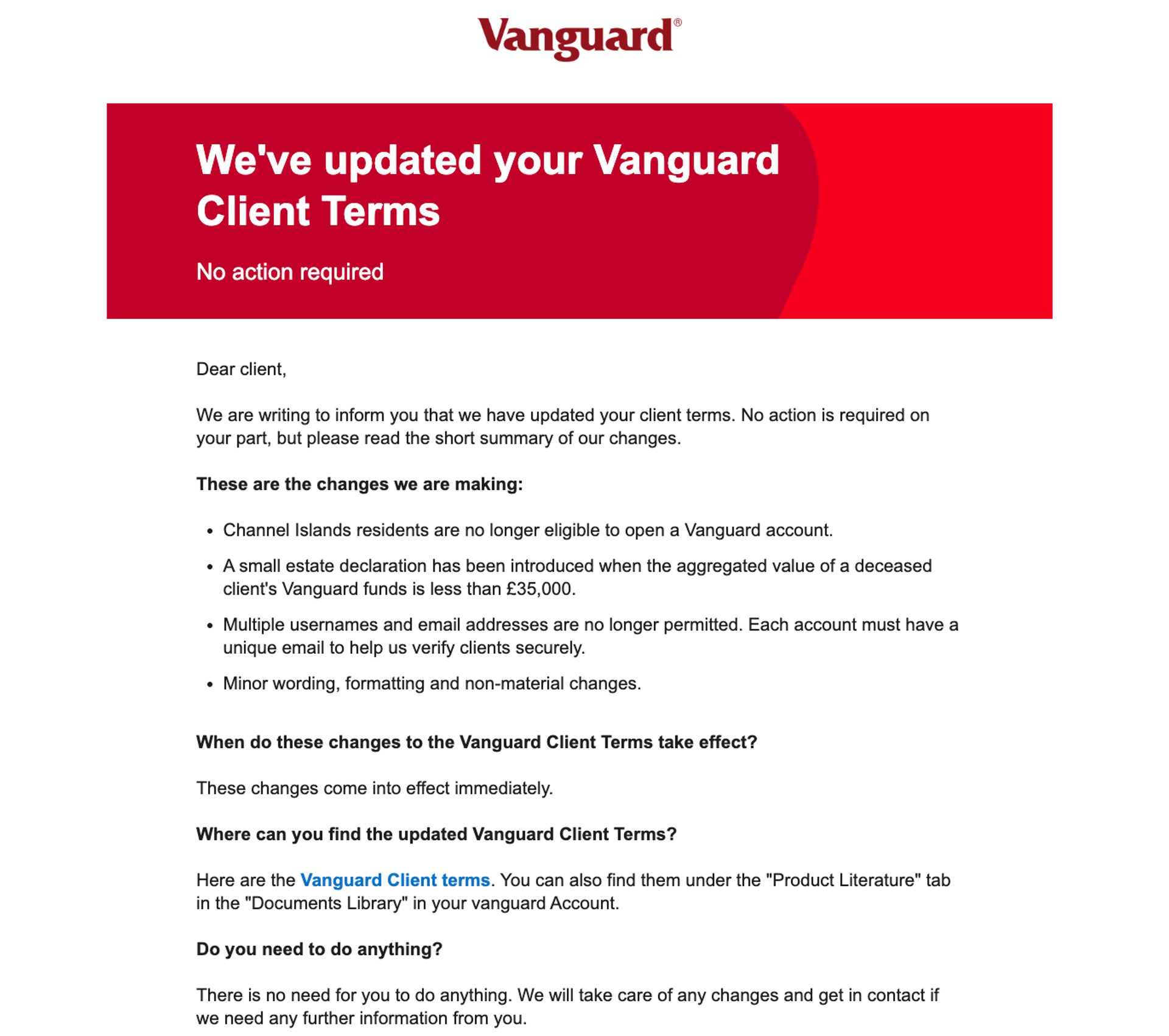
This Vanguard email neatly summarizes new updates to their client terms, and makes it clear that the reader need take no further action.
How to send transactional emails with the Postmark App for ActiveCampaign
The most common way to send transactional emails is with a transactional email service: a platform built specifically for fast, reliable delivery of system-generated messages like receipts, confirmations, or password resets.
Postmark and ActiveCampaign have joined forces to make this process simpler, faster, and more reliable. The Postmark App for ActiveCampaign lets you send personalized transactional emails directly from your automations. No external systems or custom code required.
Getting started with the Postmark App
You can connect Postmark to your ActiveCampaign account in just a few steps:
- Go to the Settings > Integrations in your ActiveCampaign dashboard and search for Postmark in the App Directory.
- Connect your Postmark account by following the on-screen prompts and entering your API token.
- In your automation builder, add a new action and select “Send a transactional email”.
- Choose a template or create a custom message. You can personalize your email using contact data from ActiveCampaign (like names, order info, or account details).
- Test your email before activating the automation to make sure formatting and personalization work as expected.
Why use the Postmark App for ActiveCampaign?
With the Postmark App, you can:
- Send personalized transactional emails from within your ActiveCampaign automations, without ever juggling separate tools or writing code.
- Trigger messages automatically for common use cases like order confirmations, password resets, or custom account notifications.
- Rely on Postmark’s industry-leading speed and deliverability, ensuring your most time-sensitive emails reach inboxes instantly.
- Maintain a unified experience, where transactional messages fit seamlessly into your customer journeys alongside your marketing communications.
The app is designed by industry leaders in deliverability for both transactional and marketing emails to ensure you can deliver critical, one-to-one messages that build trust and keep your customer experience consistent from start to finish.
SMTP vs. API: How Postmark delivers your transactional emails
Postmark supports both SMTP and API for sending transactional emails — giving you flexibility based on your needs.
SMTP (Simple Mail Transfer Protocol): The easiest way to start sending transactional emails through Postmark. It works like a digital post office that passes your mail along to the recipient—simple to set up and ideal if you want to get started quickly with reliable delivery.
When looking into transactional email services, you might see people talk about SMTP integrations or SMTP relay.
Relaying is the process of transferring an email from one server to another. SMTP relay routes your bulk transactional emails through a trusted 3rd party to your customer.
Why choose SMTP? Cloud-based email providers don’t always have the deliverability or bandwidth to send so many real-time emails without getting marked as spam. SMTP is built to make sure your transactional emails get to your recipient’s inbox.
API (Application Programming Interface): This is a less popular and reliable option for sending triggered emails. If you can’t or don’t want to use a local mail server and SMTP, you would use an email API. It’s also important to protect your APIs effectively, as they can be vulnerable to exploitation by malicious third parties if they are not robustly defended from a range of common threats.
You need to use an API instead of SMTP if…
- Your ISP blocks all outgoing mail ports.
- Your site connects super slowly to your transactional email provider, meaning each client-server interaction takes a long time.
- You don’t have full control of your site code or application, so you can’t install or configure SMTP. Designed for speed, automation, and scalability.
Our recommendation? Use SMTP for simplicity and quick setup, and choose API for advanced automation and large-scale use cases. Both are now part of the Postmark + ActiveCampaign ecosystem, ensuring fast, reliable, and branded transactional communication, all within a single connected platform.
Transactional email tips and tricks
Just like their marketing campaign counterparts, good transactional emails can increase customer loyalty and customer retention.
Before you go forth and create beautiful, effective transactional emails, here are some tips:
- Make sure your email is responsive. Test it on multiple devices and different mail apps. Mobile optimization isn’t optional—a large share of transactional opens happen on phones.
- Test and review your transactional emails often! The set-it-and-forget-it mentality won’t work here. Test content, links, and delivery flows regularly.
- A/B testing isn’t just for marketing emails. Test different subject lines, CTAs, and small design changes in your transactional emails. Change only one variable at a time so you can isolate what works.
- Keep an eye on deliverability. We talk about this a lot when it comes to email marketing campaigns, but it matters for triggered emails, too. You really don’t want your password reset or order confirmation emails going to spam. Good deliverability also keeps your open rates high.
- Use and monitor email authentication. Publish and verify SPF, DKIM, and DMARC records for the sending domain so inbox providers trust your transactional messages. Use ActiveCampaign’s free verification tools for quick checks.
- Prioritize security. Protect reset links and tokens (short expiry, single use), avoid exposing sensitive data in email, and monitor for suspicious activity.
- Provide fallback strategies: include text fallback for images, plain-text alternatives, and graceful handling if external resources (tracking, images) are blocked. Also, plan secondary delivery paths or retries for critical messages.
- Minimize marketing links and promotional content. Transactional emails should primarily deliver information. Excessive promotional content can confuse ISPs and put deliverability at risk. Keep any marketing elements subtle and relevant.
- Accessibility matters. Use semantic HTML, clear heading hierarchy, meaningful link text, descriptive alt text for images, sufficient color contrast, and ensure screen-reader friendliness so all recipients can access the content.
- Monitor and iterate. Track delivery events, bounces, opens, and engagement to spot issues quickly and improve content over time.
Leverage Postmark + ActiveCampaign together
- Trigger automations from transactional events. Use Postmark events (delivered, opened, bounced) or ActiveCampaign triggers to start follow-up journeys — e.g., send a “how did we do?” email after a delivery is confirmed.
- Personalize with customer data. Pull contact fields into Postmark templates via the ActiveCampaign integration to include names, order details, and relevant next steps in confirmations and receipts.
- Keep transactional emails part of the customer lifecycle. Just like marketing campaigns, well-crafted transactional emails can increase customer loyalty and retention — they’re often the most trusted messages a customer receives.
Ready to take your transactional emails to the next level?
Try the Postmark App for ActiveCampaign to send fast, reliable, and beautifully branded transactional emails — all from within your automations. Connect your Postmark account today and experience how easy it is to deliver every critical message on time, every time.