Sending an email is easy. Getting it seen is the hard part. Where your emails actually land—whether in the primary inbox, the promotions tab, or the dreaded spam folder—usually makes the difference between being read and being ignored.
Mastering inbox placement, not just deliverability, is critical for driving opens, clicks, and revenue.
In this guide, we’ll break down exactly what inbox placement means, how it differs from deliverability, and why it matters for every marketer and agency. You’ll learn practical ways to measure your inbox placement rate, diagnose issues, and implement proven strategies that make it easy to achieve high inbox placement—whether you’re managing a small subscriber list or scaling to tens of thousands of contacts.
What inbox placement really means (and why deliverability isn’t enough)
Inbox placement is a measure of where your messages actually land inside the inbox. Many marketers confuse deliverability with inbox placement, but the two measure different things.
Inbox placement vs. deliverability
- Deliverability: whether or not your email is accepted by the recipient’s mail server. Improving your deliverability is the first step, but acceptance doesn’t guarantee it will be seen.
- Inbox placement: The final destination of a successfully delivered email. If it shows up in the main inbox, your subscriber is most likely to open it. Emails landing in promotions, updates, or spam folders might technically be delivered, but they’re far less effective.
This distinction is crucial for accurate reporting. Many campaigns look “successful” if deliverability is high, but without strong inbox placement, open and engagement rates can lag, leaving potential revenue on the table.
It’s also worth noting the delivery rate—the percentage of emails successfully handed off to recipients’ mail servers. A strong delivery rate simply means messages weren’t blocked or bounced, while deliverability reflects how many of those messages actually make it to the inbox. Both metrics are important, but only deliverability and inbox placement reveal your true audience reach.
Why ISPs care about engagement signals
Internet Service Providers (ISPs) like Gmail and Outlook don’t just deliver blindly. They actively rank and filter emails based on user behavior. Messages that get opened, read, forwarded, or replied to are more likely to appear in the primary inbox in future sends. Conversely, emails that are ignored, deleted without reading, or marked as spam signal low relevance, which can hurt your sender reputation over time.
The stakes for marketers and agencies
The impact of poor inbox placement is felt in everyday business outcomes.
Emails that land in spam, or even the promotions folder, are often ignored, meaning product launches go unnoticed, event invites are missed, and important updates fail to reach customers. For agencies and small teams, every message that doesn’t reach the primary inbox slows sales cycles, reduces engagement with loyal subscribers, and ultimately leaves revenue on the table.
Common factors that hurt inbox placement—and fast fixes
Even the best-crafted campaigns can fail if the fundamentals of inbox placement aren’t covered. The most common culprits include:
- Missing or incorrect email authentication (SPF, DKIM, DMARC)
- Poor list hygiene and low engagement
- Content that doesn’t resonate with subscribers
- Emails flagged by spam filters
Fortunately, most of these issues have straightforward solutions. Here’s a quick guide to avoiding the common pitfalls:
1. Authenticate every send: Authentication is the first line of defense for inbox placement. Emails sent from unauthenticated domains are more likely to be filtered into spam. Ensure DMARC, SPF, and DKIM are set up correctly to prove your emails are coming from a trusted source.
ActiveCampaign’s free Verification Tools instantly flag configuration issues and provide actionable steps if you are at risk.
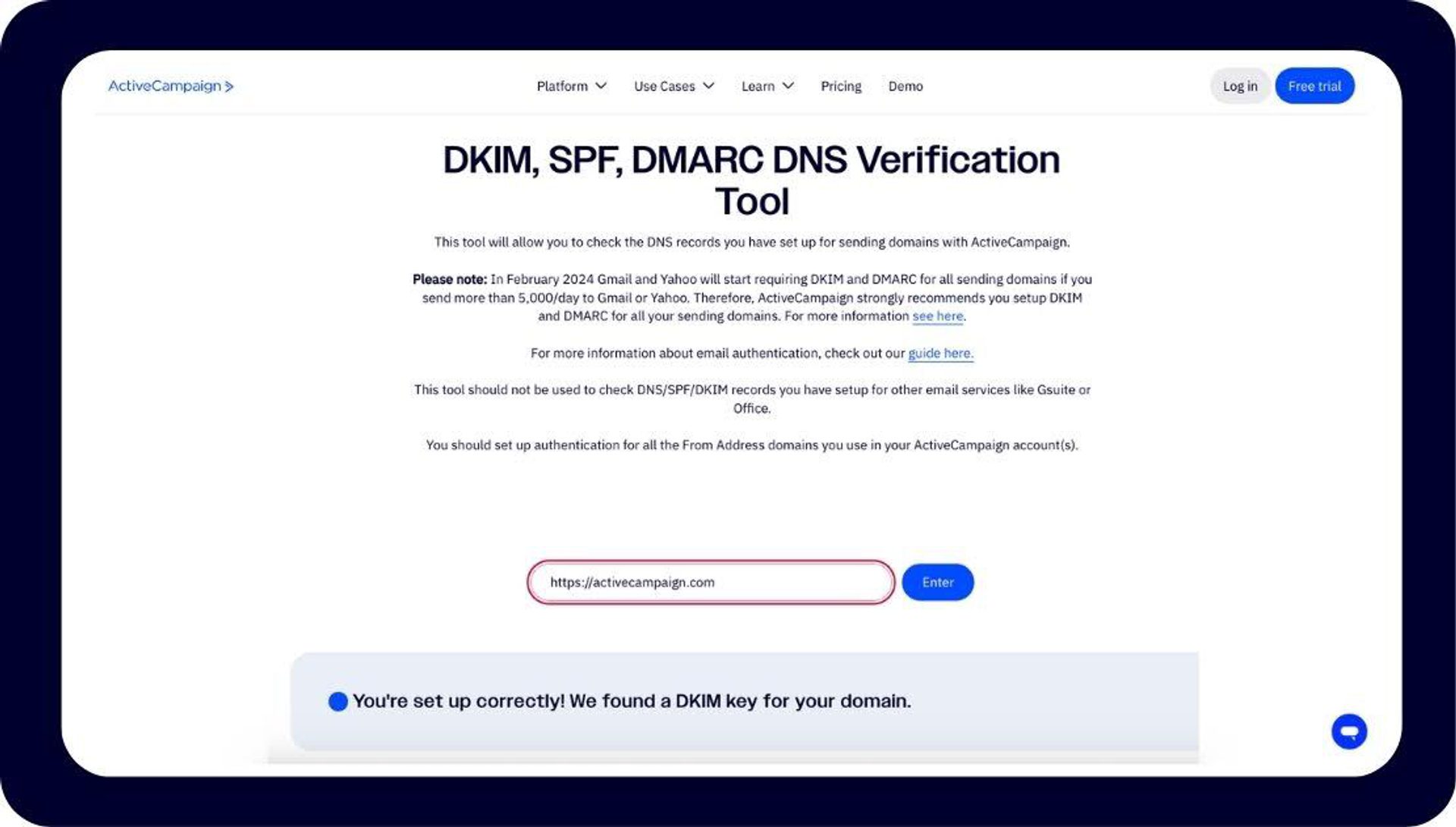
ActiveCampaign’s free, public Verification tool.
2. Protect sender reputation with list hygiene: Your sender reputation can be damaged by stale or unengaged contacts. Use the following techniques to confirm your subscriptions are fresh:
- Double opt-in: Confirms subscribers genuinely want your emails.
- Sunset policies: Regularly remove inactive contacts to keep engagement high.
- Segmentation: Target active users with relevant content while avoiding over-sending to dormant addresses.
In ActiveCampaign, you can automate list hygiene workflows that sunset inactive contacts and adjust campaigns based on engagement scores. There are also over 1,000 direct integrations with tools like ZeroBounce that can combat list decay for you.
3. Create high-engagement content: ISPs pay attention to how recipients interact with your emails. Higher engagement signals help you land in the primary inbox. Try using:
- Subject lines that are clear, compelling, and relevant.
- Dynamic content: Personalized messaging based on subscriber behavior.
- Predictive sending: Optimize send time to when users are most likely to engage.
Track read time, forwards, and replies to understand which content drives positive engagement.
4. Run routine spam diagnostics: Proactively checking your content reduces the chance of being flagged as spam. Try using:
- Spam Check reviews your emails before sending to identify risky words or formatting.
- Remediation: Adjust flagged content and test again.
- Regular reporting: Maintain a simple report with scores, flagged items, and resolutions. This can become part of your monthly review process.
By addressing these areas, you can fix common inbox placement issues quickly, often without major changes to strategy or design. With these foundations in place, you’re ready to leverage tools and advanced tactics for even higher inbox placement rates.
How ActiveCampaign keeps your emails in the primary inbox and boosts placement
When it comes to inbox placement, having the right tools and infrastructure makes all the difference. ActiveCampaign helps marketers ensure their emails land where they matter most. Here’s how the platform tackles common inbox placement challenges:
Deliverability infrastructure built for a high inbox rate
ActiveCampaign’s infrastructure is designed to maximize inbox placement from day one, with industry-leading deliverability.
- Custom mail server domains and pre-warmed dedicated IPs reduce the chance of landing in spam.
- Authentication support ensures SPF, DKIM, and DMARC are correctly implemented.
Proactive DMARC testing and real-time diagnostics
Avoid deliverability issues before they happen:
- The in-platform DMARC tool flags SPF/DKIM problems and provides step-by-step remediation.
- Actionable recommendations appear directly in your dashboard, helping teams fix issues before sending campaigns.
Real-time reporting for accurate placement tracking
ActiveCampaign’s reporting goes beyond raw opens and clicks:
- Filters remove unreliable signals, like Apple Mail Privacy Protection (MPP), for a clear view of actual inbox performance.
- Dashboards allow teams to monitor placement trends across Mailbox Providers (MBPs), ensuring informed decisions on every send. Average inbox placement rates can vary as much as 20% across providers, so it’s essential to understand when MBP preferences and guidelines are influencing your success.
Enterprise-level features on a lean budget
High inbox placement doesn’t have to come with a high price tag. Plans start at $15/month for 1,000 contacts, and give small businesses access to exactly the same deliverability tools used by large enterprises.
How to measure inbox placement with real data
You can’t improve what you don’t measure. To optimize inbox placement, you need to track real, verifiable data and understand how different providers treat your campaigns. Try these tactics to get a true picture of your inbox performance.
- Seed list testing: Before sending to your full audience, deploy test emails to a seed list. This is a selection of addresses across major MBPs. Use at least 25+ seeds per month to track consistent trends. GlockApps and SendForensics are reputable seed testing vendors.
- Inbox placement tools: Specialized tools make tracking inbox visibility easier and more precise. Use ActiveCampaign's built-in analytics, or try a third-party tool like GlockApps (best for SMBs) or MailMonitor (budget-friendly), based on your volume and needs.
- Engagement metrics: Your own audience data can reveal hidden inbox placement issues. Follow these steps:
- Track open and click trends, reply rates, and spam complaints as early warning signs.
- Filter out artificial signals from MPP for cleaner insights.
- Note sudden dips in engagement that may signal a placement shift toward spam or promotions folders.
- Performance baselines: Once you’re collecting reliable data, benchmark your performance to stay proactive:
- 80%+ in the primary inbox = strong placement
- Under 15% in promotions = healthy targeting
- Less than 5% in spam/junk = excellent sender reputation
Document these metrics in a monthly dashboard so you can catch negative trends before they impact your campaigns, or just ask Active Intelligence to show you how you’re performing.
Advanced strategies to boost inbox placement at scale
Once you’ve mastered the fundamentals, the next step is scaling your success. These advanced strategies leverage AI, cross-channel data, and proactive infrastructure management to help you maintain exceptional inbox placement rates, even as your volume grows.
AI-driven optimization of timing and content
Predictive technology can take the guesswork out of inbox placement. ActiveCampaign’s personalized Predictive Sending models analyze engagement patterns, sender reputation, and user behavior in real time to determine:
- The best send times for every individual contact.
- Which subject lines and content blocks drive the most engagement.
- When to throttle or pause sends to protect your reputation.
Emails arrive when subscribers are most likely to engage, featuring the content you know appeals to them. This results in higher open and click rates, and a higher sender reputation.
Leverage cross-channel engagement data
Inbox placement doesn’t exist in isolation. Signals from SMS, site behavior, and purchase history can all help strengthen your sender reputation.
For example, if a contact recently clicked an SMS link or visited your site, they’re more likely to engage with your next email.
Inside ActiveCampaign, you can build automations that adjust email frequency or content based on these engagement signals, so your messages are timely and relevant.
Manage dedicated IPs and warming for enterprise volume
As your sending volume grows, moving from shared to dedicated IPs gives you full control over your reputation.
Start with a gradual warm-up schedule, increasing daily send volume to build a positive history with MBPs. Then, maintain consistent volume and engagement to reinforce trust signals.
If you’re a large sender doing significant email blasts, use a pre-warmed IP to ramp up faster without risking deliverability dips.
Recover from blacklists or IP blocks
Even reputable senders can hit roadblocks. If you find your domain or IP has hit an email blacklist:
- Check listings on major reputation databases.
- Request delisting after resolving underlying issues (often related to bounces or spam complaints).
- Rebuild your reputation by gradually reintroducing sends to your most engaged contacts.
When paired with proactive monitoring and AI-driven optimization, these strategies create a sustainable framework for long-term inbox success.
Customers who improved inbox placement with ActiveCampaign
The best proof of ActiveCampaign’s inbox placement success comes from real customers who’ve seen measurable improvements in engagement and deliverability after switching.
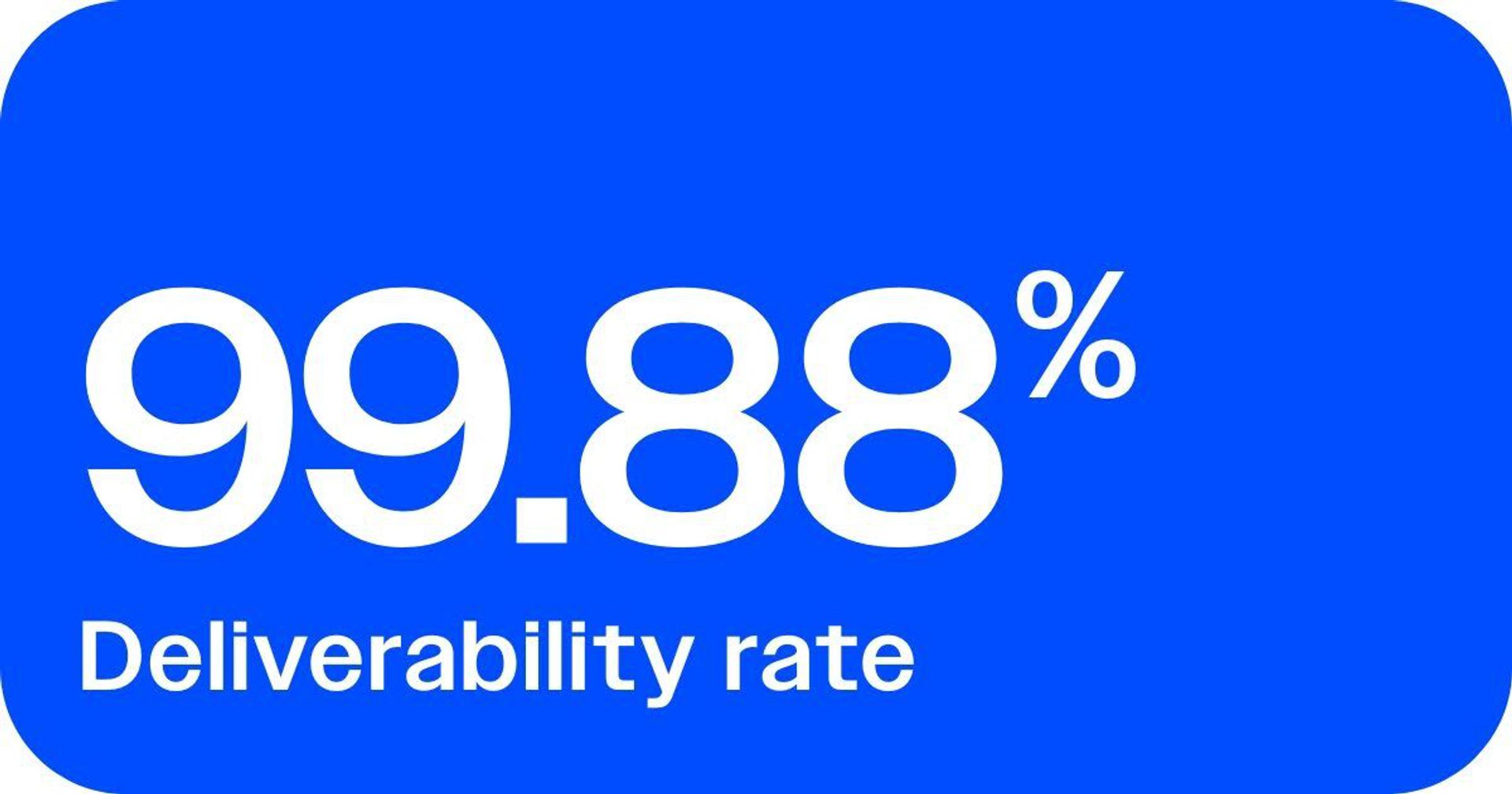
MentorShow: Deliverability at 99.88%
MentorShow leveraged ActiveCampaign’s authentication infrastructure, automations, and dedicated IPs to protect sender reputation while scaling to a single automation of over 21,000 contacts.
The payoff was exceptional: a 99.88% deliverability rate, ensuring nearly every message reached the intended inbox and supporting consistent engagement growth.
UN|HUSHED: Consistent inboxing through automation and segmentation
As a small education-focused nonprofit, UN|HUSHED needed to ensure critical communications, like course updates and resource announcements, didn’t get lost in spam.
With ActiveCampaign, they automated their outreach and segmented audiences by engagement level and educator type. This focus on relevance and cadence helped maintain a strong sender reputation and improve inbox placement. A resulting 99% deliverability rate means that essential updates always reach subscribers.
Inbox placement is the new email ROI lever
In today’s crowded inbox, every brand is fighting for a moment of attention. True performance depends on where your messages land, and inbox placement has become one of the most powerful levers for driving email ROI.
Every improvement, whether it’s authenticating your domain, cleaning your list, or fine-tuning engagement signals, directly impacts how MBPs perceive your trustworthiness. A higher inbox placement rate means more opens, more clicks, and more opportunities to convert.
ActiveCampaign gives you the data and infrastructure to make that happen. Instead of guessing why emails land in spam, you can pinpoint issues, fix them fast, and keep your messages consistently visible to the people who matter most.
Don’t settle for “delivered.” Get your emails seen.
Book a demo to see ActiveCampaign’s deliverability tools in action.
Inbox placement FAQs
What is a good inbox placement rate?
A strong inbox placement rate is typically over 85% in the primary inbox, with less than 5% landing in spam. ActiveCampaign’s authentication and deliverability tools help maintain consistent inbox performance across Mailbox Providers.
Do ActiveCampaign users need inbox placement testing tools?
Inbox placement testing can be helpful for understanding where your emails land, but many ActiveCampaign users find they don’t need standalone testing tools. ActiveCampaign provides robust deliverability insights, authentication tools, and engagement tracking to help you maintain a healthy sender reputation. Combined with built-in engagement best practices, you can proactively optimize deliverability without the need for separate inbox placement testing.
Do seed lists still work with Gmail’s ever-changing filters?
Yes—seed lists still offer valuable directional data, especially when combined with real engagement metrics. Gmail’s filters evolve constantly, so using tools like ActiveCampaign’s reporting dashboards gives a more accurate view of inbox placement over time.
How does ActiveCampaign help me set up DMARC?
ActiveCampaign’s DMARC testing tool automatically checks your domain’s DMARC, SPF, and DKIM configurations, then provides clear, actionable recommendations to fix any issues, helping you strengthen deliverability and inbox placement before you hit send.
How does ActiveCampaign help to reduce the risk of shared IP reputation?
ActiveCampaign manages shared IPs carefully to protect sender reputation for all users. It continuously monitors IP performance, enforces permission-based sending, and uses advanced deliverability safeguards to prevent abuse. For businesses that want greater control, ActiveCampaign also offers dedicated IP options, ensuring your sending reputation is fully within your control.
Can I track inbox placement separately for Gmail and Outlook in ActiveCampaign?
Yes. ActiveCampaign’s real-time reporting lets you segment by Mailbox Provider, so you can see how Gmail, Outlook, and others treat your emails, and adjust your strategy to maximize inbox visibility.
How much does ActiveCampaign’s deliverability toolkit cost?
Advanced deliverability features, including authentication support, monitoring, and reporting, are available. ActiveCampaign’s plans start at $15 per month for 1,000 contacts, making enterprise-grade inbox placement accessible to every business.
Can cross-channel data really improve email inboxing?
Yes. When you use cross-channel engagement data (like SMS clicks or site visits) in ActiveCampaign, you send more relevant, timely messages. This will boost engagement signals that ISPs reward with better inbox placement.