If your email platform is holding you back, why haven't you left? Most teams don’t stay with underperforming email service providers (ESPs) out of loyalty. They stay because leaving feels dangerous. The thought of exporting years of contacts, rebuilding every automation by hand, and crossing your fingers on the first send is enough to keep good marketers stuck on tools they've already outgrown.
And the fear isn't unfounded. A rushed migration can drop contacts, break the automations you spent months tuning, fire off duplicate sends to your whole list, and leave your sender reputation bruised right when you need it most.
ESP migration should be approached as a thorough, phased project, not a weekend cutover you survive. In this guide, we’ll show you how to sequence it properly and how to turn your rebuild into an upgrade.
How do you know it’s time to switch email marketing providers?
The decision to switch email marketing providers gets a lot easier when you stop agonizing and start diagnosing. Most of the time, the signs are already there; you just need to match the symptom to the trigger.
Watch for these signals that a provider is capping your growth:
- Your bill climbs every time your list does. You're paying for contacts you don't email, and every audience bump raises the bill.
- You're being forced to build automation workarounds. Copying contacts between lists by hand or splitting automations because the builder can't branch, patching gaps with spreadsheets means you’re taking on work a better platform could handle.
- Your emails don't reliably land. Inconsistent deliverability erodes the one thing email depends on: getting seen.
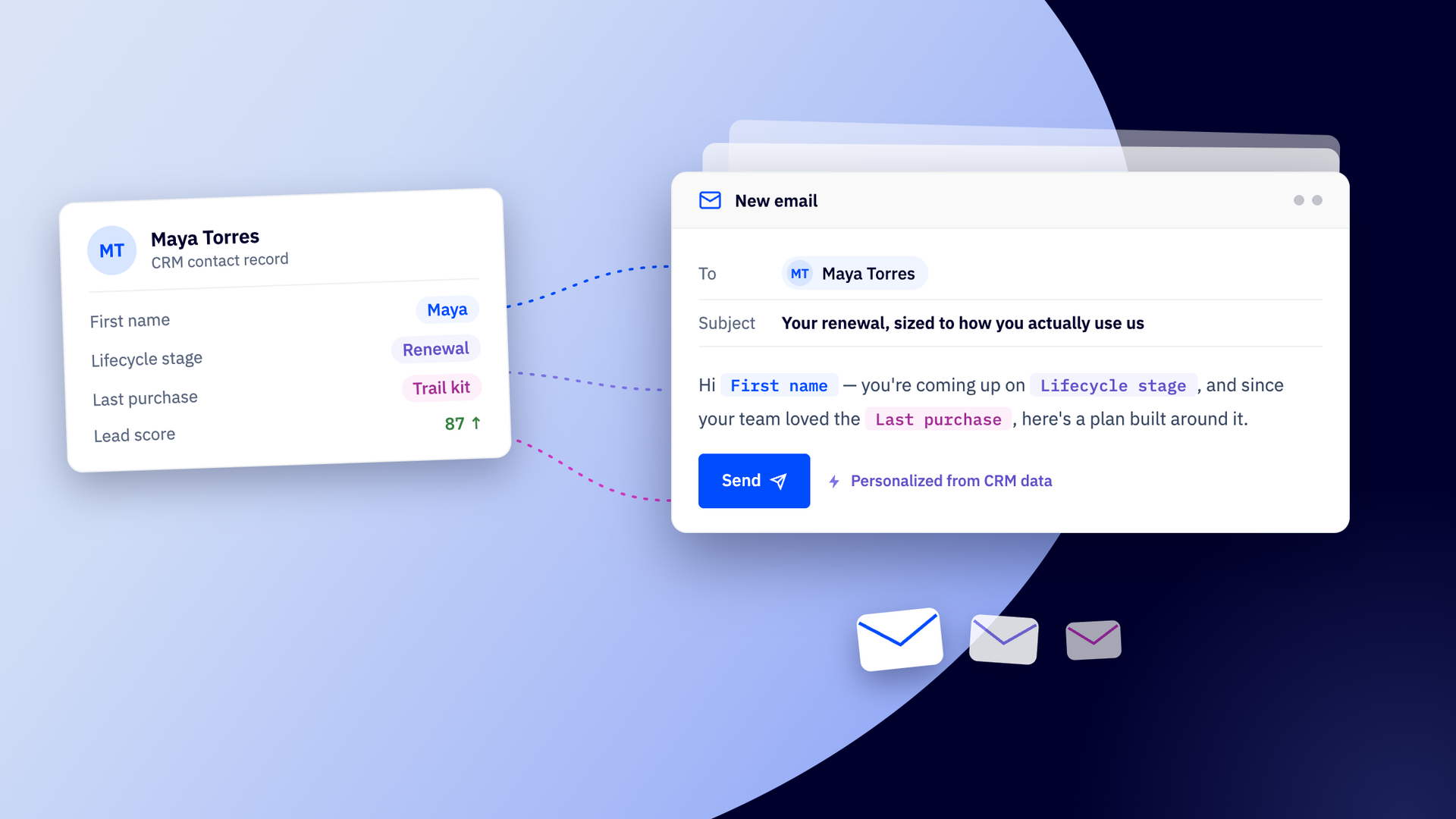
- Your segments aren’t useful. You can split by "opened" or "clicked," but not by behavior, lifecycle stage, or purchase history, so everyone gets close to the same message, and your best customers are treated like strangers.
- Your tools don't talk to each other. You end up stitching the data between your CRM, store, and email platform by hand instead of acting on it.
- Your reports raise more questions than they answer. You can see that a campaign went out, but not what it actually drove, so optimization becomes guesswork.
Here's a fast diagnostic. If writing the emails is the easy part, but segmenting, QA-ing, and reporting on them still eat your week, the platform is the bottleneck, not your process.
If any of this sounds familiar, you're in good company. Hitting a growth wall is one of the most common reasons teams move, and plenty make the switch the moment pricing or automation caps start dictating what they can and can't do.
More than a hundred customers switch from Mailchimp to ActiveCampaign every month, usually once pricing or automation caps get in the way.
How ESP migration impacts your data
Not everything moves the same way. During any migration, some assets cross over intact while others need to be rebuilt on the new platform. Knowing which is which upfront removes most of the surprise. It also lets you plan the rebuild as deliberate work rather than a scramble.
Foundational data tends to transfer cleanly. Contacts with their consent status, lists, tags, custom fields, and basic templates usually import without drama. This is the core of your audience and your history, and getting it across accurately is the non-negotiable part of any migration.
The more logic an asset carries, the less likely it is to transfer as-is. Messier items include complex automations, triggered flows, lifecycle journeys, ecommerce emails, and integrations. These often need rebuilding because connections and triggers rarely map one-to-one between platforms.
Rebuilding sounds like the painful part, but it offers an opportunity too. It's your chance to prune a bloated list down to contacts who actually engage, retire the workflows that quietly broke months ago, and design the automations your old platform could never support. You shouldn’t just recreate your old setup. Instead, build the one you actually want.
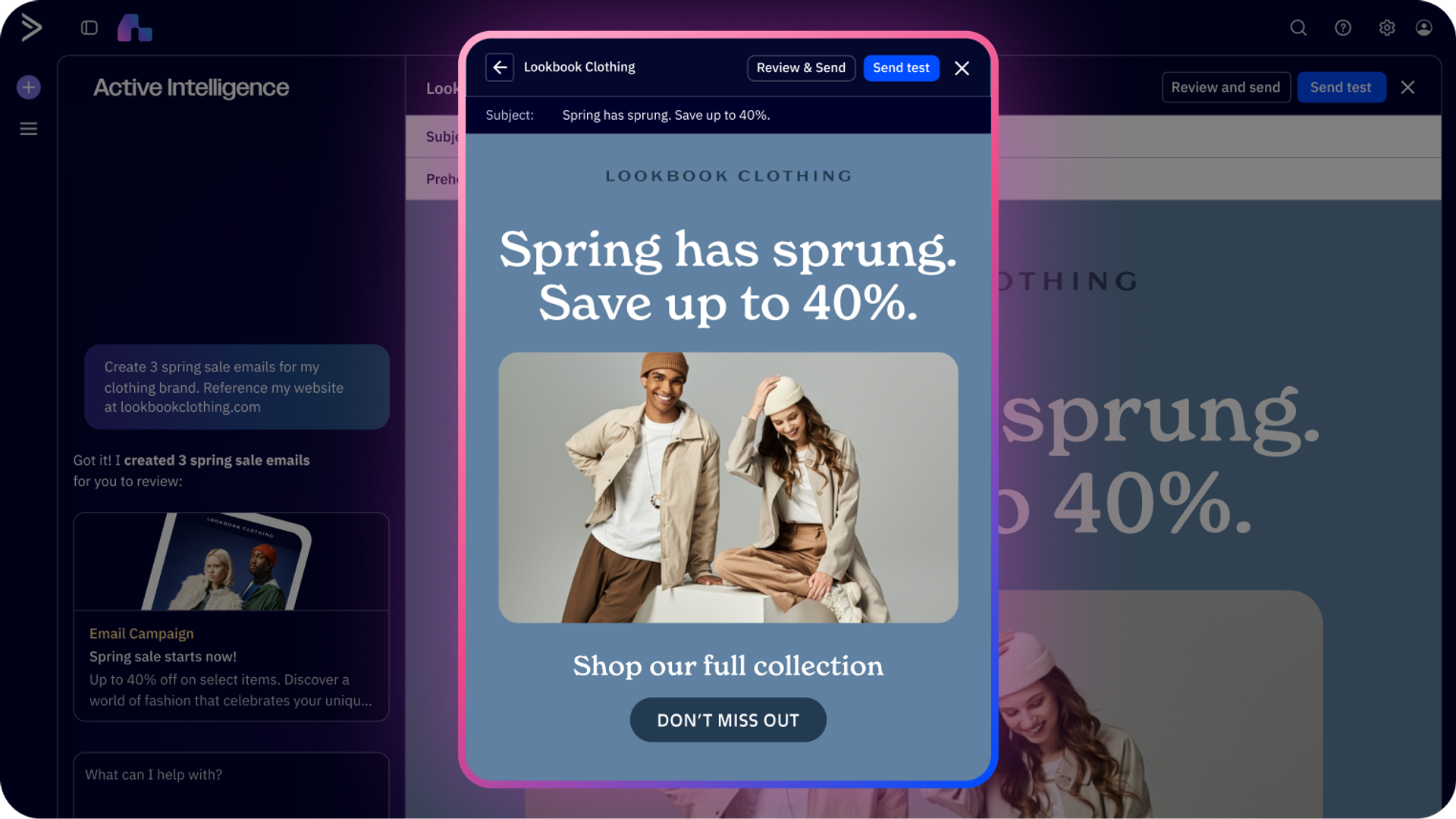
Depending on the ESP you’re moving to, you’ll find different tools to support your migration. For example, ActiveCampaign cuts the friction in a number of ways, even for the more complex assets. Active Intelligence uses AI to assemble campaigns and automations you couldn't build on your old platform by following a plain-language prompt. Business Goals tell the platform what matters most to you, so your priorities shape what gets built and the platform understands your business better from day one.
The ESP migration roadmap
This roadmap breaks ESP migration into ordered phases, so you can make sure nothing goes live before it's verified. Follow it to migrate as efficiently as possible and keep your live campaigns from breaking mid-migration.
Phase 1: Audit and export
Start by taking a full inventory of your current program. You can't safely move what you haven't counted, and most teams are surprised by how much has accumulated over the years.
Make note of everything:
- Lists
- Segments
- Tags
- Custom fields
- Forms
- Templates
- Campaigns
- Automations
- Integrations
- Reports
Then tag each item by status. What's active and pulling its weight? What's outdated but harmless? What should you leave behind entirely?
One tip saves hours later: document the logic and triggers behind each automation before you touch anything. Screenshot the flows, note what starts them, and record what each branch does. When you rebuild, you'll work from a clear map instead of memory. You'll also catch the redundant flows worth consolidating.
Now pull your data out. In your current platform, export your contacts as a CSV file, and while you're there, save the HTML from any templates you want to keep and download your past campaign reports for reference.
Phase 2: Data cleanup and mapping
Clean data now, or import your mess into a shiny new platform. Migration is the best excuse you'll ever get to scrub your list, so use it.
Remove inactive subscribers and invalid addresses, then deduplicate records so the same person doesn't exist three times under different tags. Next, map your fields between the old platform and the new one so nothing lands in the wrong column.
Pare fields down to the ones you'll actually use. Some platforms carry a hundred-plus contact properties; you rarely need most of them, and a leaner file is easier to map and manage.
Above all, preserve consent and subscribe/unsubscribe status through the move. Emailing someone who opted out is both a trust problem and a compliance risk.
Use a simple field-mapping worksheet to keep this organized, for example:
| Old platform field | New platform field | Data type | Notes |
| FNAME | First Name | Text | Direct match |
| Signup Source | Lead Source | Dropdown | Map values |
| Email Status | Consent Status | Status | Preserve exactly |
| Purchase Total | Lifetime Value | Number | Verify currency |
Copy that structure, expand it to every field you carry, and check off each row as you confirm it.
Phase 3: Asset and automation rebuild
With a clean CSV ready, create your list in the new platform, then import the file and map each column to the right field. If a field doesn't exist yet, you can create it during the import. Apply a tag that marks where these contacts came from to make them easy to find if you need to bulk-edit the group later, and import them as active contacts.
Rebuild content and customer journeys in priority order, not alphabetical order. The flows that touch revenue and new subscribers should come first, because those are the ones you can't afford to have dark during the switch.
Start with automations like welcome series, abandoned cart, win-back, and lifecycle journeys, which typically earn their keep. Then recreate templates and forms. Some tools can now take care of these builds for you. ActiveCampaign’s AI Brand Kit imports your logos, fonts, and colors straight from your website URL in seconds, so visual consistency carries over, and 1,000+ pre-built automation recipes set up common journeys in just a few clicks.
This is the upgrade moment. Instead of copying old flows exactly, take advantage of opportunities in the new platform to consolidate redundant steps and add branching, conditional waits, if/else logic, and goals that will help engage your customers better. A journey that was three clunky flows on your old platform can become one clean workflow with smarter routing.
Phase 4: Integration setup
Reconnect the systems your marketing depends on. Make sure to cover your:
- CRM
- Ecommerce platform
- Payment tools
- Anything feeding contact data
An automation is only as reliable as the data flowing into it, so test each connection before you trust it. Trigger a test purchase, confirm the order data lands on the contact record, and check that a tag applied in one system shows up in the other. Don't assume a green "connected" status means data is actually syncing.
Fewer moving parts means fewer things to break. If you choose a platform with a built-in CRM and broad integration coverage, you’ll often be able to retire a connector or two for good.
Phase 5: Deliverability setup and warm-up
Authentication proves your mail is legitimate to inbox providers. Skipping it is the fastest way to land in spam on day one. Three records do the heavy lifting:
- SPF says which servers may send on your behalf
- DKIM signs your messages so they can't be tampered with
- DMARC tells providers what to do if a message fails those checks
Use our verification tools to check that your SPF, DKIM, and DMARC configuration are correctly set up.
Then decide on your IP setup:
- Shared IP works for most SMBs and lower send volumes. Reputation is pooled, so you benefit from other well-behaved senders and don't have to warm an IP alone.
- Dedicated IP fits high-volume senders who want full control over their reputation, but it requires deliberate warm-up and steady volume to stay healthy.
Whichever you choose, ramp gradually. Sending your full list on the first day from a fresh domain looks like spam to filters. Warm the domain slowly, easing into higher volume before you send at full throttle. Explore our expert deliverability guidance to find out how we can help keep the ramp on track.
Phase 6: Testing and cutover
Test everything before you flip the switch. A single broken unsubscribe link or misfiring trigger can undo weeks of careful prep, so run a full QA pass first.
Before going live, confirm each of these works:
- Test sends render correctly across major inbox clients
- Automation triggers fire on the right conditions
- Forms capture and route data properly
- Integrations pass data both directions
- Tracking and reporting record activity
- Unsubscribe links work and honor opt-outs
Don't force a single hard cutover date. Run both platforms in parallel for one to two weeks so you can compare results and catch anything the QA pass missed. This gives your team time to adjust during the transition.
Then move traffic over in stages, starting with a small segment before shifting your full volume.
Phase 7: Post-launch monitoring
The work isn't done when the first campaign sends. The first few weeks tell you whether the migration actually held, so watch the numbers closely before you relax.
Keep an eye on deliverability, engagement, and automation performance. A sudden drop in opens or a spike in bounces is an early warning worth chasing down fast.
Use a verification checklist to confirm that contacts, lists, tags, custom fields, forms, templates, and automations have all transferred correctly. Spot-check real contact records, not just totals.
Give the new setup time to stabilize before scaling send volume back up. Reputation on a fresh domain builds through consistent, well-received sends, not sudden surges. A week or two of steady, healthy performance is your green light to return to full volume.
Common migration mistakes
The same handful of mistakes trip up most teams during ESP migration, but every one is preventable with a little foresight. Look out for the following pitfalls:
- Underestimating the timeline. A rushed cutover skips testing and breaks live campaigns.
Fix it by building in buffer time and running phases in order.
- Not testing automations. Untested flows send the wrong message or nothing at all.
Fix it by triggering every automation with a test contact before launch.
- Skipping suppression lists. Miss these and you email people who opted out, risking complaints and compliance trouble.
Fix it by importing suppression and unsubscribe data first, before any send.
- Migrating messy data. Duplicates and dead addresses inflate costs and hurt deliverability.
Fix it by cleaning and deduplicating during Phase 2.
- Unclear ownership. When nobody owns a task, it slips.
Fix it by assigning a named owner to every checklist item.
- Ignoring warm-up. Full volume from a cold domain lands in spam.
Fix it by ramping gradually over days, not hours.
Treat this list as a pre-migration review. If you can honestly clear all six, most of the migration risk is already behind you.
Switch email marketing providers with confidence using ActiveCampaign
A phased migration removes the exact risk that keeps teams stuck. When you audit first, clean your data, rebuild in priority order, and verify before cutover, the scary parts stop being scary.
Thousands of customers have switched to ActiveCampaign, and the platform is specifically built to shorten that path and take the anxiety out of the switch.
Migration support for qualifying customers
ActiveCampaign Migration Services can help qualifying customers move key data over from another email marketing platform. Depending on your plan and migration needs, the Migrations team can import:
- Contacts
- Accounts
- Select CRM data excluding deal notes, tasks, and activities
Free migration support covers up to 10 objects for qualifying customers, which you can learn more about in our Help Center.
A faster path from Mailchimp
For customers switching from Mailchimp, ActiveCampaign's Migration Agent powered by our preferred partner Quazzlient offers a faster way to get started. From the Active Intelligence homepage, open the migration solution card, accept Quazzlient's terms and conditions, and enter your Mailchimp API key. Once your export is ready, review the assets the agent found and choose what to migrate.
Supported assets can include audiences or lists, contacts and statuses, tags, customer fields, forms, email campaigns or templates, and supported automations. Most exports take one to two hours, while larger accounts can take up to 24 hours. After the migration, use the verification checklist to review contact counts and statuses, lists, tags, custom fields, forms, templates, and automation triggers, content, and links.
The Migration Agent is currently available for eligible teams switching from Mailchimp, with support for additional platforms coming soon. Trial accounts may have additional migration limits.
From migrated data to your first campaign
ESP migration isn't finished when your contacts land. You need to make sure your team is actually confident in sending. Most migrations leave you to figure out alone, but ActiveCampaign does the most to get you moving. It’s backed by extensive self-serve resources, personal onboarding coaches, AI-assisted guidance, and a large support ecosystem.
Instead of staring at an empty account, you start from ready-made automation recipes, set Business Goals that tell the platform what you're working toward, and ask Active Intelligence to assemble the campaigns to get there. New teams don't spend their first weeks rebuilding; they spend them sending.
Once you're sending for real, AI-powered reporting makes it easy to keep an eye on how the new platform is treating you. Ask a question like "which campaign drove the most revenue this month?" and get a straight answer, with visualizations. There’s no need to rebuild old dashboards from scratch to get quick insights. It's the fastest way to confirm the move paid off, and to catch a deliverability or engagement dip early if it doesn't.
A switch to ActiveCampaign doesn't just protect what you had. It gets you to your first campaign on the new platform faster, with more behind it than you left with.
Ready to make the move? Start your free 14-day trial or request a demo and see what your marketing looks like when the busywork handles itself.
FAQs
How long does an ESP migration take?
The timeline for an ESP migration depends on your program size and complexity. Simple migrations can finish in a few days. Larger programs with many automations and integrations typically take four to eight weeks. ActiveCampaign’s migration solution cards can move assets in hours.
How do I migrate contacts and historical data without losing consent status?
To migrate contacts and historical data without losing consent status, export consent fields (opt-in dates, consent sources, subscribe status) alongside contact records. Map these fields to your new platform during import. Test with a small batch first to verify status transfers correctly.
How do I protect email deliverability during a migration?
To protect email deliverability during a migration, ensure SPF, DKIM, and DMARC are configured correctly before sending. Warm up your new domain and IP gradually over two to four weeks. Start with your most engaged contacts and increase volume slowly.
Can I switch email marketing providers without interrupting live campaigns?
Yes, you can avoid interrupting live campaigns while switching email marketing providers by running both platforms in parallel during the transition. Finish active campaigns in your old platform while building new ones in your new platform. Move traffic over in stages rather than a single hard cutover.