One of the most tried and true copywriting axioms is to “write with words that your customers actually use.” However, depending on the kind of business you are in, you’ve probably heard your customers use a wide range of concepts and phrases when discussing your business. It can be difficult to find hidden or connective threads that you can then surface for marketing campaigns.
This, brace yourself, is an actual, tangible use case for AI tools. AI can act as your knowledge center and customer feedback archive — especially useful if you work on a team where sharing knowledge can happen sporadically or not at all.
(Or you are the kind of marketer who wears many hats.)
Imagine asking your knowledge center questions like:
- “Please share constructive criticism from our mid-market customers about our latest software feature”
- “Find me 3-5 testimonials from customers at my East Coast stores. Edit to 280 characters or less”
- “When is the best time to send my welcome email?”
- “What are common words my customers use when describing our payment process? Summarize in a single paragraph.”
Your own customer knowledge center is an accelerant, allowing you to get to the best version of your marketing more quickly. Marketers who embrace AI are already seeing substantial benefits: Those who use AI say it saves them 13 hours a week at work.
It’s more within reach than you may think and takes only an hour or two to set up.
The ingredients here are:
- Customer inputs (30-60 minutes)
- A capture mechanism (30-60 minutes)
- An AI project (10-30 minutes)
Our goal is to cast a wide net and feed our AI project as many data sources as possible so it can find signals in the noise that we may have missed or, more likely, don’t have time to sift through.
Here’s how to get started.
Step #1: Track down your customer inputs
To search through your customer feedback, you’ll need to, well, collect it. The source here depends on the kind of business you run, but it is only possible if you have some sort of digital layer to your business. AI can’t listen in on our in-store conversations—at least not yet.
Some example inputs to gather:
- Customer reviews - Google Local, Angie, Yelp, industry-specific sites like G2, and others.
- Customer support software - Zendesk, Intercom, Help Scout
- Email communications - Especially shared support inboxes.
- Social media software - Anything you use to reply to your customers on social media, such as Buffer, Hootsuite, etc.
- Video calls - Zoom, Google Meet, or other video chat or note-taking software.
- VOIP services - Aircall, Google Phone, etc
- Surveys and feedback forms - Post-purchase survey or automated feedback form that is emailed to customers.
If you use a service like ActiveCampaign, you also have an easy repository of email responses.
Step #2: Capture them
One of the best uses of an AI tool is to turn unstructured data into structured insights. As a result, you don’t need to be shy about collecting raw data — the more the better. Whatever service you are using, find its export functionality (most but not all services should offer something like this). Then, turn your customer feedback into text or csv files that can easily be added to the AI’s project knowledge.
Some approaches:
- Google Takeout - If you own a local business, you can export all of your Google Local reviews.
- A call recorder - Granola, Fathom, Gong, or built-in features of your video call service allow you to turn your calls into transcripts that you can gather and paste into your AI project. (Remember to adhere to your company’s recording policies and your state or country’s call recording laws).
- Software exports - Depending on what you use, most tools have some export function where you can have a large text or csv file of customer feedback. Examples include:
- Reviews - Trustpilot, Yelp
- User surveys - Typeform, SurveyMonkey
- E-commerce - Shopify
Think through your most common workflows and the tools you use each week. Export as much feedback data as you can to your computer.
Note: not every tool provides export options.
Step #3: Create your AI project
With your data in hand (or on your desktop), let’s build your brain. There are dozens of AI tools, but we can keep it simple. Whatever you use needs:
- A “project” functionality where you can upload data to serve as a central repository and training data for your AI agent.
- Team functionality so you can share results with your coworkers, as well as allow them to upload their own customer reviews.
We suggest two options: ChatGPT Projects and Claude Projects. These are commercially available, already approved by most organizations, reasonably priced, and come supported with vast amounts of education and training. For the purposes of this example, we’ll use ChatGPT, which, as of this writing, is more widely used.
Step 1: For most services, the project’s functionality requires a paid tier. Sign up for ChatGPT here. Or if you are already a user, you can upgrade in the upper right-hand corner. Click on your user avatar and then “Upgrade.” You’ll want to select the “Pro” tier.
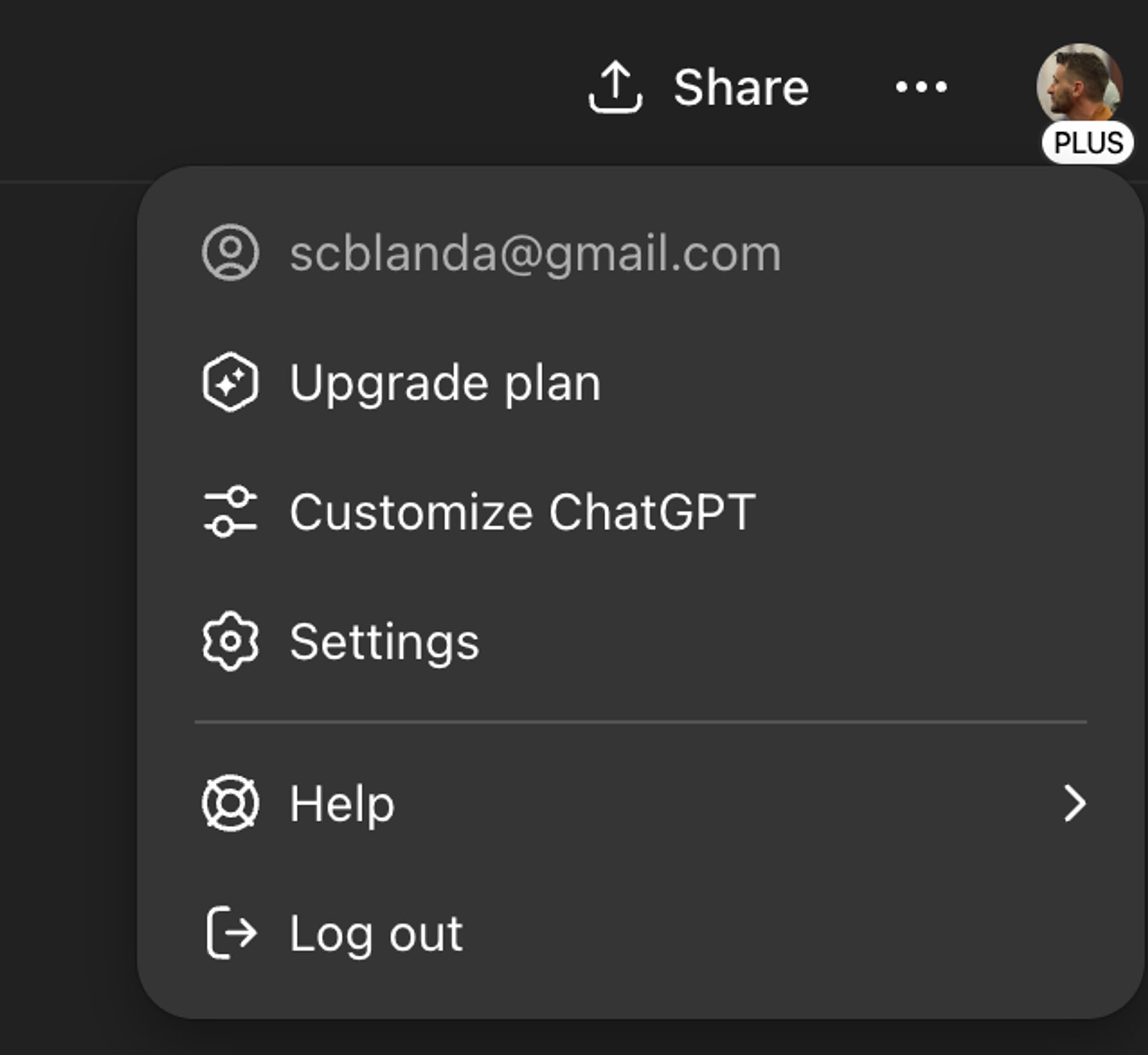
How to upgrade your ChatGPT: Step 1
Step 2: In the left sidebar, select “New Project” and give your project a name.
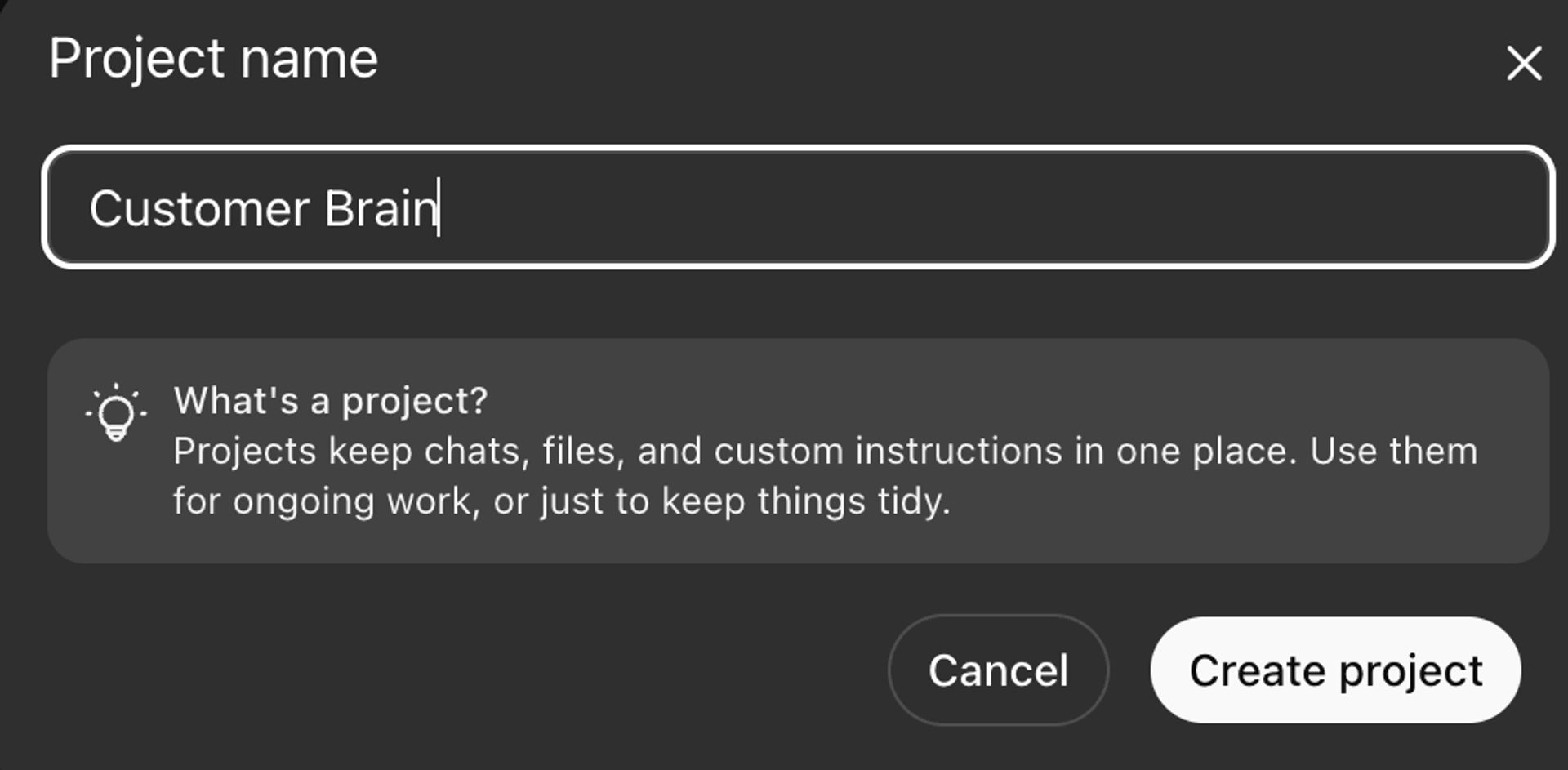
How to upgrade your ChatGPT: Step 2
Step 3: With your new project created, select “Add files” and upload your exported customer feedback.
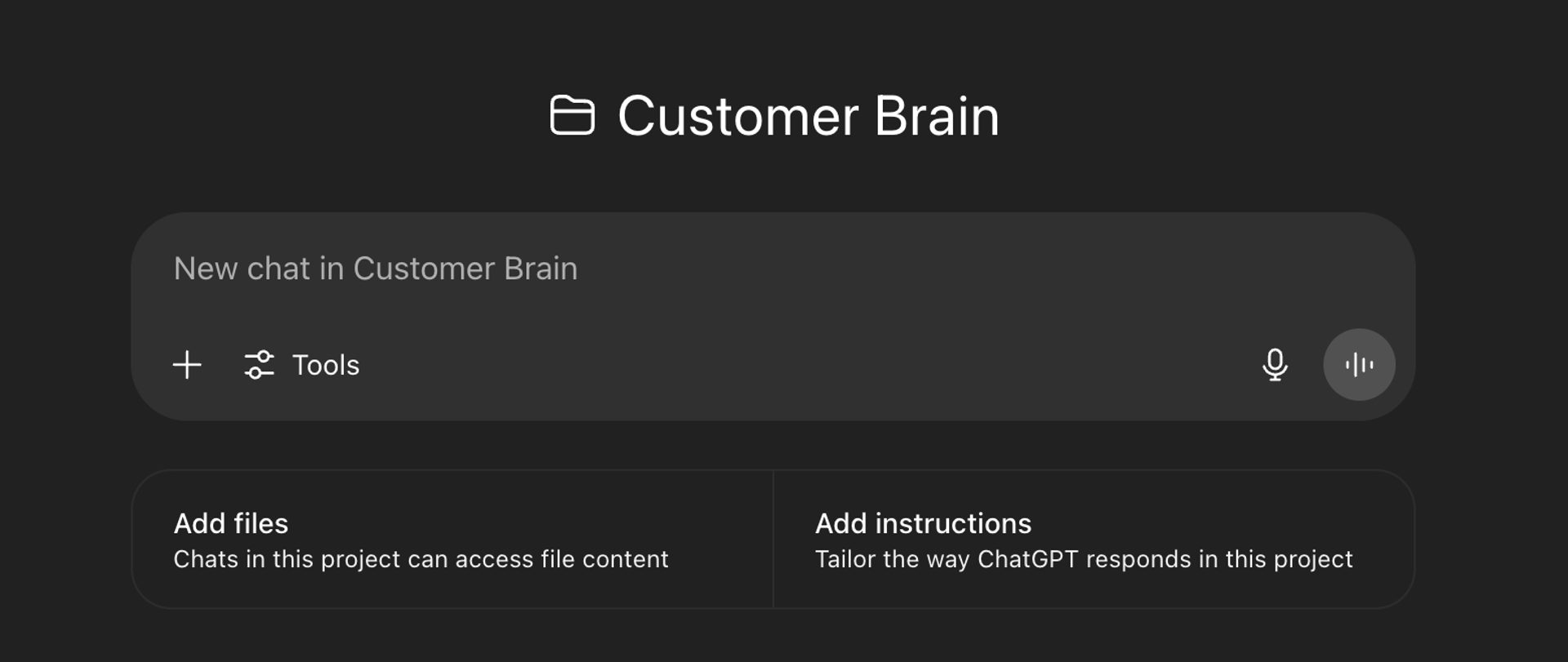
How to upgrade your ChatGPT: Step 3
Step 4: Prompt your new customer knowledge center or “customer brain.” In this example, I run a roofing business, and I uploaded my transcripts of client phone calls to help ensure my response is comprehensive yet not too time-consuming — so I can focus on driving new business.
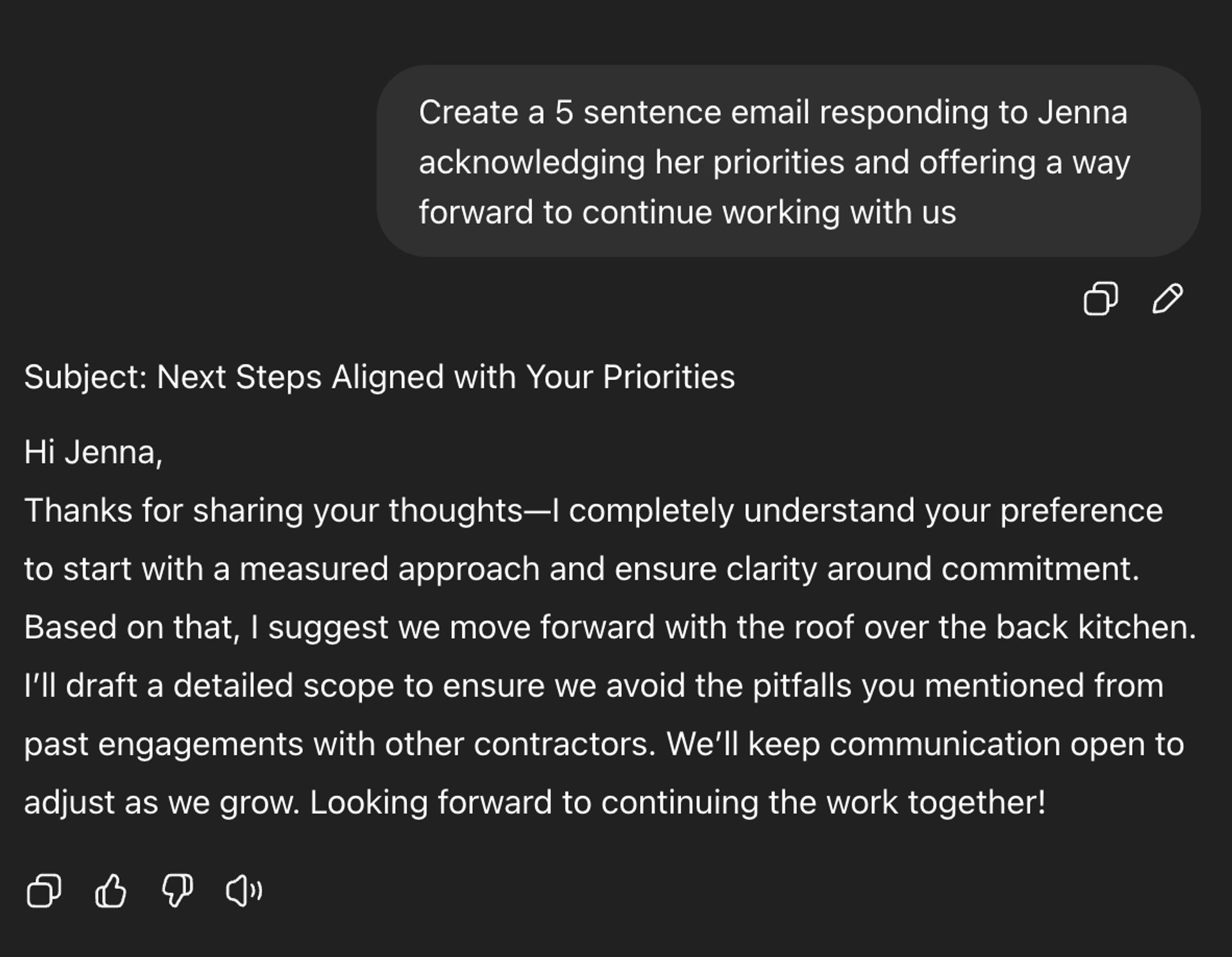
How to upgrade your ChatGPT: Step 4
Or, based on my call transcripts, I’ve asked my customer brain for my insurance business to generate headlines for a new landing page.
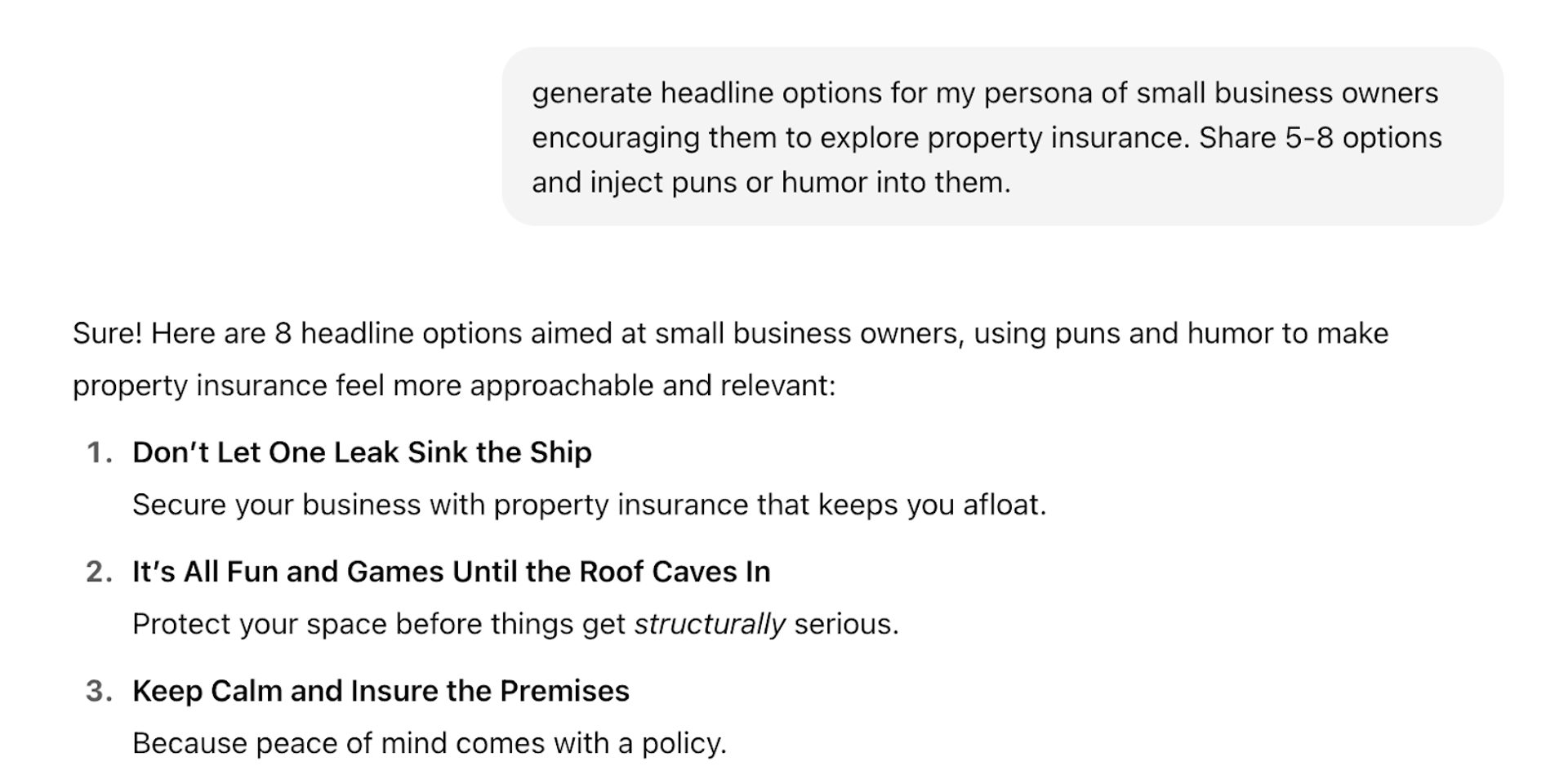
Testing ChatGPT’s headline generating skills
Your customer knowledge center can answer questions, generate headlines, and surface hidden insights. We've curated powerful workflows in The Autonomous Marketer newsletter, so you can quickly learn exactly how to build your own.
Tips when building your customer knowledge center
- Use custom instructions. As you get a feel for your customer brain, you can further modify outputs with “custom instructions.” In ChatGPT, that's the “Add instructions” button beneath the input box. You can ensure that it uses an uploaded style guide, or never mentions a competitor, or a myriad of other guidance that helps the output be as useful as possible. One suggestion: Include a “cite all quotations and customer feedback with the source document and name of the customer.” This helps you double-check output and prevent hallucinations from making their way into your marketing.
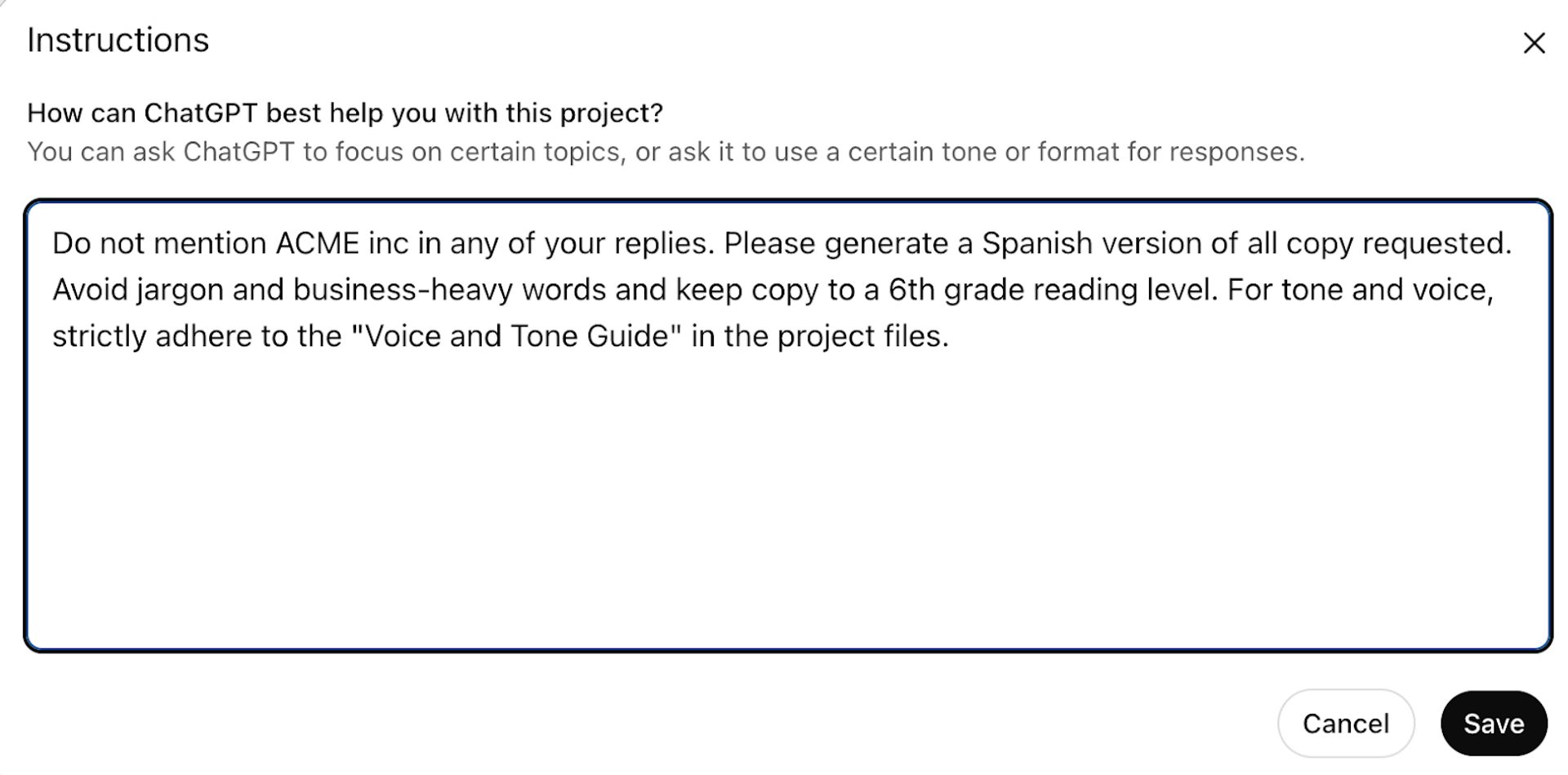
A sample prompt you can steal
- Upload stakeholder feedback. Take transcripts from internal feedback sessions and use them to hone your model. For example, if your manager offers constructive criticism of your latest campaign, upload that information into your knowledge center to help inform output.
- Upload campaign results. Include charts, metrics, and post-mortem notes from campaigns to help inform asset creation. For example, if your audience does not respond well to casual subject lines, that should guide future output. You can also include this guidance in your “Add instructions” field.
- Create a persona bot. When you feel confident that your knowledge center is mapping well to actual customers, you can ask how a customer may respond or how a campaign may perform based on past behavior and feedback.
- Don’t forget “Deep Research.” Both Claude and ChatGPT have “Deep Research” functionality that produces research report-grade outputs. This is best for serving as a starting point for deeper strategic analysis, versus one-off or tactical questions. Ask your knowledge center to:
- Create customer analysis for quarterly reviews
- Rewrite your marketing KPIs based on previous input
- Suggest new or overlooked strategic adjustments you could make
Ready to turn unstructured feedback into structured insights?
Subscribe to The Autonomous Marketer newsletter for more practical AI strategies delivered every other week, no fluff.
Risks when building your customer knowledge center
- Be on guard for "hallucinations." Even the best AI tools will insert incorrect or creatively interpreted information. Especially as your data set grows, always ask your knowledge center to cite its sources. Before sharing anything produced by AI, follow the sourcing and double-check its work. The legal field is already grappling with court filings containing false and hallucinated information inserted by AI.
- Be clear on your security needs. Different pricing tiers of different products offer varying degrees of security and data use. For example, some enterprise plans will not use your data in their training. However, less expensive tiers may. Especially if you are in a heavily regulated industry, you should do your due diligence to ensure you are protecting your data accordingly. See how ChatGPT uses your data here.
- AI bots are not a replacement for speaking with actual customers. Your knowledge center can help you detect patterns and signal in a vast amount of data. It’s also a “static state” machine, which can only infer things based on existing data. As your market, customers, and industry change, you’ll need to feed it new information. Always ensure you have regular touchpoints with your customers. Sometimes, your gut feeling is worth more than any AI output.
Building a customer knowledge center isn’t the domain of computer scientists. If you know how to manage an email account, you can certainly start using your own custom AI agent.
Build your customer knowledge center in under 2 hours
AI can turn scattered feedback into actionable insights—finding signals you would have missed. The Autonomous Marketer newsletter delivers:
- Step-by-step setup guides for your own knowledge center
- Workflows that save 13 hours per week (on average)
- Real strategies from marketers already seeing results
Stop letting customer insights slip through the cracks. Subscribe to The Autonomous Marketer →