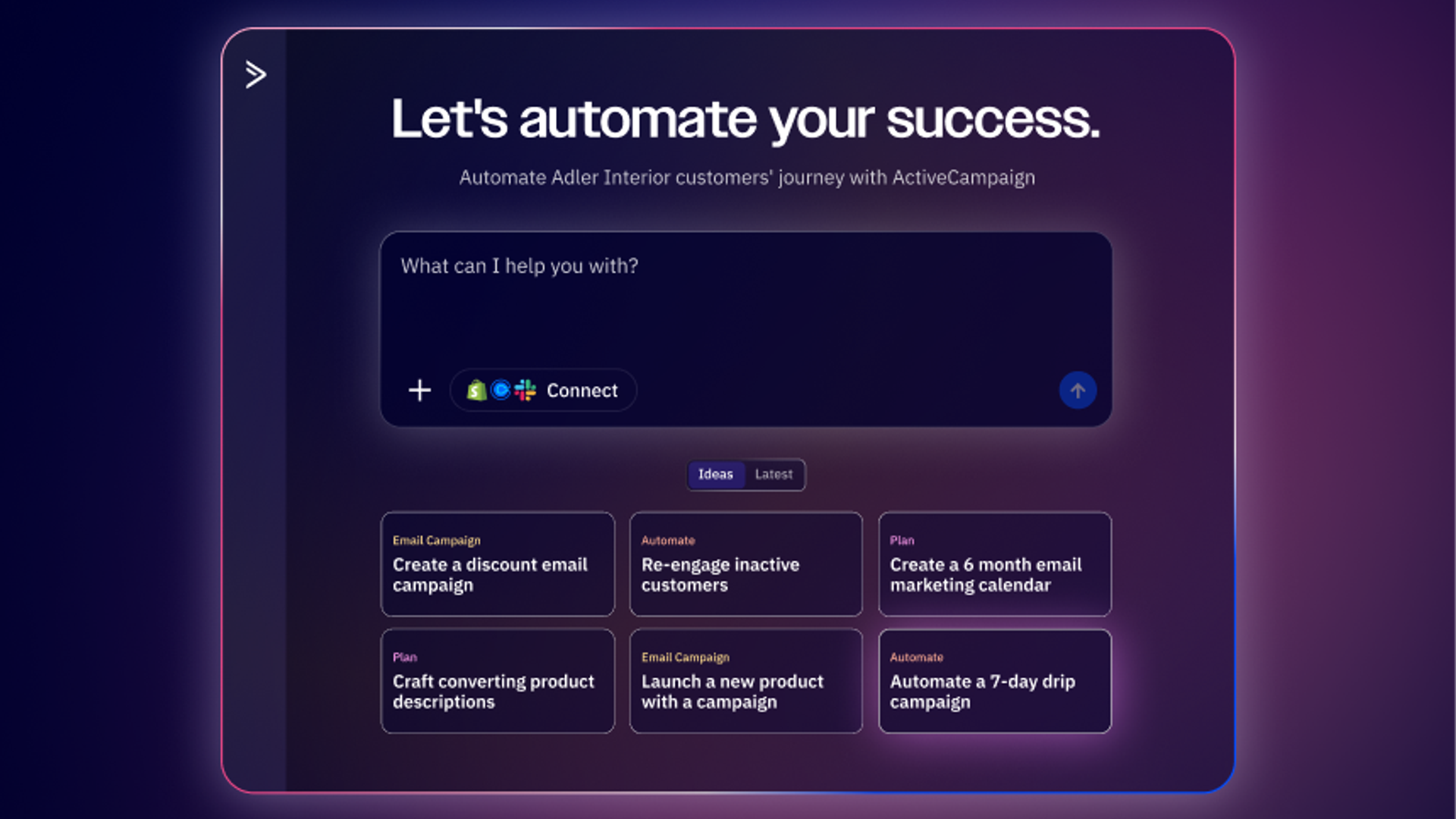
We analyzed over 9,200 custom prompts that Active Intelligence users typed. These are the queries real marketers are actually using when they sit down to get work done.
The patterns in the data are clear: people want to understand email campaign performance, build automations, and create better content. The prompts that return the best results give Active Intelligence context (your goals, your audience, your timeframe, etc.).
One more thing worth noting: Active Intelligence users prompt in English, Spanish, Portuguese, German, Dutch, French, and Italian. The same patterns show up across every language—these prompts work regardless of what language you write in.
A note from Perry Tinoco, Senior Lifecycle Marketing Manager at ActiveCampaign
Hi, I'm Perry. I use Active Intelligence multiple times a day—to check what's working in our email campaigns, spot trends, and get real-time answers. I've been sharing the prompts I actually rely on with our customers, and the response has been incredible. So we turned it into this guide from real usage patterns, and real prompts (including some of my own that you're welcome to steal).
Start here: The 3 most important Active Intelligence agents
Active Intelligence has a lot of capabilities, but if you’re going to start anywhere, start with these three agents: Insights, Campaigns, and Automations. These are the three most-used agents among ActiveCampaign customers, and the data backs it up—they’re where users consistently get the most value.
The prompts in each section below are directly informed by what users are asking. If you only have five minutes, open Active Intelligence and try one prompt from each of these three buckets. That alone will give you a clear picture of what you can do in the platform.
Active Intelligence Insights agent: Reporting, analytics, and optimization prompts
This is the single biggest category. 25.6% of all custom prompts are time-based performance questions; people asking Active Intelligence to analyze their campaigns over specific periods. Another 4.1% are explicit report requests, and 3.4% are deep dives on specific campaigns.
Put together, roughly a third of everything users type is some version of “how are my campaigns performing and what should I do next?”
The prompts that work best here include a specific time range and tell Active Intelligence what kind of performance you’d like to analyze.
Here’s what users are actually typing:
| REAL USER PROMPTS |
|---|
| check my email campaigns that were sent in the year of 2025 and give me your analytics on which subject line performed best |
| What were the top three performing subject lines across all campaigns labelled ‘Business update’ by open rate in the period X-Y? |
| ok thank you. Now… can you please make a report of the December performance of my campaigns compared to industry benchmarks? |
Notice the range. Some are rough and conversational, others are highly specific. Both work. But the more detail you give (campaign name, date range, metric, output format), the clearer the output.
Instead of “How are my emails doing?” try “Compare my open rates to industry benchmarks for the last 90 days and tell me where I’m underperforming”. This gives you something you can actually act on.
Prompts for campaign performance and trends
- How are my emails performing this month?
- Show me how my email performance has changed in the past 6 months
- Which campaigns got the most clicks in the last 30 days?
- Why did my open rates drop last week?
- Compare my recent campaign results to industry benchmarks
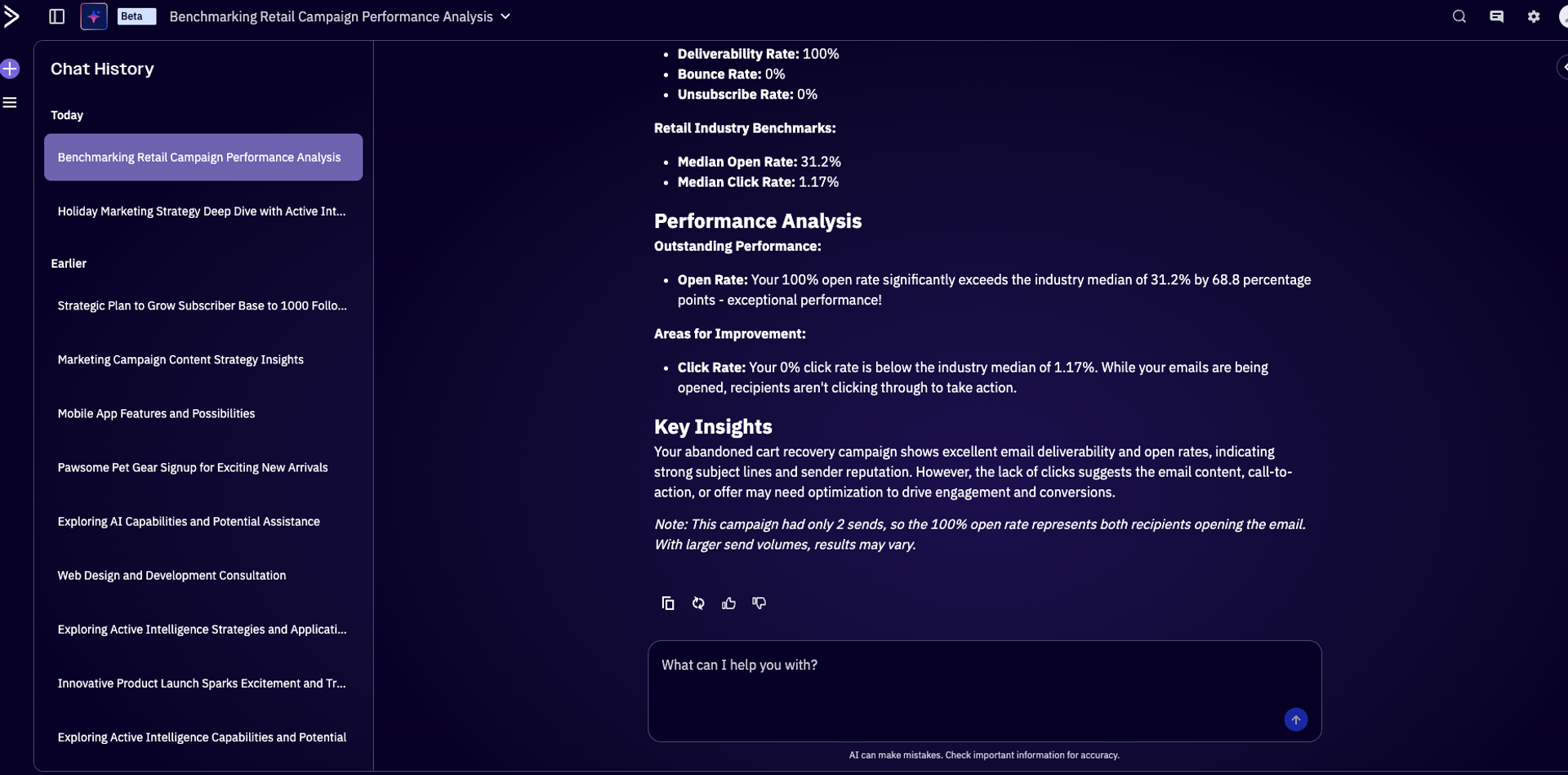
Active Intelligence can generate a comprehensive view of your campaign performance, highlighting key insights and areas where you may be able to improve.
Prompts for optimization recommendations
- Give me specific recommendations to increase my open rates
- What should I change in my next campaign based on recent results?
- Analyze my best-performing campaigns and tell me what made them successful
- How can I reduce unsubscribe rates?
Prompts for data visualization and benchmarking
- Show me my campaign performance for the last month and create a bar chart
- Create a chart showing my open rates over time
- Graph my subscriber growth for the last 6 months
- How do my email metrics compare to industry standards for my vertical?
- Compare the performance of my newsletter campaigns vs. promotional campaigns
Prompts for segment and audience insights
- Show me my most engaged segments
- Which contacts clicked links but haven’t purchased?
- Who should I target for my next campaign?
- Show me progress on my business goals
What the data shows: 25.6% of custom prompts include specific date ranges, years, or relative time periods (“campaigns from 1/1/25 to 10/31/25” or “last 3 months”), and 4.1% specifically ask for reports—structured, comprehensive outputs they can share or use for decision‑making.
These aren’t just queries asking for simple metrics; users want formatted deliverables. Don’t sleep on the visualization prompts either. Asking for a chart or graph turns raw data into something you can easily digest or drop straight into a team update.
Active Intelligence is like having a market researcher, copywriter, graphic designer, and consultant on my marketing team.
That’s not marketing speak. Don runs a one-person operation managing 1,000+ high-value prospects and says Active Intelligence changed his role from reporting what happened to understanding why it happened—and what to do next. That kind of shift doesn’t come from generic AI. It comes from asking the right questions.
Luis of Parrish Law used to spend 10+ hours a month exporting data into spreadsheets and building reports manually.
Active Intelligence helps us educate, update, and build relationships with our clients and community at scale. For us, marketing isn’t just about promotion, it’s about putting people first, and ActiveCampaign’s AI makes that possible.
Now he asks Active Intelligence in plain language and gets instant answers and visualizations. His open rates went from 17-19% to 35-40% after switching from Mailchimp and putting Active Intelligence to work.
Active Intelligence Campaigns agent: Content creation and email prompts
Content-related prompts (subject lines, email copy, personalization) make up 2.6% of custom queries, but the real volume here comes from the suggested prompts that users click regularly. Subject line optimization is the top request across both custom and suggested prompts.
What makes these prompts effective is that Active Intelligence already knows your brand context. It pulls from your existing campaigns, your brand, and your performance data. So when you ask it to write subject line variations, it’s not generating generic copy; it’s building from what it knows has worked for your audience.
Here’s what users are actually typing:
| REAL USER PROMPTS |
|---|
| I sent out an email, ‘If your child got an instrument for Christmas, read this’ - Can you analyze it and help me improve future emails? |
| Find my previous campaigns. I like to work with the old ones to create my new ones. |
| Dame los asuntos que mas se abren (Translation: Give me the most opened subject lines) |
Prompts for creating and generating campaigns
- Create a welcome email for new subscribers
- Write a promotional campaign for a flash sale. Offer 20% off with signup
- Create a targeted email campaign for these 3 segments: loyal customers, new customers, and lapsed customers
- Create a campaign for our webinar based on [this URL]
- Draft a product announcement in newsletter style with image callouts based on this link
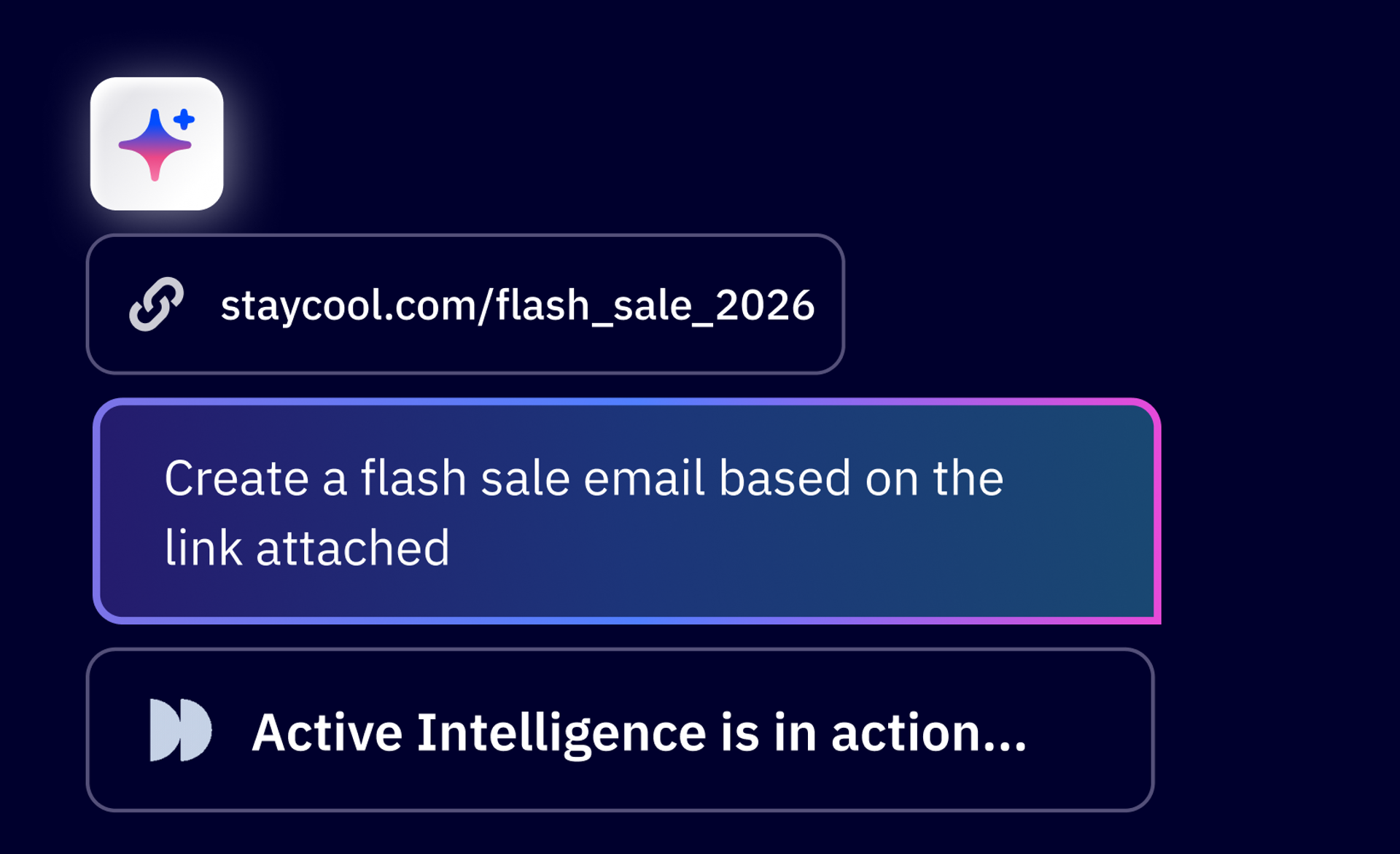
When you prompt Active Intelligence, it springs to action and generates what you’ve requested in seconds. Say you’re asking to create a flash sale email. You might attach a previous example for Active Intelligence to pull context from.
Then, once you see the email generated, you have options to edit the look and feel with a range of formats. Simple? Two columns? Editorial-style?
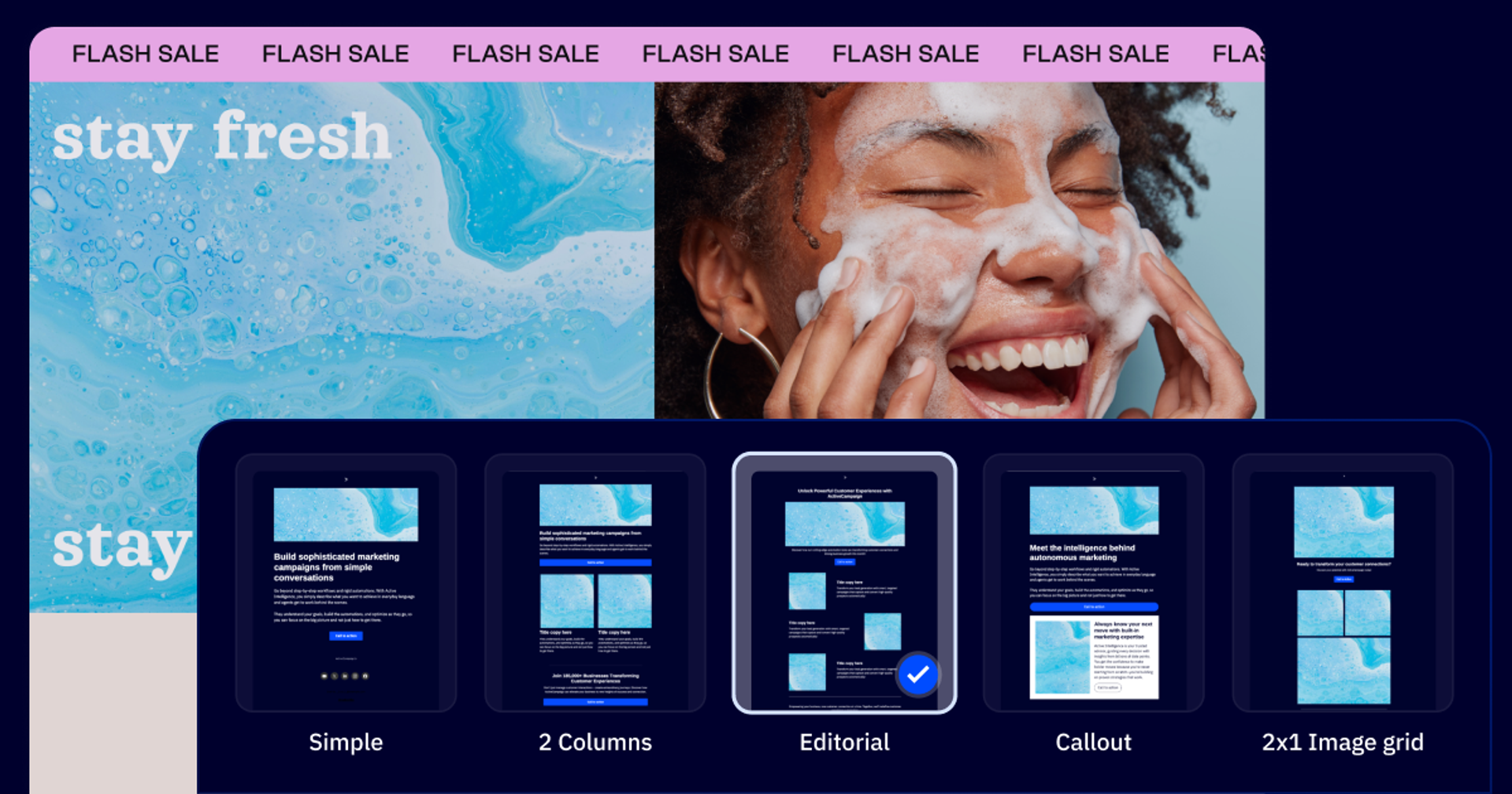
Simply prompt Active Intelligence again, asking for an updated version in the format of your choosing, and the new email is generated in seconds.
Prompts for refining tone and personalizing content
- Make the tone of this email campaign more exciting and exclusive
- The tone is too formal. Make it more conversational for a developer audience
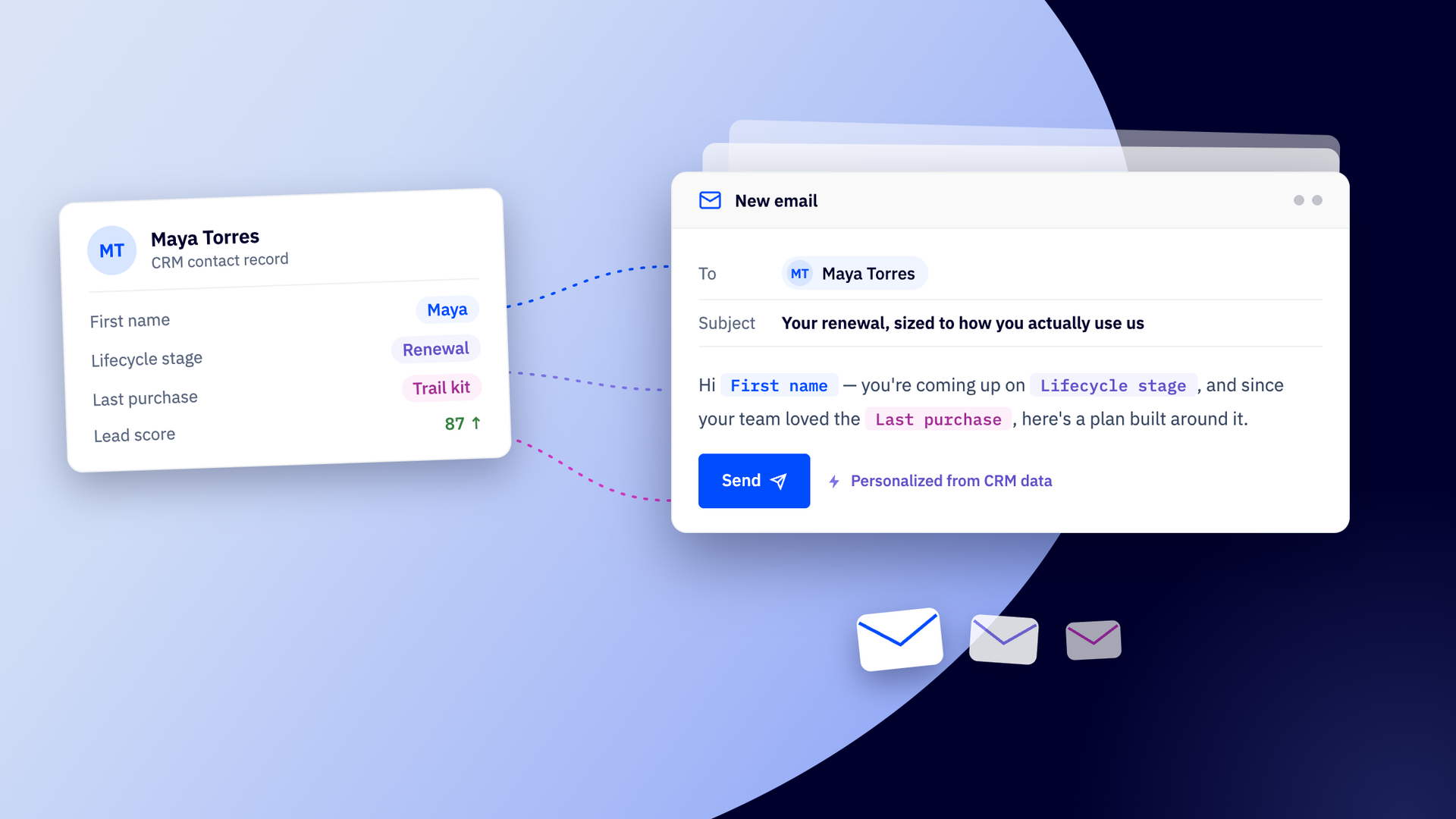
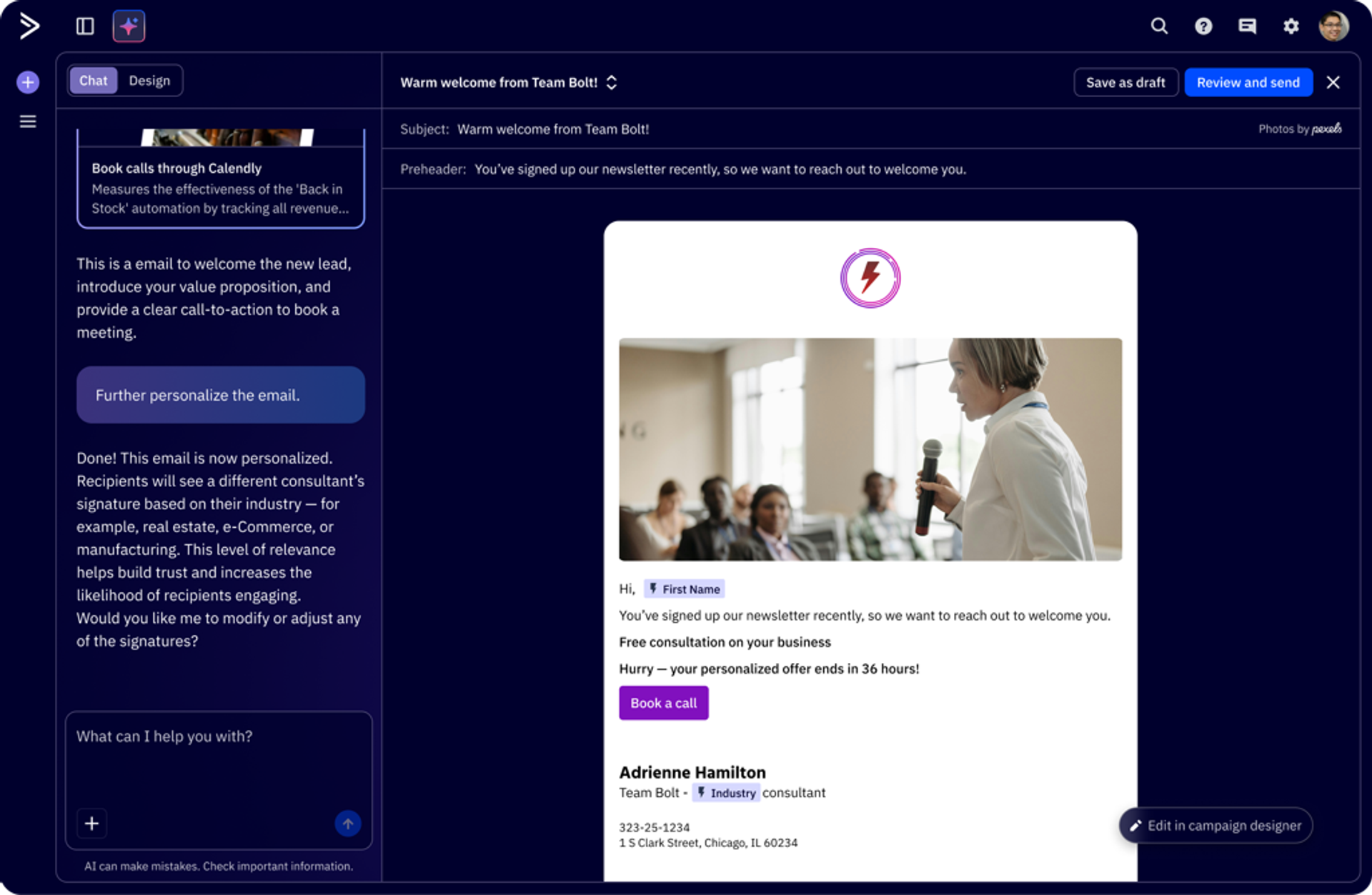
- Personalize my email for me using up to three personalization tags
- Can you add tasteful emojis to these campaigns to cater to a younger audience?
- Change the tone of this email to be more direct and specific
Simply ask Active Intelligence to personalize your email, and it gets to work in seconds.
Prompts for subject line optimization
- Create different subject line variations based on past performance to optimize my open rates
- Analyze my recent campaign subject lines and provide specific recommendations for improvement
- What are my top 10 performing subject lines and why are they performing well?
- Suggest a call to action for this email
What the data shows: A meaningful number of users are asking Active Intelligence to analyze existing subject lines and tell them what’s working—not just generate new ones. Understanding why your top performers hit is more valuable than churning out variations blindly. The advanced prompts that include a URL or reference a specific audience segment consistently return sharper, more usable content.
Active Intelligence Automations agent: Customer journey and workflow building, CRM, and SMS automation prompts
This is where Active Intelligence does something most people don’t expect: beyond content, it also builds customer journeys and workflows. Describe the customer journey that you want to create—welcome new subscribers, a win-back journey, a webinar reminder sequence—and it will architect the automation for you.
Our real prompting data shows that users who engage with automations through Active Intelligence tend to ask for complete journeys rather than single-step triggers. They’re thinking in terms of customer experience, not individual emails. That’s exactly the right approach. When you describe the full journey you want, like a welcome, nurture, and win‑back, Active Intelligence can design the sequence for you instead of building it manually.
Here’s what users are actually typing:
| REAL USER PROMPTS |
|---|
| I want insights across my automations, a simple report which first shows my active automations as a summary with recipient counts |
| I need a report on Facebook Lead Welcome Series automation. How many times has the book now booking link been clicked? |
Prompts for customer journeys and nurture sequences
- Build a personalized welcome journey for new subscribers based on what’s currently working in my campaigns
- Help me create a 3-step nurture series flow to keep my customers engaged after they open this email
- Create a customer journey that will help me win back my inactive subscribers
- Create a Black Friday/Cyber Monday abandoned cart automation sequence
- Build me a 5-day webinar reminder series
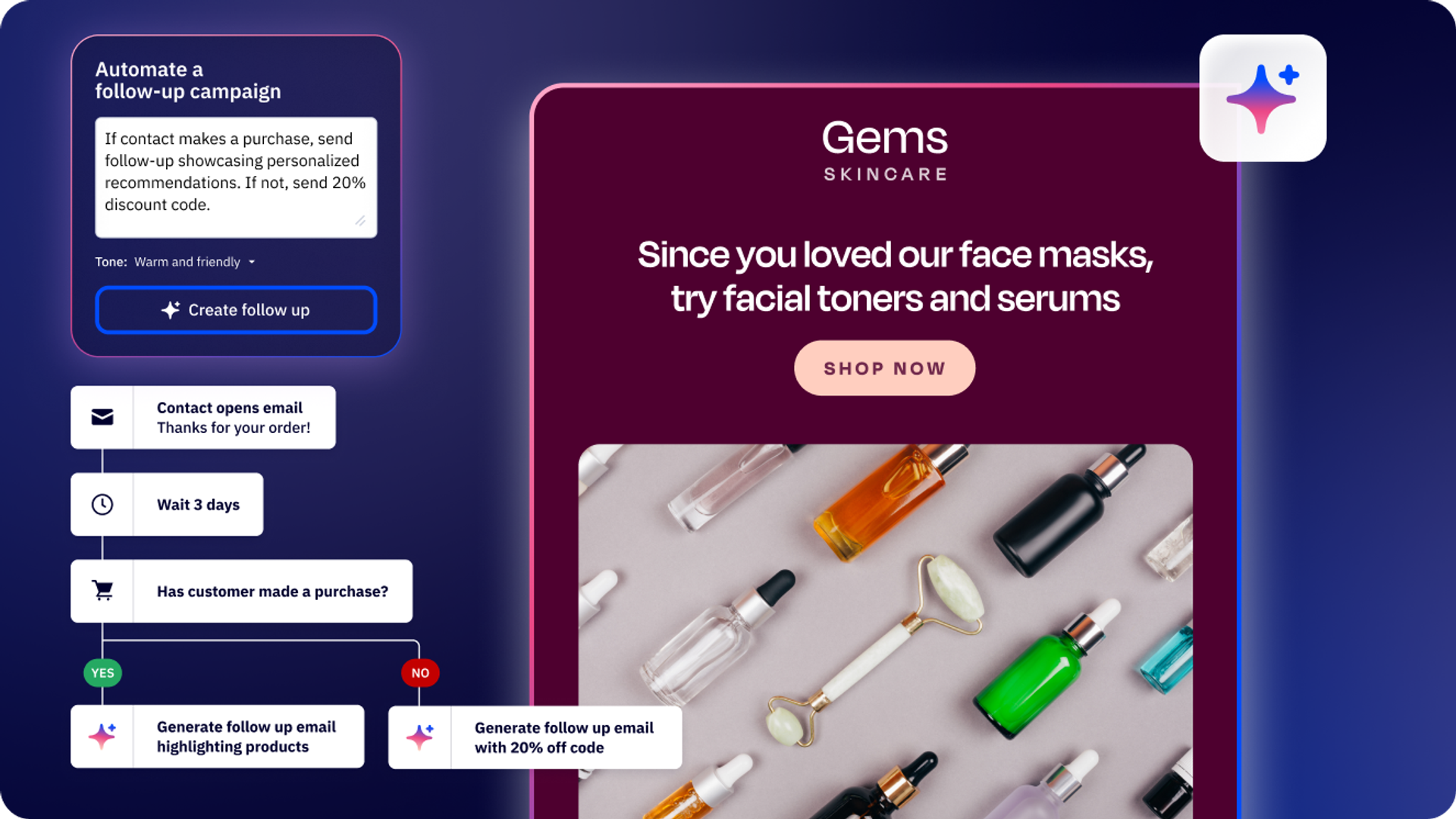
- Automate a 7-day drip campaign to nurture leads and increase engagement
If you’re looking to build an automation to increase customer conversions, you might prompt Active Intelligence in plain language with something like, “I want to convert my website visitors into customers.”
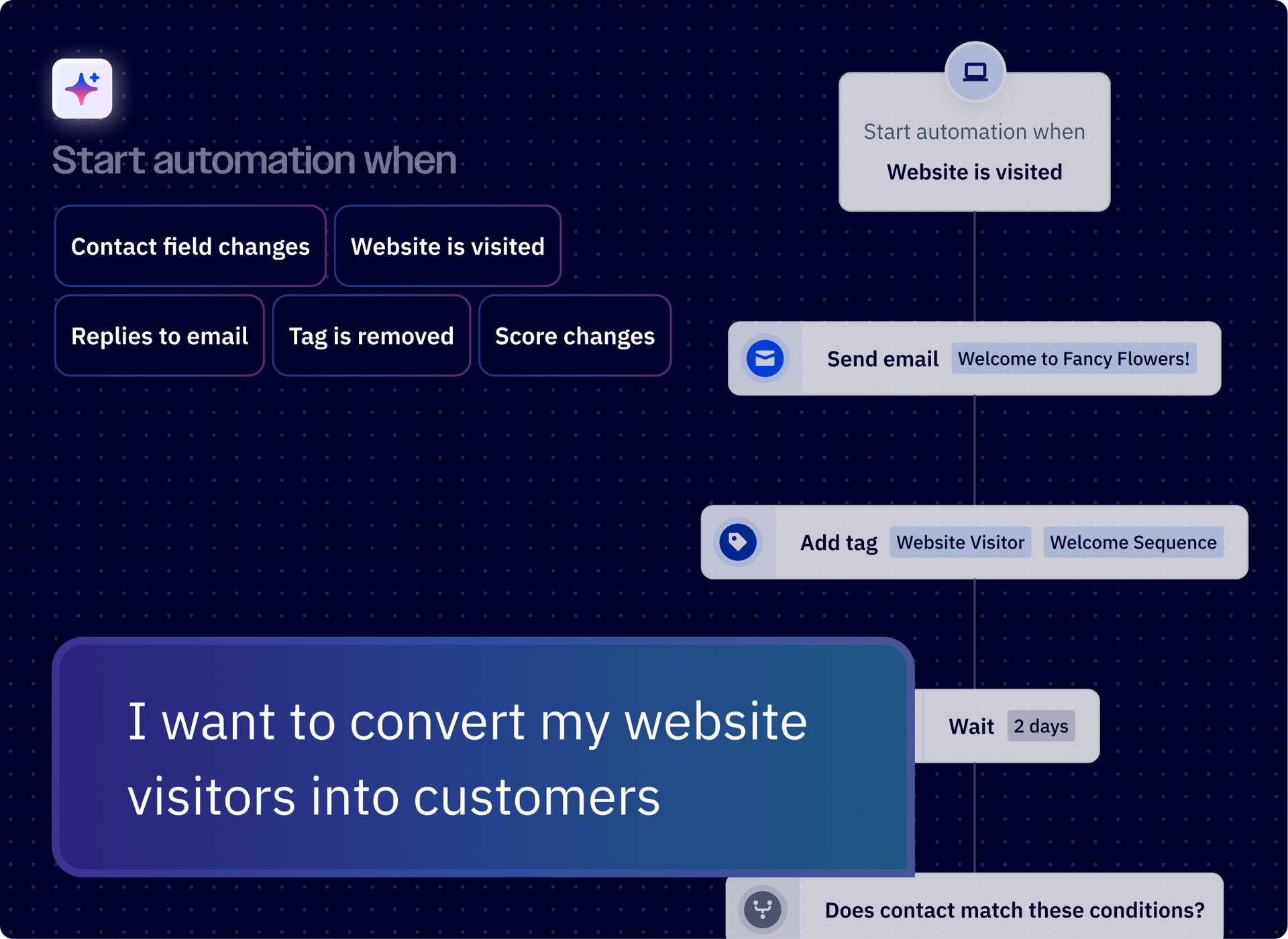
Then, watch as Active Intelligence builds a multi-step automation that includes touchpoints at just the right time based on previous successful campaigns. All prompting results are built on your real data in the platform.
Prompts for editing and refining automations
- Change the wait time between each emails from 2 days to 3 days
- Build an automation that triggers when a contact replies to any email in our ‘Nurture’ campaign
- Create an automation that after sending a follow-up email, waits 2 days, then adds the tag ‘Follow-up Sent’
- Only send the follow-up SMS if they haven’t opened the email.
- Change the subject line in the second email to focus on ROI.
Prompts for CRM, sales, and lead scoring automations
- If a lead scores above 75, add a note to their CRM profile saying ‘High Intent — Contact Today’ and end their current nurture automation
- Start an automation when a contact’s lead score field changes to ‘Hot’
- When my web score goes above 100, notify me
- Add a new deal to my pipeline when someone fills out my form
- Add points to my lead score when someone engages with my emails
- Can you automate a way for me to use predictive sending, lead scoring, and win probability to trigger timely follow-ups based on deal stage?
Prompts for SMS automations
- Follow up with my landing page leads with an SMS message acquainting them with my brand
- Create an outbound nurturing sequence for my leads that includes SMS touchpoints
What the data shows: The CRM prompts are worth paying attention to. Users are asking Active Intelligence to think across marketing and sales in a single prompt—combining lead scoring, deal-stage triggers, and automated follow-ups.
54.1% of all custom prompts fall into the “other/complex” category, meaning users have diverse, specific needs that go well beyond templates. The agent handles long-tail, unique queries well.
Active Intelligence tells me what to keep doing and what to improve, and those recommendations have helped me increase my open rates and click-through rates.
Audience segmentation and contact management prompts
2.7% of custom prompts are search or find queries (people trying to locate specific campaigns, links, or contacts). Another 2.4% are volume and count questions.
Here’s what users are actually typing:
| REAL USER PROMPTS |
|---|
| how many people unsubscribed during my 2024 holiday gift card campaign sends? |
| Can you show me a breakdown of where people are from that are clicking on the book a call button? |
| please check how many subscribers have the word ‘apotheke’ in their email address and opened the campaign |
These seem simple, but they reveal an important pattern: users are using Active Intelligence as their first stop for navigating their own data. The best approach is to use segmentation prompts before content prompts.
Once you know who you’re talking to, the messaging gets a lot easier (and targets each group more effectively).
Prompts for segmentation and contact queries
- Help me segment my audience for my next campaign based on engagement patterns
- Who hasn’t opened an email in the last 3 months?
- How many campaigns did we send from January to October?
- How many people unsubscribed during my New Year's campaign sends?
- Create a form for my newsletter signups in my brand colors and font
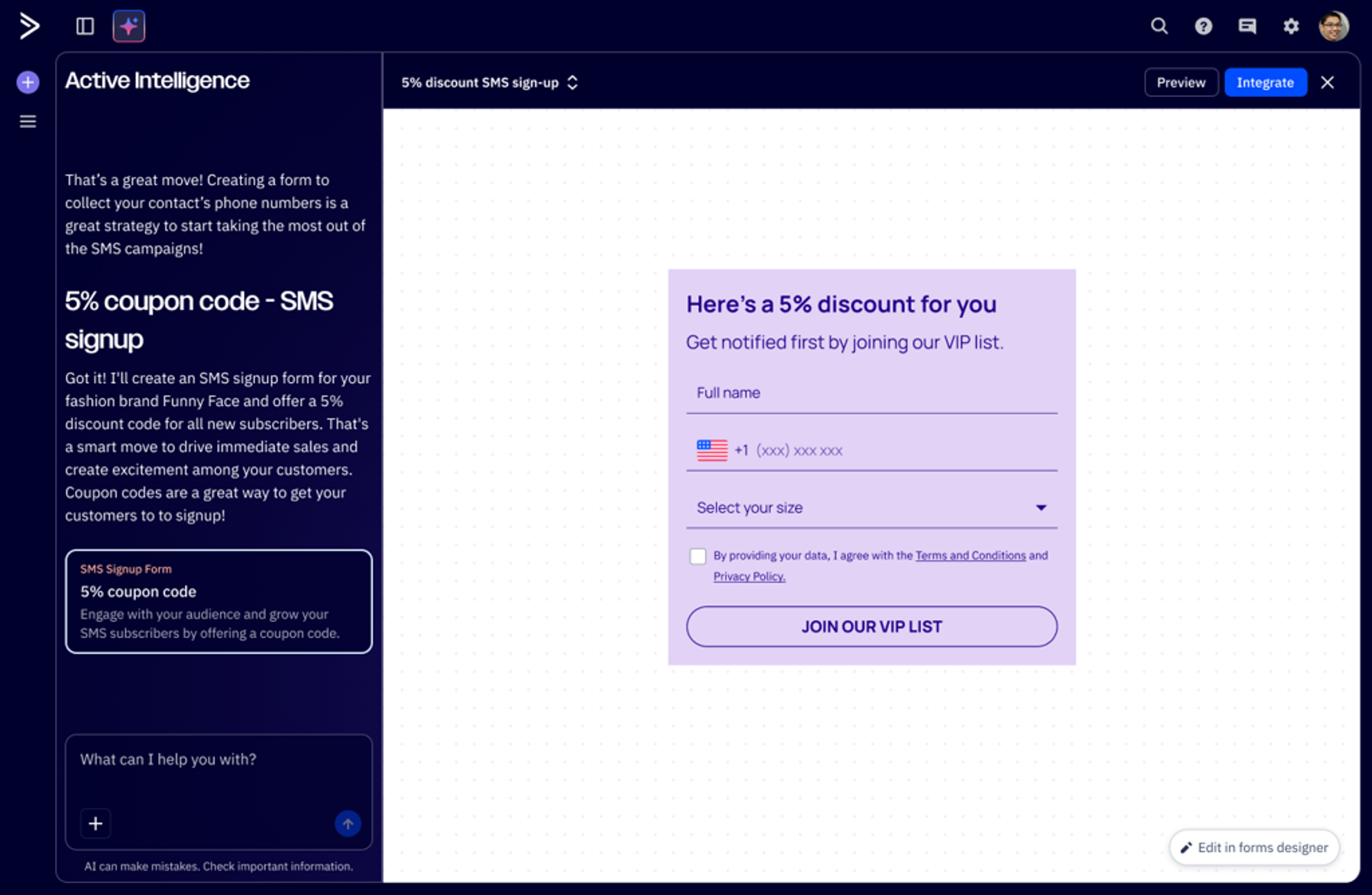
Form creation is easy with Active Intelligence.
What the data tells us: 2.7% of queries are “where” or “find” questions. Users struggle to locate specific campaigns, especially by content (“which newsletters contained this link?”). Using Active Intelligence to search by content, not just by campaign name, unlocks data you’d otherwise spend time hunting for manually.
We’re using Active Intelligence a lot right now. It gives us charts, reports, and even an analysis we can send directly to clients or review internally.
How to write better Active Intelligence prompts: 4 principles from the data
After analyzing 9,223 custom prompts, a few patterns separate the prompts that get great results from the ones that get a generic output.
1. Be specific about time, metrics, and format. The prompts that get the best results include a time range, name a specific campaign or metric, and tell Active Intelligence what format you want the answer in.
| Specificity matters |
|---|
| VAGUE PROMPT How are my emails doing? |
| SPECIFIC PROMPT (Real user) What were the top three performing subject lines across all campaigns labelled ‘Business update’ by open rate in the period X-Y?Iterate and refine your prompts. The data shows users correcting and refining in real time. That’s not a failure; that’s how you get the best output. |
2. Iterate and refine your prompts. The data shows users correcting and refining in real time. That’s not a failure; that’s how you get the best output.
| REAL USER FOLLOW-UP |
|---|
| Still not correct. You are missing some months and the entire year of 2025. |
Treat Active Intelligence like a conversation, not a one-shot query. The users who get the most value are the ones who push back, clarify, and build on previous answers.
3. Combine multiple capabilities within a single agent's prompt. Some of the most effective prompts layer related functions together — like predictive sending + lead scoring + deal-stage triggers, or year-over-year analysis + benchmarking + recommendations. When your request draws on capabilities within the same agent, Active Intelligence can handle complex, layered asks with ease.
| REAL USER PROMPT (Complex) |
|---|
| Confirm the highest performing email campaign of 2024/2025 based on click-through rate? Analyze why it performed so well |
4. Add context about your goals, audience, and channel. Active Intelligence already knows your campaigns, your contacts, and your performance history. The more context you add (your goals, your audience segment, the channel you’re optimizing for), the sharper the output.
| REAL USER PROMPT (Contextual) |
|---|
| I sent out an email, ‘If your child got an instrument for Christmas, read this’ - Can you analyze it and help me improve future emails? |
We really like this example we shared earlier because it names the specific campaign, states the goal (improve future emails), and gives a clear direction. Context turns a generic question into a useful answer.
Get started with Active Intelligence today
You don’t need to overhaul your workflow. Open Active Intelligence, pick one prompt from this guide, and see what comes back. If the output isn’t perfect, refine it, add more context, and ask a follow-up question. That’s how the best users work—they treat it like a conversation that pulls real insights from customer data and gets smarter over time.
Active Intelligence fundamentally changes how growing businesses approach marketing—not by adding more tools or complexity, but by introducing intelligence that orchestrates their marketing for them.
Every prompt in this guide is available in our downloadable prompt library PDF that’s organized by category and ready for you to copy/paste into Active Intelligence.
Start a 14-day free trial and see what you can achieve with Active Intelligence→