For a creative marketer and strategist, email outreach and follow-ups can feel repetitive and time-consuming. Yet automation often risks sounding formulaic and stale, and that doesn’t inspire high-level clients to engage with anyone’s services.
Amanda Pressner Kreuser is the co-founder of Masthead, a content marketing company with six full-time employees and hundreds of freelance contributors. Masthead’s clients range from Food & Wine magazine to Target and the National Sleep Foundation. Pressner Kreuser also cofounded the AI Marketing Innovation Council.
Pressner Kreuser is the sole team member who manages the business development and strategic growth for her company—marketing and selling her marketing agency to marketing leaders. Many weeks, she spends hours:
- Sourcing prospects
- Sending outreach
- Scheduling meetings
- Writing follow-up emails
- Tracking her outreach to avoid repetition
Her audience for this communication requires her messages to sound authentic and tailored. Just changing a name in a basic CRM cadence won’t cut it.
No machine can match human creativity, and as a writer by trade, she always wants the final touch. But marketers are increasingly being asked to develop systems and processes for production and scale.
This is a textbook use for autonomous marketing, the act of transforming business goals into cross-channel results using AI agents to imagine, activate, and validate.
Over the coming years, successful marketers will be those who think like a systems architect, she says – how can they create better systems and boost efficiency and open up new opportunities?
“Instead of a cog in the wheel, we can be the designers of how content works across different tools and different applications,” she says.
AI can implement systems and cadences marketers dream up, saving time for the human-powered connection and creativity. For Pressner Kreuser, that means creating custom ChatGPTs for prospecting, outreach, and follow-up cadences.
She estimates that her biz dev workflow alone saves her 4-5 hours each week, time she uses for more learning about AI.
Her biz dev workflow alone saves her 4-5 hours each week, time she uses for more learning about AI.
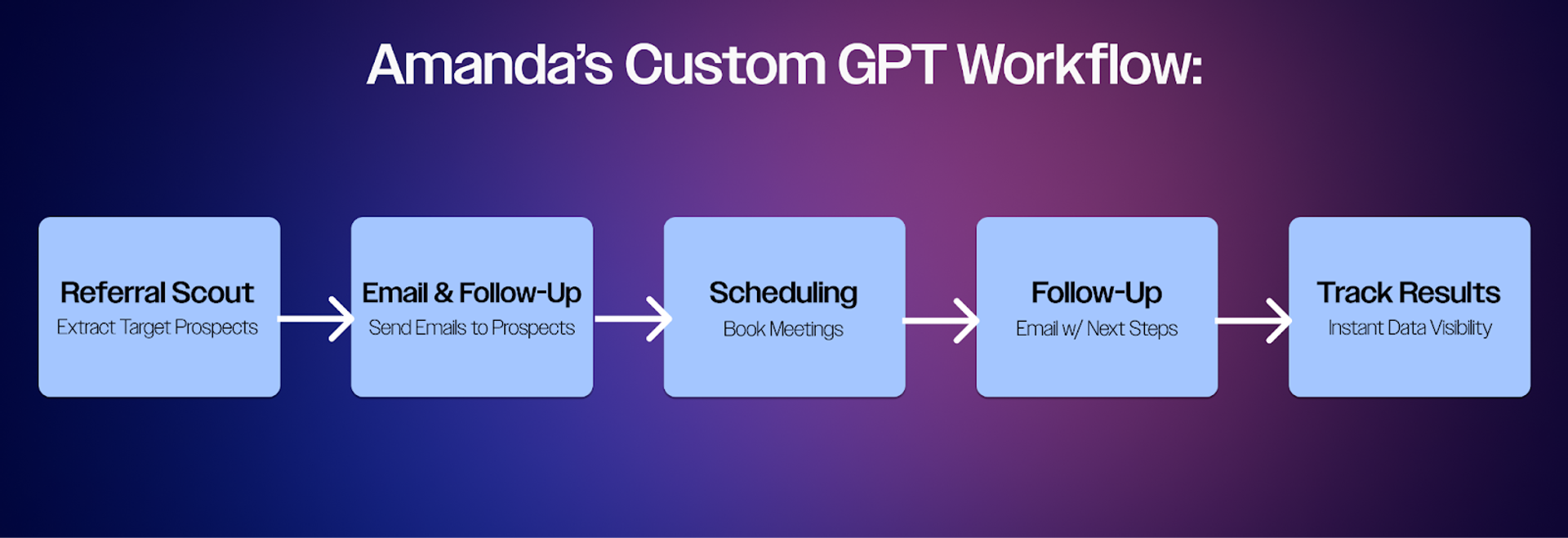
Five AI agents assembled into a workflow can lead to significant time to reinvest.
Creating custom GPTs for marketing
Process simplification starts with creating the process itself.
She doesn’t stress over perfecting the prompts that create the custom GPT. Rather, she gets meta and asks ChatGPT to help her create the prompts she needs. Then she used those prompts to create custom GPTs — specialized versions of ChatGPT that she trained for specific tasks, which she can return to again and again to complete those tasks. She can select her custom GPTs from a point-and-click menu.
It’s like having a basic “agent” that can handle repetitive and predictable tasks.
The key to a good custom GPT prompt is being specific about necessary outcomes and workflows. She demonstrated the basic process she uses to create all of her custom GPTs, before getting into the details of each specific type she uses.
Step one: Prompt for your prompt (yes, really)
Create a typical prompt: "I want to set up a custom GPT to do email follow-up, and I want you to help me create a prompt for this custom GPT so I never have to write these same instructions again."
Step two: Clarify your ask
ChatGPT then asks clarifying questions about her process, perhaps templates, tone, and requirements, then generates a custom GPT prompt.
Step three: Add the prompt to the Custom GPT
Pressner Kreuser copies that prompt into the "Create" section of the custom GPT interface. This instantly sets up a specialized tool that can execute the prompt, whenever she needs it.
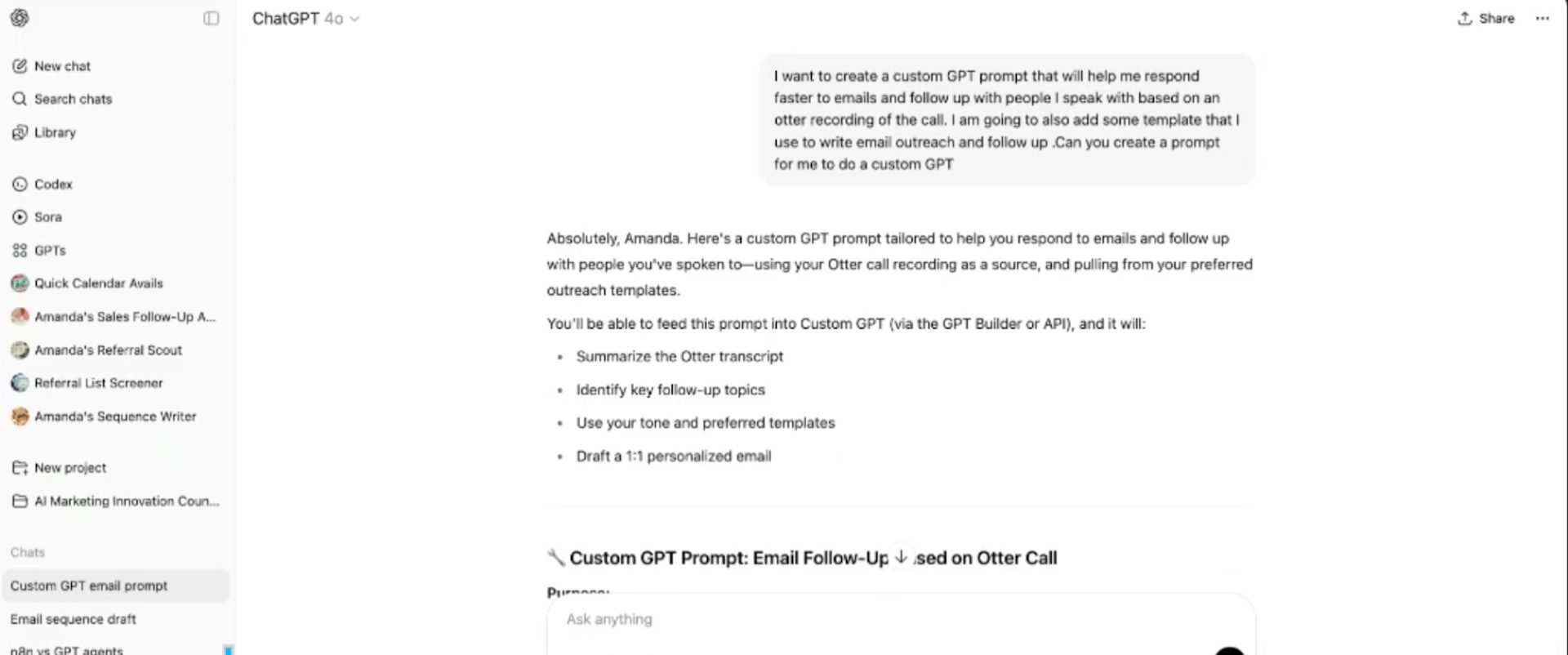
Screenshot of Pressner Kreuser’s custom GPT prompt creation.
"I used to be so perfectionistic about my first drafts. I took forever to write them and to edit other people's work,” she says. “Now I've been able to become more relaxed, just saying what's in my brain, saying it imperfectly, and getting AI to provide a draft that organizes my thoughts. I've become a little less precious with how I'm developing content, but it's still very much my content. That's one aspect of how it's made things faster."
Building outreach templates and cadences
Years ago, her company decided to focus on an ideal customer profile (ICP) with a minimum of $50 million in annual revenue, which are firms that seem most likely to need content marketing. They target titles like Director of Content and VP of Marketing.
Often, her outreach process starts with LinkedIn.
“Sometimes people will say to me: ‘Go through my LinkedIn. If there's anyone you see that you want me to introduce you to, I'm happy to make an introduction.’ I would say thank you, but I would be cringing, because who has the time to go through somebody's LinkedIn?”
Agent #1: Referral Scout: Extract target prospects systematically
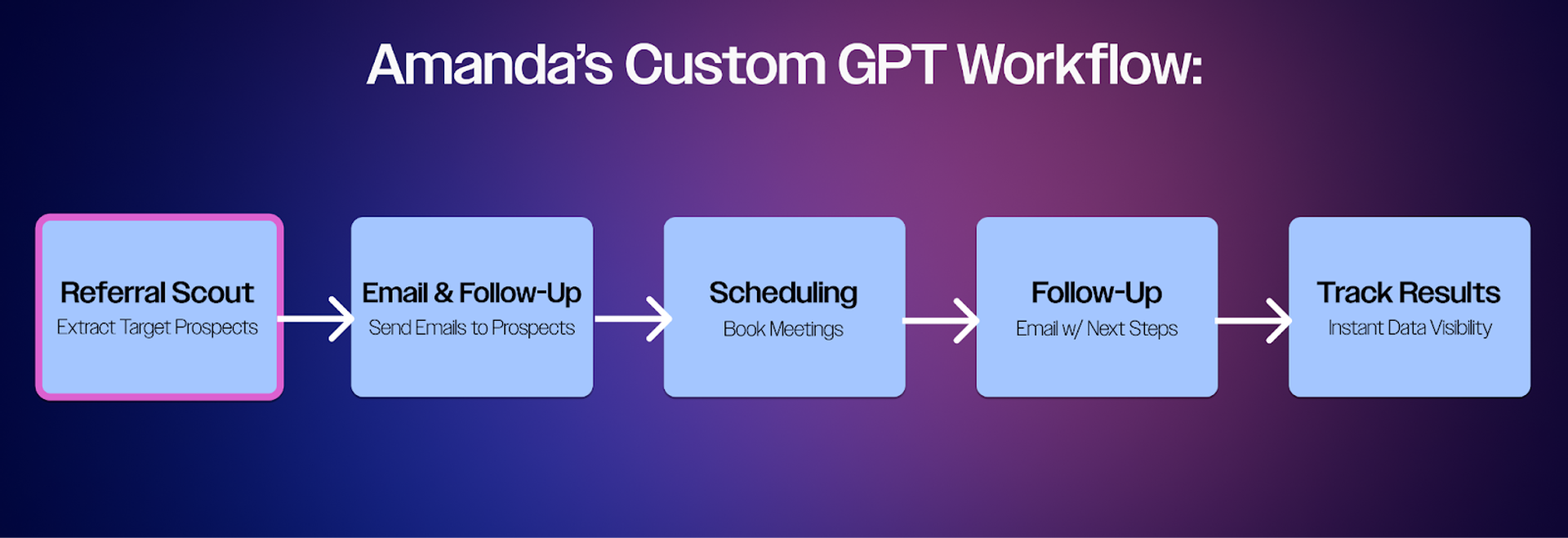
How Amanda built a Referral Scout custom GPT
When a contact offers to make introductions, Pressner Kreuser can pull up profiles via LinkedIn Sales Navigator. But LinkedIn doesn’t have an easy way to organize or download information. Instead, she uses a tool called PhantomBuster to extract data about the prospects from her Sales Navigator searches, like names, job titles, and company information. This automation replaces the time-consuming manual work of copying and pasting individual profiles into lists.
She created a custom GPT she named “Referral Scout,” which she built based on her ICP. The referral scout scans the downloaded list to suggest people worth connecting with, and who could make introductions. She then has a curated list she can bring back to her original contact and say, “this is who I’d like to meet.”
Neither PhantomBuster nor ChatGPT can suggest email addresses. Another platform, Hublead, syncs LinkedIn information with their CRM, and “is very good” at guessing email addresses for people, she says.
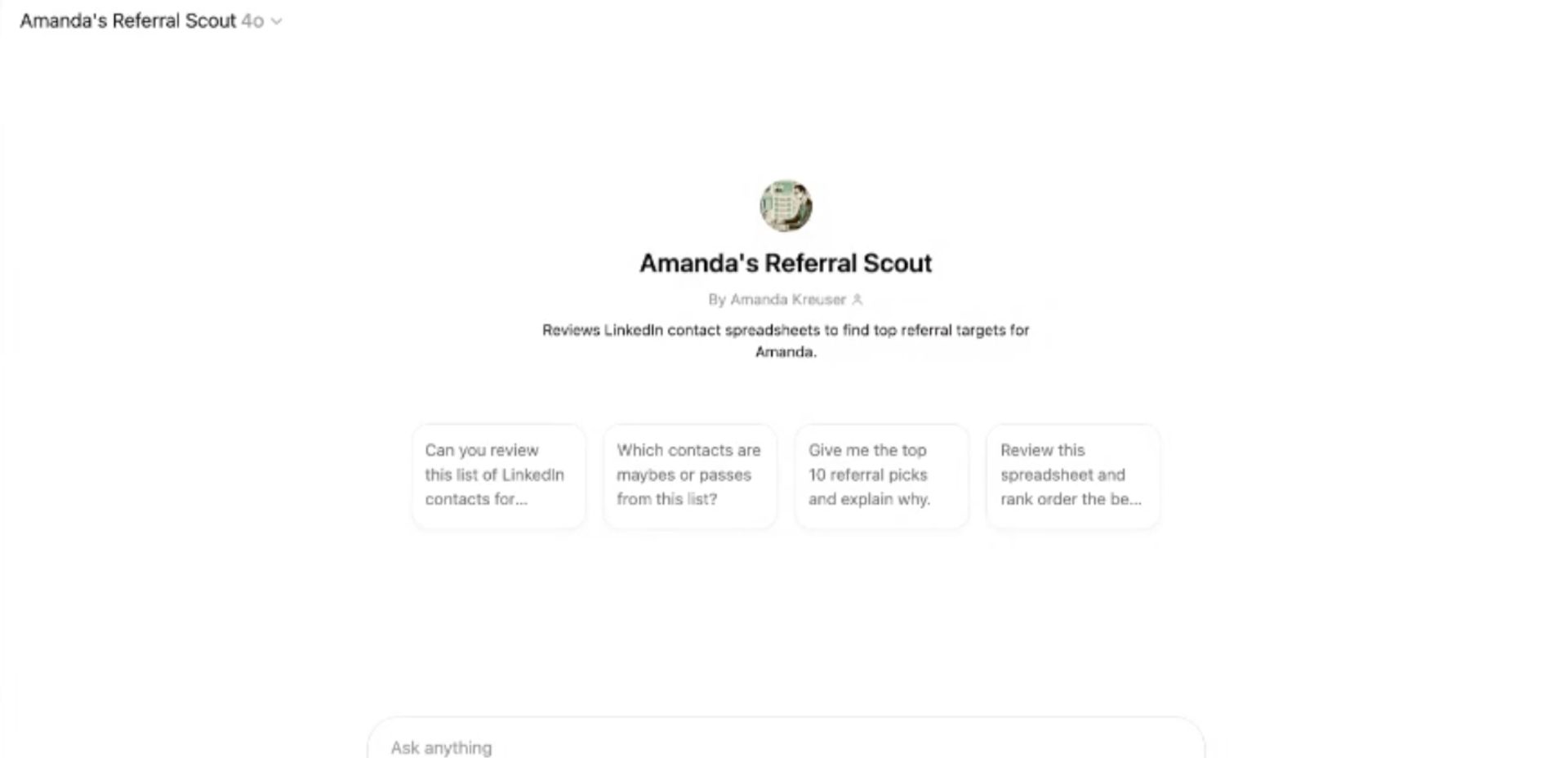
Screenshot of Pressner Kreuser’s custom GPT Referral Scout.
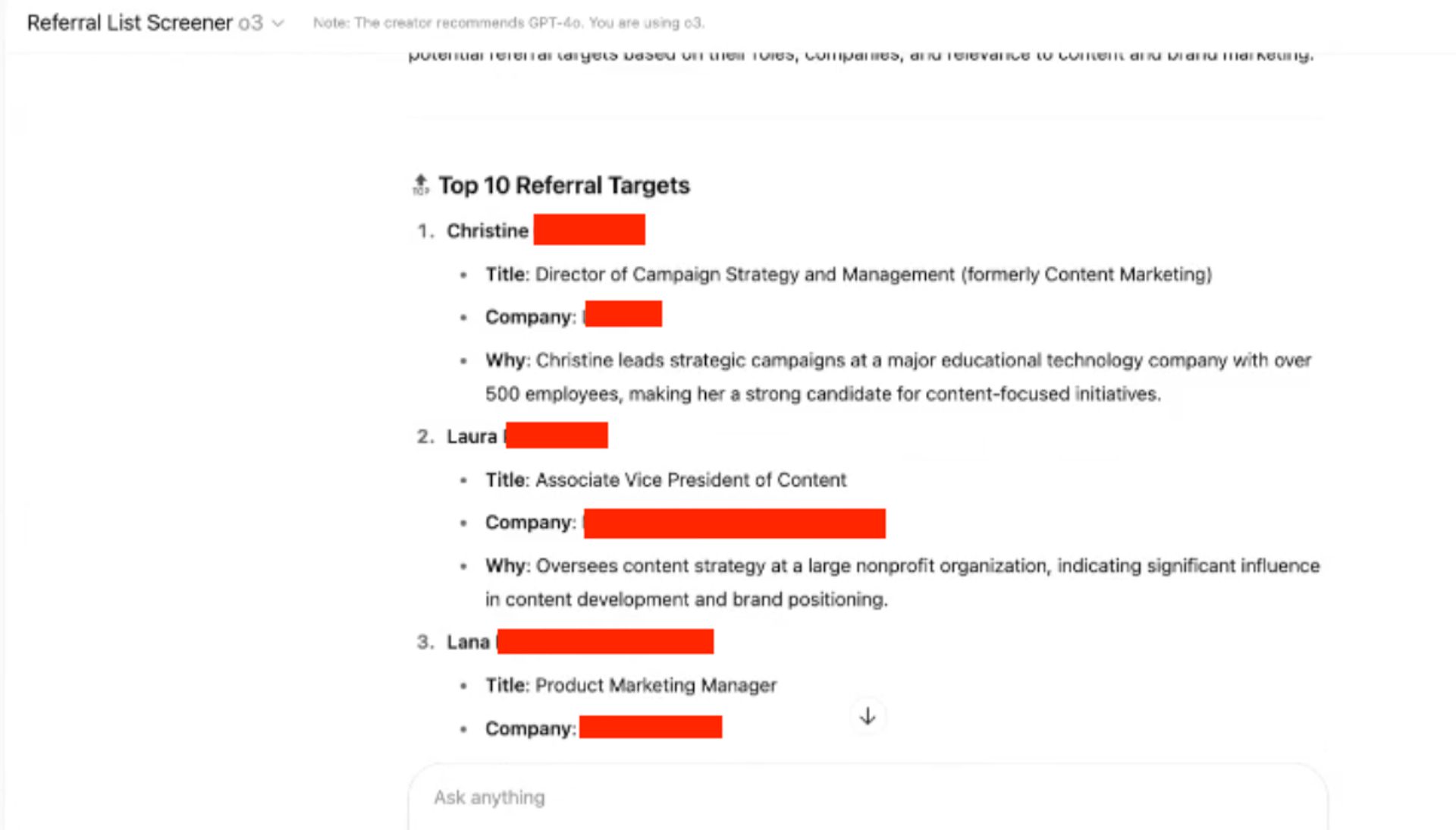
An example of Referral Scout’s output.
Agent #2: Email and follow-up library assistant
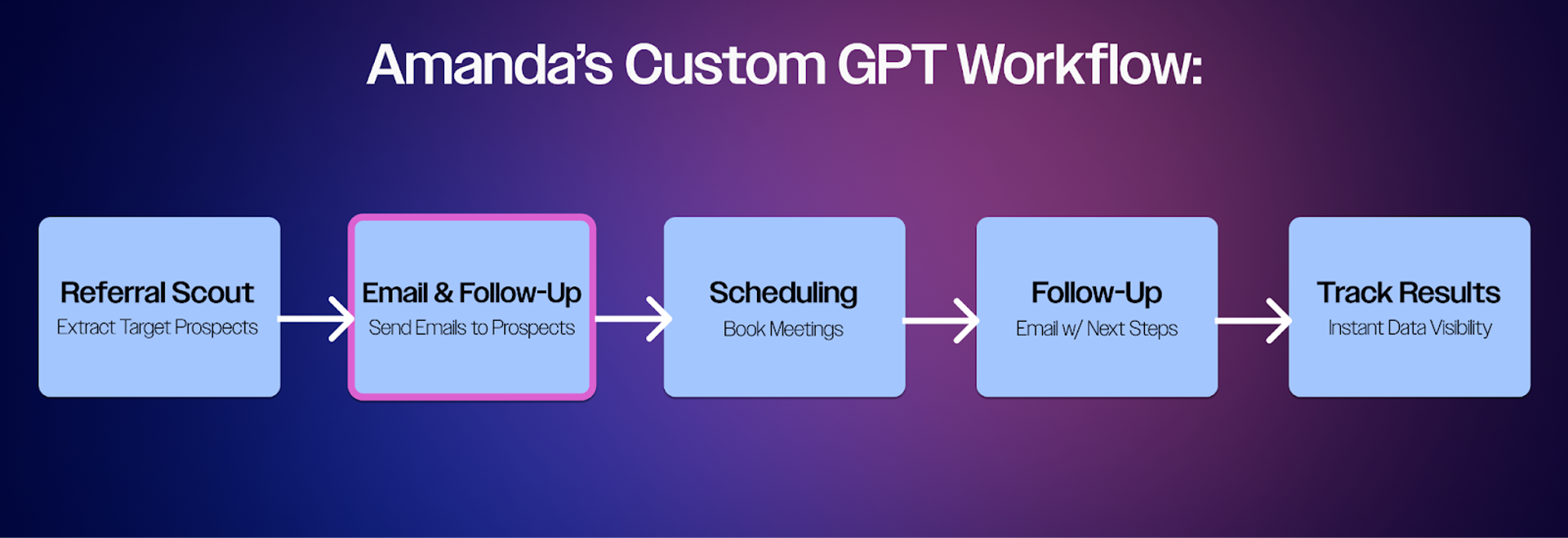
How Amanda built an Email & Follow-Up custom GPT
She also sends her own outreach sometimes – and of course, needs to draft those messages and follow-ups, on top of other email tasks like booking discovery calls.
She’s built a collection of 10 to 15 email templates. Each template includes her specified structure and messaging, while leaving room for personalization. She uploads this template library into a custom GPT, creating a foundation that maintains her brand voice and communication style across all follow-up interactions.
When she needs to draft a new email sequence, she offers details on the audience, goals, and other information. The ChatGPT then generates the first draft of the email sequence, based on her input and on the email templates she used to program the prompt, which Pressner Kreuser edits and refines.
“I always take it outside of ChatGPT into a doc myself. I’m a writer. I edit, edit, edit,” she says. “I don't use it to replace my writing ever.”
“I always take it outside of ChatGPT into a doc myself. I’m a writer. I edit, edit, edit,” she says. “I don't use it to replace my writing ever.”
Her list of emails to send after a call includes:
- Re-engagement email to past clients
- Re-engagement email to personalized leads/contacts
- Re-engagement emails for pilot programs
- Request for referral
- Referral through LinkedIn opportunity
- Email following referral
- Follow up on call or new outreach
- New contact after an active relationship
A template that she asks ChatGPT to fill might look like this:
Subject Line: Great to Connect with You!
Fantastic speaking with you earlier today -- so glad that we finally made it happen! I enjoyed hearing more about your career at [Company Name] and your plans to [Contact's Goals or Plans from the Call]. I'm so impressed with all that you're doing, particularly with the [Additional details from the call] and can't wait to follow along!
As we discussed earlier, I'm sharing Masthead's capabilities deck. I'd love the opportunity to present it to you and your team, and hear about your specific needs for [next calendar quarter]. I can see a lot of ways for us to work together! It may also be helpful that Masthead is a vetted vendor in [Company Name]'s database (less time needed to stand up new projects).
Looking forward to continuing our conversation and reconnecting with your team. If we do a call, should we aim for [Suggested Date]? Just let me know the best timing.
Thanks again!
[Signature]
Amanda saved 4-5 hours per week with five custom GPTs. Want to build your own AI agents?
The Autonomous Marketer delivers step-by-step workflows and frameworks every other week.
Agent #3: Custom Scheduling Assistant
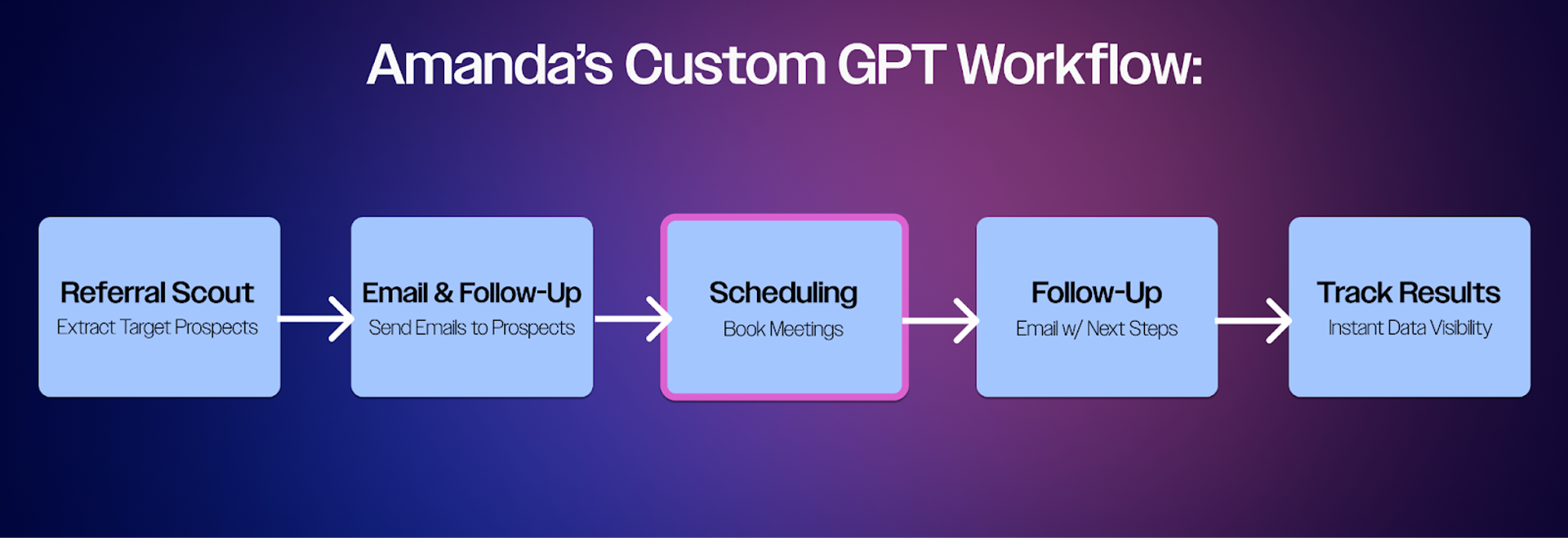
How Amanda built a Scheduling Assistant custom GPT
Pressner Kreuser has found that calendar booking apps don’t serve her needs as much as she’d like — so she created a custom GPT to address that need, too.
“I know we all have calendar links,” she says. “But a lot of times, as the person who's doing the business development, I don't want to put it on the recipient.”
For example, say she’s connecting with a busy CMO at a smaller firm. That person would need to open her link, then cross-reference with their calendar, then return to the calendar app to book.
If she could email some time blocks, the CMO could simply select one, saving a few steps. But she also wanted to maximize efficiency on her end.
So she created a custom GPT that creates a list of a few windows of time for a meeting that she can send to her prospect, reducing a few steps in the scheduling process.
- She exports her calendar as a JSON file, either manually or via a script/automation like Google Apps Script or n8n.
- She uploads that JSON file into the Custom GPT, which uses the prompt below to suggest 30–60 minute availability windows based on working hours, breaks between meetings, and custom rules, like avoiding school drop-off or travel blocks.
The prompt:
You are my scheduling assistant. I’ve uploaded a JSON file containing my calendar events for this week. Your job is to identify 3–5 open time slots that are:
- 30 or 60 minutes long
- Between 9:00 AM and 6:00 PM ET, Monday to Friday
- Not adjacent to another meeting unless there’s at least a 15-minute buffer
- Excluding events labeled as 'free', 'travel', or 'school drop-off'
Present the results in a clear table with:
- Date
- Time Range
- Duration
- Why it’s a good time (e.g., long break, start of day, etc.)
Be smart about breaks — ideally don’t schedule meetings right after long sessions or back-to-back blocks unless there’s recovery time."
Agent #4: Generate personalized follow-ups from call recordings
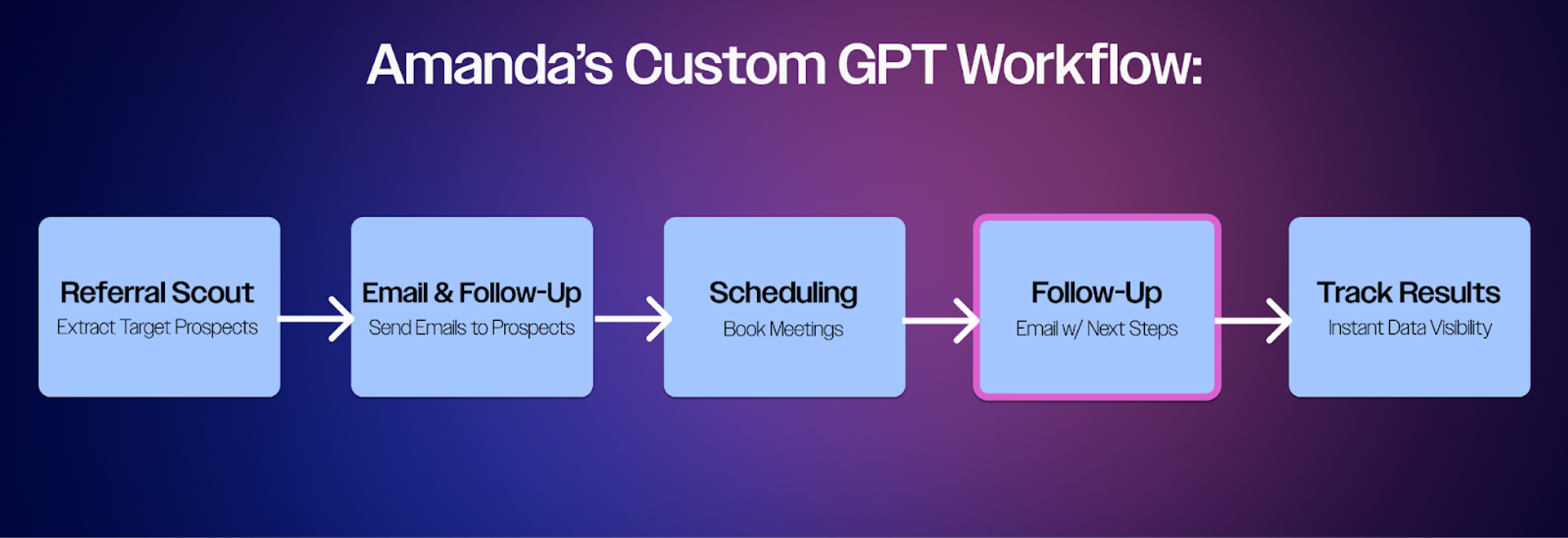
How Amanda built a Follow-Up custom GPT
After she’s booked and completed a prospect call, she feeds the call recording directly into her custom GPT, along with her template library. The AI analyzes the conversation, identifies key discussion points and personal details, and picks a response template based on the call's context.
The GPT then customizes that template, creating a personalized follow-up email that references key points in this call. What used to take 15 to 20 minutes of manual email crafting is now a two-minute automated task.
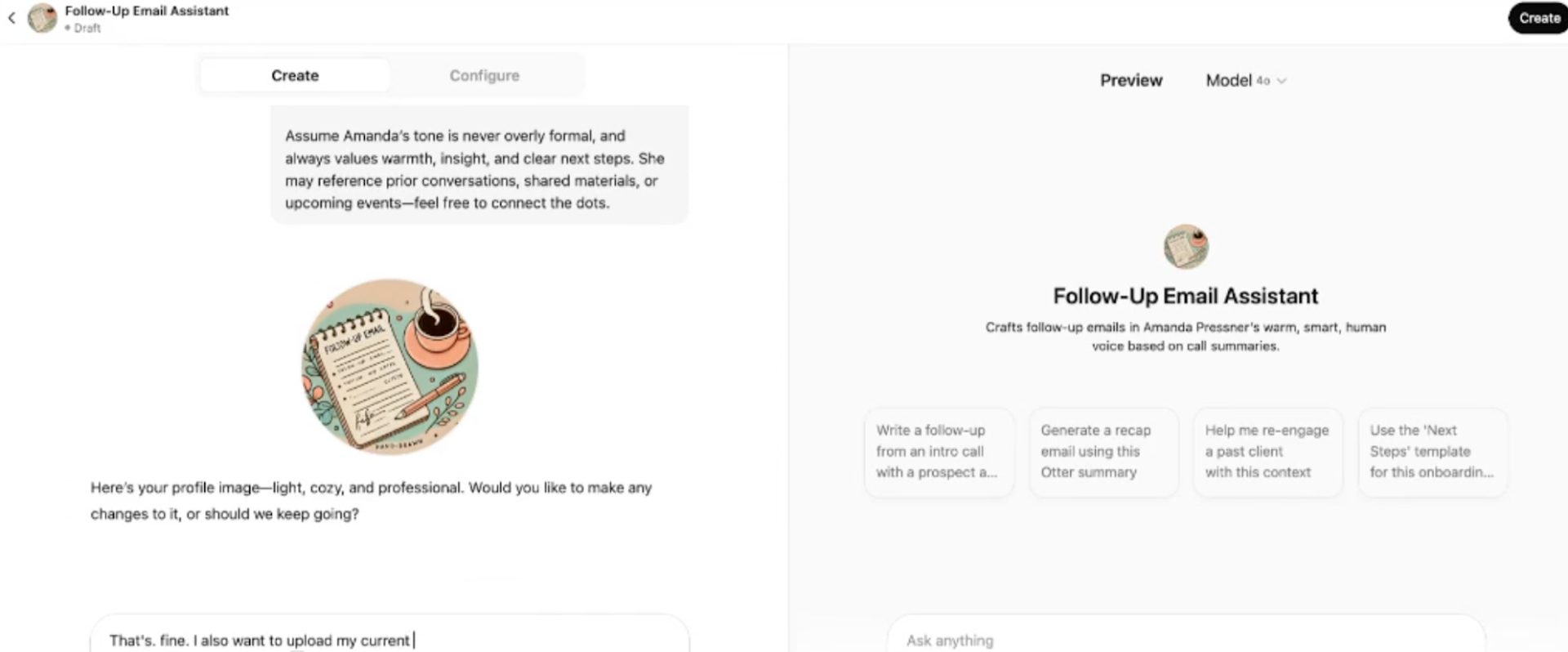
Screenshots of Pressner Kreuser’s prompt and custom GPT for creating follow-up emails for outreach.
An example of her prompt:
You are Amanda’s Sales Follow-Up Assistant, a GPT that drafts polished, smart, and warmly written follow-up emails after Amanda’s business development calls.
Amanda is co-founder of Masthead, a content marketing agency. Her tone is friendly, confident, and journalistic—with clear structure and personalization.
You’ll be given a call transcript or call notes, a sales stage (e.g., “Stage 2A: First Sales Call”), and company information. You will then generate a follow-up email in Amanda’s voice using the formatting and tone reflected in her established sales templates.
Always include:
- A thank you or a friendly acknowledgement of the interaction
- A casual but tailored summary of what was discussed
- Specific next steps, depending on the stage (e.g., scheduling, sending grid, assets)
- Amanda’s signature and calendar link: [LINK]
Write with Amanda’s natural voice: warm, human, clear, and never robotic or overly stiff. Use contractions. Personalize wherever possible based on the context.
Reference email structures and tone from Amanda’s Sales Email Templates (uploaded as reference) to guide formatting and structure for the stage of the sales process provided.
Use sales support links from the updated Masthead Sales Links Cheat Sheet and embed them appropriately based on the email content and sales stage. Always use the updated capabilities deck: [LINK]. Default to include Amanda's calendar and the capabilities deck unless otherwise instructed.
If the sales stage is not provided or unclear, always ask Amanda to confirm which template or stage to use before drafting.
Agent #5: Track outreach activities automatically
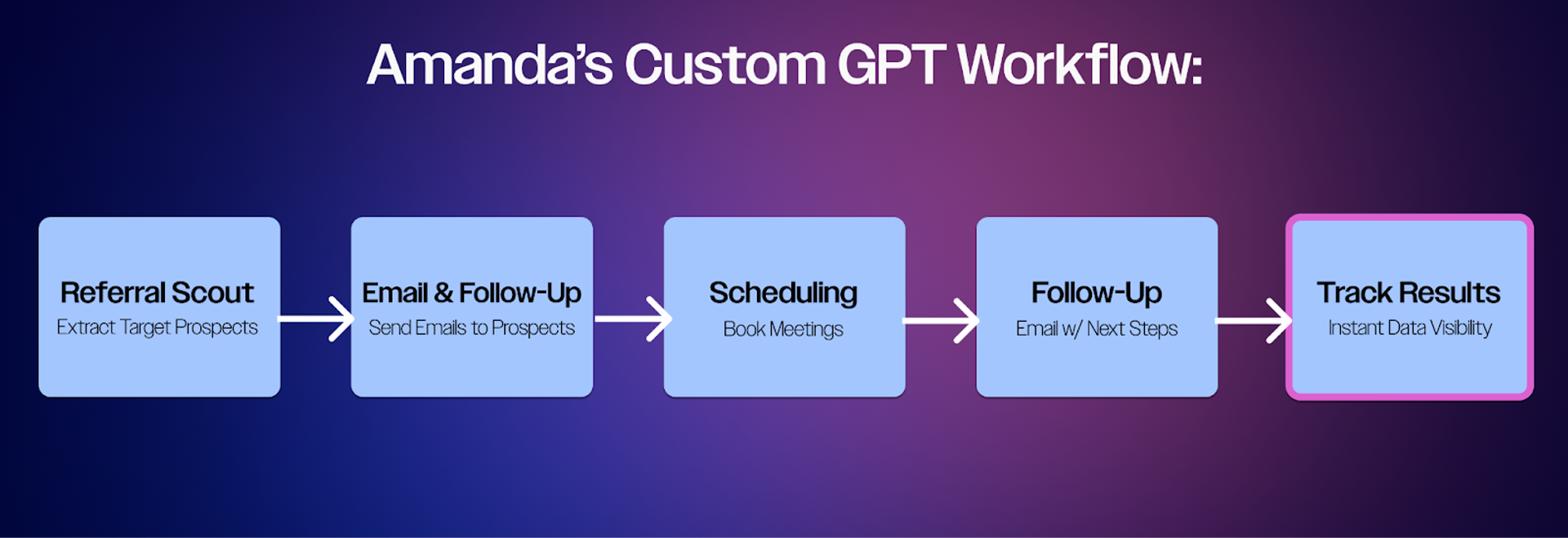
How Amanda built a Results Tracking custom GPT
A custom Google Apps Script integrates directly with her email system, and captures and exports all outreach activities into organized spreadsheets. But she didn’t need to know how to code to create and apply the script. She asked ChatGPT to create it, and to tell her where to input the script.
The script tracks:
- Email opens
- Responses
- Follow-up sequences
- Prospect engagement levels
This automated tracking system eliminates the administrative burden of logging outreach activities while providing real-time visibility into her business development pipeline, allowing her to focus on relationship building rather than data management tasks.
Tips for creating your own Custom GPTs
The caveat, she says, is that building custom GPTs can have hiccups. Sometimes ChatGPT created phantom instructions or added false information into her requests, no matter how specific her instructions and prompts. Sometimes, she has to delete an entire project and start anew.
But bigger picture, it’s about the future of marketing, she says.
Imagine your marketing department is putting on a huge conference. There’s a lot of content, in many different formats, that comes out of conferences. And that’s even before the sales team comes asking about follow-up sequences, and the social agency has their feeds to feed — the list goes on.
“Take a step back and say, what are all these things I need to develop, and where can AI be helpful?” she says.
Think about questions like:
- What other tools can I use?
- How can I use multiple tools together to get a result that I want?
- Where should humans be involved in the process?
- How does this live within a bigger system?
- What about data privacy and sensitivity, and ethics?
“The best way we can safeguard our jobs is by thinking in terms of marketing systems, not just marketing tools or marketing assets,” she says.
Ready to move from marketing tools to marketing systems?
Join The Autonomous Marketer and get the playbook for building AI-powered workflows that scale.
Systems for sustainable growth
Integrating AI into business development isn't just about time savings or automation. There are constant opportunities to learn and expand your own capabilities, as a marketer, she says.
Think of them as on-demand tutors. They can explain complex concepts, create step-by-step guides, develop learning timelines, and share resources. Just like Pressner Kreuser can't code, but asked ChatGPT for code to track her Google inbox, asking AI platforms what is possible that can open new horizons.
"You're building a sustainable system for continuous growth," she says.
The real power of AI is to augment marketing leaders' strategic and creative work. Workflows like this are just the start.
Save 4-5 hours every week
Amanda's five custom GPTs transformed her business development workflow. The Autonomous Marketer shows you how to build your own:
- Step-by-step agent workflows for sales, marketing, and operations
- Real examples from marketers already saving hours per week
- The systems thinking approach that future-proofs your career
Stop trading time for results. Subscribe to The Autonomous Marketer →