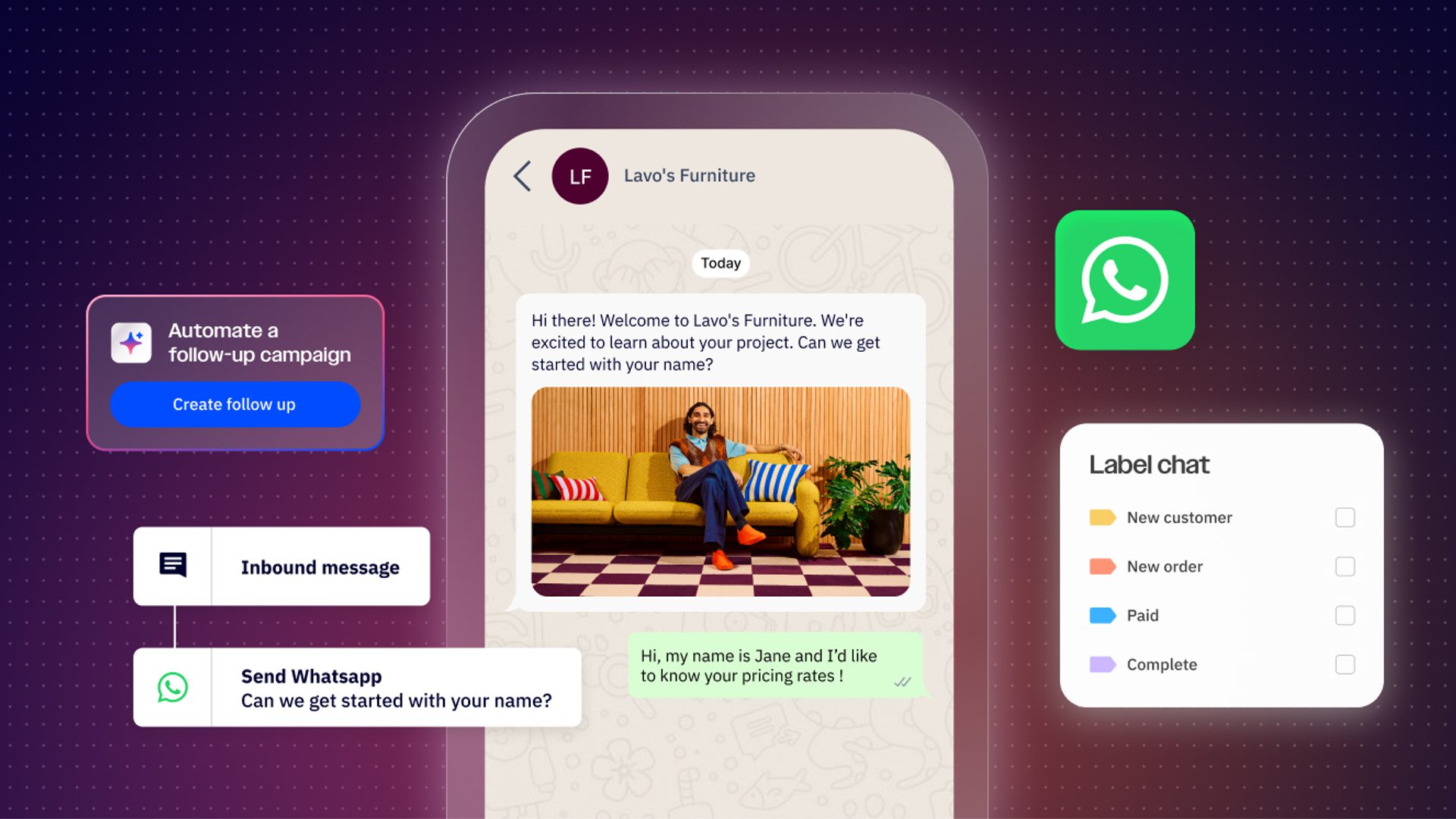
If you already use WhatsApp to communicate with customers, chances are you’re familiar with WhatsApp for Business. Unlike the WhatsApp we use for personal messages, WhatsApp for Business comes with additional features that empower businesses to manage everything from customer service to scale.
But not all WhatsApp Business features are built equally. For example, small businesses or solopreneurs might only need the free-to-download WhatsApp Business capabilities. On the other hand, larger businesses likely want the automation, scalability, and tracking features that come with the WhatsApp Business Platform.
In this article, we’ll dive into what makes the WhatsApp Business Platform the right solution for your business.
What is the WhatsApp API?
The WhatsApp Business Platform, also known as the WhatsApp API, is a collection of APIs and tools that allow you to connect your business or application to the WhatsApp platform. It’s like a master key that gives you access to WhatsApp to scale and enhance your communications with customers.
For those of us who aren't programmers, an Application Programming Interface (API) is a connection between computers or programs that allows sending and receiving data. In this case, the WhatsApp API is used to send and receive data and elements that make up messages, and confirms if the recipient received and read the message.
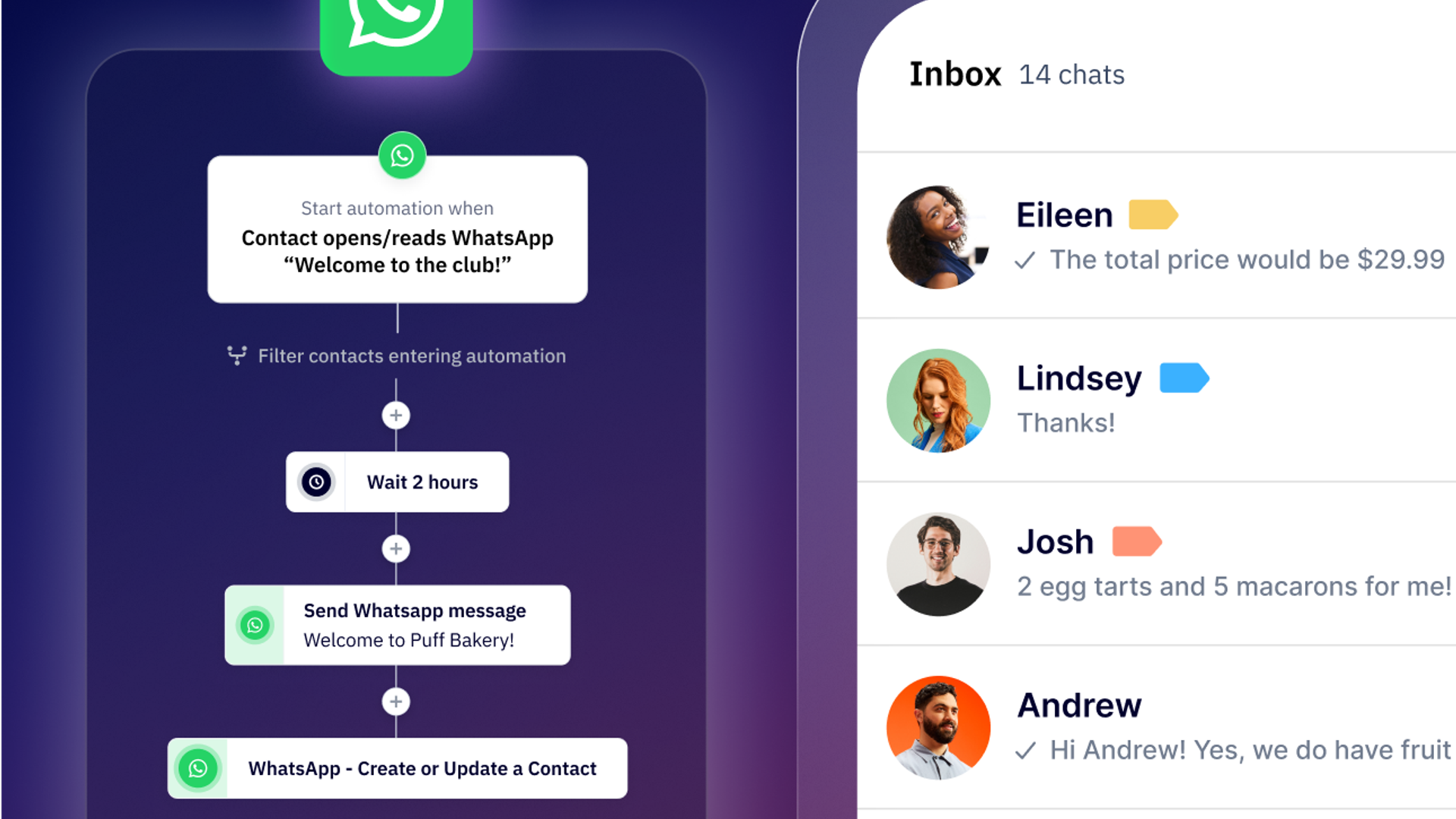
With the WhatsApp API, you can send bulk messages, automate responses and chatbots, mass reply to messages with multiple agents, and connect your CRM with WhatsApp. That means you can offer faster and more efficient customer support, send appointment reminders, track sales, and even send personalized messages to your users.
The difference between WhatsApp Business and WhatsApp API
The WhatsApp API and WhatsApp Business application are essentially the same product but with slight differences and capabilities depending on what your business needs.
The WhatsApp Business App is designed specifically for small and medium-sized businesses. With WhatsApp Business, you can create your business profile and access features like automated welcome sequences or scheduled quick replies for frequently asked questions. This is ideal for companies that are just starting out or manage a small volume of messages, and is an easy, quick solution to begin communicating with customers via WhatsApp.
As your organization scales, however, you might find yourself outgrowing the WhatsApp business features. That’s where the WhatsApp Business Platform (WhatsApp API) comes in handy, unlocking access to advanced tools like templated messages, more integrations, chatbots, and Flows. And with WhatsApp marketing software like ActiveCampaign’s, automating and scaling your conversations becomes that much easier.
Keep in mind…
You can only connect one phone number to one WhatsApp application, be it personal, business, or the API. If your phone number is linked to the WhatsApp Business app, you can migrate it to the API. Whichever phone number you use, it can’t be connected to the WhatsApp mobile or web app and the WhatsApp API for automation at the same time.
What can you accomplish with the WhatsApp API?
With the WhatsApp API, businesses can take their customer communications to the next level, increasing conversion rates, reducing operational stress, and improving their response times. You can also:
Profile and qualify your leads
If you’re dealing with a large volume of inquiries, there’s a chance your sales team may be overwhelmed or unable to provide the personalized answers your prospects are looking for. With the WhatsApp API, you can automate the prospect profiling process and assign each query to the appropriate team member. This helps reduce the operational workload for your sales team while giving team members the time they need to work with and close qualified leads.
Automate your sales follow-ups
One of the worst things that can happen during the sales process is forgetting to follow-up with interested prospects. With WhatsApp API, you can automate these follow-ups and keep prospects engaged all the way through to the finish line.
Activate or reactive leads with targeted campaigns
Another benefit of the WhatsApp API is the ability to send mass campaigns to reactivate or re-engage with users who once expressed interest in your product but never made it to checkout. Not only can you send these campaigns in bulk, but you can also personalize them by segment so messages don’t come off as spammy or irrelevant.
Integrate with your favorite CRM or application
With the WhatsApp API, you can send or receive information from any connected CRM, ERP, or database where you house your customer data. This ensures all of your communications with customers are personalized to each individual and you can pick up a conversation with all the details right where you last left off.
Build trust and credibility with your customer
A huge advantage with the WhatsApp API is the advanced verification it offers by way of the “green tick” mark next to the names of verified businesses. As a WhatsApp API user, you can apply for the green tick which immediately signifies to customers that they are interacting with a legitimate business.
The WhatsApp API features you need to know
While the WhatsApp API is not a free tool, it does come with a variety of features that can help businesses take their WhatsApp communications and marketing efforts to the next level.
Templates
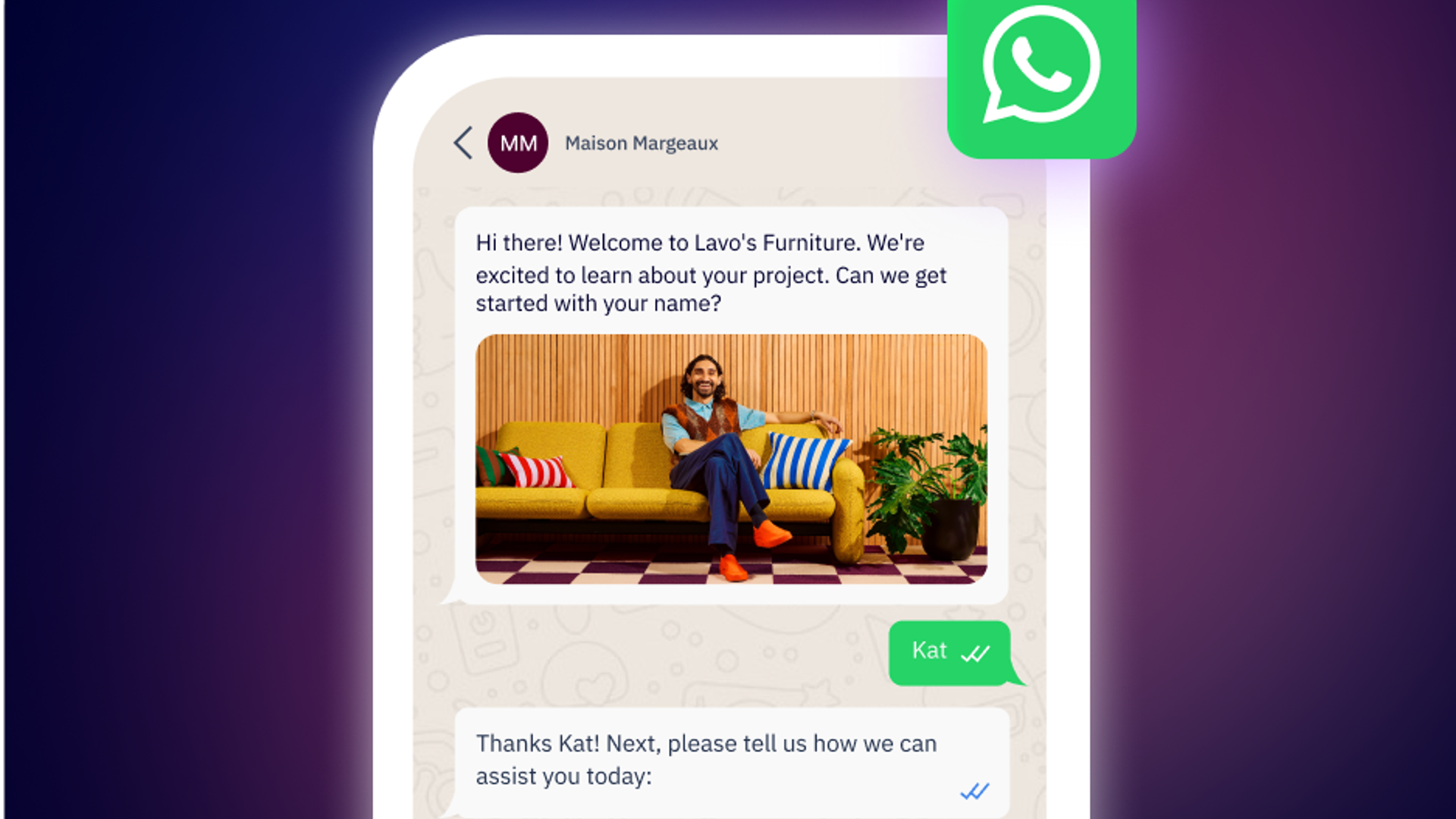
In order to communicate with customers, you’ll need to use the WhatsApp API Templates. These are prebuilt messages you can use to start a conversation with customers that haven’t messaged you in the last 24 hours, or what’s known as a “conversation window”. If a customer initiates the conversation, you can message them back without using a template so long as it’s within 24 hours. Those free-text replies are service messages and starting October 1, 2026, they're billable past the first 1,000 messages sent per month.
When a WhatsApp user messages or calls your business, it starts a 24-hour timer called a “customer service window” or “conversation window” where businesses can send any type of message to the user. If a business is trying to message a customer who hasn’t initiated a conversation, then they will need to use a template as this falls outside of the conversation window.
Templates are often used when sending rich media to customers in bulk or when you need to message a customer who hasn’t opened a customer service chat. To create a template, you’ll need to define the content and submit your template for WhatsApp approval. This process can take up to 48 hours and, once approved, you can use the template as many times as you’d like and either manually or automatically.
Another benefit to creating templates is the ability to add a quick reply button or even buttons that take recipients to a desired webpage. From personalized offers to effective follow-ups, templates give you a clear and consistent way to communicate with customers while minimizing unwanted messages or spam.
When do I need to use a template and when don't I?
Businesses need to use a template if they are messaging customers outside of the conversation window. If a customer reaches out first, or has messaged you in the last 24 hours, then businesses do not need to use a template message.
What kinds of templates are there?
When you create a template, you'll need to choose from one of three categories: Marketing, Utility, and Authentication. Marketing templates can be used for awareness or sales purposes, while utility templates are often used for user action follow-ups and are triggered by specific user behaviors. Authentication templates are primarily used to verify a person’s identity at different steps of the user journey, such as during log in. Which template you choose, as well as the recipient’s country, will determine the overall cost of your WhatsApp message templates.
Flows
Instead of manually juggling individual WhatsApp inquiries, Flows help you create interacted, automated chat experiences that guide users throughout a conversation. Think of Flows as a form-based workflow that helps you manage customer interactions at scale without stretching your team’s bandwidth.
With WhatsApp Flows, you can gather data or set up logic-based interactions using drop-down menus, radio buttons, and even text fields. Common use cases include using Flows to automate appointment scheduling, lead generation, survey collection, and customer support.
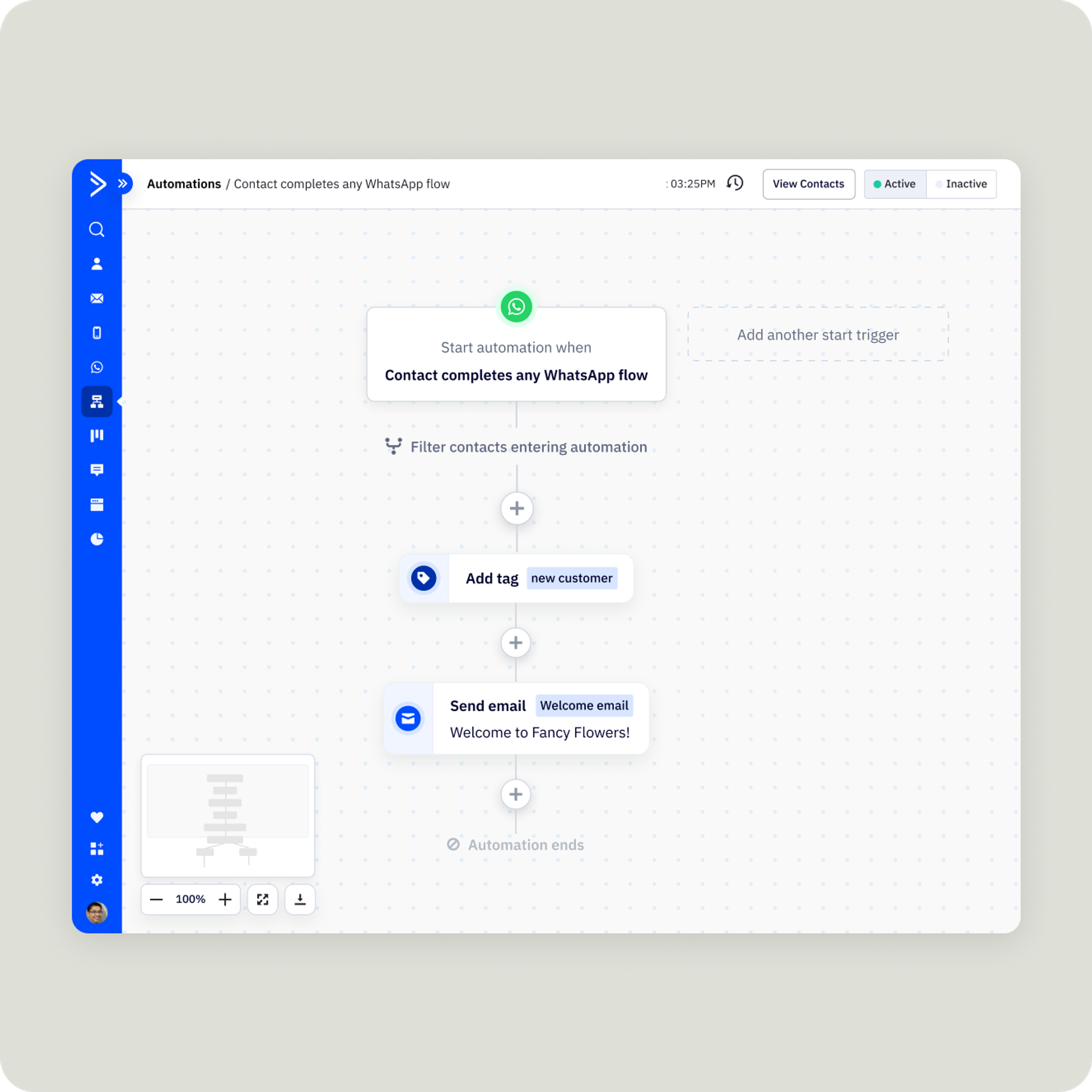
Set up automated responses with Flows when customers complete a specific action, turning conversations into seamless multi-channel experiences.
How much does the WhatsApp API cost?
Unlike WhatsApp Business, the WhatsApp API does charge a fee to access its advanced features. WhatsApp charges on a per-message basis as well as the category of the message you send and the recipient's country.
One change to note: Starting October 1, 2026, Meta will categorize free-text replies sent within the 24-hour window as service messages, which will now carry a cost after a certain number of messages. Each business phone number gets 1,000 free service messages per month, so charges will only apply starting with the 1,001st service message onward.
Charge per message
WhatsApp bills each message individually instead of bundling everything sent within a 24-hour window. The 24-hour window still matters, as it determines whether or not you can reply with free-text or a template, but it's not longer treated as a single billable unit. There's no message volume discount, and any one message is only ever changed once even if it includes a promotional offer.
Charge by conversation type
There are four different conversation types that WhatsApp factors into its API pricing:
- Service: When a customer messages you, they open a 24-hour service window in which you can reply with free text instead of a template. That reply is known as a service message and the window resets each time the customer messages you again. Starting October 1, 2026, service messages are billable after the first 1,000 sent per business phone number per month. This allowance is reset monthly and charges begin on the 1,001st message. Conversations opened via a free entry point are exempt (see below).
- Marketing: These messages include promotional or campaign content designed to generate awareness, drive sales, or retarget customers. For example, you can initiate a conversation by sending exclusive offers, special discounts, or targeted campaigns to specific audience segments.
- Utility: Customers can trigger a utility message by submitting a specific action, like placing an order or asking for a shipping update. Utility messages are transactional, not promotional, and are specific to a customer’s inquiry.
- Authentication: WhatsApp messages can also be used for identity verification, such as sending a one-time password, verification code, or any other authentication message. Authentication messages provide an important layer of security and help build confidence in your customers that they can trust your services.
Free entry points
Lastly, there are what’s known as free entry point conversations where delivery charges are zero for 72 hours. To qualify, the conversations must be started by the customer tapping a Click-to-WhatsApp ad or a call-to-action button on your Facebook or Instagram page. This exemption is not affected by the October 1, 2026 pricing change and covers ever category: marketing, utility, authentication and service. This makes paid and social entry points more valuable than they used to be as these conversations remain free, regardless of how many messages you're handling.
For the full breakdown of WhatsApp pricing model, please refer to this article.
What are message volume limits?
While WhatsApp doesn’t restrict the number of inbound contacts (those who message you first) per business, there are some limitations on the number of outbound messages you can send. Below we’ll explain the different stages and messaging limits set by WhatsApp.
Unverified businesses (0-250 outbound contacts per day)
If your business isn’t verified in the Meta Business Manager, you can contact up to 250 customers per day. This limit is in place to prevent businesses from abusing WhatsApp’s services.
Verified businesses (251-1,000 outbound contacts per day)
Once your business is verified on WhatsApp, you can message up to 1,000 contacts per day. To become verified, WhatsApp needs to validate and authenticate your company before increasing your message volume limit.
How to increase your limit to 10k or 100k contacts per day
You can increase your message volume limit even higher, up to 10,000 or even 100,000 outbound contacts per day. In order to reach this limit, however, you must meet specific requirements. If you send at least double your daily message limit over a 7-day period, WhatsApp will automatically upgrade you to the next limit.
For example: if your daily limit is 1,000 and you consistently send 2,001 messages in one week, WhatsApp will upgrade your volume limit to 10,000 outbound contacts per day.
This limit increase is designed to reward businesses that use the platform responsibly and aren’t reported for spam. In addition to meeting the volume send requirement, your account must also be in good standing and have a good rating. While WhatsApp doesn’t publish the specific rating components, a good rating often means your messages aren’t being blocked or reported. Remember, sending excessive or unsolicited messages can result in your account being reported and restrictions placed on your account.
How to connect to the WhatsApp API
Once you’re ready to use the WhatsApp API, you’ll need to choose between two connection methods: Meta’s Cloud API or a Business Solution Provider (BSP).
The Cloud API offers direct access from Meta with straightforward setup and some of the cheapest implementation costs. BSPs are official Meta partners, acting as intermediaries and offering additional services like consulting and technical support, usually at a higher price. Both options are secure and Meta-supported; which option you choose will depend on your specific needs and if you need additional features to manage your WhatsApp strategy.
ActiveCampaign is an official WhatsApp Business Solutions Provider, ensuring you get the most out of WhatsApp with official platform accounts and hands-on support. We’ll guide you through the entire process, from getting your business verified to making the most out of conversational messaging. Schedule your demo to see WhatsApp Messaging in action today.
To get started, you’ll need three things:
- A Meta Business Manager account, which you can create with any Facebook account
- A phone number that isn’t already registered with WhatsApp
- A website that Meta can use to verify your business and ensure compliance with their terms of service
Get started with WhatsApp Messaging
The WhatsApp API transforms how growing businesses communicate with customers, offering the automation, personalization, and insights you need to deliver exceptional experiences at scale.
Ready to connect with customers where they already are? ActiveCampaign’s WhatsApp Messaging makes it easy to set up and manage the WhatsApp API directly within your marketing automation workflows. Learn more about WhatsApp Messaging or check out our step-by-step guide to get started today.
Frequently Asked Questions
How does ActiveCampaign’s WhatsApp Messaging help businesses automate and personalize customer conversations?
ActiveCampaign’s WhatsApp Messaging empowers businesses to automate customer conversations with intelligent workflows, chatbots, and pre-approved templates, ensuring every interaction is timely and relevant. You can personalize messages at scale using dynamic variables, segment audiences for targeted campaigns, and seamlessly route conversations to the right team member. This automation reduces manual workload while delivering a consistent, human touch in your WhatsApp marketing campaigns—so your team can focus on building relationships and closing deals.
What support does ActiveCampaign provide during WhatsApp API onboarding and setup?
ActiveCampaign provides hands-on support throughout the WhatsApp API onboarding and setup process, including guidance on business verification, compliance, and technical configuration. As an official WhatsApp Business Solution Provider, ActiveCampaign takes care of the complex setup steps, so you can start building automated WhatsApp experiences quickly and confidently.
Can I integrate WhatsApp Messaging with my existing ActiveCampaign workflows and CRM?
Yes, WhatsApp Messaging is fully integrated within ActiveCampaign, allowing you to trigger WhatsApp messages from your existing automations and sync customer responses directly to your CRM. This ensures all your customer data, interactions, and follow-ups are unified, enabling smarter segmentation and more personalized marketing across every channel.
How do WhatsApp API templates streamline the process of sending bulk marketing messages?
WhatsApp API templates allow you to pre-approve and reuse message formats for bulk campaigns, ensuring compliance and fast delivery. By using dynamic fields, you can personalize each message at scale, making it easy to send high-impact marketing communications to large segments without manual effort or risk of delays.
In what ways do Flows help automate and simplify WhatsApp marketing campaigns?
Flows automate customer journeys within WhatsApp by guiding users through interactive steps, collecting data, and triggering personalized follow-ups—all without manual intervention. This reduces repetitive work for your team, ensures consistent experiences, and lets you nurture leads or resolve inquiries efficiently, even at high volumes.