You can ask Claude or ChatGPT for a subject line in seconds. What it can't do on its own is see who's on your list, which campaign underperformed last week, or which automation a contact is stuck in. So you copy, paste, and re-explain your context every time.
The Model Context Protocol (MCP) closes that gap. MCP gives AI tools a standard way to connect to the systems where your email lives, so an assistant can read your data and take action instead of only generating text.
Most email MCP content is written for developers and centers on inbox access. For marketers, the value comes from connecting an assistant to the platform that holds your contacts, campaigns, automations, and reporting. This guide covers what an email MCP server is, the three types you'll run into, the work an assistant can do once it's connected, and the guardrails to set before AI agents act on your campaigns.
What is an email MCP server?
An email MCP server is a layer that turns email actions, like searching an inbox or adding a contact to an automation, into tools an AI assistant can call. It sits between the AI app you type in and the email system that holds your data, so the assistant can read, draft, and act through one shared interface.
MCP is an open standard that lets AI apps call outside tools and data through that shared interface. Built-in AI works inside a single product. MCP brings a product's data into the AI tool you already prefer, such as Claude or ChatGPT. For the broader picture, see our guide to the MCP server.
The easiest way to picture the connection is as a consultant who already knows your business and still answers to you.
What an advisor or a consultant does is you brainstorm with them. You hash things out together, and you come away with a sharper plan. Then the consultant can help execute. The key thing is you still hold the approval. Even with an outside consultant, you are the client, so you still need to approve the plan.
How do the three parts of an email MCP connection work?
Every email MCP connection has three parts:
- The AI app (the client), where you type your request, such as Claude or ChatGPT.
- The email MCP server, which translates your request into actions the email system understands.
- The email system, where your messages, contacts, campaigns, and reports live.
Most email MCP servers expose some mix of sending, reading an inbox, searching, drafting replies, managing labels or folders, using templates, and triggering workflows. Capabilities vary widely by server, so check each server's published tool list before you connect it. An assistant can overstate how well a connector fits your setup, so treat the vendor's published list as the source of truth.
How is an email MCP server different from an API, a webhook, or a Zapier integration?
Each option does a different job:
- APIs: need code for every action, while MCP lets the assistant pick the right tool from a plain-language request.
- Webhooks: push events one way when something happens, while MCP lets an assistant ask, decide, and act on request.
- Zapier-style integrations: run fixed if-this-then-that paths, while MCP handles open-ended requests that change each time.
These options stack. MCP makes your marketing tools available to an assistant that can discover them and finish a task, while APIs provide the underlying capabilities and automations handle the repeatable execution.
What are the main types of email MCP servers?
Email MCP servers fall into three groups, based on the system they act on. Each carries a different level of risk for marketers.
| Type | Built for | Typical actions | Main caveat |
|---|---|---|---|
| Inbox servers | Personal productivity, such as triaging a sales inbox or drafting follow-ups after meetings | Read threads, search, label, and draft replies inside one person's mailbox | A personal inbox has no consent records, suppression lists, or campaign reporting. Community-built servers may send immediately, while official servers often limit tools to read and draft. |
| Transactional and email infrastructure servers | Developers testing templates, checking delivery status, or sending operational messages from an agent workflow | Send receipts, password resets, confirmations, and other one-to-one system messages | They send messages but don't manage audiences, consent, or nurture logic. |
| Marketing automation platform servers | Marketing work that depends on customer history, consent status, and campaign performance | Work with contacts, campaigns, automations, CRM deals, segmentation, and reporting in one governed account | Permissions and sending controls live in the platform, but you still need to confirm which controls apply to each action. |
The platform type matters most for marketers. Inbox and transactional servers can read, draft, and send, but only a marketing automation platform server connects the assistant to the audience data, consent status, and campaign history that marketing work depends on. If you're comparing platforms, see our guide to AI email marketing software.
Treating every connector as equivalent is the most common misunderstanding.
The main confusion I’d address is treating all connectors as equivalent. An inbox connector helps with individual messages. A marketing platform connector brings in contacts, campaign performance, customer journeys, and actions across that platform.
When can you skip a platform MCP server?
A platform MCP server adds little when the task needs no context, such as wordsmithing a subject line you've already written. Most marketing work needs context, though, and your data and work tend to spread across more systems over time.
When I already have copy and I just need wordsmithing, ChatGPT on its own is fine. But if we think about all the common jobs of a marketer, you’re either trying to build a campaign, so you need context on your brand, or you’re trying to optimize a campaign, so you need context on your performance history. There are very few tasks where you don’t need context.
Email MCP use cases and prompt examples
The clearest way to understand an email MCP server is through the requests it makes possible. Once an AI tool is connected, you work in plain language, and the assistant uses the server's tools to read, draft, and report. The prompts below run from everyday inbox work to full marketing workflows, and our guide to AI agents for marketing covers more.
Inbox-level tasks
Mailbox-focused servers typically expose these capabilities:
- Search messages
- Read threads
- Summarize unread activity
- Draft replies
- Manage labels and folders
- Send on your behalf
Two prompts a marketer would recognize:
- "Summarize every reply to yesterday's outreach and flag the ones asking about pricing."
- "Draft follow-ups to anyone who opened but didn't respond."
Inbox access tells an assistant what was said. It says nothing about list health, segments, or campaign performance.
Campaign and automation work
A marketing platform connection makes these tasks possible:
- Retrieve and update contacts
- Apply tags and custom fields
- Check automation status
- Analyze campaign performance
- Manage deals
This is a different class of task, because the assistant can reason about an audience instead of a single message thread.
Three examples show the prompt and the action behind it:
- Campaign performance: "How did yesterday's campaign perform?" The assistant pulls results for the campaign and summarizes clicks, unsubscribes, and conversions where available.
- Follow-up enrollment: "Add [contact name] to my 'Meeting Follow-up' automation." The assistant finds the contact and enrolls them in the existing automation. Check what enrollment triggers first.
- Tag audit: "Review my tagging structure, identify near-duplicate tags, and suggest improvements." The assistant reads your tags, groups near-duplicates, and proposes a cleanup for you to approve.
You still review and approve. The assistant drafts and prepares, and you decide.
What does a realistic Monday morning look like?
A good sequence starts with a decision and works toward an action. Here's a Monday morning flow for a marketer or RevOps lead:
- "What changed in campaign performance last week?"
- "Which audience or campaign should I investigate first, and why?"
- "Recommend a follow-up and preview the audience and changes."
- "After I approve, carry out those specific changes and report the result."
Step 4 builds approval into the sequence, so the assistant waits for your go-ahead before it changes anything.
Used to: Monday morning meant pulling last week's numbers from several reports. Now: you ask what changed, and the assistant answers from your live account.
And now you can: walk into the meeting with the numbers and a recommended next step.
Want a read-only first prompt? This one asks for analysis and tells the assistant to leave your account alone:
"Compare last month's campaigns with the previous month. Show the biggest changes in clicks, unsubscribes, and conversions where available. Explain what the data supports, identify missing information, and recommend one follow-up. Don't change anything."
Which workflows are customers and partners already running?
Early users are already running these workflows. These summaries come from what customers and partners reported to ActiveCampaign, described without names. For more ideas, see MCP server use cases for small businesses.
Three workflows teams run today:
- Campaign from a Google Doc: a customer asked Claude to build a campaign from a drafted Google Doc, including the content, formatting, edits, subject line, and preheader. According to their customer success manager, Claude applied everything as requested.
- Client reporting: an agency partner uses the Claude connector to combine ActiveCampaign data with web analytics data and generate reports for clients.
- Account onboarding: a growth director who inherited her company's marketing operations asks Claude questions about the automations already running. She also gives Claude criteria, and it tags the matching contacts so she can build the segment in ActiveCampaign.
Some steps still need a human. One customer refreshed campaigns duplicated from past sends, and the assistant updated the message bodies but left the internal campaign names unchanged, so the customer renamed them by hand.
What does ActiveCampaign’s email MCP server look like in practice?
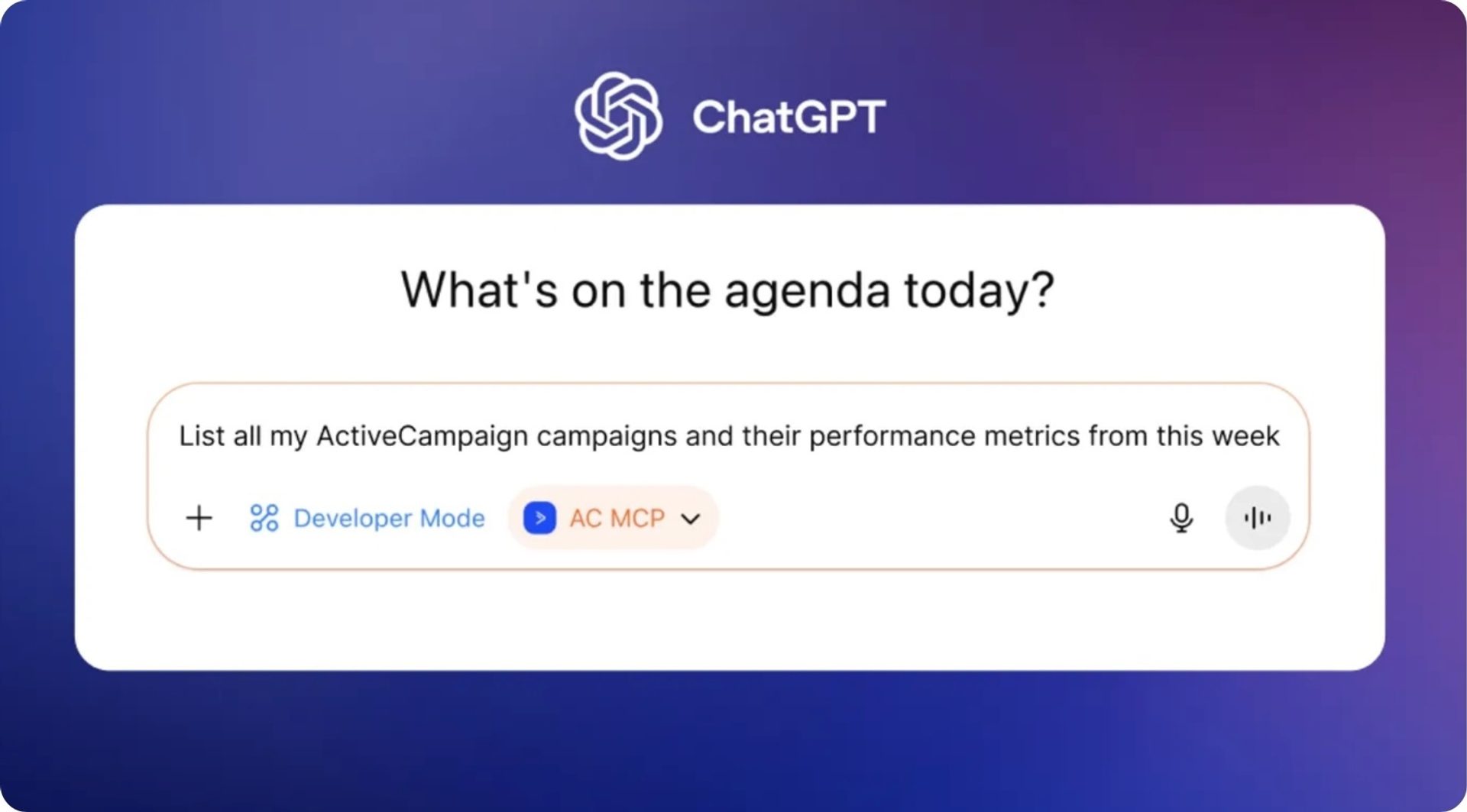
ActiveCampaign is an AI platform for marketers, with Active Intelligence built into every plan. Its email MCP connectors bring your contacts, campaigns, automations, and reporting into Claude or ChatGPT, so a question you ask in the assistant becomes an action in your email marketing platform. See how it compares in Best marketing MCPs.
Turn questions into action without switching tools
Judge a connector by the actions it lets you perform as a marketer, not by its tool count.
ActiveCampaign's connector supports these actions:
- Analyze performance: review campaign and email performance, plus contact activity and engagement
- Manage contacts: retrieve, create, and update contacts, and create, search, and apply tags
- Maintain custom fields: create and update custom fields
- Run automations: review automation status and contact progress, add or remove contacts from automations, and create automations with your account context
- Build campaigns: generate and edit campaigns, then send or schedule them through a two-step flow where the assistant prepares the campaign and you confirm
- Manage deals: retrieve, create, and update deals, and move them through pipeline stages
Prompts you can run as written:
- "How did yesterday's campaign perform?"
- "How is my 'Welcome & Nurture Series' automation performing?"
- "Review my tagging structure, identify near-duplicate tags, and suggest improvements."
- "Add [contact name] to my 'Meeting Follow-up' automation."
You get the answer and the action in one place, so you don't get a result and then go do the work somewhere else. Because contacts, deals, and campaigns share one account, a RevOps lead can move from reviewing campaign engagement to moving related deals through pipeline stages in the same conversation.
Setup takes a few minutes and no code. Claude and ChatGPT connect with authentication and a Remote MCP URL. A marketer can complete the normal connection flow, though corporate AI accounts may need administrator approval.
How does an assistant draw on Active Intelligence instead of starting from a blank slate?
An assistant connected to ActiveCampaign can draw on Active Intelligence, which already reads your marketing data and turns it into recommendations across campaigns, automations, and contacts. That gives the assistant your engagement, segment, and performance context, so outputs reflect your audience behavior and account history. Read more about AI email marketing in ActiveCampaign.
Here is the difference on a campaign request:
- Before: you give a general assistant a short prompt to generate a campaign. It drafts something plausible but generic, and it picks a fixed template without adapting it to your brand.
- After: you ask it to generate an ActiveCampaign campaign. The request can invoke Active Intelligence's own generation capabilities, which gather your context, use your brand kit, and draw on ActiveCampaign's best practices data.
Now you can ask for the campaign you've been meaning to send and review a draft built from your own brand kit and account context.
Work inside your existing permissions
ActiveCampaign's MCP server works through the account's own authentication and permissions, so an assistant can reach only the data and actions your connection allows. Connect with a role that matches the work you're delegating, because an admin key gives an assistant more reach than most tasks need. The guardrails below show which controls come from ActiveCampaign and which depend on your setup.
Guardrails for letting an AI agent act on your email
Handing send access to an AI agent is a reasonable thing to feel nervous about. The risks are known and manageable, and the controls below separate a usable setup from a reckless one.
What are the main risks?
Four risks come up most often:
- Over-permissioned access: a connection with an admin key reaches further than the task requires
- Prompt injection: text in an email or document an assistant reads can carry instructions meant to change records or expose data, so treat it as information and never as permission
- Credential exposure: self-hosted or community servers can leave keys in places you don't control
- Irreversible sends: a message that goes out can't be recalled
Sending without consent checks creates a legal and deliverability problem as well as a bad campaign.
An AI cannot establish permission to market simply by finding an email address.
Which mistakes show up when people first connect an assistant?
These four mistakes appear most often:
- Connecting with unnecessarily broad access
- Choosing the wrong client account
- Sharing credentials in prompts
- Assuming an update like "tag this contact" cannot trigger anything else, when a tag can start an automation
Which controls does ActiveCampaign enforce, and which depend on you?
Be blunt about this before you promise anything to your team. The table separates what the platform does from what stays with you.
| Control | What to know | What stays with you |
|---|---|---|
| Authentication and authorization | The connection and the underlying platform decide which data and actions the assistant can reach. | Choose a connected user whose role matches the work. |
| Sending approval | The documented campaign-send tools use a prepare step, then explicit confirmation. That flow covers sending and scheduling, so don't assume every write action works this way. | Check your AI tool's permission settings, which control when the assistant asks before using a tool. |
| Unsubscribes and exclusions | These are platform sending controls. | Select the right audience and keep subscription statuses valid. |
| Consent | Finding an email address does not create permission to market to it. | Confirm permission before a contact enters any send. |
| Frequency limits and suppression rules | Verify the actual configuration in your account and workflow. | Review your account settings before you rely on them. |
| Audit trail | Available records vary by action. Verify what exists for each one instead of expecting a single complete log of agent activity. | Keep the assistant's summary and check it against the platform. |
What should you check before you connect any email MCP server?
Apply this checklist to any email MCP server:
- Require human approval before any send
- Match permissions to the user's existing role, not an admin key
- Start read-only and grant write actions deliberately
- Restrict templates and brand voice for generated content
- Confirm how unsubscribes and exclusions are handled, and choose the right audience
- Verify frequency limits and suppression rules in your account
- Check the records available for each action the assistant takes
How should you roll out access in stages?
Expand access in this order:
- Start with reporting and analysis.
- Move to data updates.
- Allow automation actions with approval in place.
A low-risk first step is asking the assistant to draft the follow-up and list the recipients for you to review, instead of sending.
The shortest path from ask to action
Email MCP stops being an abstract developer topic once an assistant connects to a system that knows your audience, your campaigns, and your rules. Connect for reporting first, expand to data work, then allow automation actions with approval in place. If you plan to run several assistants side by side, AI agent orchestration covers how to coordinate them.
Check your current platform against the guardrail checklist, then start with the questions you ask every Monday morning. If you want one prompt to try this week, use this one: "Review my last five campaigns, compare their performance, and recommend one thing to test next. Show the evidence and leave the account unchanged." It reads, compares, and recommends, and it leaves your account as it is.
See what an assistant can do
FAQs about email MCP
How is an MCP server different from an API or a Zapier integration?
An API needs code for every action, and a Zapier-style integration runs a fixed path. MCP lets an assistant choose the right tool from a plain-language request, so it handles open-ended work that changes each time. The three stack, with MCP handling the conversation and automations handling the repeatable work.
Which AI tools work with ActiveCampaign’s MCP server?
Claude and ChatGPT work with the connector today. A marketer can complete the normal connection flow, though corporate AI accounts may require administrator approval.
Do you need to code to set up an email MCP server?
No. Connecting Claude or ChatGPT to ActiveCampaign takes authentication and a Remote MCP URL, and the process takes a few minutes.
What can an AI assistant do with my ActiveCampaign data?
It can analyze campaign and email performance, retrieve and update contacts, work with tags and custom fields, review automation status, add or remove contacts from automations, and manage deals through pipeline stages. It can also generate and edit campaigns.
Can an email MCP server send emails on its own?
ActiveCampaign’s documented campaign tools can generate and edit campaigns, then send or schedule them through a two-step flow: the assistant prepares the campaign, and sending happens after you give explicit approval. Treat that as the model for sending, and don’t assume every write action asks first, because your AI tool’s permission settings also control when it checks with you.
Is MCP email marketing safe for customer campaigns?
It can be, with guardrails. The assistant works through your account’s authentication and permissions, and you control the connected role, the audience, and which actions need approval. Start with reporting, move to data updates, and add automation actions with approval in place.
Does an email MCP server remember what I asked last week?
No. The server connects your assistant to your account, and it doesn’t store your conversation history. Keep related work in one Project in Claude or ChatGPT so earlier outputs stay available.