More and more of the marketing day is starting to run through an AI assistant. Teams brainstorm, draft, and analyze their work in ChatGPT, Claude, and other LLMs and chatbots. But the marketing tools powering these conversations lie elsewhere
The wall of tabs and logins that sits between your workspace and your data can cost you: while you’re moving between tools, budget leaks and opportunities cool off.
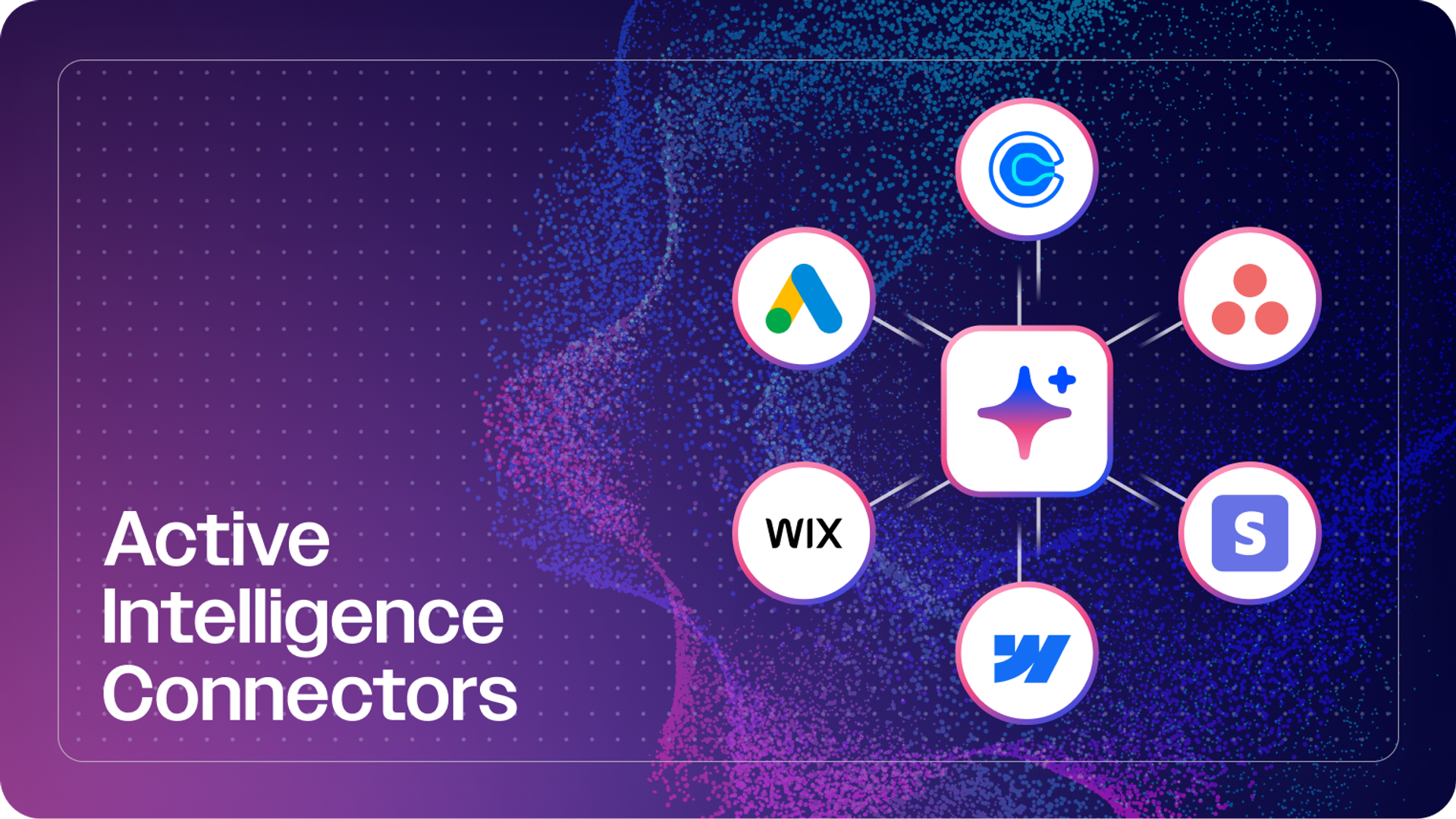
A growing number of marketing tools now offer MCP servers, which lets you plug an AI assistant straight into your tool’s data and actions. The assistant then reads what's happening and acts on it, right from the chat you already work in.
In this guide, we’ve listed some of the best MCP servers to help marketing teams turn their favorite AI chatbot into one unified space for performance, edits, and execution. While each offers a unique set of features and capabilities, keep in mind the best MCP server for your needs is one that plugs directly into the AI assistant you’re already using.
| MCP Connector | What does it do? |
| ActiveCampaign | Pull campaign metrics, update contacts, manage tags and deals, trigger automations |
| Meta Ads | Check spend and pacing, adjust budgets and status |
| Ahrefs | Pull keyword ideas, difficulty, backlinks, competitor gaps |
| Google Analytics | Query traffic, conversions, and channels in plain English |
| Firecrawl | Scrape and structure competitor and web content |
| Canva | Generate and adjust on-brand designs |
| Asana | Create tasks, assign owners, check project status |
| Slack | Post updates and summaries, pull team context |
1. ActiveCampaign MCP: Best for turning marketing questions into campaign actions
ActiveCampaign's MCP brings your email, SMS, automation, and CRM data into ChatGPT, Claude, and other MCP-compatible tools. This gives you secure, conversational control over campaigns, contacts, and automations. Instead of logging into a dashboard to check performance or fix a record, you can ask a question and act on the answer in the same window.
ActiveCampaign is exposing more tools through MCP than any other marketing platform today. That’s the difference between an assistant that can answer a question and one that can actually run your marketing.
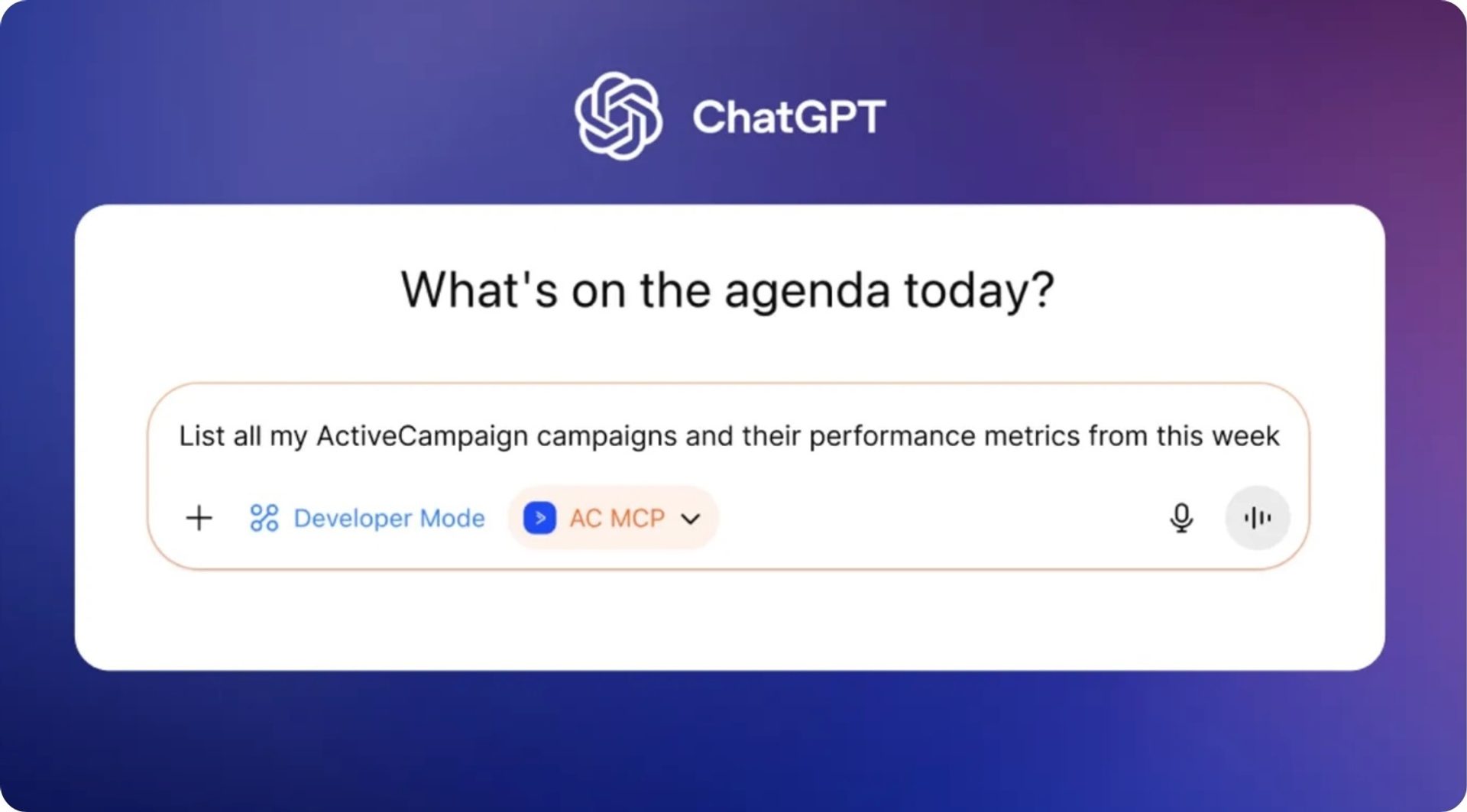
Actions you can run
What sets ActiveCampaign’s marketing MCP apart from a lot of others is that it doesn't just report: It acts. With just under 300 tools, ActiveCampaign’s MCP server empowers marketers to take action across the entire customer journey, from finding leads to creating emails to managing the sales pipeline. It can take a question about performance and change a record, apply a tag, or kick off a workflow without ever leaving the chat.
Here's are some marketing actions you can run from inside your AI workspace using the ActiveCampaign MCP:
- Retrieve, create, and update campaign message content (where supported)
- Analyze campaign and email performance
- Retrieve, create, and update contacts
- Review contact activity and engagement
- Create, search, and apply tags
- Create and update custom fields and values
- Review automation status and contact progress
- Add or remove contacts from automations
- Retrieve, create, and update deals
- Move deals through pipeline stages
A real prompt might look something like:
"Show me last month's top-performing email, then add everyone who clicked to the re-engagement automation."
The AI assistant will read the data and complete the follow-up in one pass.
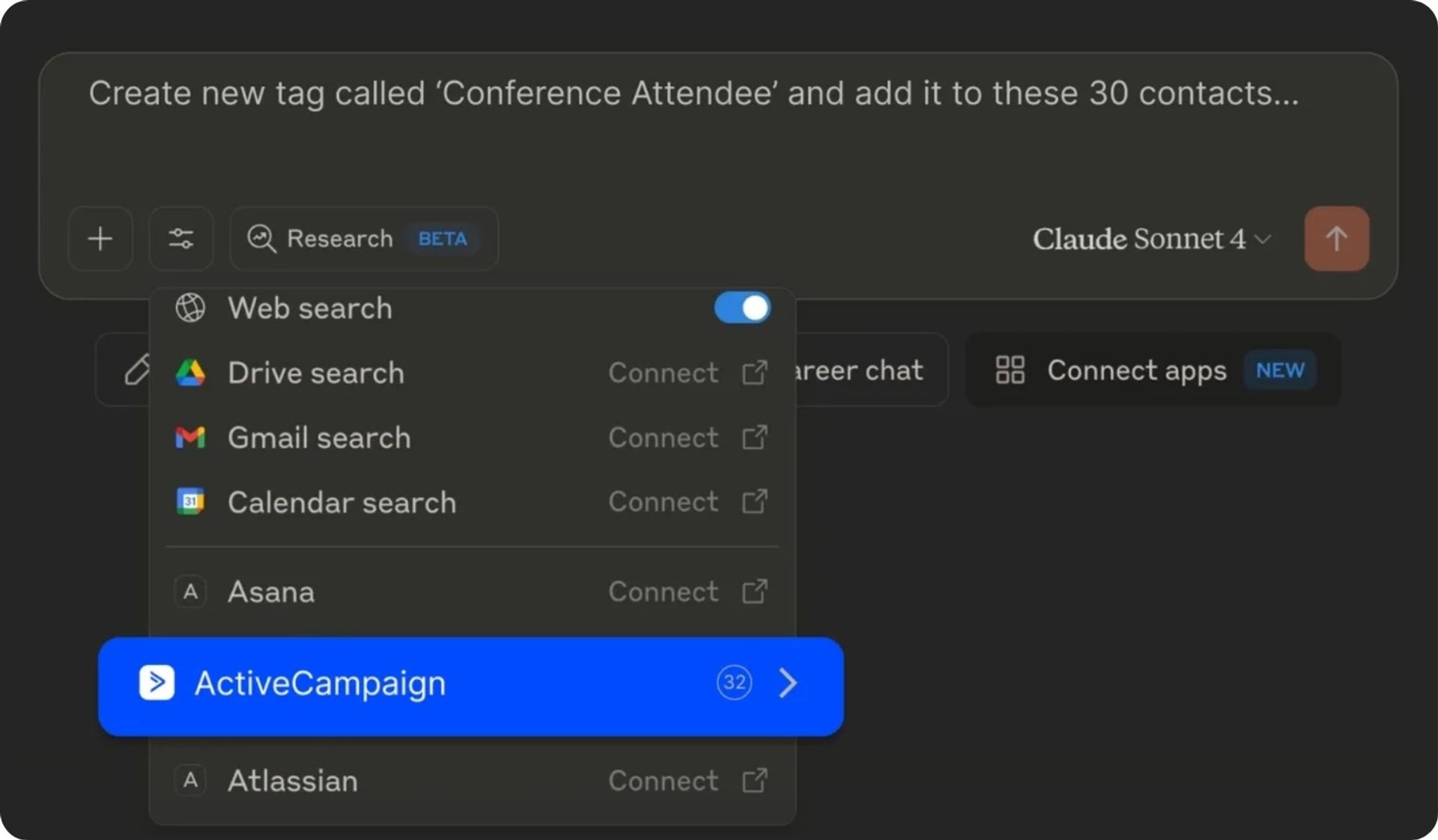
You can also schedule routine data pulls to keep your CRM up to date with prompts like:
“Every morning at 8am, check for new JotForm submissions and add any new contacts to ActiveCampaign.”
Once you ask a question about performance or a contact, you’ll get the answer, and can trigger the next step without switching platforms. The connection helps to solve:
- Scattered data: Pull real-time campaign metrics and contact records into a single conversation instead of hunting across tools.
- Context-switching tax: Move from question to action, updating a record or triggering an automation, without leaving the chat.
- Slow reporting: Ask the Active Intelligence AI engine a plain-English question and get a presentation-ready answer in seconds.
The closeness between insight and execution drives stronger engagement and better outcomes, not just fewer open tabs.
How to set up the ActiveCampaign marketing MCP
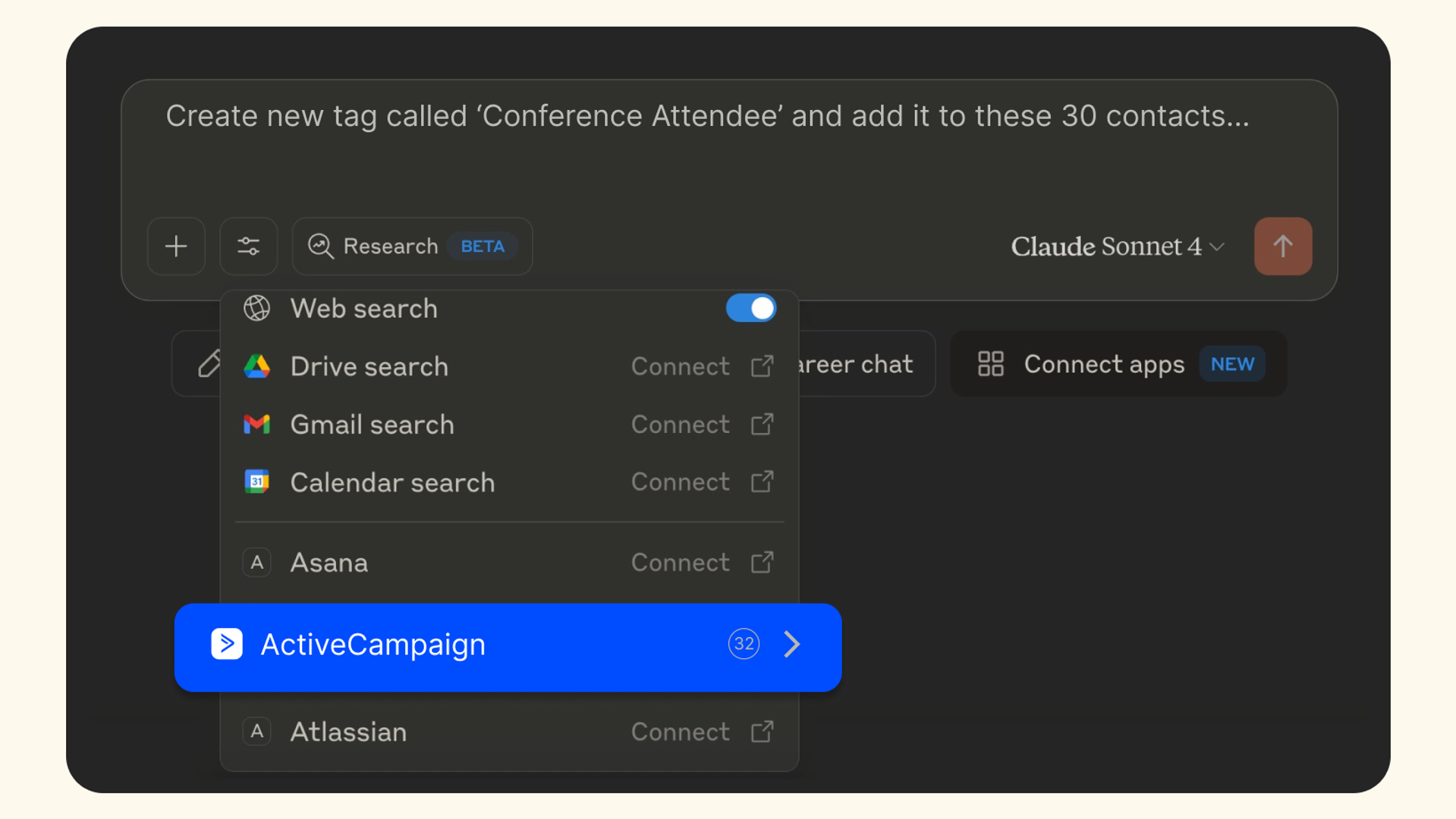
Setting up the ActiveCampaign marketing MCP is easy, as evidenced by the just under 8,000 active customers currently using ActiveCampaign’s MCP across ChatGPT and Claude. You can securely connect your paid Claude or ChatGPT plan to ActiveCampaign in a few clicks, with no coding required, using ActiveCampaign's Remote MCP Server. Simply open Connectors, find ActiveCampaign, and paste the Remote MCP URL from your account settings.
The connection is hosted at the account level, so you'll be granting scoped access to your ActiveCampaign data rather than installing anything on your machine. If you have a corporate ChatGPT or Claude account, your account administrator can set up and approve the connection for your organization.
2. Meta Ads MCP: Best for reading and adjusting paid social spend
The Meta Ads MCP lets AI tools like ChatGPT and Claude reach your Meta ad account directly to pull performance for campaigns, ad sets, and creatives. You can run real-time campaign queries, update budgets, create ads, and analyze performance through natural language instead of manual Ads Manager workflows.
"Emmaus, our Meta tool, is really helpful for making it easy and fast to launch and scale up/down ads, but the actual decisions to launch creative, set budgets, and organize campaigns are all done by humans.”—Stephen Spiewak, Director of Organic Marketing at Hallow
See how Hallow built a tool with Meta to ship 1000+ ads a week in the full story on AI Labs.
Actions you can run
The Meta Ads marketing MCP also goes beyond a read-only report, helping you to manage your ads without switching tools.
Here's are some marketing actions you can run from inside your AI workspace using the Meta Ads MCP:
- Build and edit ads, ad sets, and campaigns
- Check spend, performance, and pacing across active campaigns
- Adjust budgets or pause and resume campaigns
- Check the health and quality of your tracking signals, so you know where to focus to improve them
- Search Meta's Business Help Center for answers
- Set up and review A/B tests and conversion lift studies
Here’s a useful prompt you could start with:
"Which of my active Meta campaigns has the lowest cost per result this week?"
From there you can ask the AI assistant to shift the budget toward that campaign and trim the ones falling behind.
With the connection in place, you can make faster budget decisions and spend far less time bouncing into Ads Manager just to check whether a campaign is pacing well.
How to set up the Meta Ads marketing MCP
Setup is slightly heavier for Meta’s marketing MCP than a hosted connector. You’ll need a Meta Business Manager account with admin access and a paid AI assistant like ChatGPT Plus, Claude Pro or another option that supports MCP connectors. Meta's official server is being rolled out gradually, and hosted third-party options exist that handle OAuth for you.
Write access is powerful and immediate. Every write action goes straight to your live account. Because spend can be triggered, be careful with how you distribute access. Meta pauses all MCP-created campaigns as a safety measure, but edits to existing campaigns go live right away with no draft step. Read numbers first, then confirm any change before it ships.
3. Ahrefs MCP: Best for SEO and content research on demand
The Ahrefs MCP brings keyword, backlink, and ranking data into ChatGPT, Claude, and other MCP-compatible tools. It connects AI assistants like Claude to Ahrefs' SEO and analytics platform, so you can pull and analyze data across multiple domains. Research that used to mean flipping between the Ahrefs interface and your brief now happens in the chat.

See how Jo of Kairos Lab used the Ahrefs MCP + Claude to distill thousands of qualitative data points into a prioritized content list in about 30 minutes.
Actions you can run
This connection drops SEO research into your AI conversation instead of a separate dashboard.
Here's are some marketing actions you can run from inside your AI workspace using the Ahrefs MCP:
- Find SEO opportunities by pulling keyword ideas, search volume, and difficulty scores
- Surface backlink data while you brief content
- Analyze organic traffic over time to see how you’re performing and where gaps are compared to your competitors
Try a prompt like:
"Find low-difficulty keywords related to marketing automation my site doesn't rank for yet."
The AI assistant queries Ahrefs and returns real numbers that you can use to inform your content work.
With the Ahrefs marketing MCP, there’s no more tab-hopping between the SEO tool and your document, copying numbers back and forth, or losing the thread of what you were writing. Instead, research and briefing are in one place; you ask, you get grounded data, and you keep moving. Keep in mind that these tools mostly read data rather than change anything in your account.
How to set up the Ahrefs marketing MCP
Access to the Ahrefs marketing MCP depends on your plan. The remote MCP server is available on paid plans starting from Lite, with each plan capping how many rows an AI agent can pull per request. Higher tiers include more monthly API units, and MCP calls draw from that same allowance.
The remote server is currently the only supported route. Ahrefs retired its old local server, so you add a remote MCP server in your AI client's connector settings. It’s authorized via an OAuth prompt with an Ahrefs API key with MCP scope, which opens a browser window to sign in.

4. Google Analytics MCP: Best for querying web analytics in plain English
The Google Analytics MCP connects GA4 web data to Claude, Cursor, and other MCP clients so you can query your performance plain language, with access to hundreds of GA4 dimensions and metrics.
"If you have to put in too much work to get that data, you're less likely to be using the reporting as frequently. So you make less informed decisions and miss opportunities to double down on what works while waiting for that fresh data. And for the same reason, maybe spending extra on something that doesn't work."
See how Emanuel Cinca, founder of Stacked Marketer, used Google Analytics to save $900+ a month on reporting costs.
Actions you can run
The most obvious benefit of this connector is speed. You get an answer without navigating GA4's report builder or waiting on someone who knows where everything lives.
Here's are some marketing actions you can run from inside your AI workspace using the Google Analytics MCP:
- Ask about traffic, conversions, and channel performance
- Build custom agents with access to your data
You can ask the MCP to:
"Compare last month's conversion rate by channel and flag anything that dropped."
Your AI assistant will run the query and return the comparison directly.
Instead of joining a queue behind the analytics team, your marketing team can self-serve answers on demand. A marketer who used to wait a day for a channel breakdown can now ask for it, read it, and move on within the same chat session. This is especially for businesses that rely on a single marketing data manager, where multiple queries from different team members eat their time.
How to set up the Google Analytics marketing MCP
Setup varies by which GA4 server you pick. Many versions require a GA4 property with data and a service account JSON key file set through an environment variable. Hosted options reduce that friction and handle authentication for you instead.
For hosted servers, the flow is lighter. After restarting the AI app, you can authenticate with your Google account to grant access, and a Running status confirms setup worked. You'll want an account with access to the GA4 property you plan to query.
5. Firecrawl MCP: Best for competitor and web research
The Firecrawl MCP reads and structures web pages inside your AI tool, capturing messy web content and handing it back in a form you can actually use.
Actions you can run
This connector does the copy-paste for you. Point it at a page and it pulls the content, then structures it for whatever you're building.
Here's are some marketing actions you can run from inside your AI workspace using the Firecrawl MCP:
- Search, scrape, and extract structured data like pricing pages, competitor messaging, or SERP content on demand
- Structure that content for use in your brief, doc, or comparison
- Give your editor access to live web data for coding, debugging, and research tasks
Start with a prompt like:
"Summarize the messaging and pricing tiers on these three competitor pages."
The assistant will scrape each one and return a clean comparison based on accurate information.
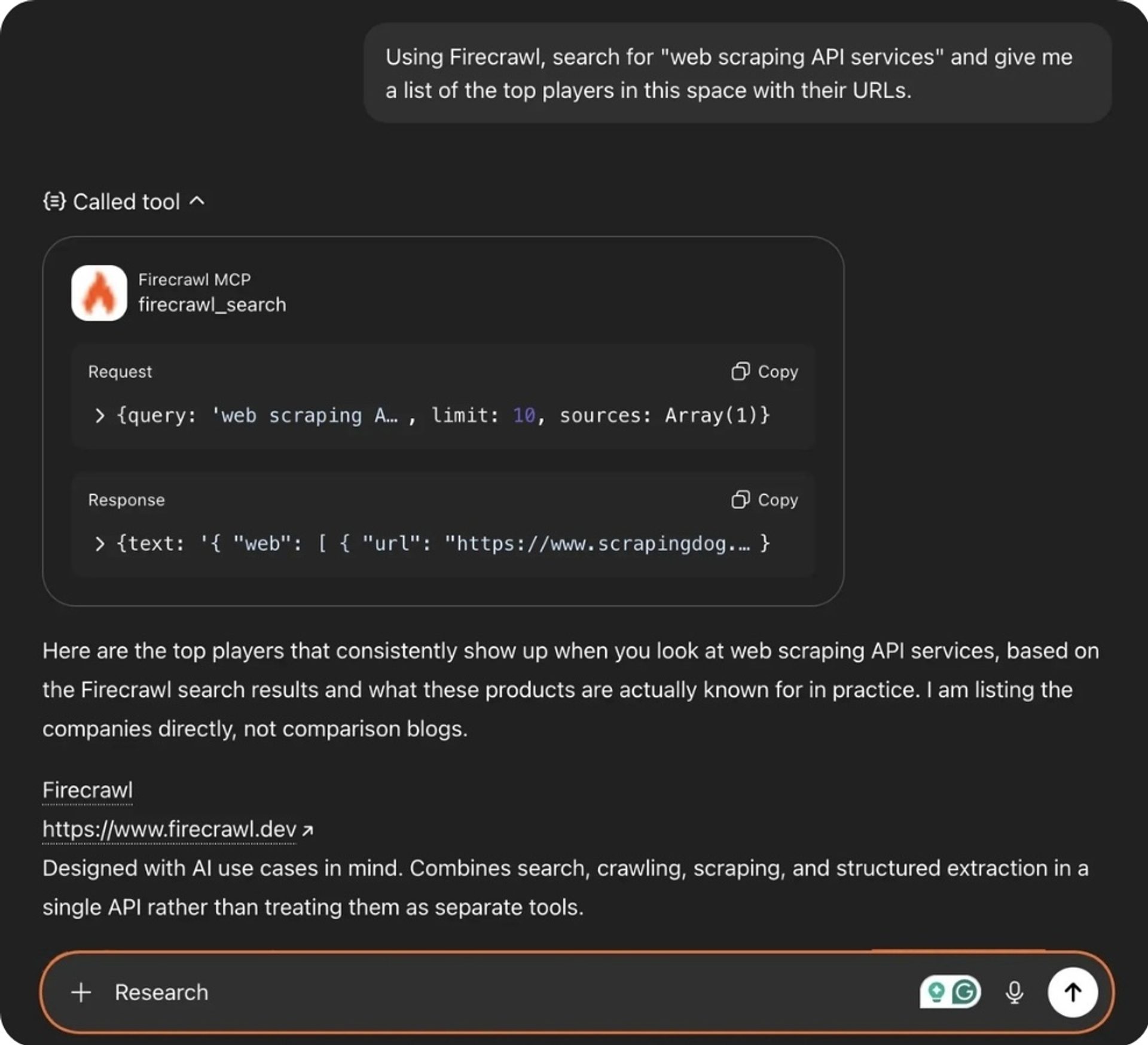
With the Firecrawl marketing MCP in place, competitive research can be done using prompts, rather than an afternoon of tab-switching and manual copying. You can gather pages, pricing tables, and batches of search results in the time it used to take to open them all. The tedium disappears, and you’ll get to analysis faster.
How to set up the Firecrawl marketing MCP
The server needs a FIRECRAWL_API_KEY environment variable for access, plus an optional API URL if you're self-hosting. Create a Firecrawl account, generate the key, and add it to your MCP client's configuration.
If pages come back empty or incomplete, the usual culprits are an expired key or a site that blocks crawlers. Swapping in a fresh key or trying a different target URL clears most early snags without any developer help.
6. Canva MCP: Best for on-brand creative production
The Canva MCP brings design creation into ChatGPT, Claude, and other MCP-compatible tools. Once you connect an AI assistant, copy drafting and creative are joined in one workspace, rather than being two separate steps in two separate apps.
Actions you can run
This connection moves you from written copy to finished, on-brand creative without waiting on a design queue. You describe what you need and iterate in the same chat.
- Generate designs from a plain-English prompt
- Turn text into editable visuals without manual layout work
- Repurpose one design for use everywhere, without the need to create from scratch
- Autofill your brand templates with real-time data from any source
- Search for, adjust, and export designs while staying inside your creative workflow
You can ask the AI assistant to do things like:
"Create three on-brand social graphics for next week's webinar promo"
You’ll get drafted assets to refine rather than a blank Canva canvas.
Once this connector is in place, asset creation speeds up exponentially. A small team promoting a webinar next week doesn't have to wait for a designer's queue to clear. They can generate on-brand drafts from the brief, tweak them in the chat, and export what works.
How to set up the Canva marketing MCP
Canva runs a hosted remote server, so setup is quick and simple. In ChatGPT or another favorite MCP-compatible tool, open Settings, go to Apps and Connectors, find Canva, and follow the prompts.
Once you enable access, the AI assistant handles the rest. When you use the Canva tools, you should be prompted to log in and allow your assistant to access Canva. You'll need a Canva account with the right plan-level access to design and export.
7. Asana MCP: Best for campaign and project coordination
The Asana MCP brings campaign tasks and timelines into your AI chat, so you can kick off new projects and review work without switching between tools.
Actions you can run
This connection keeps campaign planning in motion rather than just documenting it. You turn discussion into assigned, dated work in one step.
- Create tasks or projects, manage them, and assign owners using natural language
- Check project status from the chat instead of switching to Asana
- Access Asana data from compatible AI applications
- Generate reports and summaries based on Asana data
- Analyze project data and get AI-powered insights
A prompt you could use might be:
"Turn this campaign brief into tasks with owners and due dates in the Q1 launch project."
The assistant builds the tasks your team can then see and act on.
With the Asana MCP, marketing campaign coordination stays in sync without booking separate planning sessions. The brief you just wrote can be turned into dated tasks with owners in seconds, and everyone sees the same plan. Nothing gets lost in the gap between "we agreed to do this" and "someone actually logged it."

How to set up the Asana marketing MCP
Asana offers a hosted remote server, and most AI tools will manage the authentication for you. Set up the connection according to your client's documentation and authenticate with your Asana account when prompted. Some clients ask for a client ID and secret if they don't manage it themselves. For non-coding clients like the ChatGPT or Claude apps, it's a guided connect-and-authorize flow.
Larger organizations in Asana's Enterprise tiers can use app management to allow or block Asana MCP clients, giving IT a way to control which tools reach your workspace.
8. Slack MCP: Best for keeping the team in the marketing loop
The Slack MCP sends updates and pulls context from Slack inside your AI tool so third-party AI assistants like ChatGPT or Claude securely access your Slack content and take actions on your behalf.
Actions you can run
This connection shares results and updates without pulling you out of your workflow. You broadcast what's happening and gather team context from the same chat.
- Search for messages, files, members and channels to find information
- Create and read Slack canvases
- Post campaign updates, summaries, or alerts to the right channel
- Access and read profile information, including custom profile fields and statuses
Try a prompt like:
"Post this week's campaign performance summary to the #marketing channel."
The assistant will draft and send it where the team will see it.
With the Slack MCP, all teams can stay informed on marketing work without you writing manual recaps every week. The performance summary that used to eat twenty minutes of your Friday now posts itself to the right channel. Everyone gets the update, and you get the time back.
How to set up the Slack marketing MCP
Slack runs its own MCP server, which you can connect through a partner app. In your chosen AI assistant, follow their setup instructions to connect them to the Slack MCP server. After that, they’ll be able to read specific channels or threads, send messages, create canvases, and help you find information faster.
Setup depends on your workspace permissions, and admins control which apps get access. Because the assistant acts on your behalf, it's worth confirming which channels it can read and post to before you rely on it for regular updates.
Connect your whole marketing workflow, one MCP at a time
Picture a full week running through your AI chat. You research a topic with Ahrefs and Firecrawl, then check performance in Google Analytics and ActiveCampaign. You act on the audience and trigger automations in ActiveCampaign, coordinate the team using Asana, produce creative in Canva, and share in Slack. All of those steps used to mean separate logins.
Start small and work your way up to that model. The biggest impact across these eight marketing MCPs come from the tools that act, not just the ones that report. A read-only connection saves you a few clicks. A read-and-write connection changes what you get done in a session.
When you decide what to connect, work in order rather than wiring up everything at once:
- Start with the tool that acts on your data. Lead with ActiveCampaign as the hub that reads records and triggers automations.
- Connect your biggest weekly time sink next. Reporting, paid social, or SEO research, whichever eats the most hours.
- Prioritize channels you actually own. Skip tools another team runs.
- Add one connection at a time. Confirm it saves time, then expand.
Looking for a quick win to connect today? ActiveCampaign’s MCP is a natural place to start, acting as a campaign hub that the rest of the tools orbit. It both reads and writes your marketing data, and it keeps automations running long after the conversation ends. You can trigger actions, check performance, and update your CRM, all from inside ChatGPT or Claude.
More than just efficiency, you’ll see better marketing and stronger engagement, because the distance between knowing something and doing something about it finally shrinks to a single prompt.
Ready to turn your marketing questions into marketing action? Connect ActiveCampaign and start with one prompt today.
FAQs
What is an MCP in marketing?
A marketing MCP (Model Context Protocol) is a secure bridge that lets an AI assistant connect directly to a marketing tool’s data and actions. Model Context Protocol is an open-source standard that links AI applications with external systems, so tools like ChatGPT and Claude can securely access and manage data through natural language. In practice, it lets your chat assistant both read what’s happening and do something about it.
Which marketing platforms support MCP today?
A growing list of marketing platforms now support MCP. ActiveCampaign, Meta Ads, Ahrefs, Google Analytics, Firecrawl, Canva, and Asana all offer MCP servers you can connect to ChatGPT, Claude, and other compatible tools. Anthropic has been building out support for third-party apps, and Claude can now connect to platforms like Slack and Canva to fetch files or perform tasks on your behalf.
Do I need to know how to code to connect a marketing MCP?
You do not need to know how to code to connect to a hosted marketing MCP like ActiveCampaign’s MCP Server. Some servers, like certain Meta Ads or GA4 setups, ask for API keys or credentials which is still accessible for most marketers and very low lift if you have technical assistance. But hosted connectors for Canva and Asana use a simple connect-and-authorize flow.
What makes ActiveCampaign’s MCP different from any other MCP servers?
ActiveCampaign’s MCP server connects with just under 300 tools and gives marketers more control over how they access, analyze, and act on their data from within the LLMs they already use. Marketers can retrieve data from third-party platforms via connectors and plug-ins, combine it with ActiveCampaign’s customer lifecycle and performance data, and use the combined datasets to turn intelligence into action.
Is it safe to give an AI assistant access to my marketing data?
MCP connections are designed to be secure and permissioned, and you’ll approve what any AI assistant can access. ActiveCampaign’s MCP Server lets AI tools securely access and manage data through natural language commands. For tools with live write access, like Meta Ads, review any change before it ships since edits can hit your account immediately.
How many marketing MCPs should I connect at once?
Start by connecting one marketing MCP and expand from there. Choose the tool that can act on your data first, confirm it actually saves you time, then add the connection tied to your biggest weekly time sink. Wiring up everything at once tends to create noise rather than value, so add one at a time and keep only what earns its place.