Six years ago, Emanuel Cinca was running affiliate marketing campaigns with monthly ad budgets hitting $100,000, money that came directly from his own company's funds, not client budgets.
"It's not like someone gave you that money to manage for them," he explains. "It's like building upon affiliate marketing income until we could reach that budget to spend." Managing that level of risk with a team of just five people meant every data point mattered, every decision had to be precise, and every dollar had to be tracked.
That experience taught him the critical importance of having real-time access to performance data for his newsletter Stacked Marketer. When Stacked Marketer grew to 100,000 subscribers across three newsletters (Stacked Marketer, Psychology of Marketing, and [Tactics]) without him being a personal brand or influencer ("I'm not sure if 1% of our readers will be able to say that I am the founder"), he knew he needed the same level of data precision for his newsletter business and especially wanted accurate data about the marketing costs associated with growing it (e.g., his PPC campaigns).
Today, Cinca's AI-built dashboard processes thousands of subscriber interactions daily, and calculates true cost-per-lead, including churn rates, a metric that matters for Emanuel the most, with practically no manual labor required (a task that previously took hours of work, including working on pivot tables, manipulating spreadsheets, and manual export of numerous CSVs).
The total cost? Less than $10 monthly in hosting fees, replacing what used to be a $1,000 monthly expense for manual reporting.
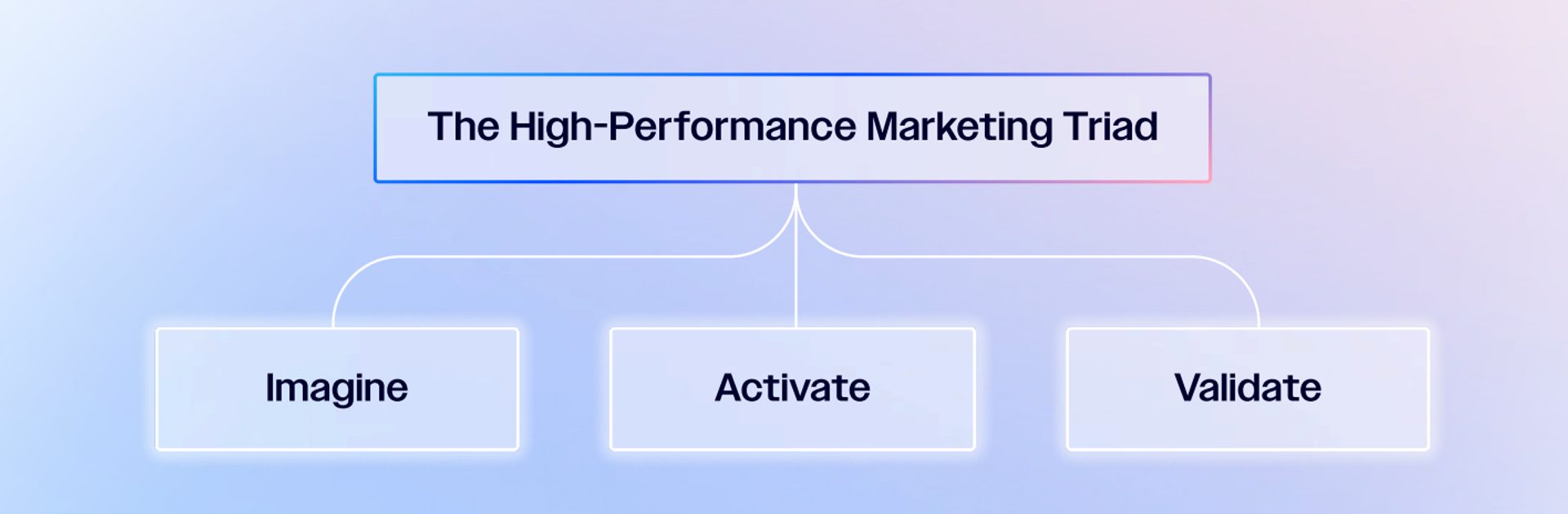
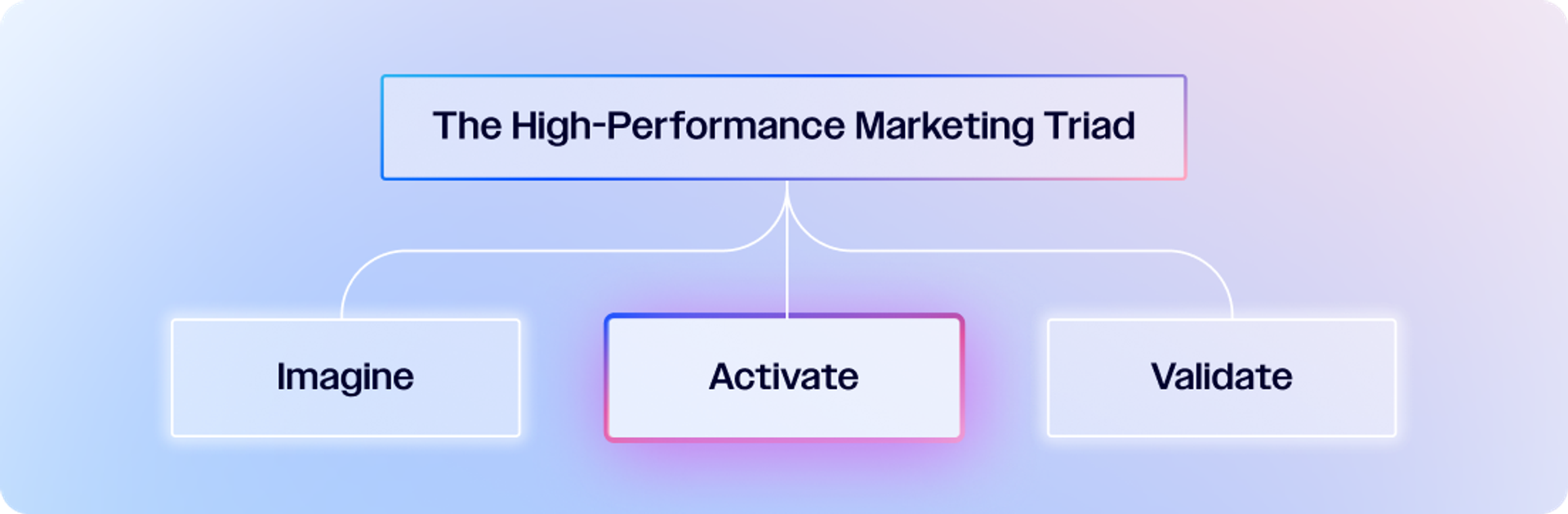
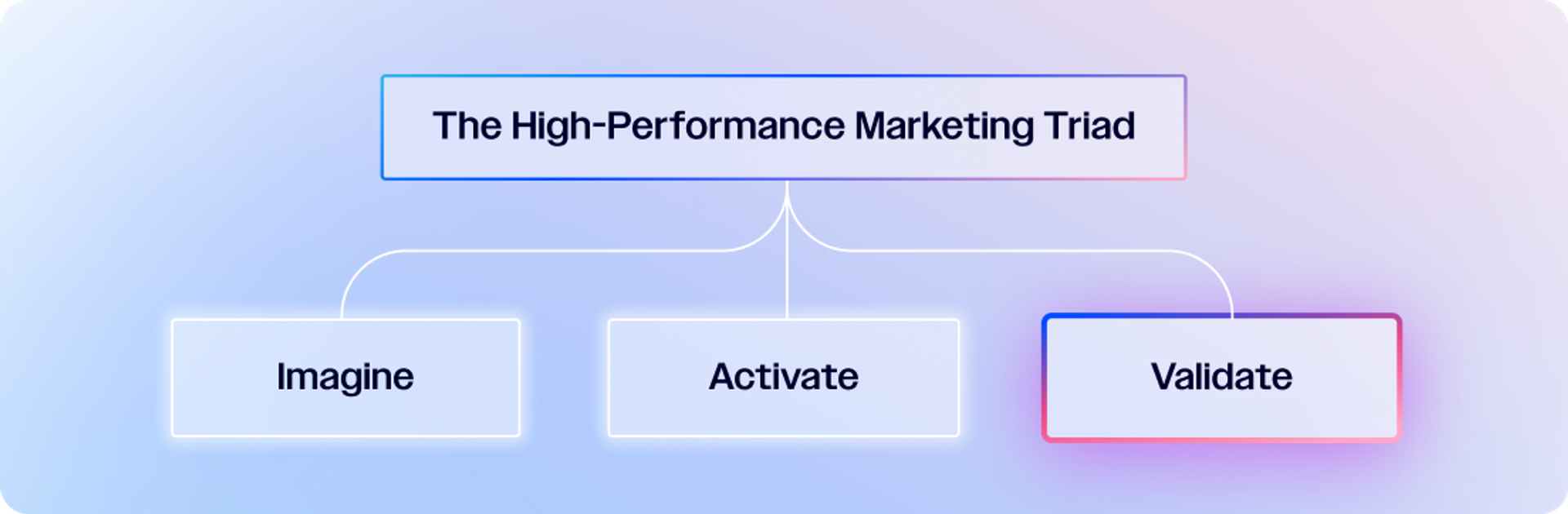
He shared his experience, proving that any marketer without traditional coding skills can build their own custom analytics tools, using AI as a development partner and by embracing the High Performance Marketing Triad:
The total cost? Less than $10 monthly in hosting fees, replacing what used to be a $1,000 monthly expense for manual reporting.
The $1,000 monthly problem
Cinca's data analyst was doing exactly what he was paid to do: pulling reports from his marketing software, cleaning up UTM source data, and creating weekly and monthly reports using Google Data Studio and spreadsheets. And all that came with a price tag of $1,000 per month.
"He would do a very good job at kind of cleaning up the data, creating the right type of relationship between the data," Cinca recalls.
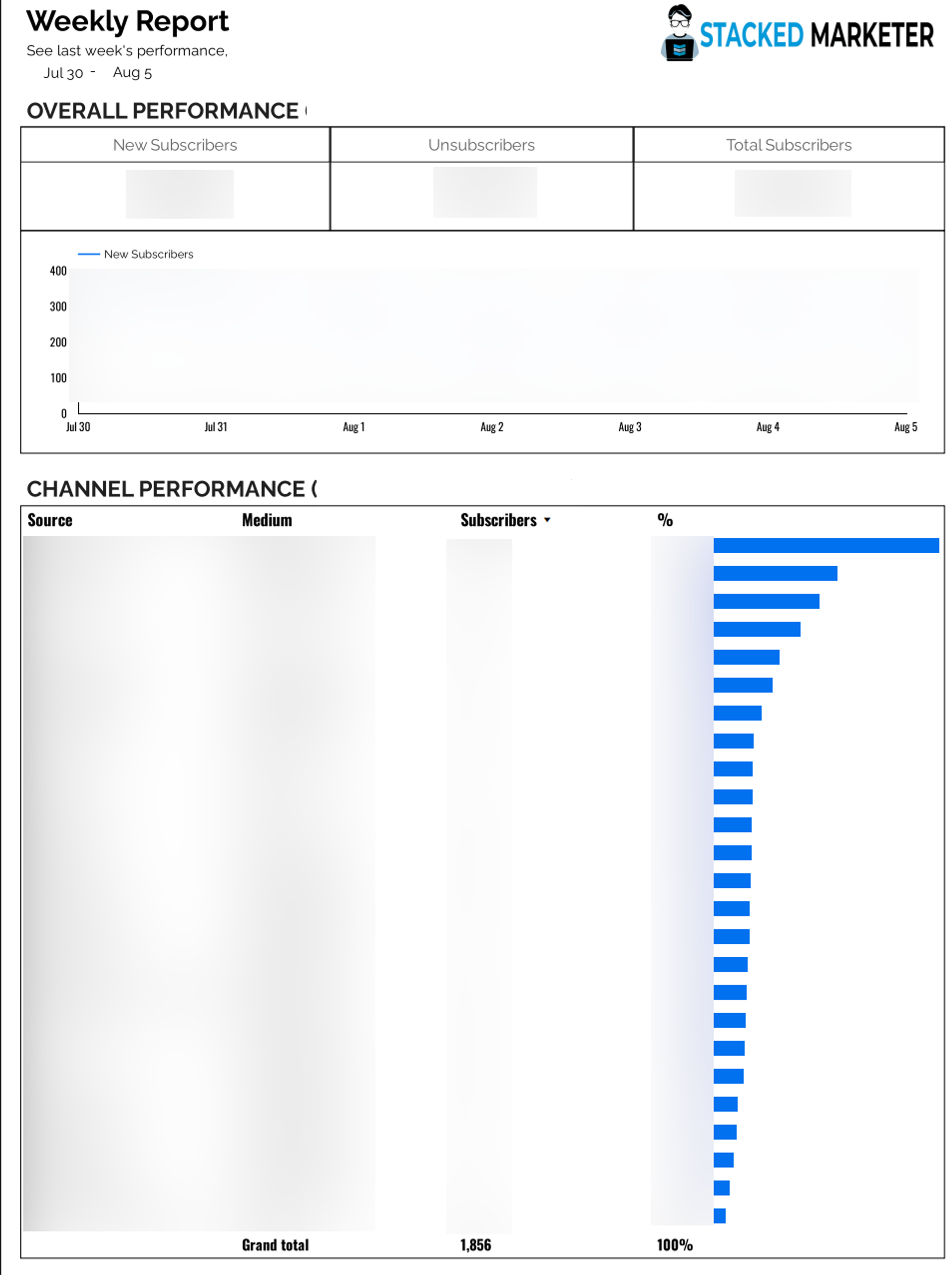
Redacted campaign report provided by a human analyst
The analyst would handle data inconsistencies, situations where some traffic sources used different field names, requiring manual association to ensure uniform reporting.
"Although we mostly focused on UTM source for tracking sources, there would be some situations in which there only would be a different field available. But he would be able to associate it with the correct source."
The system worked perfectly. Until it didn't.
"Our analyst found another job that was much better paying, and while we did try to continue our collaboration, it was getting harder for both sides to make it work well. It was a rather natural progression: his skills outgrew the role, going from an analyst with us to working at an analytics SaaS,” Cinca explains. So the analyst left Stacked Marketer with a critical gap: no more weekly subscriber analysis, no in-depth customized churn rate calculations, no perfect campaign performance breakdowns.
For a few months, they tried to adapt their software’s built-in reporting, but it required substantial spreadsheet work to get meaningful insights. This meant either creating too many manual segments to keep track of things, which still wouldn't churn the data automatically and would require manual calculations. Or having to choose between looking at UTMs by date (making one segment per day) versus UTMs over time (creating a segment for each UTM they wanted to track across all possible dates). To work around these limitations, they'd have to do manual exports, data manipulation, and pivot tables.
The real problem wasn't just the manual work, it was the frequency. "If you have to put in too much work to get that data, you're less likely to be using the reporting as frequently. So you make less informed decisions and miss opportunities to double down on what works while waiting for that fresh data. And for the same reason, maybe spending extra on something that doesn't work."
From $1,000/month in analyst costs to $10/month in hosting?
Emanuel proves you don't need to be technical to build powerful tools. In The Autonomous Marketer newsletter, expert AI-adopter marketers will show you how.
How do you find your true cost per lead?
Isn’t it something you can track within your advertising campaign dashboard? Do you even need an analyst or custom tool for that?
When it comes to getting new subscribers, some marketers stop tracking performance of PPC campaigns once someone subscribes. But Cinca learned from his affiliate marketing days that initial conversions don't tell the full story.
"What happens very often is that your initial cost per lead when you do paid traffic, let's say on Meta ads, TikTok, et cetera, you have one measurement based on how many people subscribed right away to your newsletter. But at the same time, in that first week or first two weeks, depending on your newsletter frequency, there will be a lot of people who don't open any of the newsletters."
His solution: recalculate cost per lead based on engaged subscribers, not just initial sign-ups.
"If people unsubscribe within that period, they are not actually counting as subscribers. So you can recalculate your cost per lead. I kind of call it your ‘true cost per lead’ rather than the initial or reported cost per lead."
The impact was immediate.
"Recently, one discovery was that a more generic campaign would have something like a 40 to 45% churn rate. And now we've discovered that there are some campaigns and some angles that give us a 30-ish% churn rate."
That ±13% difference in churn rate became actionable intelligence.
"If we just move more of our budget to 32%, we would have much better results for new subscribers. And this is possible from having this data always present and easily accessible rather than us having to dig through it all the time."
Without easy access to this data, decisions got delayed.
"It's not like spending even more money on the wrong thing, but it's a slower decision. I'm busy now, my reporting day is Friday only, or something like that. While if you had information readily available, you’d adjust your marketing spending more often, investing more in what’s working better and less in what doesn’t."
That ±13% difference in churn rate became actionable intelligence.
The AI development process: From problem to solution in 30 hours
In 2023, Cinca saw an opportunity.
"As AI tools got better and better, I started thinking: can we have a way to just pull this data because it's right there through the API? Can we just process this? Just have some code process this for us?"
His reasoning was logical: "It's always the same. It's quite repeatable, right? It's not something that we would have to reinvent the wheel all the time. It would be like, okay, take this from here, change these things in this way, and then show us the results. So very much what machines are good at. Repeatable tasks."
Step 1: The initial conversation
Cinca's first prompt to Google Gemini, his generative AI model of choice, was conversational:
"I have this issue where we do these reports manually. I think it should be possible to do with data. Is it possible? How can you help me with this?"
This is the Imagine phase of the High-Performance Marketing Triad, and the first step toward AI maturity.
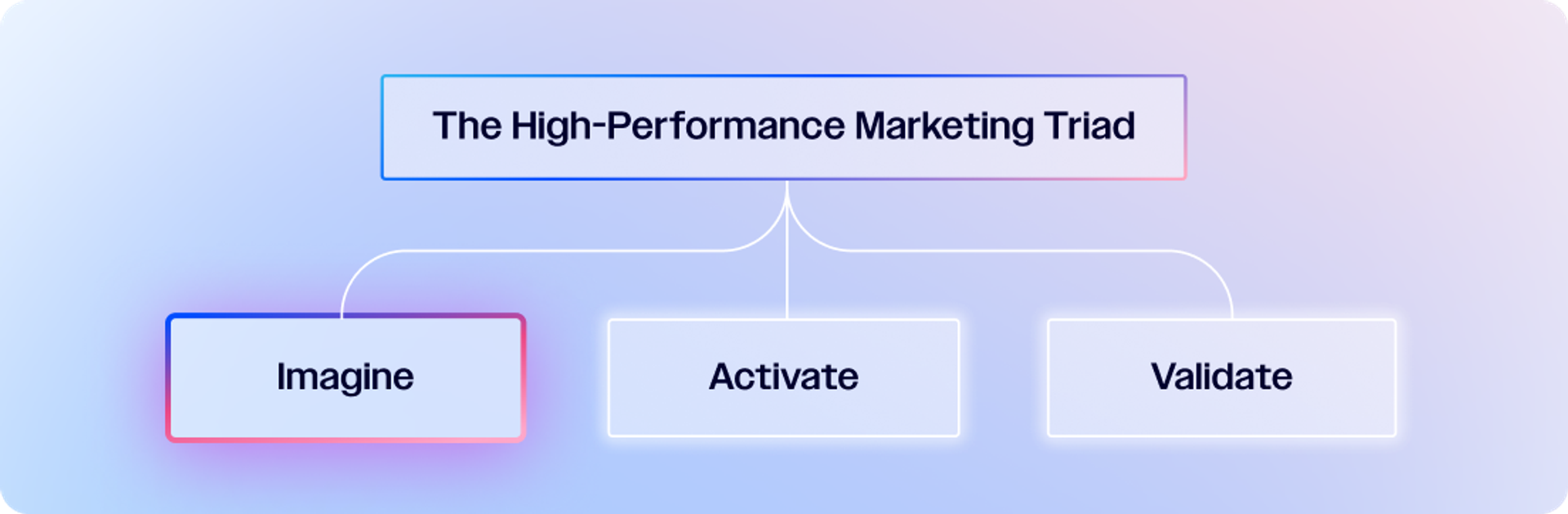
The AI confirmed it was possible and provided initial steps for pulling data via API and processing it with Python. But Cinca needed more than just code; he needed to know how to run it.
"Once AI says yes, usually the answer is yes, it's possible. And here are some of the initial steps. My next question was: ‘And can you help me write this code?’ And once you see that AI starts creating good code overall, then I was thinking, ‘Oh, wait, I don't have a place to run this code.’"
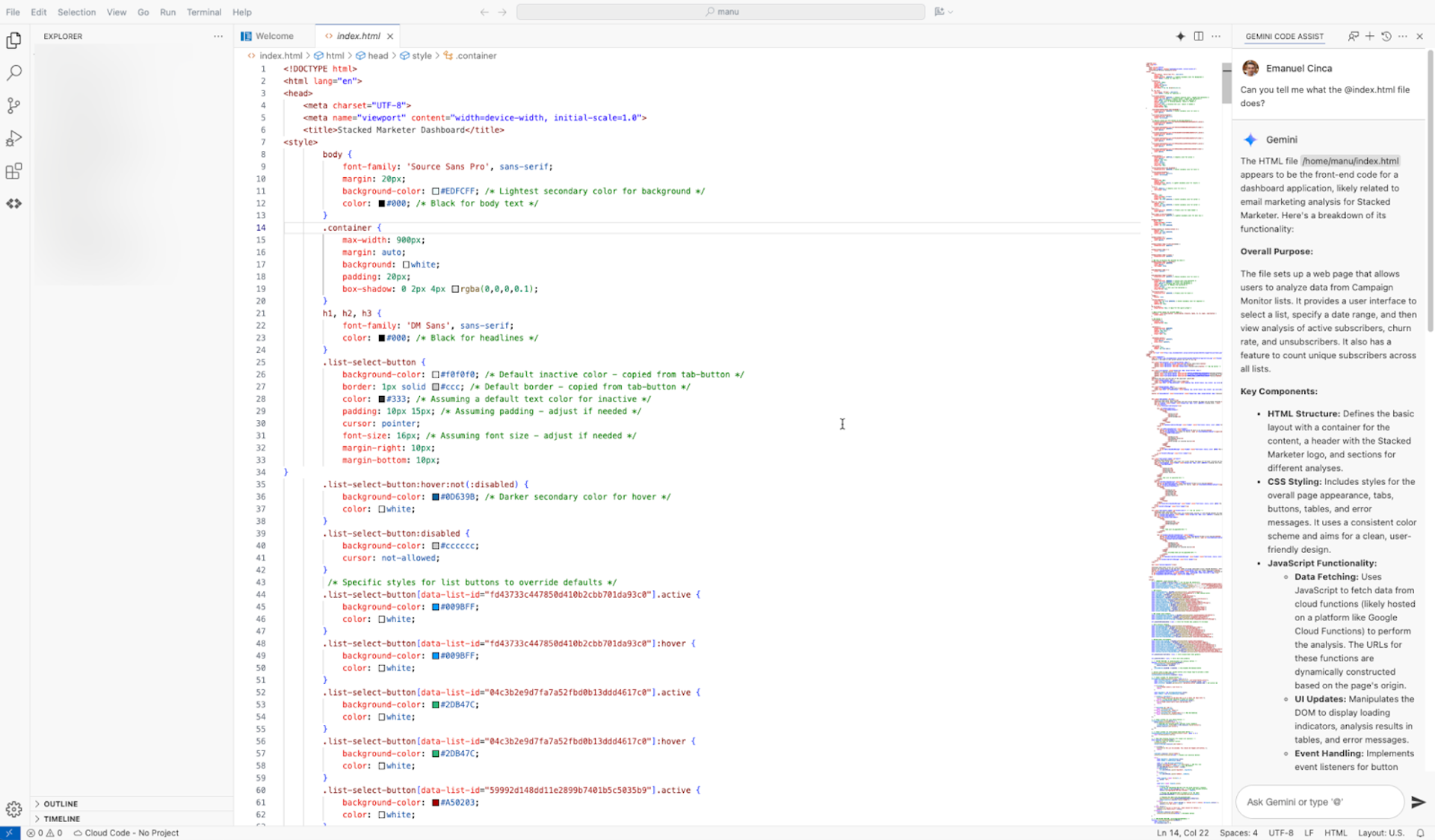
Chatting and iterating while building custom analytics tool with AI
Step 2: From code to infrastructure
This is where AI proved invaluable beyond just writing code.
"That was when I was very impressed because not only can you do the code itself, but I didn't have to literally figure it out afterwards. It was like, okay, so take these exact steps, set these things up, then take your code from here to there to use it."
The AI provided step-by-step instructions for:
- Setting up hosting on Google Cloud
- Configuring the development environment
- Deploying the code
- Creating authentication systems
"I can explain my problem, or explain even if I have a decent understanding of the steps that I have to take, I can even tell the steps that I want to take, and then my words will be turned into code by the AI."
The initial result was the “Activate” stage, where Cinca was able to see his first prototype.
"This is where AI proved invaluable beyond just writing code."
Step 3: Learning to be precise
Initially, Cinca approached AI like a human conversation.
"It gave me that confidence that it understands these things. But no, it does not. You have to be very exact with those sorts of things."
The turning point came when working with dates in the subscriber data.
"There's like three dates technically. It's the date when someone subscribed, the date when they joined the list the very first time, and if they're inactive, when did they unsubscribe? So if you just say 'the date' and then your API call is about unsubscribing, the AI will know that you're referring to the unsubscribe date."
His solution: extreme specificity.
"You have to explain, ‘look for this specific field.’ It's better to repeat yourself and say too much rather than not enough."
"It's better to repeat yourself and say too much rather than not enough."
Step 4: Debugging with AI as his partner
When code didn't work as expected, Cinca developed a systematic debugging approach with AI. This is the Validate stage, where AI and Cinca worked in concert to improve and surface additional insights.
"Very often, what I would do, if it's a wrong result that I didn't expect, I would just say, well, ‘I got this result and it seems wrong. Can you look again through the code, what could be wrong?’"
The AI would then guide him through debugging: "Code kind of looks okay, but I need more information. You should set up these things and then go in that window, copy this part, and send it to me again. And then I can tell you from the error log, I can tell you better what might be wrong."
Cinca describes this as "having someone who has a very strong brain in a way, but they're limited. They don't have hands and eyes to look through and click, and copy paste. They just have the brain, and then you just feed them the information to process it."
The technical architecture (no previous experience required)
Cinca had minimal coding background, just basic programming from high school.
"The most I've done in high school was just having your C environment with a compiler, and you just press compile, and then it just pops up your extra window with the mini app that you just wrote."
Yet he successfully built:
- Backend system: Python scripts that pull data from the tool’s API and process it
- Frontend interface: Web-based dashboard displaying data in interactive tables
- Authentication: Google Workspace integration so team members can log in automatically
- Hosting: Google Cloud deployment with subdomain setup
"So it's kind of two parts. So there's the part of like a backend that pulls the data, processes some of it, and then that gets sent to the front end, which then does a little bit more processing to present it in a nice table."
The authentication process to get access to the tool is particularly elegant: "If you use Google Workspace, which many people do, you can just put Google Workspace authentication on top without having to do any other login database and stuff. Everyone on our team who has that email can log in."
Why did Google Cloud make sense?
Cinca chose Google Cloud for practical reasons beyond AI integration: "We already have a different internal tool, not built by me, that's already using Google Cloud. Someone who I know built something pretty quickly and pretty good using Google Cloud, so I don't have to add too many extra layers on top of it."
The AI suggested multiple hosting options, but Google Cloud wasn't pushed because he was using Gemini.
"I'm pretty sure Google Cloud was not the first suggestion by AI."
The Economics: $1,000/month to $10/month
The financial transformation was dramatic:
- Previous cost: ~$1,000 monthly for part-time data analyst
- Current cost: Less than $10 monthly for Google Cloud hosting
- Development time: 20-30 hours spread over several weeks
- Maintenance: Minimal, Cinca hasn't touched code in four weeks
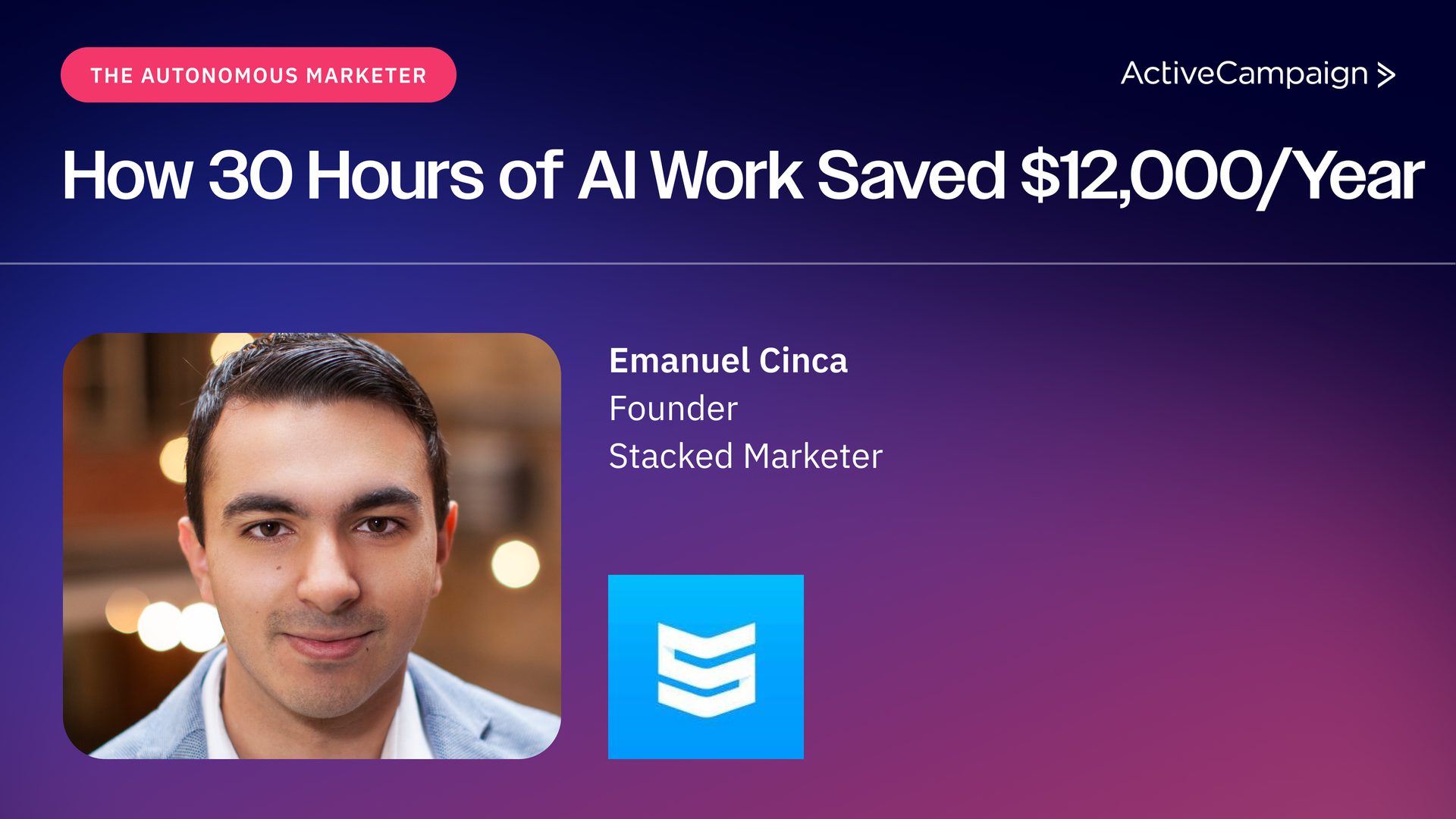
30 hours of work saved $12K annually—and created faster, better decision-making. Want more workflows like this?
Subscribe to The Autonomous Marketer for practical AI strategies delivered every other week.
"Just to have someone analyze that data and regularly send the reports would be around a thousand dollars per month because, like I said, it's not working full-time or anything, it's just part-time. We only have to pay for the Google Cloud hosting, which is still less than $10 a month."
On top of that, the investment in developing these skills compounds over time, giving Cinca "the ability to research and test out technical solutions in minutes rather than hours of Googling, or asking developers." He's also built smaller scripts that do specific jobs rather than relying on exported tables and pivot tables.
However, the transition wasn't simply moving savings from one budget line to another. "We didn't just 'move' the savings from one row of our P&L to another. This was also a step-by-step transition. We first stopped working with the data analyst, so the $1,000 cost was already 'gone' in that way, but then we had trial and error plus worse data to work with until the coded solution."
The ROI extends beyond direct cost savings. Since faster and easier analytics means more efficient marketing spending.
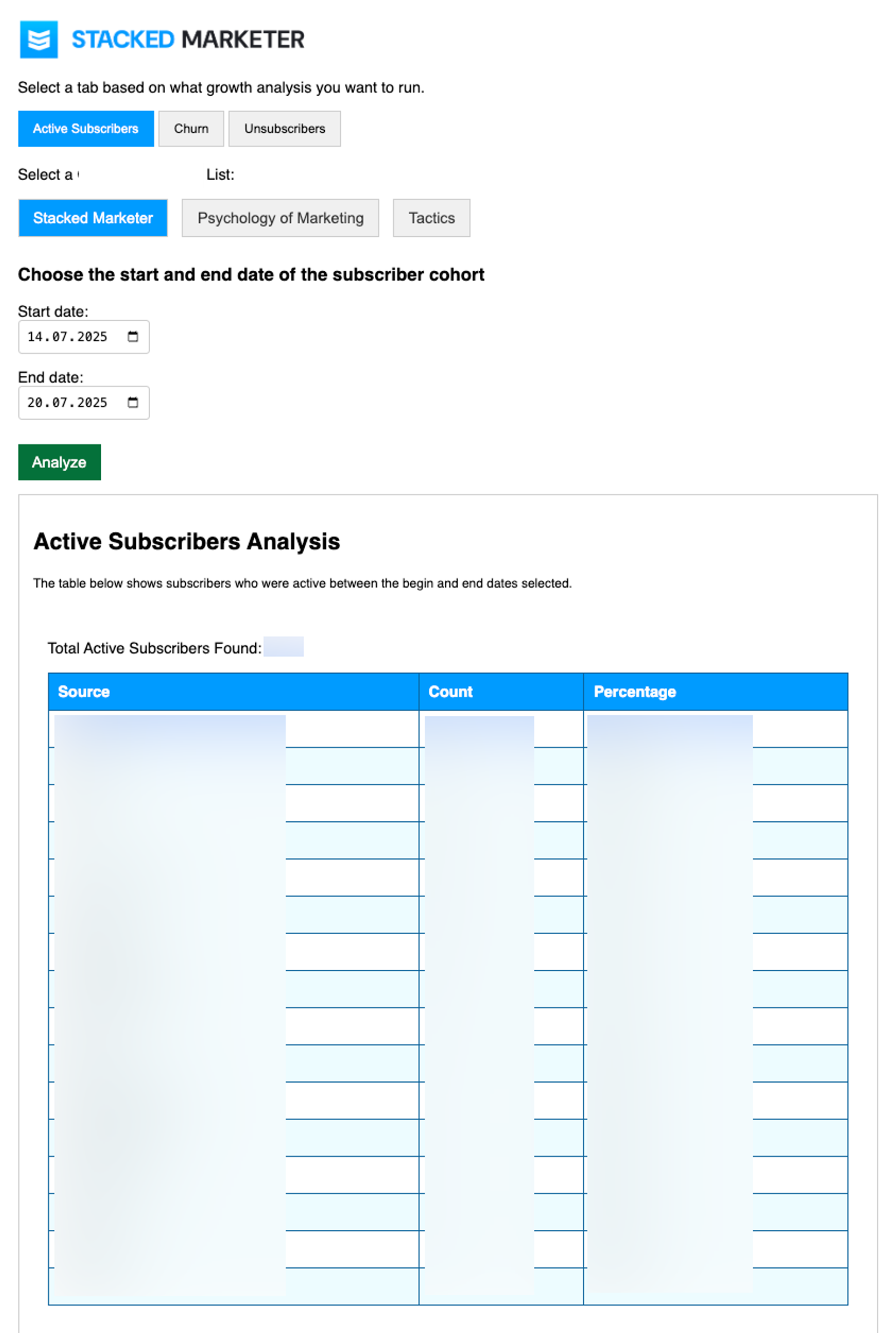
Email subscribers reporting tool built by Emanuel Cinca with AI
Practical applications: What YOU can build next
Cinca sees broader applications for marketers facing similar repetitive analysis tasks:
"A lot of marketers, even though they're not very technical, they might still have to export spreadsheets and then, you know, pivot tables and all of these things. They have to do some data analysis on their own."
When it comes to using AI, Cinca rates himself between intermediate and advanced, since he uses AI in his daily operations and plans to integrate it even more. And based on his experience, Cinca suggests these starting points:
Cost attribution analysis. "Adding your cost of marketing and having better ROI calculations. You can pull data from Facebook or from any other platform that has an API, which is most of the paid platforms."
Multi-channel attribution. "You can also calculate things like, overall marketing spend versus subscribers (buyers, leads, etc), not per channel, but just say, look, we spent 10,000 this month. How many new subscribers did we get overall?"
Advanced cohort analysis. "Net new subscribers/clients/leads per month. How much does each new client/lead cost you per month? And then you have that churn calculation included in there."
And for teams preferring different formats, AI can easily add export functionality: "I'm 99% sure that you will be able to also say, ‘okay, now that you've processed this, create a way to export it to a CSV.’ Because a CSV is, as the name says, comma separated values, just like one long line of values with a comma between them. AI can do that very easily. If anyone just goes to ask an AI tool something like ‘I have an HTML table populated with data, how can I create a CSV export for it?’ you'll get a quick script for that. Even better, you can reference that exact HTML in something like Gemini Code Assist, and it will create the exact export script and button."
"You can also calculate things like, overall marketing spend versus subscribers (buyers, leads, etc), not per channel."
Other AI advice
Based on his experience, Cinca identifies key factors that determine success for marketers building AI-powered tools:
1. Context management
"If you close your session in which you talked to the AI and coded, the context is lost. So you have to start building that context again."
His solution: Begin each session by having AI review existing code and understand the current state before requesting changes.
"Begin each session by having AI review existing code and understand the current state before requesting changes."
2. Edge case testing
"One thing you have to be careful about is testing the things that work 99% of the time, you might still have the 1% exception in all cases."
Example: "I did not have any check of having the start date the begin date to be before the end date. So I would just be able to put the wrong dates, and it would kind of just throw an error."
3. Patient iterations
"It's never going to be perfect from the first go. And I guess you have the mindset of, like, look, this is not vital for my job. I'm doing this to learn."
Cinca emphasizes treating the first AI-built tool as a learning experience rather than a mission-critical system.
4. Context awareness
Understanding your business logic is crucial: "When it comes to analyzing subscribers, you would usually look at certain dates, right? Cohorts between dates, like when did they join, when did they unsubscribe? So the date parameter would mean different things when it's for new subscribers, and it would mean a different thing when it's people who unsubscribe."
The future: Where is this approach heading?
Cinca sees AI-assisted development becoming standard for marketers: "I think as long as you're patient with that and you understand that it's never going to be perfect from the first go, then it will be good."
His advice for getting started: "Once I saw that initial glimpse, I was thinking, this is simple enough that I can probably do it, and I want to learn more about how to use AI to kind of do practical things as well."
The key insight: don't outsource the learning. "That's a no from the very beginning. Because I thought this is a simple enough thing that I can probably do it, and I want to learn more."
"The key insight: don't outsource the learning."
For marketers drowning in manual reporting, spending thousands on freelance data analysis, or making decisions based on outdated information, Cinca's approach offers a proven path forward. The investment, 20 to 30 hours of learning and iteration, can replace recurring costs while providing better, more timely insights.
"The biggest win for the least amount of effort is already there: we wanted to cut costs on analytics, while sustaining the quality of insights, and we did it." He concludes.
So, the question isn't whether AI can help marketers build tools for work. It's whether marketers are ready to stop accepting manual processes as the cost of doing business and embrace the move from marketing automation (building and optimizing systems) to autonomous marketing, where you just set goals and let AI handle everything else.
You don't need to be technical
"I can explain my problem... and my words will be turned into code by the AI." Every other week, The Autonomous Marketer newsletter shows you what's possible—with practical tactics and zero fluff.