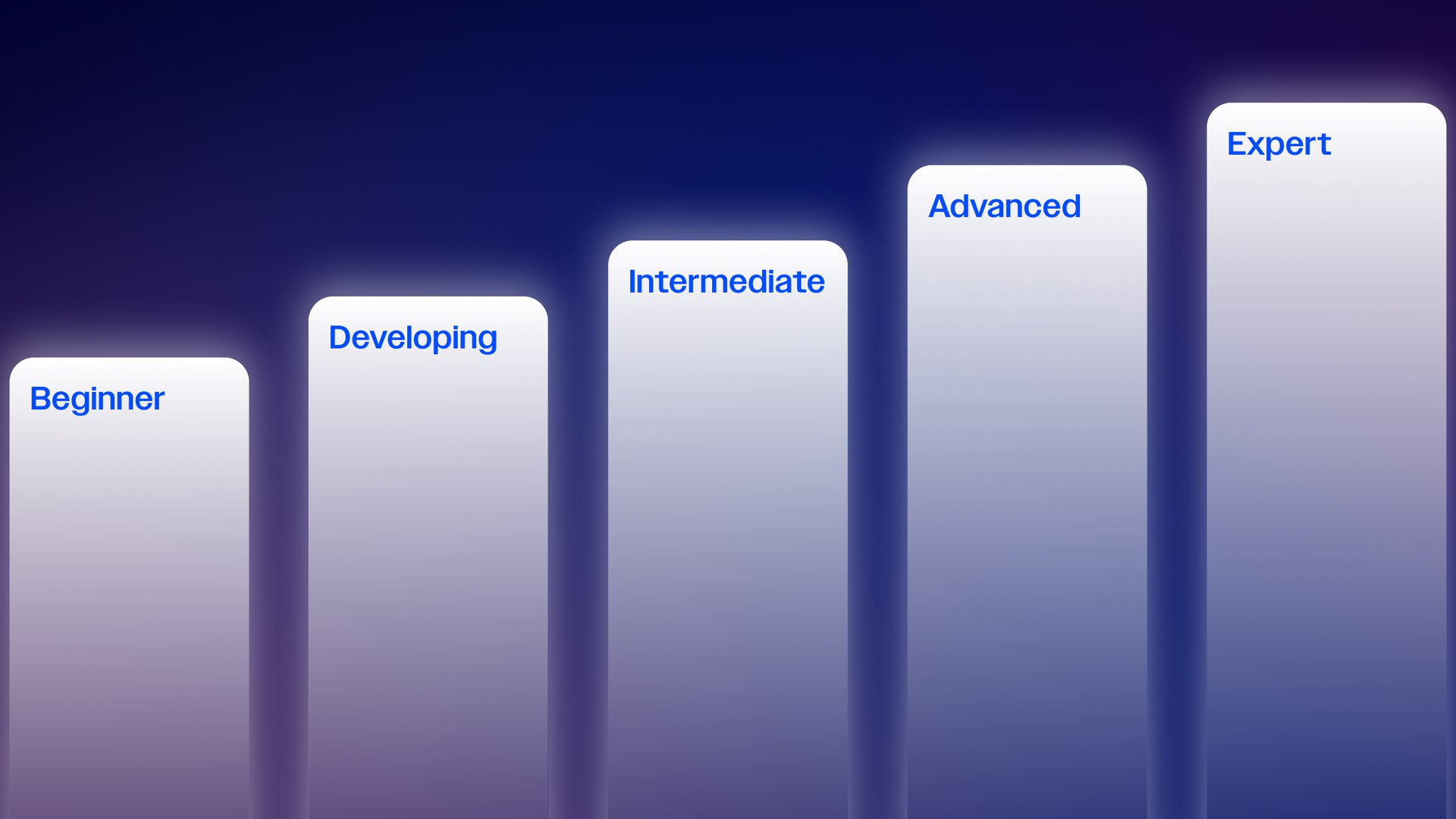
AI adoption isn’t a binary decision; it’s a progressive journey with discrete stages of AI maturity.
While some marketers are beginning to explore what AI tools are out there, others are experts in the field. Knowing where you fall on the AI maturity scale is critical in order to develop a clear roadmap to help you progress and become an AI marketing Expert.
In this guide, we’ll walk you through the five stages of AI marketing maturity and provide actionable strategies to help you advance from where you are today to where your competitors wish they’ll be tomorrow.
Curious where you stand?
The AI Beginner: Taking your first steps
Beginners might be curious or skeptical about AI and aren’t sure how or when to use artificial intelligence for their work. They may be curious about AI, but remain unsure how to begin implementing it into their existing workflows effectively.
Characteristics of the AI Beginner:
- Limited AI vocabulary
- Reliant on manual processes without the help of AI
- AI curious but unsure where or how to start
- Concerns or fears about adopting AI
Real world application: Going from zero to sent in 5 clicks
ActiveCampaign’s Product and Design leaders walk through a fictional example of how Seaside College can use AI agents to create personalized messages for each student in minutes.
Seaside College used these three, easy-to-use AI features:
- The AI Brand Kit to instantly pull in the school’s fonts, colors, and brand voice–making it easy to build email campaigns without the risk of off-brand visuals or messaging.
- AI Content Generation to create multiple email variations that stakeholders can easily edit before finalizing.
- Predictive Sending to schedule the ideal delivery time, regardless of timezone.
It’s easy to personalize copy in the email templates ActiveCampaign AI agents create for you. After the first generation of templates, Seaside sent another prompt with additional context and documents attached. With this, the AI agent regenerated another set of templates with the new information.
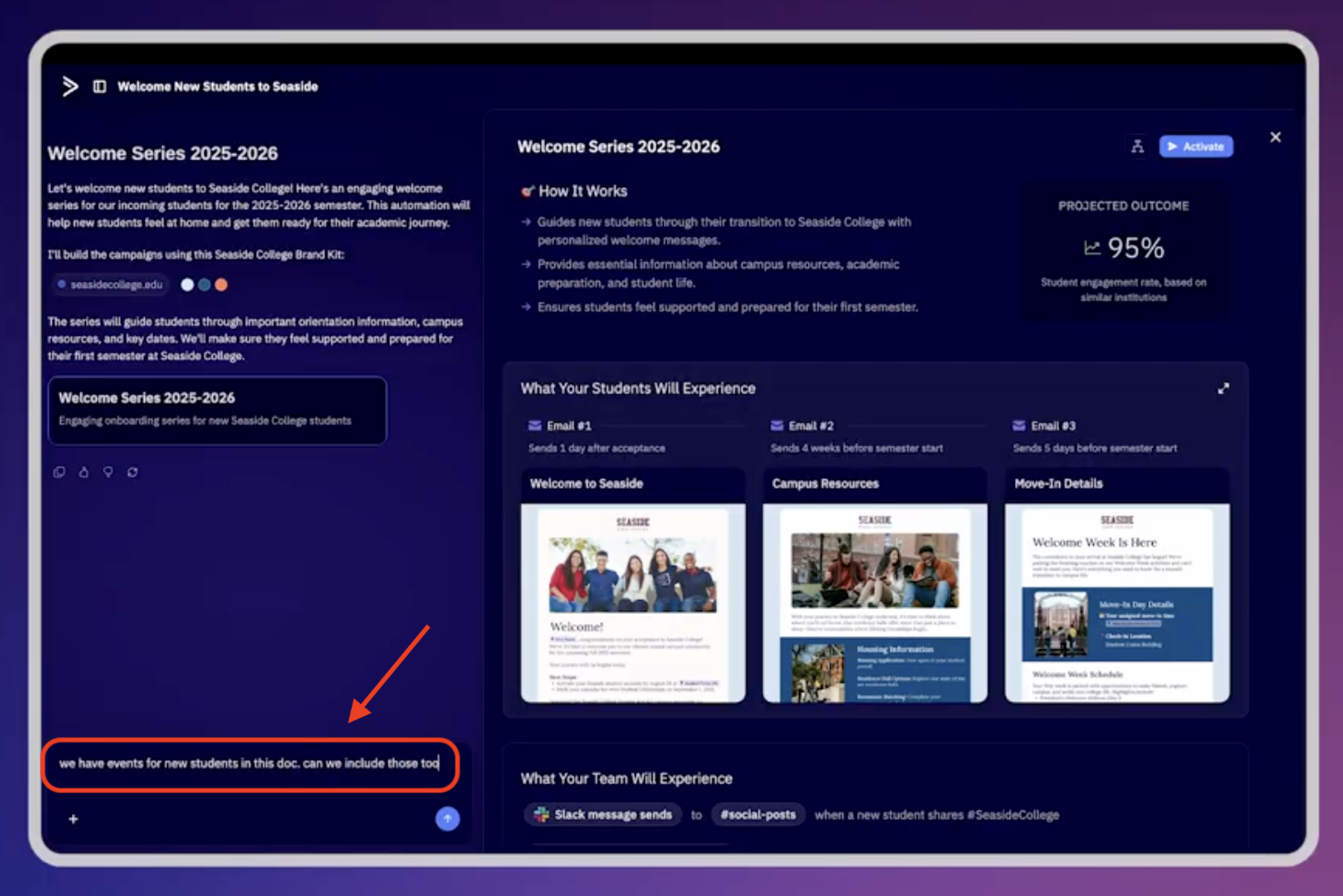
Edit, personalize, and create beautiful templates with the help of ActiveCampaign’s AI agents.
The ActiveCampaign team timed the following series of actions to see how quickly you can prepare an entire email send with the help of an AI agent. In just a minute and twenty seconds, we were able to send a prompt, have AI generate an initial draft, conduct several rounds of edits, identify the correct segment, and schedule the email to send.
Using AI features doesn’t have to be daunting. And the path to move from the Beginner to the Developing stage starts with increasing your day-to-day use of AI tools and agents.
How to move from Beginner to Developing
To go from a Beginner to the Developing level, choose a time-consuming task to test with AI, like adjusting the fonts and brand colors in your emails.
Day 1: Choose your task and gateway tool
Choose a time-consuming task, like adjusting the fonts and brand colors in your emails, and one AI tool to manage your task.
- Creating social media content? Experiment with Canva’s AI features or copy.ai for captions.
- Writing an email? Try Claude or ChatGPT to help with drafting. You can also use the Google Suite AI tools, like the “Help me write” button in Google Docs.
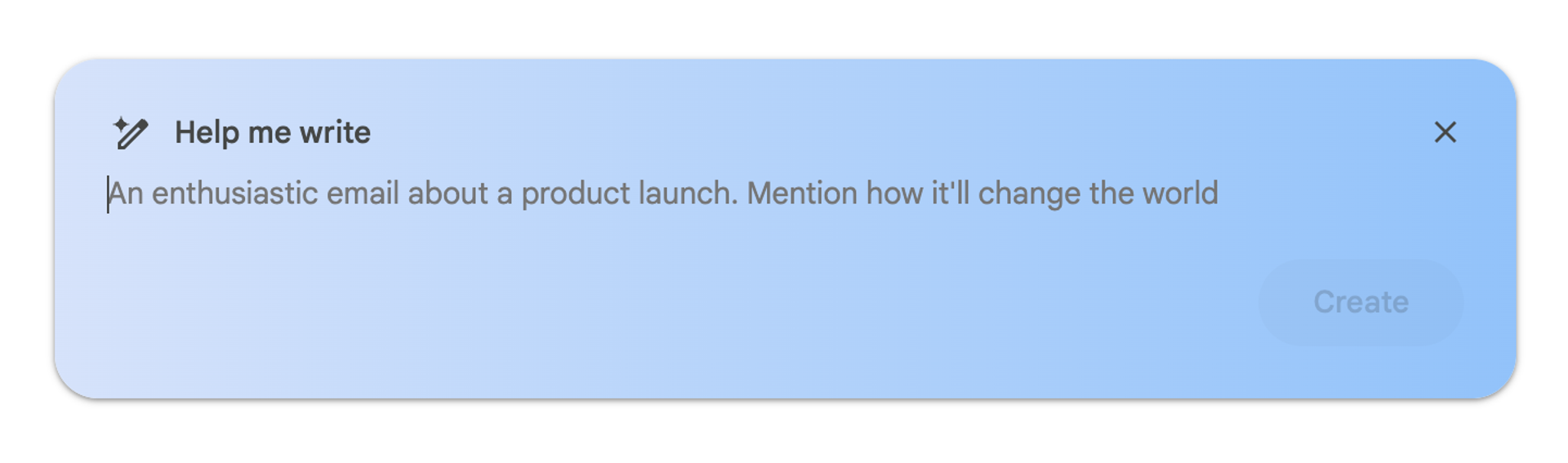
Gemini, the AI assistant in Google Docs, is ready to help you create whatever you want. To get started, enter a prompt so it can begin writing, drafting, or building your content.
Don’t overwhelm yourself with multiple AI tools or complex workflows. Build up your AI confidence before layering on more.
Days 2–10: Establish a daily habit
Make it a practice to begin using your one AI tool every day for your time-consuming task – even put it on your calendar. The key is consistency and an increase in usage, not perfection right out the gate. As you go, you’ll increasingly get better at asking prompts that deliver more helpful output.
Days 11-21: Reinforce your daily AI practice
They say it takes three weeks to develop a habit. When you hit the 21-day mark of flexing your new AI muscles, you’re likely not feeling that barrier to entry anymore. As you continue to create AI-powered content, you can also feed your drafts from the first ten days back into your AI tool and ask for trend analysis and additional refinement.
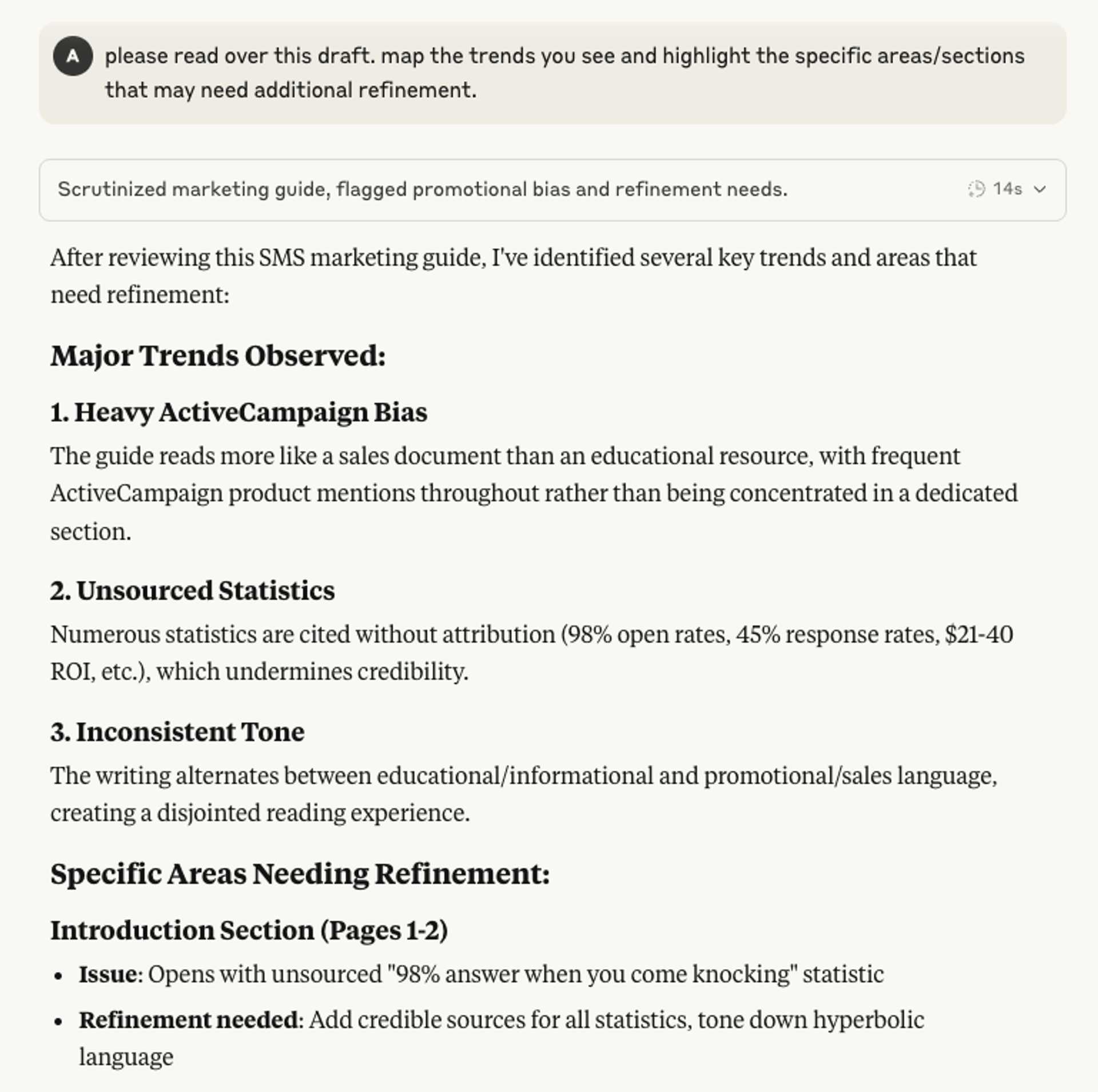
Prompt AI tools like Claude to review content and provide improvement recommendations, identify trends, and additional areas for refinement.
The Developing user: Building your AI foundation
Developing AI marketers regularly use one to two AI tools, see the benefits of AI, and understand basic AI terms. Increasing usage is important! Developing users are aware of AI’s various marketing use cases and might use AI for tasks like generating subject lines, building content outlines, and implementing basic chatbots.
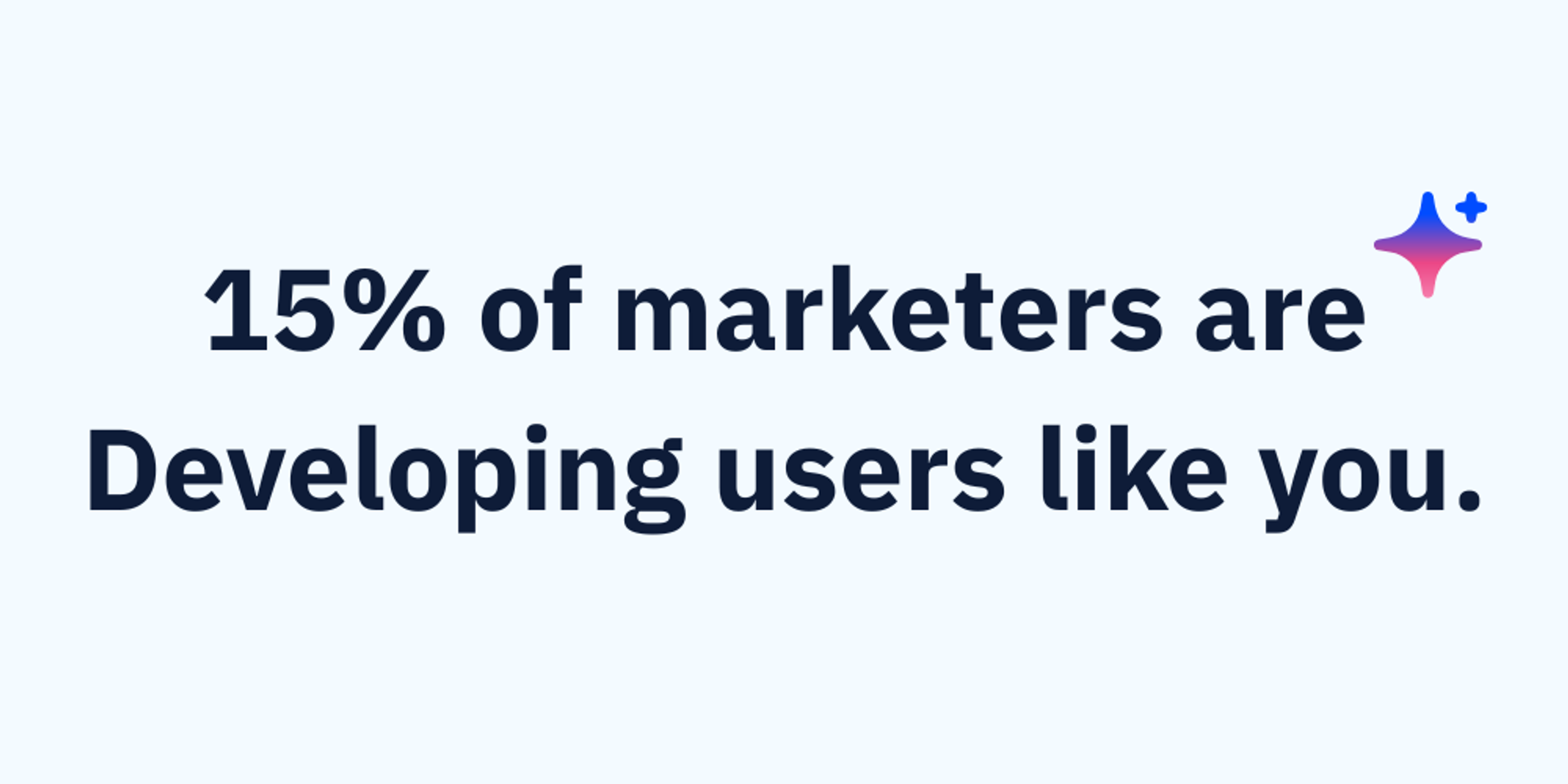
Our recent report on AI usage found that 41% of marketers with Developing AI maturity agree that the more they use AI, the more confident they feel about the quality of their work.
Characteristics of the Developing AI user:
- Consistently uses AI for simple marketing tasks
- Experiments with other use cases for AI
- Recognizes early productivity gains from AI
- Builds basic AI knowledge and skills
Real world application
How a small business used AI to triple their sales volume
Amy Chinitz, the founder of Spark Joy New York, shares the big wins she achieved when she started embracing AI. Before she found ActiveCampaign, Amy would take a full week to draft, design, and send a single campaign. With AI agents, Amy drafts initial email copy based on the themes she provides and makes edits to further personalize the message for her different audience segments. For example, when new leads enter Spark Joy’s system through Facebook ads, contacts are assigned tags based on their behavior and Amy personalizes communications based on motivations like moving homes.

As a result, she enjoys 85% faster campaign creation and can generate three email campaigns a week.
As a solopreneur, I care deeply about personalization and voice—and now, I’m creating better content in a fraction of the time. It’s not just about writing faster. It’s about having a partner in the creative process that understands my brand, adapts to my audience, and helps me scale without losing my identity.
AI has become Amy’s self-proclaimed “creative partner,” saving her both time and money. She’s proof that learning to use AI across multiple areas of her business leads to more success.
How to move from Developing to Intermediate
As a Developing AI marketer, you’re pretty comfortable using AI, especially when it comes to simple tasks. But there’s a good chance these tasks are all related to ideation. To level up on the AI marketing maturity model, you’ll need to move beyond using AI for tasks like drafting an email or creating an image.
According to our recent study, the majority of marketers (63%) use AI in their work to “Imagine”—that is, to brainstorm campaigns and generate initial concepts at the start of the campaign’s life.
Based on our customers’ AI implementation, we developed the High-Performance Marketing Triad, which is made up of three marketing pillars: Imagine, Activate, and Validate. Each is an essential component in how a modern marketer drives successful campaigns, and showcases how AI can assist at every step of the way.
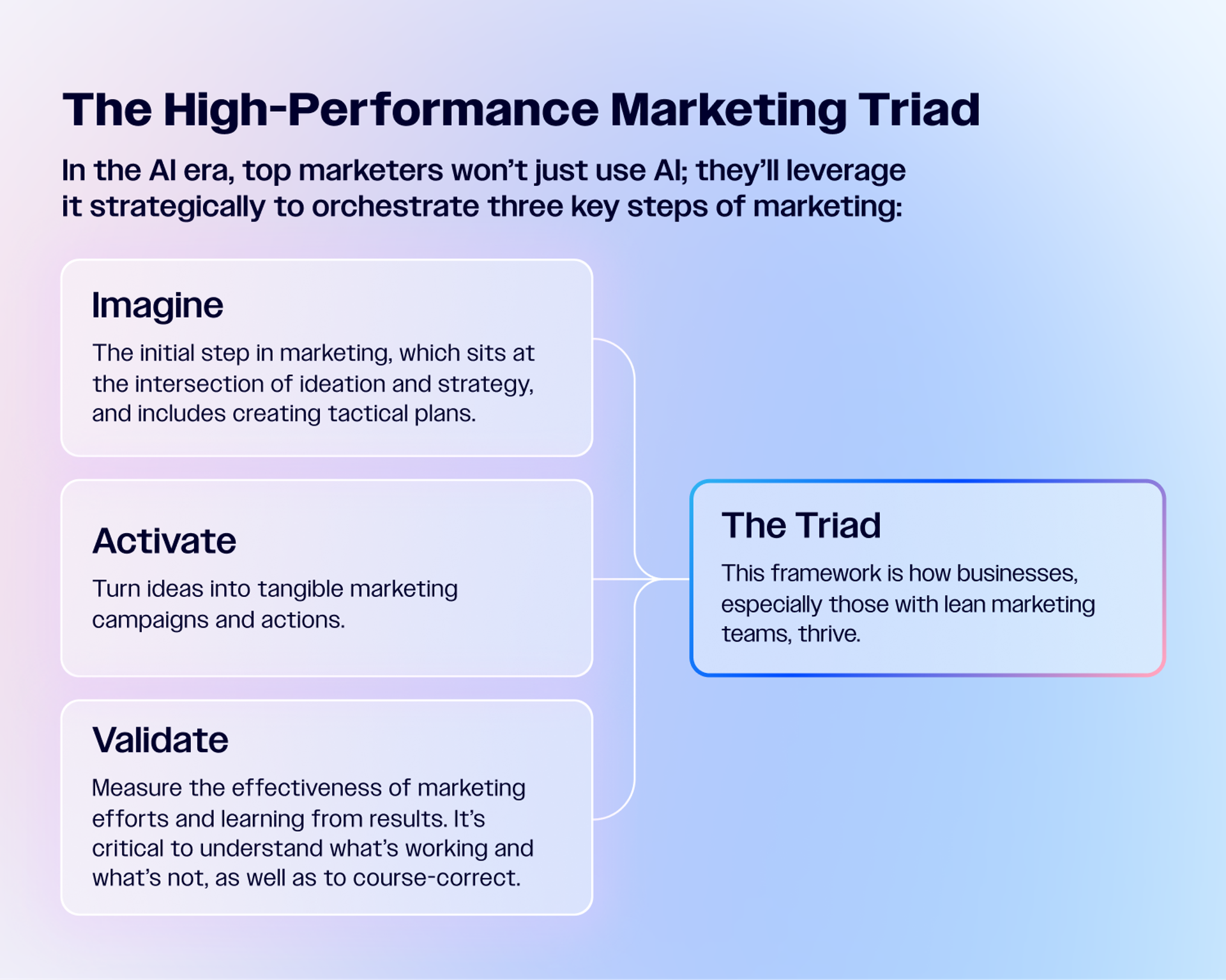
When done best, AI tools support end-to-end marketing, yet only 23% of marketers use AI across all three pillars: Imagine, Activate, and Validate.
Moving from a Developer to an Intermediate user calls for increasing your AI usage across all three marketing pillars, not just one.
Identify your top marketing workflows
Select three connected activities, one in each of the three marketing pillars, where AI can make the biggest, most immediate impact. For example:
- Imagine: Content creation
- Activate: Email marketing
- Validate: A/B testing or performance measurement
Create AI-powered templates
Develop reusable prompts for each workflow and save them in your personal prompt library, which can be as simple as a Google Doc.
- For content creation, you can use something along the lines of: “Act as a [industry] expert and create an article outline about [topic] that addresses [specific audience pain points].”
- For email marketing, you may use something like: “Write a nurture sequence for [customer segment] focusing on [value proposition].”
- For image generation, you might create a prompt like: “Generate an engaging social media caption for this image that includes a hook, context, value, and a call-to-action.”
- For lead generation, you can use a prompt like: “Create a high-converting lead generation email that includes a subject line, target audience, lead magnet or offer, and industry or niche.”
Not only can you begin standardizing reusable AI prompts for your most common marketing tasks, but AI is the built-in partner that helps you draft content quickly, brainstorm subject lines faster, and personalize messaging across all audience segments. The more you choose to fold it into your work, the more efficient you become, helping you go from manual work to AI-native marketing and fully autonomous campaigns.
Measure your time savings
ActiveCampaign’s latest research shows AI saves marketers an average of 13 hours, or 1.6 days, every week. With this timesaving, marketers can focus on more strategic activities or pursue other projects that were previously deprioritized as a result of bandwidth constraints.
AI is saving professionals major time across a range of different industries.
To measure your own AI time savings, track how long a task takes you before and after AI integration (some tools will automatically track this for you). Start by selecting one time-consuming task that’s repetitive and well-defined, and has a clear start and end point. For greater accuracy, you’ll need to establish a clear baseline to thoroughly document your process.
This could mean:
- Timing how long tasks take manually (use spreadsheets with timestamp logs or project management software with built-in time tracking)
- Recording the number of steps involved in each process
- Noting who performs each task and their skill level
- Tracking error rates and reworking time in existing processes
Consider the different types of time savings you can experience when you implement AI:
- Immediate time savings: faster task completion, reduced manual work, and automated processes.
- Compound time savings: fewer errors to correct, reduced back-and-forth communication, and less time spent on low-value activities.
Adding them up can result in significant productivity gains. Here’s an example of how you might calculate your productivity gains as you become an increasingly proficient AI-first marketer:
The basic time savings formula: Time savings = (original time - new time) / original time x 100
The productivity increase formula: Productivity gain = (new output - original output) / original output x 100
Example:
- Original: 100 customer emails processed in 8 hours
- With AI: 150 customer emails processed in 8 hours
Productivity gain: (150-100)/100 x 100 = 50% increase in time savings
The Intermediate: Scaling your AI impact
As an Intermediate AI marketer, you’re confident using AI in your day-to-day activities, may have documented AI best practices, and see measurable improvements in efficiency and output quality. As an Intermediate, you have reliable AI workflows and are using AI more strategically.
Our research found that only 59% of marketers are using AI for marketing activities related to execution (our Activate pillar) while just over half (53%) are using it to measure results (our Validate pillar). For Intermediate users, there’s an opportunity in these numbers. Spreading your AI use across not just one but all three pillars can help you to outpace your competitors who haven’t yet adopted this mindset.
Characteristics of the Intermediate AI user:
- AI is integrated into your established workflows
- Measures and tracks AI performance across various functions
- Strategic use of AI in tasks like lead nurturing or email sequencing
- Invested in training and skill development for AI tools
Real world application
Running a fast-growing online education business, Frank and Sherri Candelario needed to maintain high-touch, personalized engagement with thousands of students, but manual marketing processes and contractor dependence slowed them down. They needed a faster, smarter way to manage outreach without sacrificing quality or burning out.

With ActiveCampaign’s AI tools, Frank and Sherri automated repetitive marketing tasks, personalized follow-ups based on member activity, and built campaigns faster. Instead of relying on expensive contractors, they now use AI to suggest next actions in their campaigns, create targeted emails on demand, and manage engagement at scale. That way, they can stay focused on their mission.
Frank and Sherri are a great example of Intermediate AI users. They’ve moved beyond using AI for one or two tasks, instead deploying it across multiple marketing tasks, and use AI to help them Imagine and Activate.
How to move from Intermediate to Advanced
If you’ve landed in the Intermediate level, you’re no longer learning how to use AI; you’re optimizing how you use it. You’re thinking beyond using AI as just a tool, and treat it more like an extension of your team.
Intermediate users are introducing AI across more and more marketing functions and seeing compound benefits when they connect tasks into multi-layered workflows. Making the leap from Intermediate to Advanced happens when marketers make AI the default strategic co-pilot and bring an AI-first mentality to their marketing challenges.
Connect AI tools into a unified workflow
Move beyond standalone AI tasks by connecting your AI tools to your existing marketing tech stack. With tools like Zapier, you can connect your AI writing tools to automatically populate CRM fields, trigger follow-up sequences, and feed content calendars. This systemic approach transforms siloed AI experiments into a more cohesive marketing engine.
Develop AI-powered campaign processes
Create end-to-end AI workflows for entire campaigns. Start by using AI for competitor analysis, use it in content creation, leverage AI for A/B testing email subject lines, and employ it for performance analysis and optimization recommendations.
Let’s look at how you can put this into practice. Let's look at putting this into practice when you use AI to build a campaign from start to finish.
Step 1: Competitor analysis
Feed your competitor websites directly into Claude for positioning analysis and prompt them with specific asks every time you want to run a competitor analysis.
While you can set up Google Alerts to automatically collect competitor mentions in a filtered Gmail folder, the AI analysis isn’t “set and forget”. Instead, think of it as a research companion that you can call on when needed. You’ll need to manually copy those alerts into the AI tool weekly and prompt it with standardized questions like “Summarize this week’s competitor activity for messaging changes, new content themes, and opportunities we can exploit.” While some AI tools will store previous analyses, not all will so it’s helpful to have a separate repository of insights in a shared document or external database.
While not truly automated, AI helps expedite the research process by consolidating and reviewing otherwise large swaths of data that would otherwise take multiple people and hours to conduct. The more you work with your AI tool for competitor analysis, the faster your research process will become.
I use Claude to synthesize competitor messaging and strategy, then layer in Crayon’s real-time market insights to spot positioning gaps and emerging trends—what used to take hours of manual research now takes minutes, giving me a sharper edge and more time to focus on strategic action.
Step 2: Content creation
Create a standardized content brief template with AI that you can improve with inputs like a style guide or a voice and tone guide so you stay as close to your brand’s voice as possible. Use this template for first drafts while still using human editing to add further brand voice refinement.
Ask Claude to create multiple variations of your highest-performing content, then test these against your control version. From here, you can develop prompt chains that flow from brief to outline to draft to optimization, creating a repeatable process that improves with each campaign.
Here's an example prompt chain sequence:
- Brief: “Create a content brief for a blog post targeting [audience] about [topic], including key messages, primary and secondary goals, and success metrics.”
- Outline: “Using this brief, create a detailed outline with 5 main sections, including subheadings and key points for each.”
- Draft: “Write the full blog post using this outline, maintaining [brand]’s tone and targeting [word count].”
- Optimization: “Improve this draft by strengthening the introduction hook, adding more specific examples, making sure sources are cited from the last year, and creating a more compelling call-to-action.”
Each prompt builds on the previous output, and you can customize the instructions for each step as you see fit. This allows you to polish the process and create templates for different content types.
Step 3: A/B testing
Enlist AI to generate 10+ subject line variations, eliminating the creative bottleneck that often slows campaign launches. Then, begin A/B testing by splitting your audience into equal segments and testing one variable at a time—subject lines first, then hooks, then CTA copy. Use your email platform’s built-in A/B testing features to track open rates, click-through rates, and conversion metrics for each variation.
Test AI-generated subject lines, hooks, and CTA copy against your standard versions to discover what works best. After each test cycle, compile the performance data into a simple spreadsheet showing the winning elements, performance metrics, and audience segments. Feed this data back into your AI tool using prompts like “Based on these A/B test results showing [winning subject line] outperformed [losing version] by [X%] with [audience segment], generate 5 new variations that incorporate the winning elements.”
Use AI to recognize patterns. Maybe your audience responds better to questions than statements, or urgency words boost performance with certain segments. This creates a feedback loop where each campaign informs the next, building a database of proven messaging approaches that continuously improve your content’s performance.
Quick tip: You can create performance-based rules like “If open rate drops below 20%, regenerate subject lines with emotional hooks” to automate your optimization decisions.
Step 4: Build your performance analysis loop
Finally, export your campaign data to CSV format and upload it to Claude for analysis, asking specific questions like “What patterns do you see? Based on how this campaign performed, what should I test next?” You can also lean on AI to write detailed performance reports for stakeholders and save hours of manual analysis.
Prioritize built-in AI tools
Look for tools with AI that’s built-in, not bolted on. ActiveCampaign’s core features include:
- The AI Brand Kit: Simplifies the process of generating consistently designed emails. It’ll automatically apply your logos, fonts, colors, and brand elements across every communication.
The YMCA of Alexandria saved 10+ hours per week by automating email design with the AI Brand Kit.
- AI Content Generation and AI Image Generation: Accelerates time to launch by acting as a second content producer.
- AI-Suggested Segments: Recommends specific groups within your audience who may be at different points of their journey.
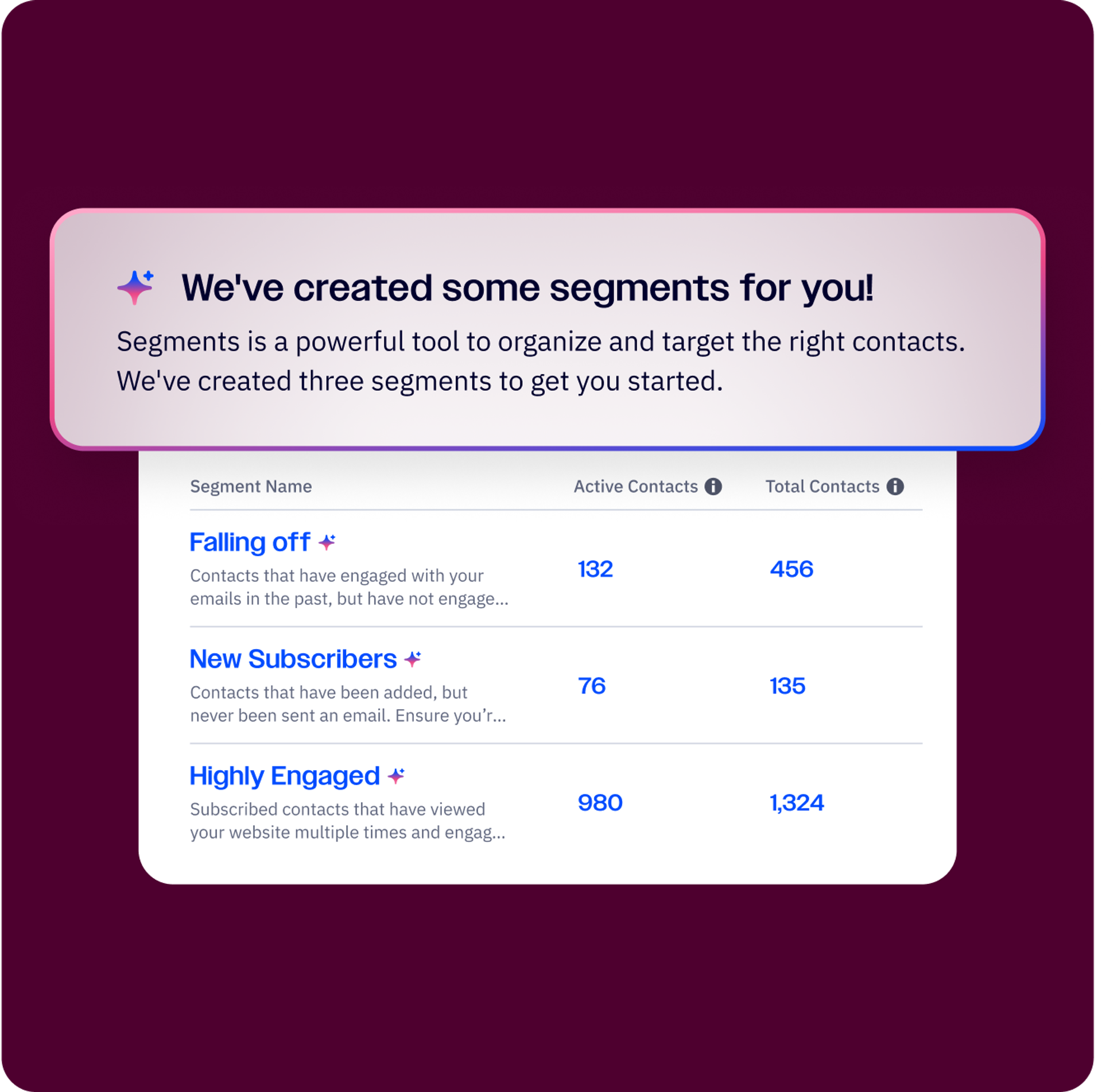
Built-in AI features make it easier to tailor content based on the information already stored in your system, like a CRM. For example, it’ll flag that an unengaged segment may benefit from more detail about your product or offering. For the dedicated advocate segment, a note of appreciation with a discount code or referral code they can share with a friend may be more impactful.
Custom AI includes tools like GPT Builder of Claude Projects—custom AI assistants trained on your brand voice, customer data, and industry knowledge to become force multipliers for your team. When paired together, built-in and custom-built AI can make your day-to-day less painful and your work more impactful.
The Advanced user: Driving strategic marketing with AI
Advanced AI marketers have mastered AI orchestration, meaning they’re running an AI-powered marketing machine that produces consistent, high-quality results. Advanced users know how to use AI to unlock new strategic opportunities, drive measurable business impact, and see AI as a competitive advantage. You’re not just using AI, you’re thinking AI-first.
Experts may use AI for real-time content optimization or rely on AI to track trends, changes in engagement, and A/B test content variations in real time. Similarly, an Advanced user likely feeds their AI tools campaign data to run predictive analytics to anticipate how future campaigns will perform.
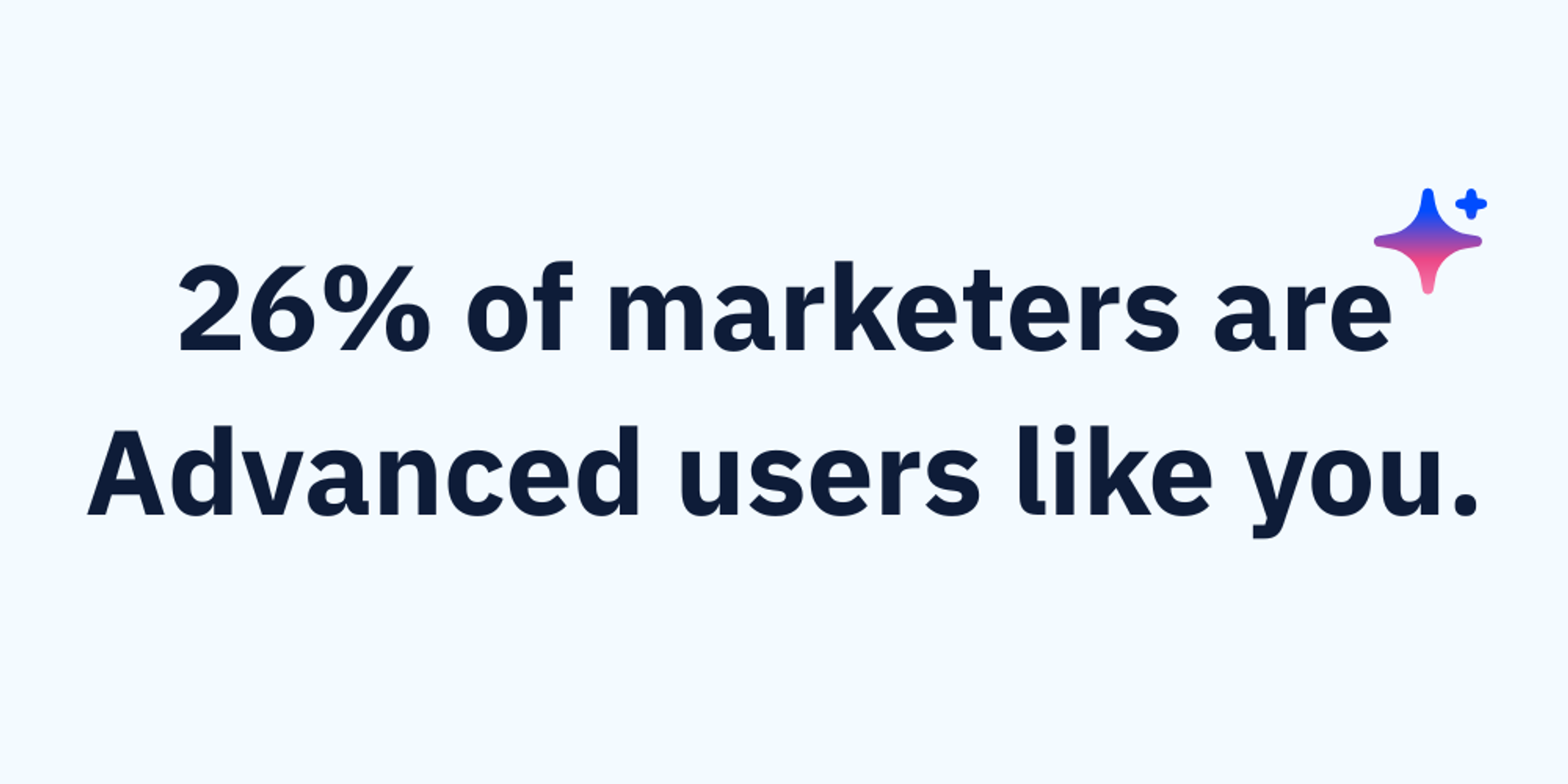
Characteristics of the Advanced AI user:
- Embeds AI into their core processes and workflows
- Considers AI as the default approach to marketing challenges
- Leverages AI across all three pillars of imagine, activate, and validate
- Creates efficiency gains by treating AI as a core component of your operations
How to move from Advanced to Expert
As an Advanced AI user, your next step is to move into Expert territory, which can seem daunting. But at this point, moving up the maturity ladder is more about team-wide adoption and industry advocacy than leveling up your own skillset. Experts view every marketing challenge through an AI lens and are the strategic voice for AI adoption everywhere.
Here are some steps to help you move up to the highest level of the AI marketing maturity:
Contribute to the AI conversation
To continue your presence in the AI space, join online forums like Reddit's r/MachineLearning, comment thoughtfully on LinkedIn AI posts, and participate in Twitter discussions using relevant hashtags. Attend local AI meetups and contribute to open-source projects where you can share code and insights.
Publish your thought leadership
Start a blog on Medium or your own website, submit articles to industry publications like, and apply to speak at conferences or local tech events. Create YouTube videos or LinkedIn posts explaining complex AI concepts in accessible terms.
Raise your hand internally to educate others
Propose lunch-and-learn sessions on AI topics, offer to present at company all-hands meetings, and volunteer for AI-related committees or task forces. Create internal documentation, lead training workshops, or mentor junior colleagues interested in AI.
Build your network of experts
Attend AI conferences and actively exchange contact information, join professional organizations like the Association for the Advancement of Artificial Intelligence (AAAI), and engage with experts on social media platforms. Also, consider collaborating on research papers and maintaining regular contact with your network through meaningful conversations.
Develop proprietary models
Identify unique data sources your competitors may not have, like customer interaction transcripts, internal performance metrics, or proprietary behavioral data. Let’s look at the steps you may take and the tools you may use to develop these models.
Step 1: Data collection and preparation
Export customer service transcripts, sales call recordings, and internal performance data into CSV format. Clear and organize this data with clear input-output pairs.
Step 2: Choose your platform
Use OpenAI's fine-tuning API for GPT models, Anthropic's Claude API for custom prompts, or platforms like Hugging Face for open-source model training.
Step 3: Create training sets
Build datasets pairing customer questions with your best responses, campaign briefs with successful outcomes, or product descriptions with high-converting copy.
Step 4: Fine-tune or build custom prompts
Upload your training data to fine-tune existing models, or create detailed prompt libraries that include your proprietary examples and language patterns.
Step 5: Test and iterate
Run parallel campaigns comparing your custom model outputs against generic AI responses, measuring performance differences in your specific KPIs.
From here, you can build models that understand your customer language, predict your unique conversion patterns, or optimize for specific KPIs rather than generic benchmarks.
Real world application
Clay, a data enrichment and workflow automation platform designed for go-to-market teams, uses its own proprietary platform to scale its customer support efforts. As Clay’s support team scaled to thousands of conversations a week, they leveraged Clay to build an AI-powered workflow that reviews each closed conversation for quality assurance. Similarly, when an agent gets a customer on the line, they’re automatically provided with additional context that answers questions like if a user is an existing customer, when they signed up, and whether or not they’re in Clay’s ICP.
The Expert: Using AI to shape the future of work
As an Expert AI user, you’re a thought leader in the space who built an AI-native organization where every challenge and workflow is approached through an AI lens. Expert users aren’t just maximizing their own competitive advantage; they’re also paving the way for others and shaping the future of the AI industry.
Experts are thought leaders who define the AI space (leading the way with use cases, solutions) and build AI-first organizations.
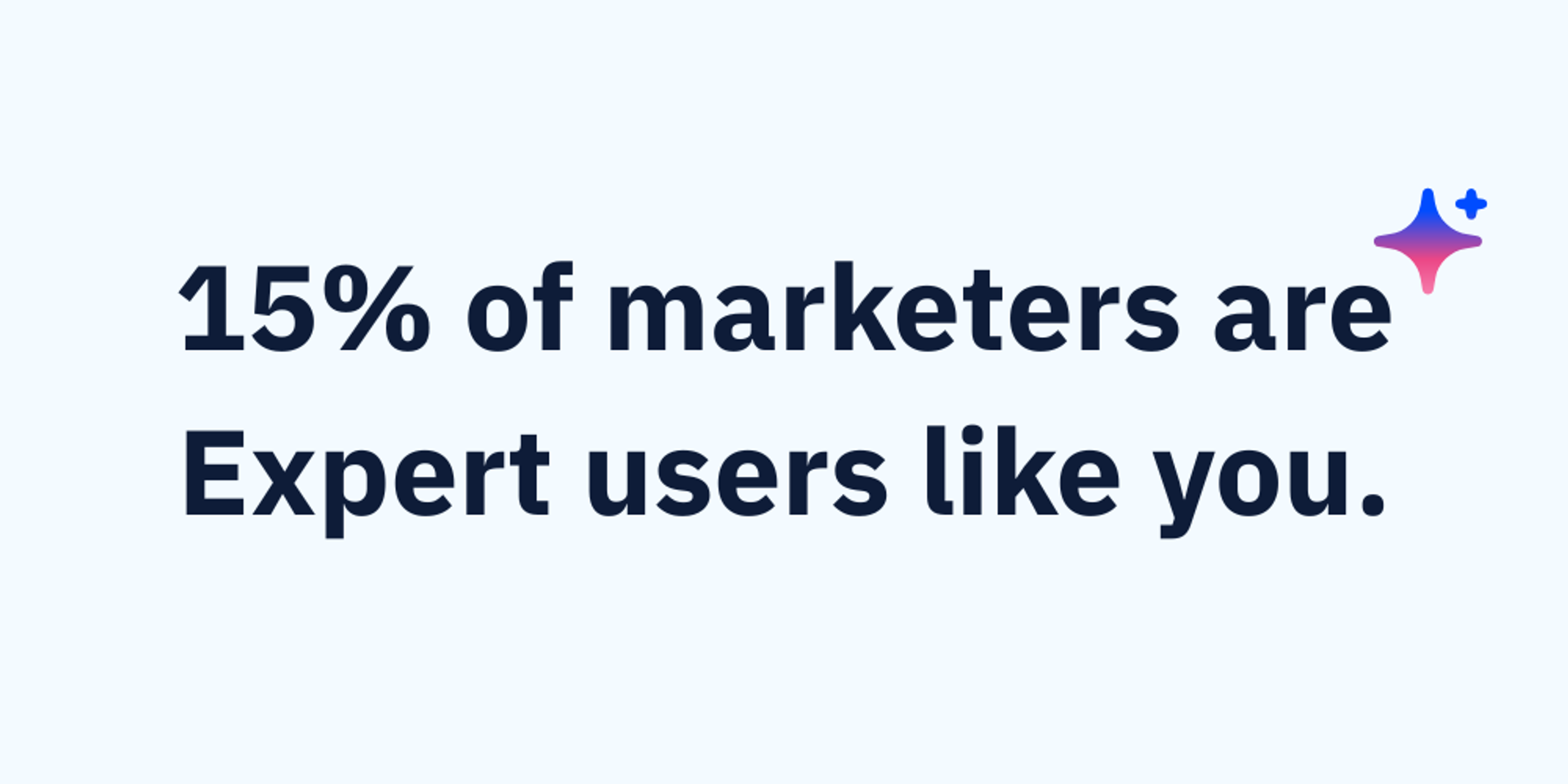
Characteristics of the Expert AI user:
- Are published AI thought leaders
- Speak at industry events about AI best practices
- Develop new AI frameworks and applications
- Create AI-first businesses and consultancies
Real world application
A great example of an expert AI company is Disney and their Magic Bands.
Disney Magic Bands are RFID-enabled wristbands that function as the interface layer for Disney's comprehensive guest experience platform. They serve as park tickets, hotel keys, payment systems, and FastPass reservations while collecting behavioral data across thousands of sensors throughout the parks.
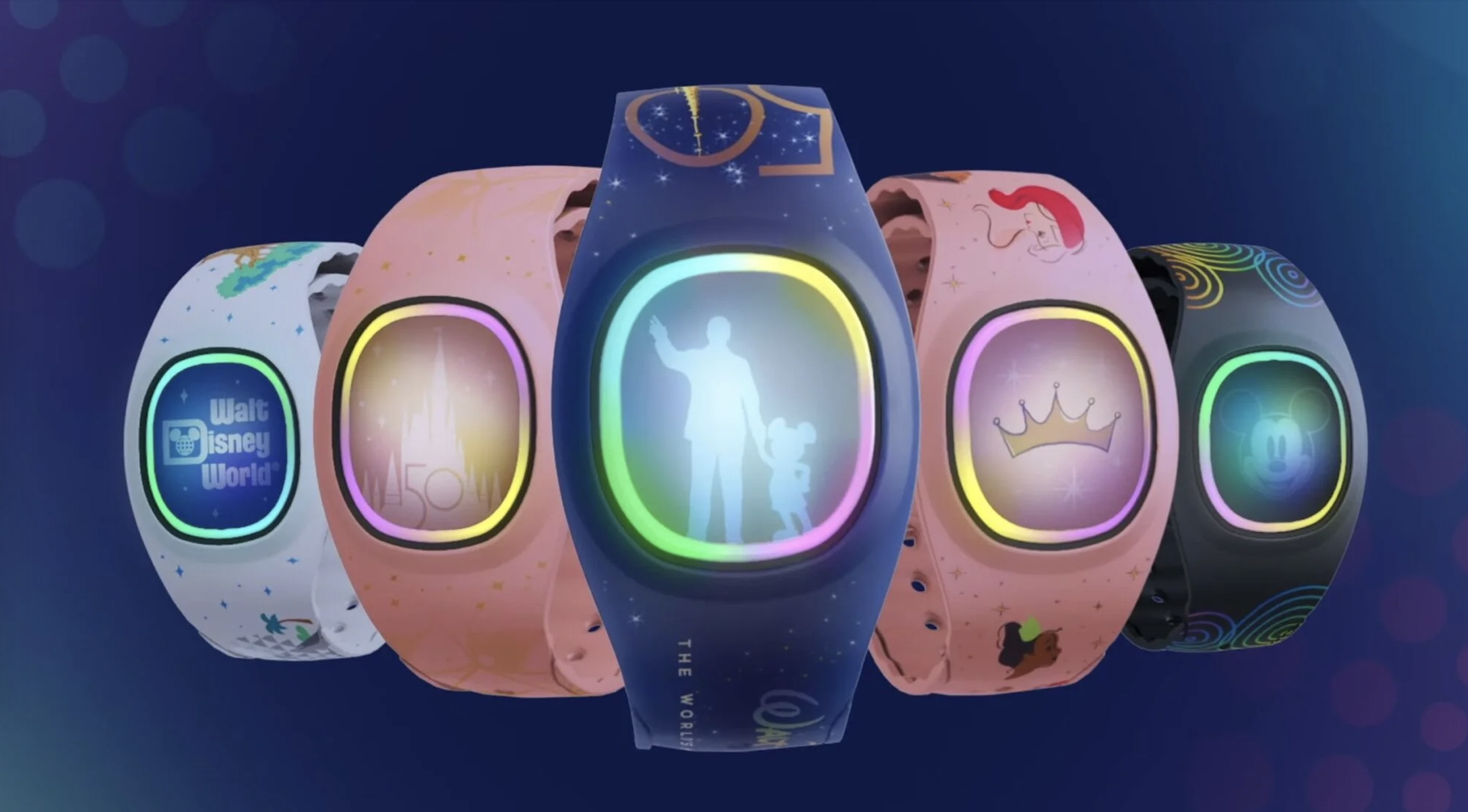
Disney’s Magic Bands serve a multitude of purposes for your stay at the parks.
What makes these devices expertly AI-engineered is the multi-layered data fusion approach. The system monitors consumer behavior, analyzes purchasing patterns, and provides Disney employees with real-time data to accommodate 140 million annual visitors more efficiently. The bands capture explicit interactions (tap-to-pay, ride entry) and implicit behavioral signals (movement patterns, dwell times, abandonment points) to create predictive models for crowd management and personalized experiences.
The result is a closed-loop system where AI continuously optimizes operational efficiency and guest satisfaction. This turns the entire park into a responsive environment that adapts to guest behavior patterns as they happen.
Your role as an AI mentor
Getting others to adopt AI across their personal and professional lives starts with advocacy and education. Consider offering your time and expertise to help others understand where they can integrate AI into their workflows and understand its impact. One of the easiest ways to advocate and get others interested is by demonstrating the value of AI in areas that matter most.
Keep these considerations in mind as you mentor others:
Meet people where they are: When mentoring, start with that person’s existing pain points, not your favorite AI tools. If someone struggles with spending hours on email, show them how AI can write initial drafts they can jump off from. If they struggle with data analysis, demonstrate how AI can surface insights from their spreadsheets. Connect AI capabilities to problems they’re already experiencing and need to solve anyway.
Show, don’t just tell: Live demonstrations beat theoretical explanations every time. Share your screen and walk them through real examples using their actual data or workflows. Let them see the before and after transformation in real-time. This builds confidence that AI isn’t just hype, it’s a practical solution to their immediate challenges.
Create learning pathways: Avoid dumping everything on them at once. Design a progressive learning path that builds from simple prompting to more advanced techniques like custom GPTs or workflow automation. Give them specific steps after each session, and check in regularly to troubleshoot issues before they become frustrating roadblocks.
Keeping up with other AI experts
Accelerate your own AI development faster by learning from the practitioners and experts who’ve mastered AI in their personal and professional lives. The Experts below have established themselves by scaling AI implementation across their organizations, building through hands-on experimentation, and broadly sharing their insights.
If you’re looking for more strategic guidance, tactical inspiration, or evolving best practices, here are a few sources.
Bret Taylor—Former Salesforce co-CEO; currently co-founder of Sierra AI and chairman of Open AI’s board. Taylor frequently shares insights on how business leaders should be using AI.
Andrew Ng—A founder of DeepLearning.AI, Dr. Ng is a globally recognized expert in AI and machine learning. He’s authored over 200 research papers in machine learning and robotics, and is a strong proponent of opening AI education access to everyone via online learning.
Sarah Guo—A venture capitalist passionate about AI-native “software 3.0” startups and accessible AI. Guo is the founder of Conviction, an early-stage venture capital firm, and co-hosts the podcast, No Priors, where she talks to the world’s leading engineers, researchers, and founders on the AI revolution.
Gadi Shamia—The CEO and co-founder of Replicant, Shamia previously helped TalkDesk go from a seed-stage to Unicorn. Shamia also hosts Dialed In, a podcast for CX innovators, where they touch on all things AI, customer service, and contact centers.
Methodology and how we scored the AI marketing maturity model
Talker Research surveyed 1,000 US-based marketing professionals and business owners with marketing responsibilities. The survey was commissioned by ActiveCampaign and administered and conducted online in English by Talker Research between May 21 and June 12, 2025. Some findings focus on Small Businesses (SMBs), defined as organizations with fewer than 500 employees. Respondents were sourced from a non-probability frame, using traditional online access panels and programmatic sources.
ActiveCampaign’s AI marketing maturity model was constructed through this survey and involved the creation of five question categories, each with distinct scoring weights that contributed to a composite score out of 100. These scores were then segmented into five maturity levels—Beginner, Developing, Intermediate, Advanced, and Expert—and included in our recent report, 13 Hours Back Each Week.
People at every AI maturity level can take steps to further their AI adoption and advocacy. There are endless use cases for AI agents in marketing, spanning across activities that help you imagine campaigns, launch and activate them, and then reflect and validate their successes.
Want to learn how you can enlist the help of AI marketing?