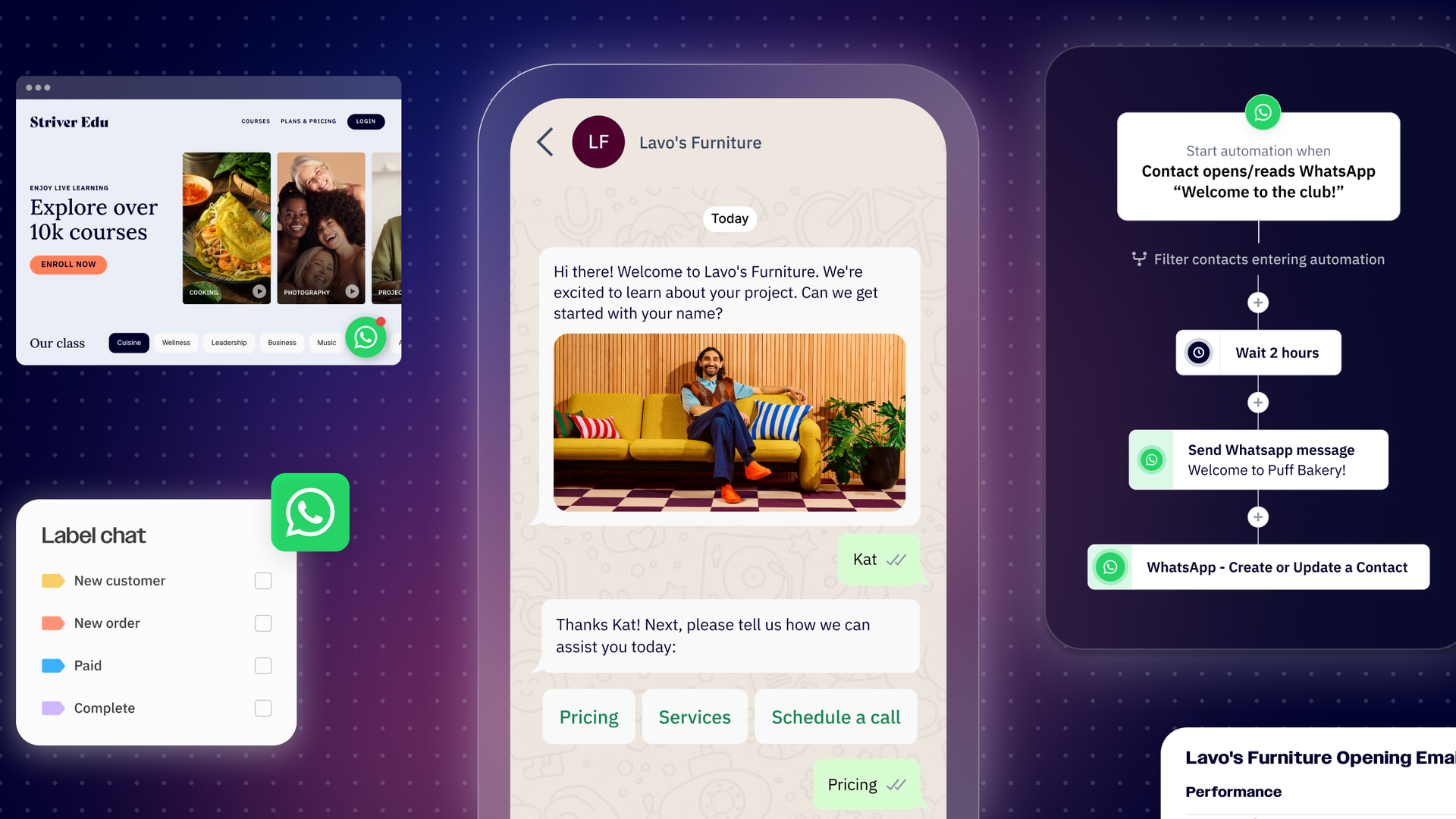
If you manage customer conversations at scale, you’ve likely run into some familiar challenges: repetitive questions that take up valuable time, leads slipping through the cracks, and customers expecting responses in minutes.
WhatsApp chatbots can solve these problems by automating routine interactions without sacrificing the personal touch that comes with one-on-one conversations. In this guide, we’ll walk you through what a chatbot is, why they’re essential for modern businesses, and how to build one for a variety of use cases.
What is a WhatsApp chatbot?
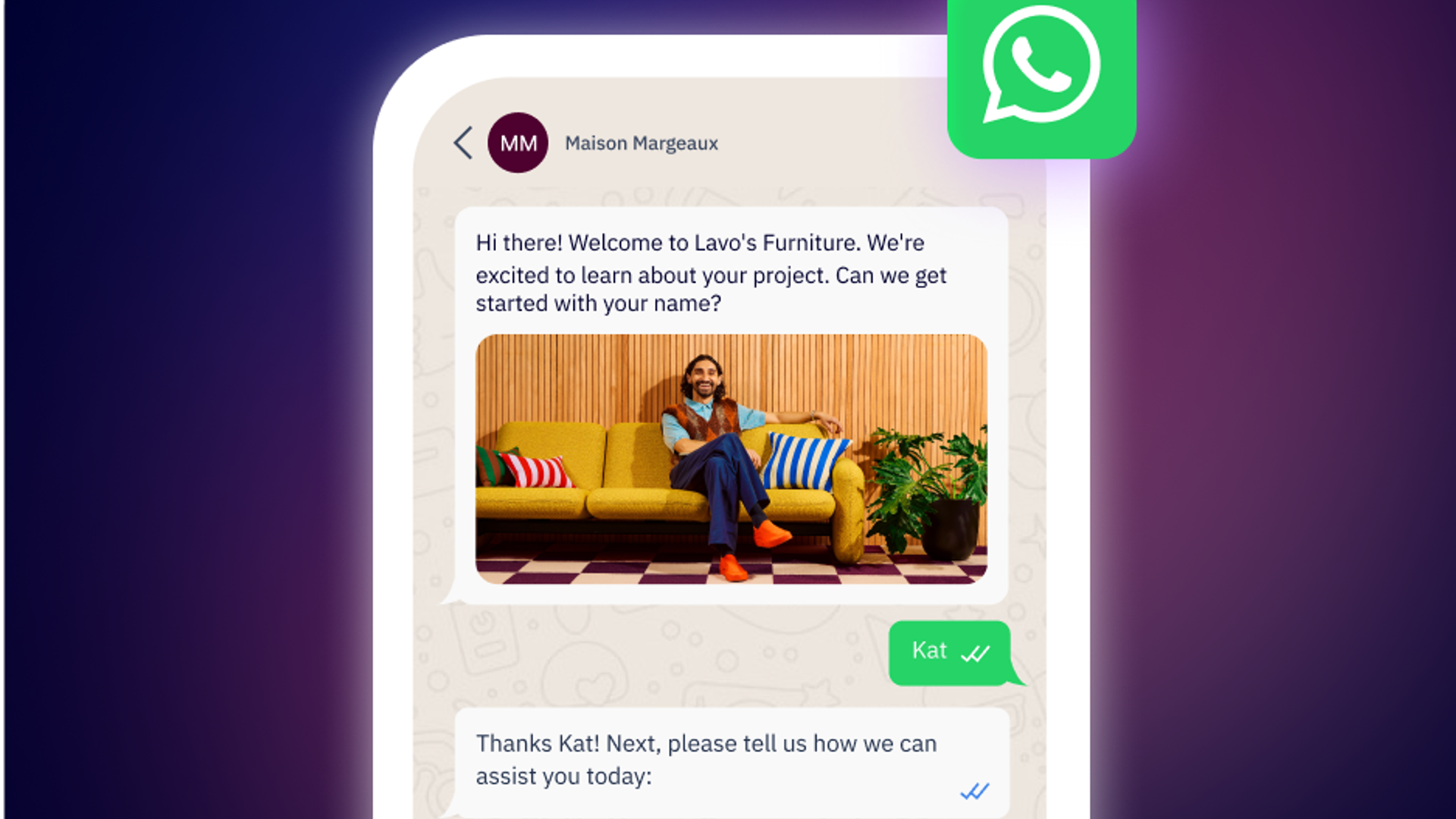
A WhatsApp chatbot is a piece of software designed to automatically interact with users through messages on WhatsApp. Think of a chatbot like a virtual assistant; it can answer questions, collect information, and perform actions based on customer inputs and needs.
Unlike basic auto-replies, chatbots use decision trees and conversation flows to understand messages and respond intelligently. In addition to answering questions, WhatsApp chatbots can:
- Collect and verify customer information
- Route conversations to the appropriate team member
- Send reminders and timely notifications
- Process orders, track shipments, and automate returns
- Profile and qualify leads before they reach your sales team
This creates a seamless experience for customers who can start a conversation like they would with any other contact and get a response from a chatbot. From airlines to banks to logistics providers, businesses are already using WhatsApp bots to quickly and automatically interact with millions of customers worldwide.
Why use WhatsApp chatbots?
With over 3 billion active users monthly across 180 countries, WhatsApp is one of the most popular messaging apps worldwide, making it the ideal channel for reaching customers where they already are. But managing conversations with hundreds, if not thousands, of customers is a near impossible feat—especially if your goal is to provide responsive and personalized experiences at scale.
A WhatsApp chatbot can handle all of those tasks and then some. Some of the key benefits to using a chatbot include:
- Delivering instant responses: Automated chatbots can interact with customers almost immediately, ensuring time-sensitive questions get answered and giving customers the instant support they need.
- Scaling without increasing costs: Unlike human agents, a chatbot can handle hundreds or thousands of conversations simultaneously without compromising quality. This enables brands to grow their customer base without needing to proportionally grow their support teams.
- Strengthening brand perception: By offering around-the-clock customer support, brands can strengthen their relationships with customers and demonstrate their commitment to providing excellent service.
- Saving time and resources. WhatsApp chatbots handle the routine tasks and handle simple queries, freeing human agents to focus on more strategic or complex work instead.
From input to output: Understanding how chatbots work
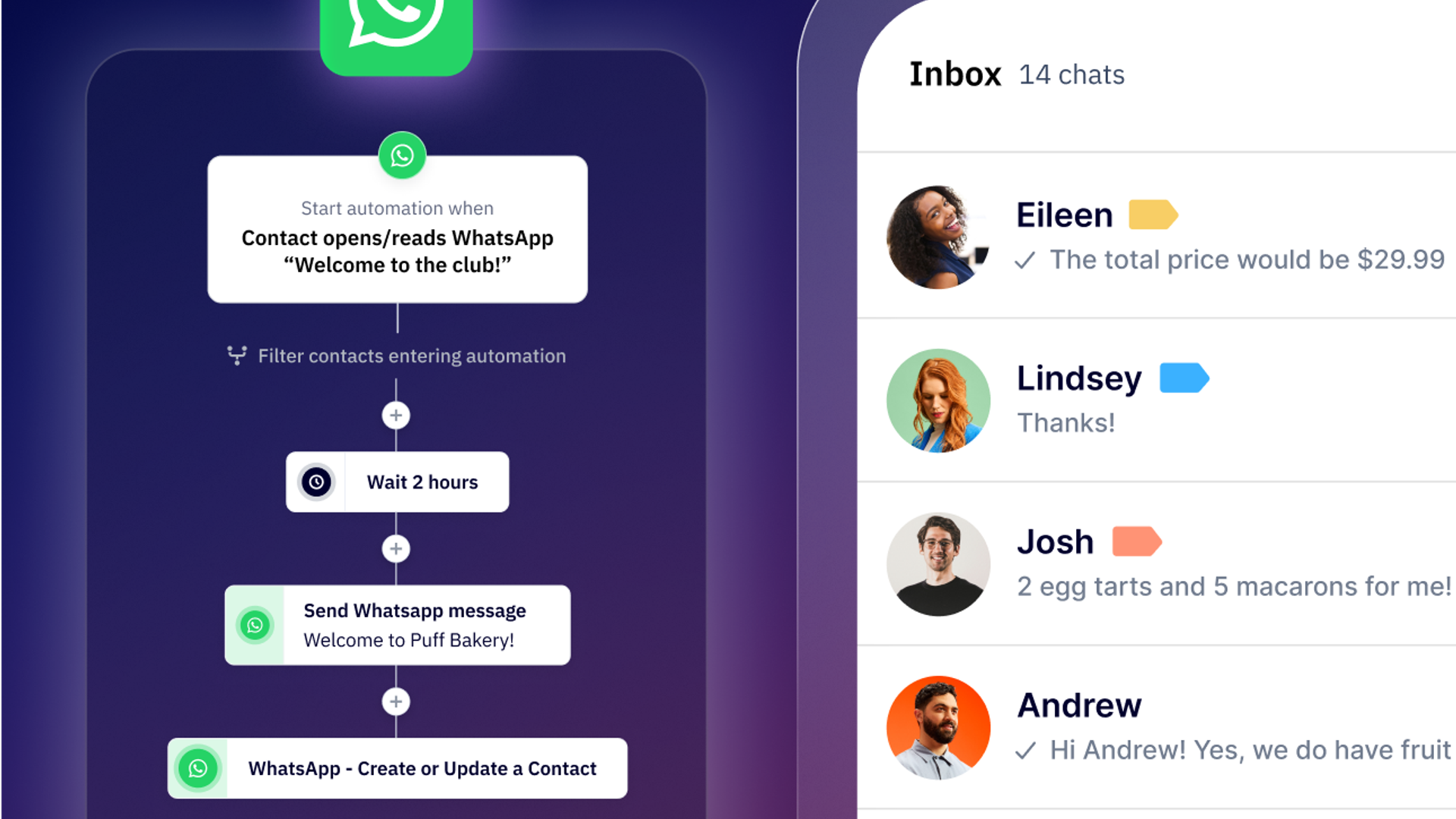
Once properly set up, a WhatsApp chatbot can identify incoming messages and use an algorithm or decision tree to provide the appropriate response. A basic flow might look like:
- A customer sends a message on WhatsApp
- The chatbot analyzes the context of the message using keywords, menu selections, or pattern recognition
- The chatbot responds with relevant information, a follow-up question, or an action
- The conversation continues through a programmed flow
- If needed, a chatbot can route the conversation to a human agent with complete conversation context
If you’re thinking this sounds technically complex, we’re here to say it’s not. You already have the majority of what you need: your frequently asked questions, common responses, user guides, and an internal knowledge base. A chatbot simply organizes all of this information into one cohesive and automated conversation flow.
WhatsApp Business vs. WhatsApp API
For legitimate and compliant automation, you must be using the WhatsApp API which is specifically designed for businesses that need automation and integrations with tools like CRMs, ecommerce platforms, and more.
The WhatsApp Business App only allows for basic scheduled responses. For the advanced chatbots like the use cases covered below, you’ll need the WhatsApp Business API and a platform like ActiveCampaign WhatsApp Messaging to build and deploy your chatbots.
From lead qualification to order tracking: Top use cases for chatbots
While the types of chatbots you build will depend largely on your business needs, there are several common use cases for bots deployed by companies across all industries.
1. Lead profiling and qualification
When you run a lead generation campaign, you’ll inevitably end up with more leads than you can manually manage and might even find yourself wasting time on unqualified leads. A WhatsApp chatbot can automatically score leads, asking qualifying questions upfront to determine:
- How well a lead fits your ideal customer profile
- What specific product or services most interests them
- Their budget and decision timeline
By profiling your leads upfront, chatbots ensure your sales team only engages with highly qualified conversations, filtering out prospects that aren’t urgent or serious.
2. Frequently asked questions (FAQs)
If your team is regularly bogged down answering common questions like what your business hours are or what your return policy looks like, you may want to consider a chatbot to handle these inquiries. These messages don’t need human intervention and a chatbot can provide instant answers to these questions, giving your team time back to focus on more complex inquiries. When organizing your conversation flows, consider the following best practices:
- Organize your FAQs by category with menu options
- Keep answers short and conversational
- Include links to additional resources as needed
- Always provide an option to get in touch with a human agent
3. Order status and shipment tracking
Building a chatbot to handle orders and shipping is especially valuable for ecommerce or logistics companies. A WhatsApp chatbot can help customers look up their orders and provide real-time tracking information, and even handle the returns process. For advanced logistics automation, chatbots can automatically send delivery notifications, allow customers to reschedule their deliveries, and collect feedback immediately after completion.
4. Interactive tools and calculators
To help customers make a decision, some companies build chatbots to create interactive tools like a loan calculator or credit estimator to engage with prospects. An insurance provider, for example, might build a chatbot to collect information from prospects about their coverage needs to generate an instant quote. From there, they can pass this information off to an agent who has the information they need to properly serve customers during a consultation call.
5. Schedule appointments and reminders
For service-based companies, chatbots can handle the entire scheduling workflow from checking availability to confirming appointments to rescheduling as needed. WhatsApp chatbots can be programmed to let customers book an appointment during their conversation, send confirmation and reminder messages, and even collect feedback post-appointment. All this helps reduce no-shows, eliminates scheduling friction, and saves administrative time.
6. Personalized product recommendations
Ecommerce businesses can set up WhatsApp chatbots to act as a virtual shopping assistant, using customer preferences and past behaviors to recommend new products and services. Chatbots can also be trained to answer questions about specific recommendations and provide direct purchase links, creating a consultative shopping experience that’s both customizable and scalable.
Building your first bot: A step-by-step walkthrough
Creating a WhatsApp chatbot is easier than it may sound, and requires little to no technical skill when you use a platform like ActiveCampaign WhatsApp Messaging. With our no-code workflow builder, you can build sophisticated workflows in just a few simple steps.
Step 1. Identify your platform of choice
When choosing a platform, you’ll want to confirm it can connect to the WhatsApp API and consider the following criteria:
- How easy is it to use? Does it use a visual workflow builder or require technical coding expertise?
- Does this platform connect to your CRM, ecommerce platform, or other marketing systems?
- Can it pull data in real-time from your internal databases?
- What metrics can you track for future optimizations?
WhatsApp Messaging offers all of these capabilities including a visual, no-code builder that makes chatbot creation accessible to anyone, not just engineers or developers.
Step 2. Connect to the WhatsApp API
Before you connect your platform to the WhatsApp API, you’ll need to create your Meta Business Manager account and verify your business. After you’ve registered your phone number with WhatsApp, you can connect your chosen platform and start creating message templates and conversation flows.
Step 3. Build your conversation flow
Map out what your conversation flow looks like before you begin building your chatbot, defining:
- What triggers the chatbot
- What questions the chatbot should ask
- What response options customers have at each step
- How chatbots respond to different inputs
- When a conversation should be routed to a human agent
Start simple and add complexity over time. As you consider the different conversation workflows you’re likely to encounter, using visual tool builders to sketch out your flow and testing logic with other team members can help you build efficient flows.
Step 4. Build your chatbot
Once you’ve defined your conversation flow, building a chatbot in a platform like WhatsApp Messaging is straightforward.
- Create a new flow in the visual workflow builder
- Name your chatbot and define its purpose
- Establish the chatbot trigger (what activates your bot?)
- Add conversation steps
- Connect to your marketing tools if needed (e.g. CRM, ecommerce, databases)
- Set up routing rules for when and how human agents should take over
Step 5. Create message templates
To initiate a conversation with customers, you need to create message templates and submit them for approval before you can use them. For your bots, consider building templates for:
- Initial bot greeting messages
- Common response patterns
- Information delivery messages
- Handoff messages to human agents
Step 6. Test, test, and test again
Before releasing your chatbot into the wild, it’s critical you test every possible path through your chatbot and confirm the logic is sound. This includes testing all the different ways a customer might ask a question, ensuring all the buttons and menu options work properly, verifying any API connections work, and checking that personalization variables correctly populate.
Step 7. Launch and monitor
Once your testing is complete, it’s time to activate your chatbot and monitor its performance. This includes tracking completion rates, monitoring where customers drop off, reviewing which conversations are escalated to human agents, and collecting feedback from both your team and customers. This information is critical for refining your flows to ensure chatbots remain useful and valuable to both you and your customers.
See these WhatsApp chatbots in action
The best way to understand what’s possible with WhatsApp chatbots is to see them in action. From international money transfer to health insurance quotes, here are two businesses using chatbots to solve their real-world problems today:
Balam
Balam, a cryptocurrency platform, lets people send money to over seven Latin American countries over WhatsApp. Customers can transfer funds in minutes instead of days, all without fixed transaction fees. Balam’s chatbot handles everything from account verification, transfer and recipient details, real-time exchange rate calculations, payment processing, and transfer confirmation and tracking.
Sofia Salud
Digital health startup Sofia provides comprehensive health insurance and uses WhatsApp for their marketing and customer service operations. With WhatsApp Messaging, Sofia built a chatbot that instantly routes customer conversations to the appropriate team member and can profile prospects to better understand their policy and quote needs.
Transform customer engagement with WhatsApp chatbots today
WhatsApp chatbots help businesses deliver instant, personalized support at scale, a task that’s near impossible with human teams alone. By automating repetitive tasks, qualifying leads before they reach your sales team, and providing 24/7 support, chatbots both improve the customer experience and operational efficiency.
Whether you’re looking to reduce support costs, speed up sales qualification, improve delivery experiences, or simply be available to your customers around the clock, WhatsApp chatbots are a proven solution that scales with your business.
Ready to build your first WhatsApp chatbot? See how ActiveCampaign WhatsApp Messaging makes it easy to create, deploy, and manage chatbots that drive business results today.
Frequently Asked Questions
How does ActiveCampaign help businesses build and deploy WhatsApp chatbots without coding experience?
ActiveCampaign empowers businesses to build and launch WhatsApp chatbots using a no-code, visual workflow builder. This intuitive interface allows you to map out conversation flows, set triggers, and automate responses without any technical or coding skills required. You can create sophisticated, automated customer journeys on WhatsApp in just a few steps, making advanced automation accessible to marketers, agencies, and business owners alike.
What integrations does ActiveCampaign offer to connect WhatsApp Messaging with other marketing tools and CRMs?
ActiveCampaign offers over 1,000 integrations, enabling you to seamlessly connect WhatsApp Messaging with popular marketing tools, CRMs, ecommerce platforms, and other business systems. This includes direct integrations with platforms like Salesforce, Shopify, WordPress, and more, so you can unify customer data, automate cross-channel campaigns, and keep your CRM updated in real time.
Can I use ActiveCampaign to automate lead qualification and customer support on WhatsApp?
Yes, ActiveCampaign lets you automate lead qualification and customer support on WhatsApp by using chatbots and workflow automations. You can set up bots to ask qualifying questions, score leads, provide instant answers to common inquiries, and route conversations to the right team member when needed—ensuring every customer gets timely, personalized support while your team focuses on high-value tasks.
How can WhatsApp chatbots streamline marketing campaigns by automating responses to frequently asked questions?
WhatsApp chatbots can instantly answer common customer questions—such as business hours, return policies, or product details—without human intervention. By automating these routine responses, marketing teams save time, reduce support workload, and ensure customers always receive quick, consistent information, keeping campaigns running smoothly and improving satisfaction.
What features in WhatsApp chatbots help businesses send personalized product recommendations at scale?
WhatsApp chatbots can use customer data, preferences, and past behaviors to deliver tailored product recommendations in real time. With ActiveCampaign, you can automate these recommendations using dynamic content and segmentation, ensuring each customer receives relevant suggestions that drive engagement and boost conversions—no manual effort required.