

Email marketing lead generation is the practice of capturing opt-in contacts through forms and landing pages, sorting them by source and intent, and nurturing them with automated email until they're ready to talk to sales. A subscriber has given you permission to contact them. A lead is a hand raiser who is close to buying or ready to buy.
Most small teams send campaigns on a steady schedule, yet lead generation still feels like a string of one-off pushes: a new lead magnet here, a form tweak there, and no reliable system underneath. It works best when you build it as a connected system where each stage feeds the next automatically. This guide shows you how to capture qualified contacts, sort them, nurture them automatically, and hand sales-ready leads off while they're still warm.
I would think of a subscriber as someone who’s giving you permission to contact them, and then a lead as someone who is a hand raiser of, I’m pretty close or I am ready to buy.
Where does email fit in lead generation?
Email marketing can capture and qualify leads, but it earns its place as the owned channel that keeps every other source of leads warm. A pricing page form or a paid social click may capture a lead faster, while email lets you stay in touch for as long as that person remains a contact.
Email is an owned channel. The list is an asset your team controls, unlike rented audiences on social or paid platforms, where costs rise and reach shifts without warning. A paid channel also stops the day the budget does, while email keeps working for as long as someone stays a contact.
That staying power pays off most with buyers who research for months. At some point one email resonates, and yours is the first company they think of when they're ready to buy.
Four elements need to be in place for email lead generation to work:
- Qualified capture: offers, pages, and forms that attract buyers
- Automatic sorting: tags, fields, and segments applied on entry
- Consistent nurture: automated follow-up matched to what each contact wants
- A clean handoff: sales-ready leads reach a rep quickly, with context
This guide covers permission-based email lead generation rather than cold outreach. Opt-in, owned-list growth compounds over time, while cold lists burn deliverability and trust. Contacts you collect at events or from cold lists belong with a sales or success rep first, and any email they receive should read as plain and one-to-one. Email platforms, including ActiveCampaign, prohibit uploading a purchased cold list, and senders who try risk being flagged and shut off.
How email leads move through the pipeline
A lead moves from traffic source to landing page or form, then to list, tag, and custom field assignment, segmentation, scoring and qualification, nurture automation, CRM handoff, and pipeline reporting.
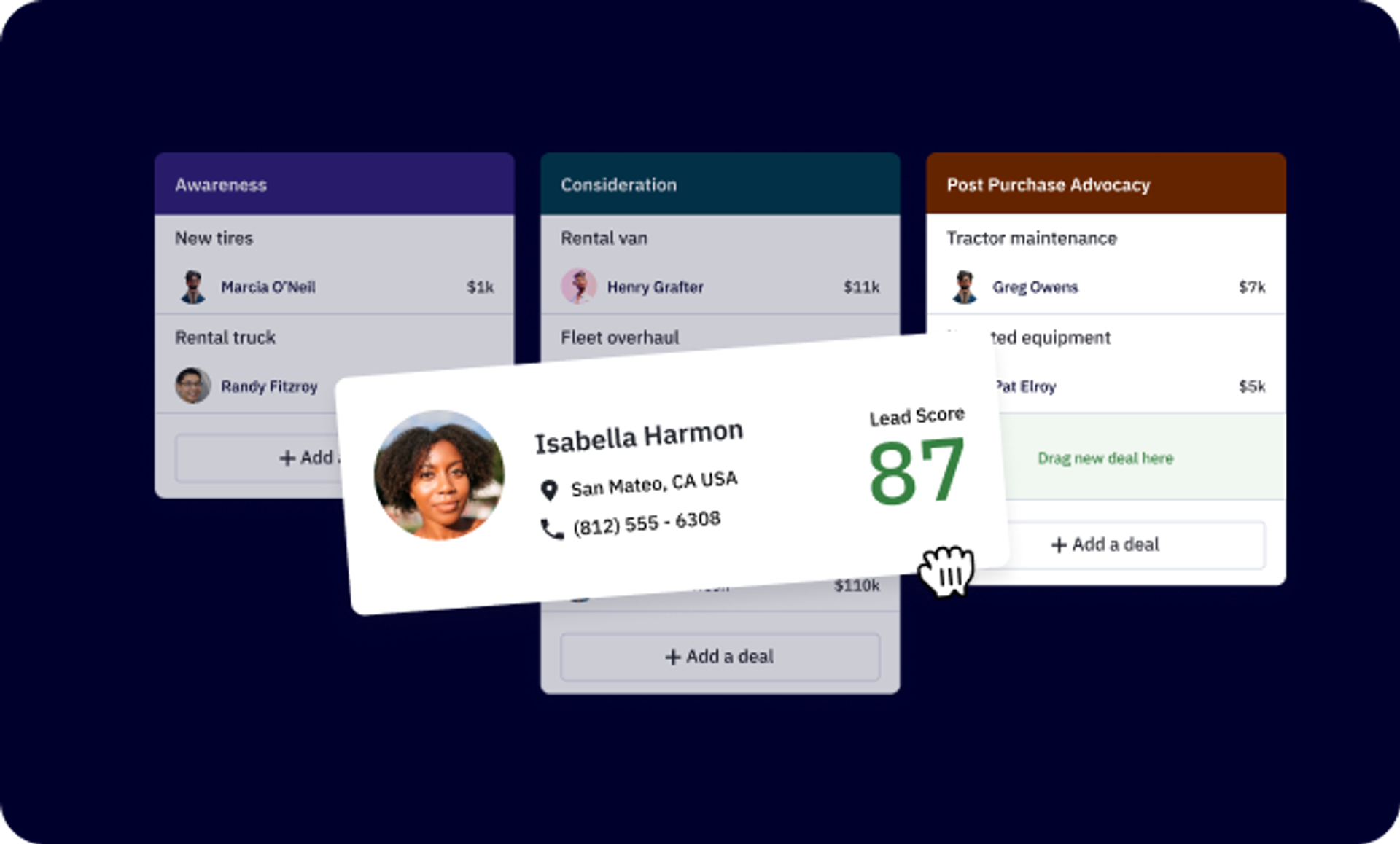
Teams that generate pipeline from email plan that whole path before the first send. They decide which action each campaign should drive, what happens after someone takes it, and which follow-ups a signal should trigger. Judging a campaign by opens and clicks alone hides whether anyone acted.
ActiveCampaign's own lifecycle team saw this on a recent launch. Three awareness emails drew engagement, yet contacts weren't activating the feature the emails pointed to. The next step was triggered sends based on product signals, such as inviting a contact who pulls the same report by hand every month to schedule it instead.
Three breaks account for most stalled email leads, ranked here from most to least common at an established team:
- Nurture is one-size-fits-all because nothing sorted contacts on entry
- Contacts land in a generic list with no source or interest data attached
- Sales-ready leads sit untouched because the handoff is manual
One-size-fits-all nurture comes first. AI has raised the bar, and swapping a sentence or two by industry or usage no longer reads as personal. A flat open rate often points to the same problem: one message going to several audiences.
Missing source data comes next, and it tends to appear when something new launches, because tracking lags behind the pace of what you ship. Manual handoff ranks last at an established company, yet it's the first break many founder-led teams hit, especially when sales runs from a spreadsheet.
Each break has a cost you can feel: low-intent contacts that stall out, declining engagement as the list ages, and leads that go cold before anyone follows up. The best fix is to connect every stage, so campaigns, scoring, and actions run on full context without anyone copying data between tools.
Choose lead generation software that prioritizes automation and cross-channel orchestration. ActiveCampaign puts forms, landing pages, segmentation, automations, and the built-in CRM on the same contact record, so a lead's source, behavior, and score travel with them instead of living in separate tools. A single form submission can tag the contact, add them to a nurture flow, start scoring their behavior, and create a deal when they qualify. Site and event tracking keeps feeding that record after capture, so page visits and clicks keep informing segmentation and scoring.
3 best practices to attract qualified leads
A captured email address isn't a lead. Volume without intent fills a database with contacts sales will never want. Qualification should start at the point of capture, because the offer, the page, and the form decide whether you get a buyer or a browser.
1. Choose lead magnets that attract buyers, not browsers
Six capture methods cover most lead generation setups:
- Lead magnets: a template, checklist, or guide traded for an email address
- Gated resources: longer content that sits behind a form
- Newsletter signups: a recurring reason to share an address
- Webinars: live or recorded sessions with registration
- Free trials or demos: a direct request to try the product
- Discounts or offers: a first-purchase incentive for contact info
The offer itself filters intent. A generic ebook attracts browsers, while an ROI calculator, pricing guide, or implementation checklist attracts buyers. The strongest magnets sit next to your product and show readers how to act on what they just learned.
Before and after on the same topic: a blog post that explains what a CRM is attracts browsers. A CRM spreadsheet template with ready-made stages, such as contacted, didn't respond, and booked a meeting, attracts people who are ready to build one.
ActiveCampaign in action
ActiveCampaign's free CRM spreadsheet template answered the question blog posts left open: what to do next. Visitors got a working pipeline, and when their business grew, importing it into ActiveCampaign's CRM was a quick step. A webinar template worked the same way, close to the product and useful on its own.
Give value more than once before you ask for anything. A reader who got help without a sales pitch remembers that when it's time to choose a vendor.
The give, give, give, ask, where you’re giving them a lot of high value, high value, high value. And then you finally ask for what you’re looking for.
Map each magnet to a funnel stage so you know what a download signals. Active Intelligence can surface industry trends and demand signals that help you build stat-backed lead magnets and newsletters that attract qualified sign-ups.
2. Design forms that qualify leads at the point of capture
Ask for as little as you can on the first form. For most offers, an email address is enough, and a name often autofills on its own. Add a phone number only when you want a call, and collect it in the booking step.
This is a recommendation from ActiveCampaign's lifecycle team rather than the result of a field-count test, though the team has seen drop-offs on long forms.
Progressive profiling keeps first forms short: ask for the email first, then collect role, company size, or main challenge on later forms instead of one long form. If you add a qualifying field, keep it to one or two, such as "What are you hoping to solve?" or team size, and use each answer to route the contact. Do the rest of the qualifying work on your side: enrichment tools can fill in company details, an agent can research the gaps, and the first call can cover the rest.
A booking page works as a second, lower-friction form. It can ask two or three questions, such as budget or project size, so the lead arrives qualified and the rep skips basic data collection. A painting company, for example, could send an autoresponder with a booking link and learn the room count and square footage before the first call.
Short forms bring more volume, and qualifying forms bring better quality. Match the form to the ask: a white paper download needs only an email address, while a demo request can justify a phone number and one qualifying question.
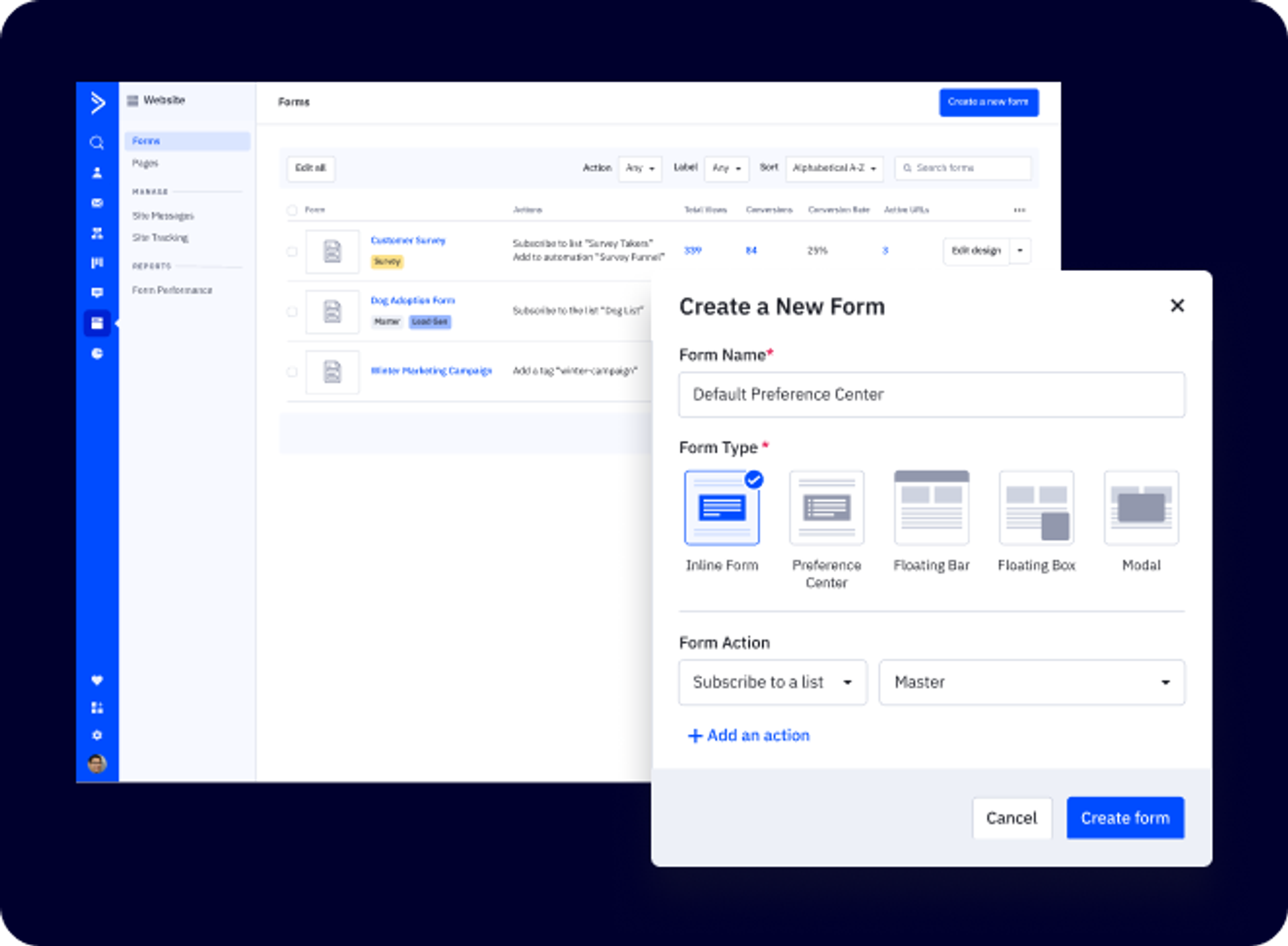
ActiveCampaign forms can apply tags, subscribe contacts to lists, add them to an automation, and create a deal on submission, so a new lead enters an automated follow-up sequence the moment they convert. For layouts to borrow, see these examples of lead generation forms.
3. Build landing pages that convert the right visitors
A high-converting lead generation landing page has one offer, a specific headline, proof, a short form, and one call to action. Send each traffic source to its own page, written for the intent that source brings.
ActiveCampaign's Landing Page Builder offers a drag-and-drop editor and templates built for conversion, with site and event tracking that triggers campaigns from page views and button clicks. See how landing page automation works for the follow-up.
How to sort and score email marketing leads
Organize contacts on entry so the right people get the right follow-up and sales only sees leads worth their time.
Four building blocks handle most sorting:
- Lists: permission and subscription
- Tags: source and interest
- Custom fields: fit data such as role or company size
- Segments: groups that update automatically, built from all three
A contact might download a pricing guide from a LinkedIn ad, get tagged by source and interest, have their role saved to a custom field, and land in a "high-intent SMB" segment. ActiveCampaign's segments and tags sort each new lead by source, interest, and behavior automatically on entry, so nurture stays relevant instead of one-size-fits-all.
Start lead scoring with the signals you already have
Start with pricing page visits, contact sales requests, trial sign-ups, and, for ecommerce, abandoned carts. Rank them by how close each one is to a purchase, since an item added to a cart signals more than browsing, and a pricing page visit signals more than a product page visit.
A simple model scores two dimensions: behavior (what they do) and fit (who they are).
Sample scores (illustrative)
| Signal | Type | Points |
|---|---|---|
| Pricing page visit | Behavior | +15 |
| Email click | Behavior | +5 |
| Webinar attendance | Behavior | +10 |
| Demo request form | Behavior | +25 |
| Target role or company size | Fit | +10 |
| No engagement in 30 days | Behavior | -10 |
Treat these numbers as examples. There's no standard scale, and most teams set their own values based on what each page or action says about intent in their business. One team might score a pricing page visit at 30 and a demo form at 45.
The most common mistake is skipping scoring altogether. Scoring also needs content to work with: when few pages signal buying intent, contacts have little to earn points on. Build content for each funnel stage first, then set up the scores.
Do you need lead scoring yet?
Lead scoring pays off once you have more leads than people to call. A demo request always earns a call, while scores help you decide who to contact next when you can't reach everyone.
ActiveCampaign Lead Scoring assigns points automatically based on opens, site visits, and downloads, and an automation can notify sales or advance the deal when a contact crosses your threshold. For a full walkthrough, see our guide to lead scoring.
Don’t let hot leads go cold: nurture, handoff, and reporting
Lead generation only turns into revenue when you nurture your leads and follow up properly. This section covers the nurture sequence, the handoff to sales, and the reporting that proves the system works.
Build nurturing sequences that turn interest into intent
Build these three sequences first, in this order if you're a lean team:
- A sales-intent follow-up for high-scoring contacts
- A welcome series that sets expectations, delivers the offer, and introduces the brand
- An educational nurture mapped to the contact's stated challenge
Set your cadence by your sales cycle. Ask how long a deal takes to close, then space the touches to match. A software onboarding series can run 90 days, while an ecommerce follow-up may need only two or three emails asking how the product is working and inviting a review.
Reference the offer they requested in the subject line, keep one clear call to action per email, keep body copy short, and space the touches across several messages.
Write a prospect's first touch as one person writing to another. A note that names what the customer did and what you did about it reads as personal even when it goes to a list. One consumer brand did this after a customer reported a defective product: a note from its product director said what went wrong, that it was fixed, and offered 50% off a return purchase.
Personalize with what you captured, including name, role, company, stated pain point, lifecycle stage, and behavior, rather than relying on a merge tag alone. Repeat visits to a page and form answers say more about what someone wants than a first name does.
Active Intelligence proactively drafts full campaigns, automations, and next steps grounded in the account's real history and audience. That shortens the time between spotting an opportunity and sending the email. Review each draft before it goes out, since AI can get details wrong. For more on sequences, see our guide to lead nurturing.
Hand sales-ready leads off while they're still warm
Define a clear trigger for sales readiness: a score threshold crossed, a high-intent action such as a demo request or pricing page visit, or fit criteria met. Respond fast once it fires. A lead should hear back within two to three hours, because when a prospect asks several companies for a quote, the first to reply typically wins.
At that moment, an automation can create a deal in the pipeline, assign it to a rep, notify them, and create a follow-up task with the lead's full history attached. Each of those steps is a single automation action. Add the lead's context to the deal notes and the task as well, including which offer, which emails, and which pages, so the rep starts with the full story.
ActiveCampaign's built-in CRM and Deals pipeline removes the manual handoff step, so leads don't stall between marketing and sales. A deal stage change can also trigger marketing follow-up in the other direction.
If sales still runs from a spreadsheet, start with three stages: contacted, didn't respond, and booked a meeting. Add more as the process matures. For a one-off campaign without a built-in handoff, pull the contacts who engaged and give that list to sales.
A handoff works when marketing and sales build it together. Learn what has closed deals before and how reps already work, then design the process around that workflow.
Often I have found sales reps don’t follow the marketing process, not because they don’t want to, but because it either doesn’t fit into their current workflow, or they haven’t yet understood the value.
Low usage is a signal: either the process doesn't fit the workflow or the value hasn't landed yet.
Report what email contributes to pipeline
Go past open and click rates to the metrics leadership funds:
- New qualified contacts by source
- MQLs
- SQLs
- Pipeline generated
- Revenue influenced
- Conversion rate by campaign or lead magnet
Match the depth of reporting to the stakes. For a high-visibility campaign, track how many people took the action you asked for, then review what worked, where the opportunity is, and what to avoid next time. Use those answers to plan the next campaigns, usually a mix of triggered and one-off sends.
Label revenue and conversions as attributed or influenced when the email's single action isn't a purchase, since the campaign contributed to the result without directly causing it. ActiveCampaign reports engagement metrics out of the box, while revenue influenced and conversions depend on your integrations and plan.
Report weekly on capture and conversion, and monthly on MQL-to-SQL conversion and pipeline contribution. Attribution and revenue reporting in ActiveCampaign connects email activity back to pipeline, and contact-level reporting shows the full path from click to landing page to conversion for an individual person. Autonomous Insights surface performance trends, industry benchmarks, and recommended next steps on the homepage without prompting, which helps when no one has time for a reporting review.
Turn email into a reliable lead generation system
Start with the end goal. Decide what problem you're solving for yourself and your contacts, such as how to grow your customer base, lead with that strategy, and then build it or ask Active Intelligence to draft it for you. Keeping the goal in view keeps the first build in scope.
Always start with the end goal in mind. What problem are you trying to solve for yourself and your contacts?
Recap the system one stage at a time:
- Capture qualified contacts
- Sort them on entry
- Nurture them automatically
- Hand them off cleanly
- Measure pipeline impact
You don't need to build it all at once. Start with one high-intent offer, one landing page, one tagging rule, and one nurture flow, then add scoring and CRM triggers. Speed matters more than polish until you have data, because you can't know what will work before you launch. With Active Intelligence drafting, a first working version can take 15 to 30 minutes, and an AI Brand Kit and custom instructions can shorten that.
Protect time for the work that moves the needle, such as sales outreach, nurture emails, and onboarding new customers. Setup work can start to feel like progress when it's really a way to avoid those tasks. Automation and Active Intelligence handle the assembly and the pattern-spotting, while you keep the decisions that matter: who to talk to, what to offer, and what your brand sounds like.
Start building your lead generation system
Try ActiveCampaign free for 14 days and build your first email lead generation workflow on your own data.
FAQs
What is email marketing lead generation?
Email marketing lead generation is the process of turning opt-in contacts into sales-ready leads using forms, landing pages, segmentation, scoring, and automated email. A subscriber has given you permission to contact them, and a lead is a hand raiser who’s close to buying. Quality matters more than volume, because a captured address becomes a lead only once it shows intent.
How do I capture qualified leads instead of just more subscribers?
Offer something close to your product that shows people how to act, ask for as little as you can on the first form, and qualify further through a booking step, enrichment, or the first call. Give value more than once before you ask for the sale.
How many form fields should a lead generation form have?
As few as possible. For most offers, an email address is enough, and you can collect a phone number in the booking step if you want a call. This is practical guidance rather than the result of a field-count test, and one or two qualifying fields can help when they route contacts to different follow-up.
What’s the difference between email lead generation and cold email outreach?
Email lead generation works with people who opted in, so the list is an owned asset that compounds. Cold outreach sends to people who haven’t agreed to hear from you, which puts deliverability and trust at risk, and email platforms prohibit uploading purchased cold lists. Contacts from events or cold lists belong with a sales or success rep first.
When should a lead be handed off to sales?
Hand a lead off as soon as it shows the intent you’ve defined, such as a demo request, a pricing page visit, or a score threshold. Respond within two to three hours, since the first reply typically wins. A demo request always earns a call, while scores help you prioritize when leads outnumber your reps.


