ActiveCampaign vs. Constant Contact
Simple email marketing for getting started versus an AI-driven automation platform built to grow with you.
Simple email marketing for getting started versus an AI-driven automation platform built to grow with you.

We're so confident you'll grow with us, we'll give you a full refund if you're not satisfied after 30 days.
Between ActiveCampaign and Constant Contact, how do you know which platform will be right for you and the unique needs of your business?
Whether you’re in need of automation, contact management, or reporting, both platforms technically have you covered. But the reality is that you’re choosing between two tools built for very different stages of business maturity.
Choosing the right email marketing platform shapes how your business communicates, sells, and scales. This guide offers a practical, side-by-side comparison of ActiveCampaign vs. Constant Contact to help really understand the differences between what the two platforms offer, and how that shapes your day-to-day work.
Both ActiveCampaign and Constant Contact help businesses connect with their audiences via email. The key difference is what happens after “send.”
Constant Contact emphasizes that email marketing can be easy, centering on quick creation and light-to-moderate automation.
ActiveCampaign is an autonomous marketing platform designed to build and optimize advanced cross-channel journeys for serious growth.
Here's a high-level look at how the two platforms compare across key categories:
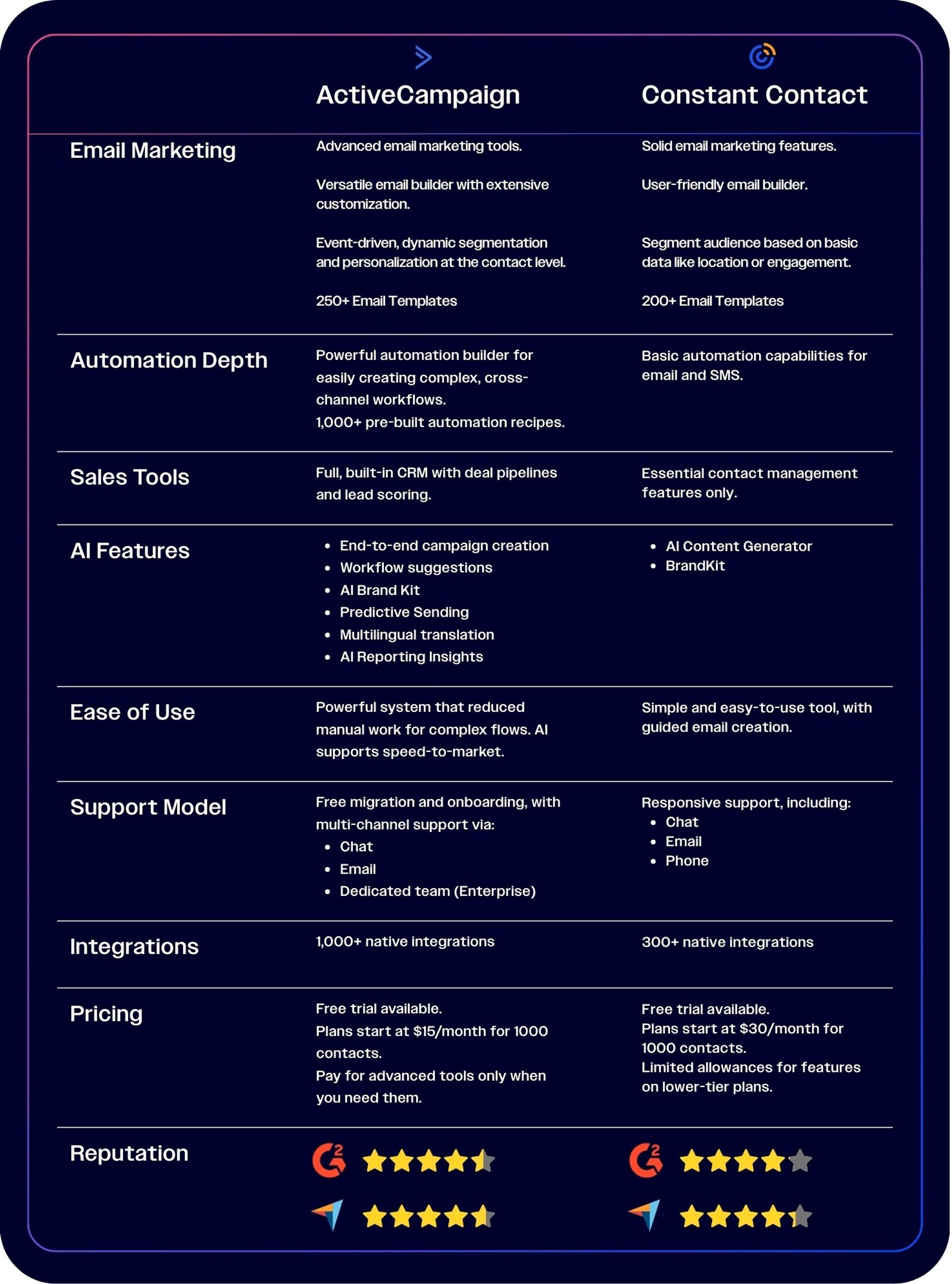
Comparison data accurate as of February 2026.
Feature names often sound similar across platforms, so it can be difficult to know which suits you better. The depth of each feature and the implementation effort required to get them working matter much more than labels.
What requires manual scheduling and repeated setup in Constant Contact can often be handled automatically in ActiveCampaign.
Let's take a closer look at how features actually work in each platform.
The automation depth is a significant difference between ActiveCampaign and Constant Contact:
ActiveCampaign's platform is built for autonomous marketing, with the automation engine standing out as a defining feature.
Constant Contact’s automations are limited to implementing simple triggers for common campaigns.
ActiveCampaign offers a visual automation builder with advanced multi-step logic that can be based on extensive triggers, actions, and goals. 45 triggers are available across 11 categories—including site behavior like email engagement, purchases, and custom events—and more than 50 actions are available for the Plus plan and higher.
You can embed CRM actions directly inside automations to update deals, score leads, and assign tasks automatically so that your campaigns, customer data, and sales team are always synced.
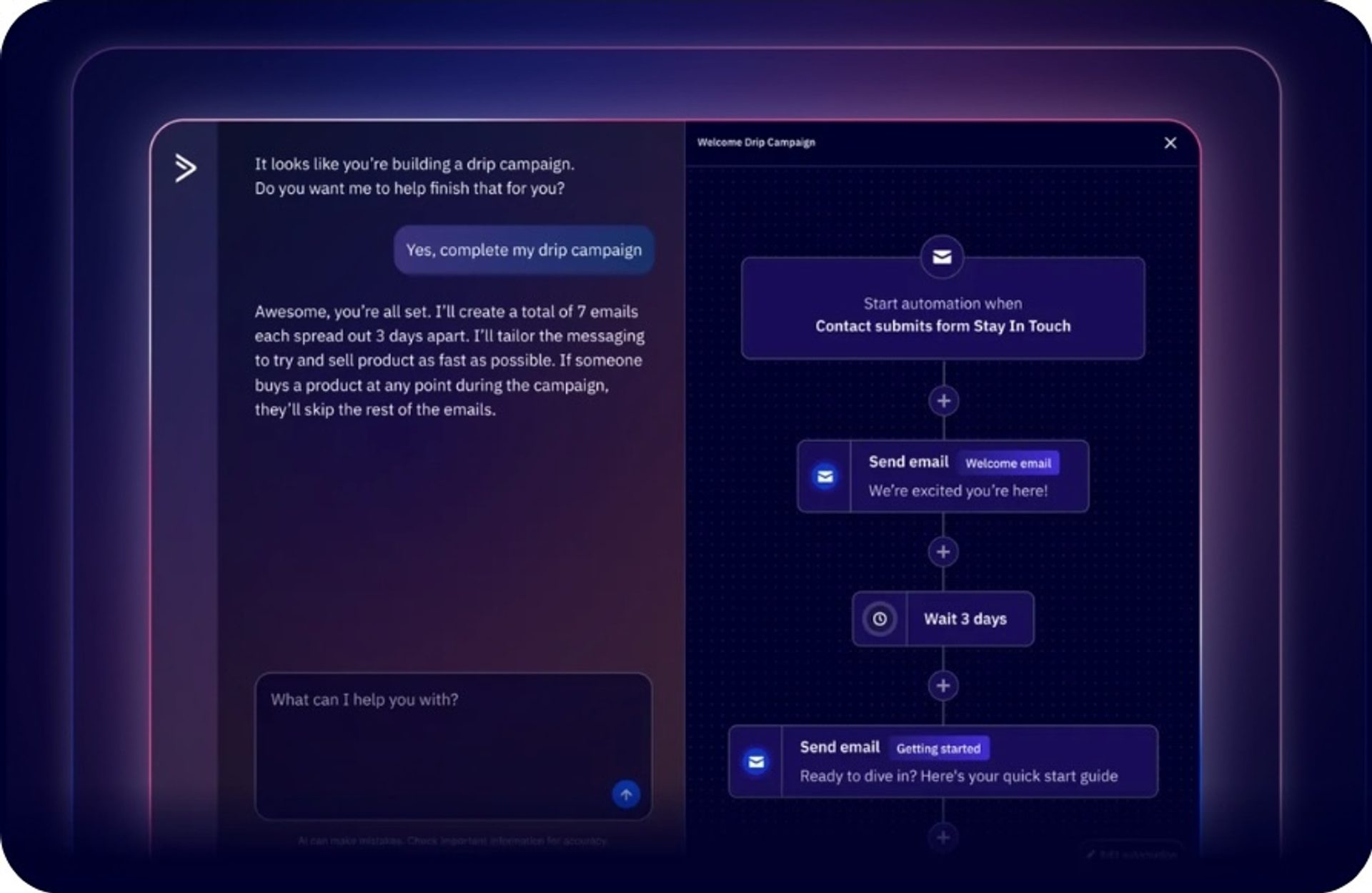
Automations in ActiveCampaign are easy to set up too. AI agents handle strategy and execution automatically. They coordinate cross-channel campaigns over email, SMS, and WhatsApp channels based on billions of data points. The platform also includes 1,000+ pre-built automation recipes to fast-track your strategy.
Plus, there's no limit to the number of workflows running simultaneously.
Constant Contact takes a simpler approach. Its automation covers basic routing flows for email and SMS messages only. Some popular message types include:
Most users stick to these basics because the customization is extremely limited: Constant Contact only allows one trigger to be selected per automation and custom automations are available to Premium customers only—at a minimum of $80 per month.
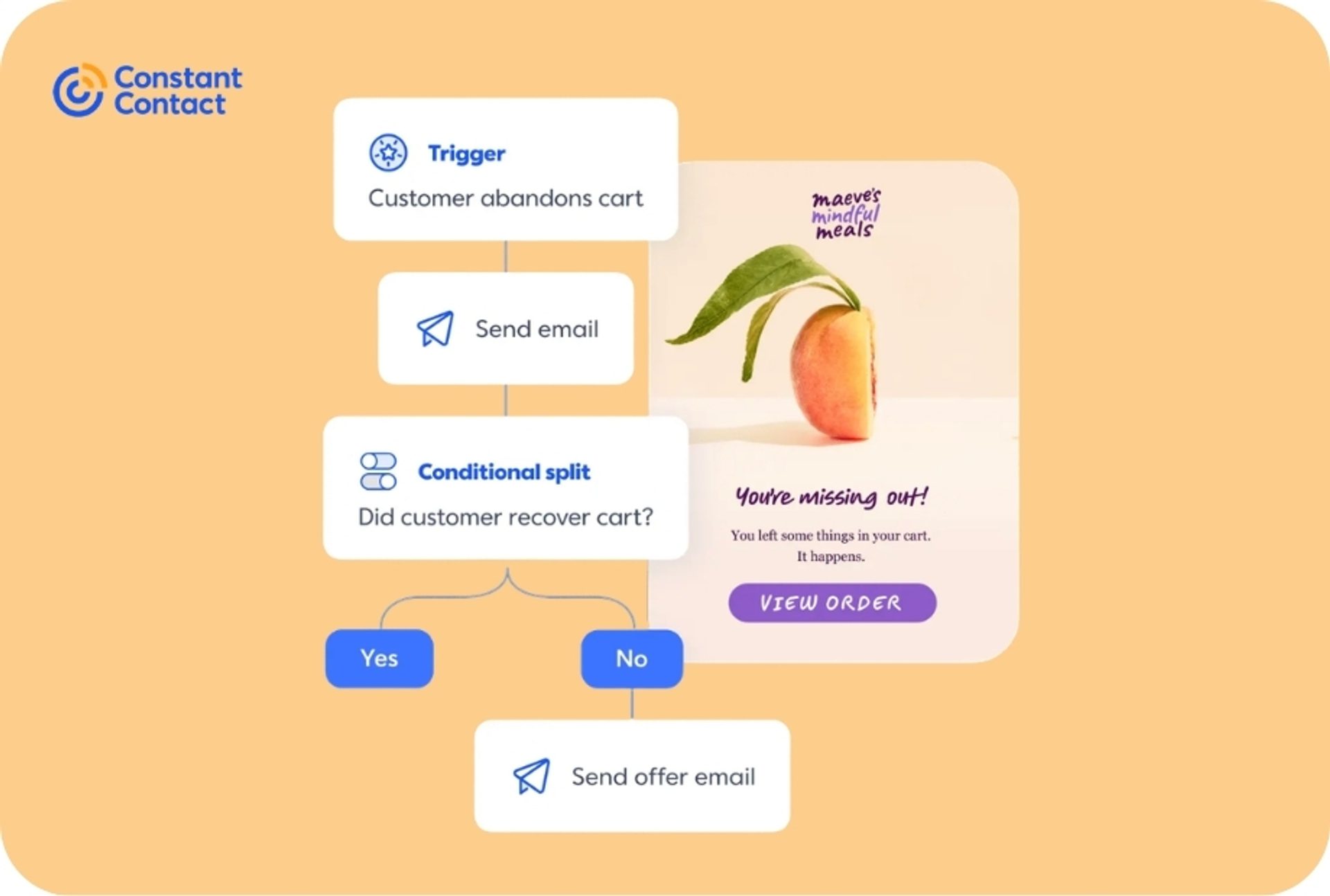
These flows are mostly linear with limited branching and conditional logic, especially on lower-tier plans where only time-based conditions can be specified. Triggers are tied primarily to email timing rather than contact behavior. Email engagement triggers like opens or clicks are available, but more complex automations like abandoned cart campaigns require a higher-level plan.
Both platforms offer drag-and-drop email builders that make it simple to create well-designed, engaging emails.
ActiveCampaign focuses on personalization and adaptability at scale.
Constant Contact emphasizes speed and simplicity.
ActiveCampaign provides a large library of 250+ email templates with drag-and-drop editing and full HTML access.
Building an email campaign from scratch is easy, regardless of how complex your goals are. The AI Campaign Builder takes your ideas and builds fully-realized campaigns for you in minutes. Meanwhile, the AI Brand Kit pulls in your logo, fonts, and colors from your website URL to produce on-brand templates quickly. Conditional content blocks let you tailor specific sections with specific offers or visuals and appeal to different customer segments.
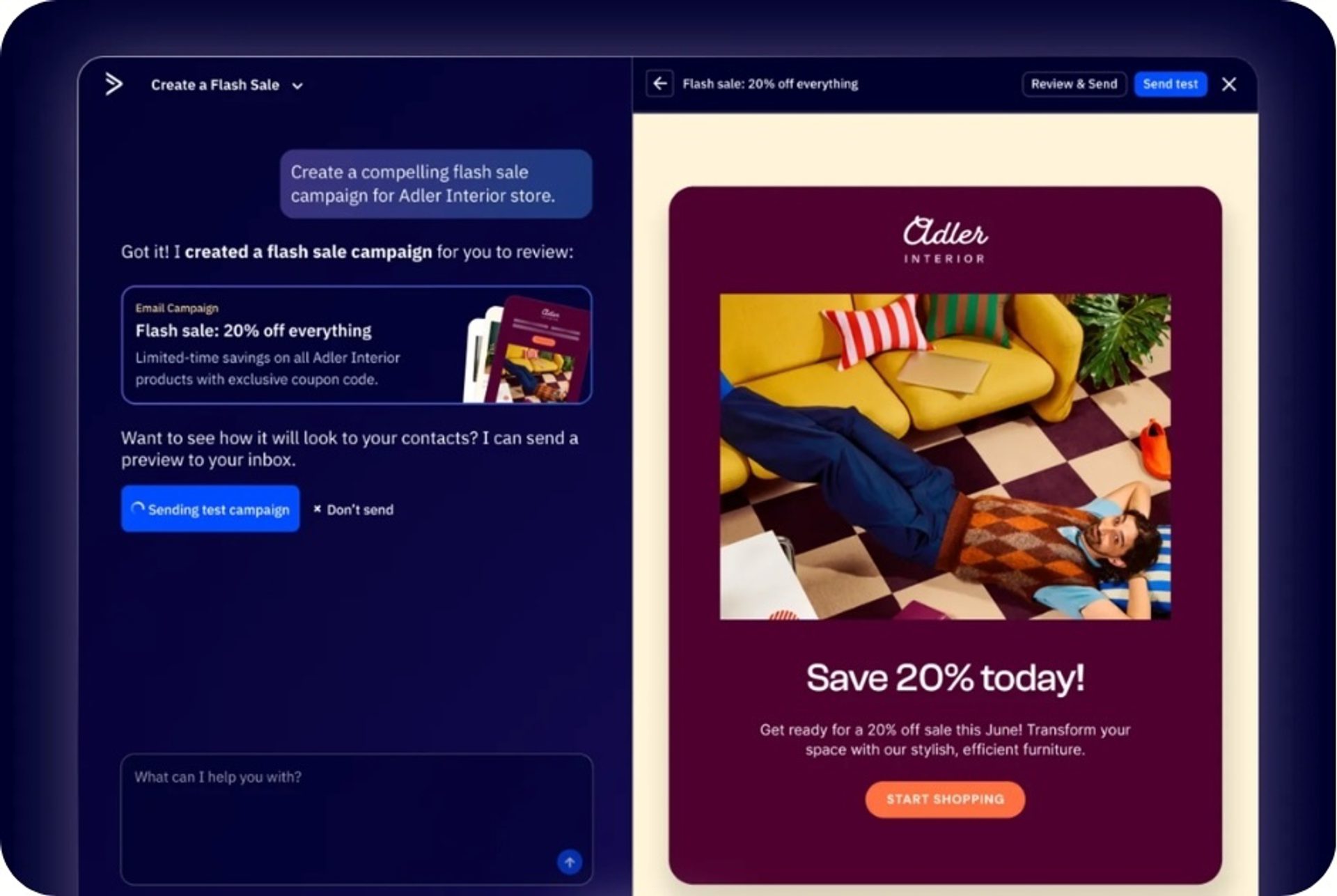
For teams that need emails to adapt to each recipient, not just look polished, this is a strong fit.
This video from EmailToolTester walks through ActiveCampaign’s email editor to create an automation workflow and discusses why it’s their #1 choice for an email marketing platform.
Constant Contact's drag-and-drop editor has 200+ pre-made templates and content blocks for headings, layouts, images, and footers that help create an email in a few clicks.
However, users describe the templates as “rigid and boxy” with limited creative customization. Another common complaint is that users cannot save and reuse content blocks for other campaigns, so each campaign must be built from scratch.
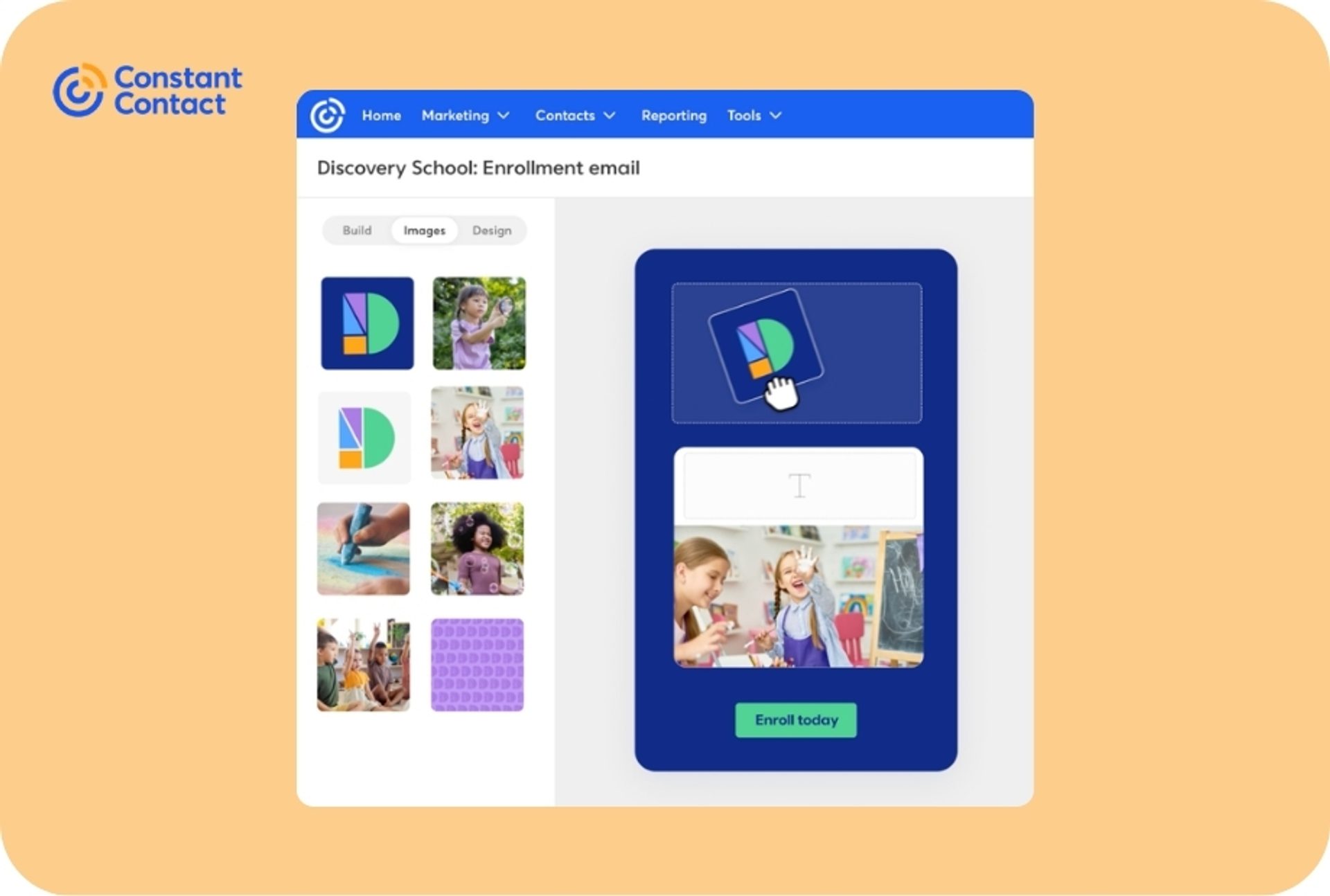
It's designed for fast, attractive email creation with minimal configuration—ideal for users who want professional results without a learning curve.
ActiveCampaign provides flexible tools that can automatically adjust content for large audiences. Constant Contact prioritizes speed-to-send simplicity within specific templates.
Segmentation—how you organize and target your audience—determines whether you send relevant messages or generic blasts. It’s particularly important if you are building automated journeys, because it decides who enters an automation, what path they take, and what message they receive.
ActiveCampaign is built to adapt based on what people do, not just who they are.
Constant Contact is suited to straightforward targeting.
ActiveCampaign’s marketing segmentation software is designed for precision marketing based on not just who a contact is, but the actions they take as well. You can build segments from multiple data points—like tags, custom fields, engagement history, lead scores, behavioral signals, and more—then combine conditions to build highly specific targeting.
Dynamic segments update automatically as contacts meet (or stop meeting) your criteria, so the audience stays accurate over time without manual cleanup. Segments are reusable across the platform instead of being tied to legacy list-based logic, which helps when you’re running multiple campaigns and personalization programs.
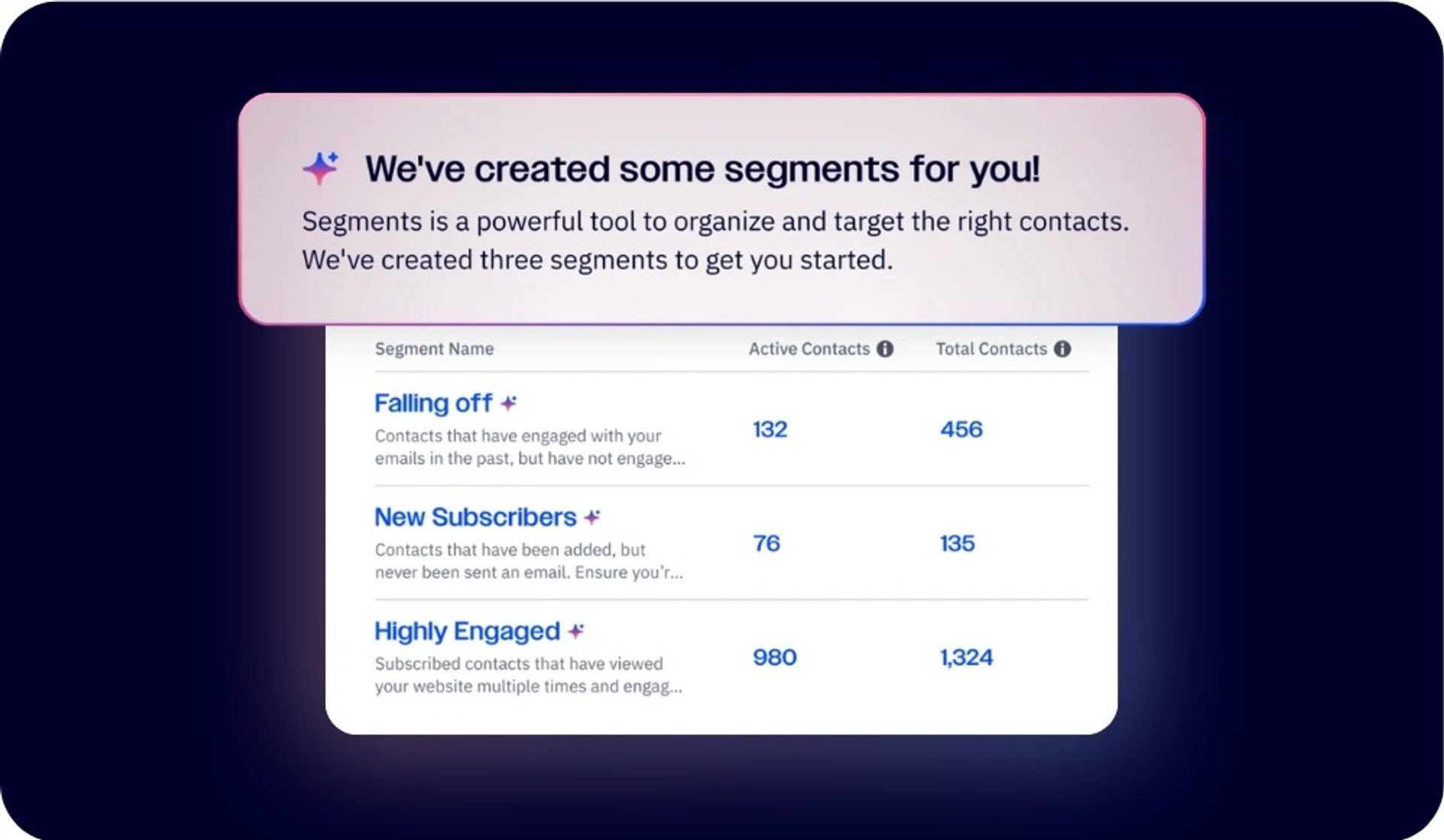
Additionally, AI-suggested segments automatically surface meaningful audience insights that you can target, improving relevance and reducing over-mailing.
Constant Contact keeps targeting simple for smaller lists and straightforward programs. You can organize contacts using lists, then create segments by filtering contact details and certain engagement signals like clicks. Basic logic (AND/OR) defines who should receive a message.
Personalization is limited to basic merge fields such as first name or company, but there is no deal-based, account-based, or custom object personalization, and dynamic content is Premium-only.
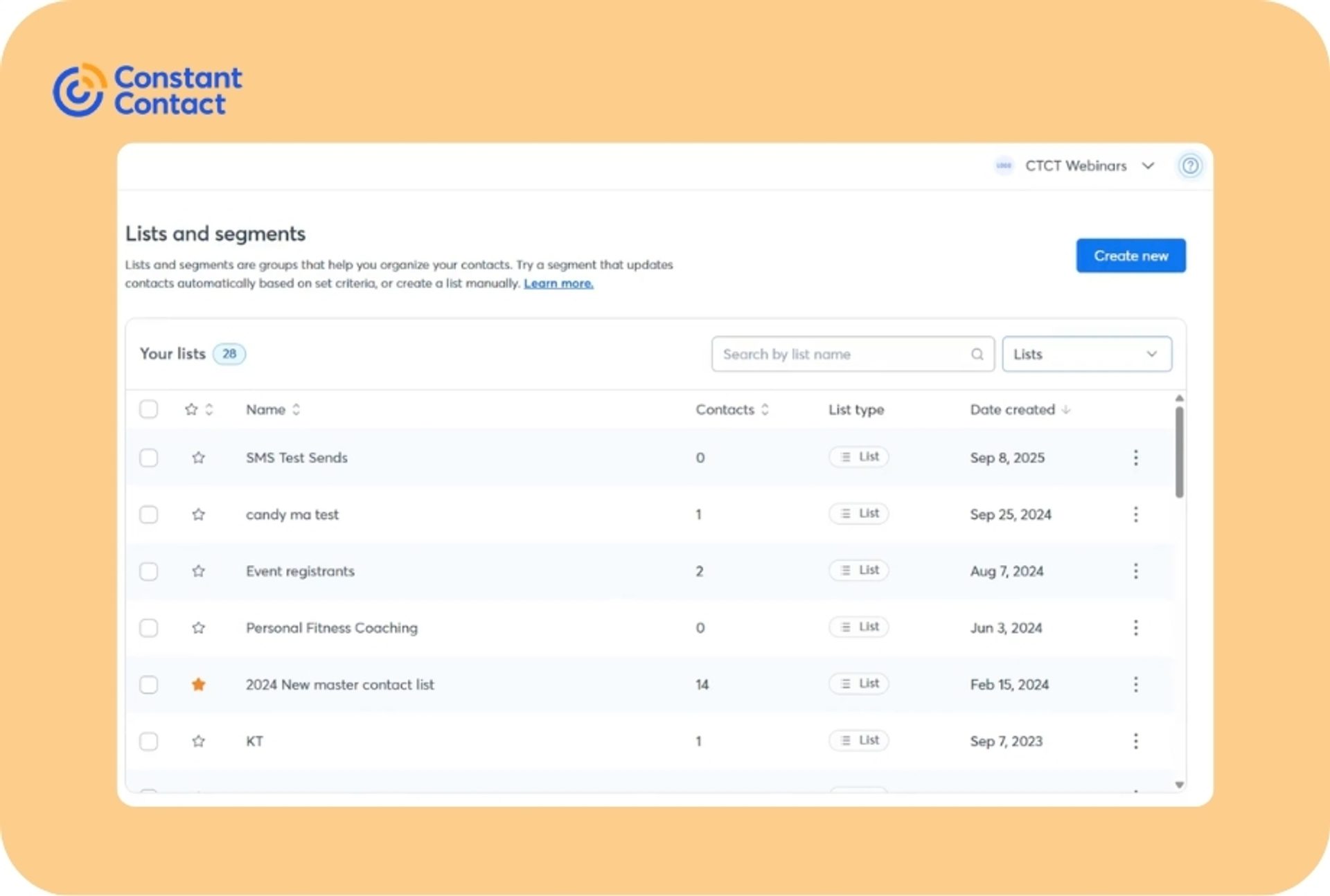
This approach might work when you’re sending broadly similar campaigns to clearly defined groups—like “customers,” “prospects,” or “recent signups”—and don’t need constant audience re-evaluation across many campaigns. But segmentation tends to function more as a filter on top of list organization than as a continuously evolving targeting layer, which can make advanced personalization harder as your database grows.
ActiveCampaign allows you to target a wider range of variables, so you can send far more precise emails at scale. Constant Contact encourages broader groupings and more uniform messaging for straightforward campaigns.
Both platforms offer tools that help you capture leads by creating landing pages and forms. However, what happens after a contact enters your lead funnel differs significantly:
ActiveCampaign treats landing pages and forms as the first step in a connected customer journey.
Constant Contact focuses on simple sign-up pages and forms for growing your list quickly.
ActiveCampaign’s landing pages and forms are journey starters, not just conversion surfaces. You can create landing pages that work across channels and use built-in reporting to see which sources drive the best leads. Pages aren’t isolated assets, they’re measurable acquisition entry points.
The Landing Page Builder has a drag-and-drop editor and hundreds of conversion-optimized templates. The Lead Form Builder connects directly to your contact database and automation workflows. A form submission can add a contact, apply data, and kick off the right follow-up sequence.
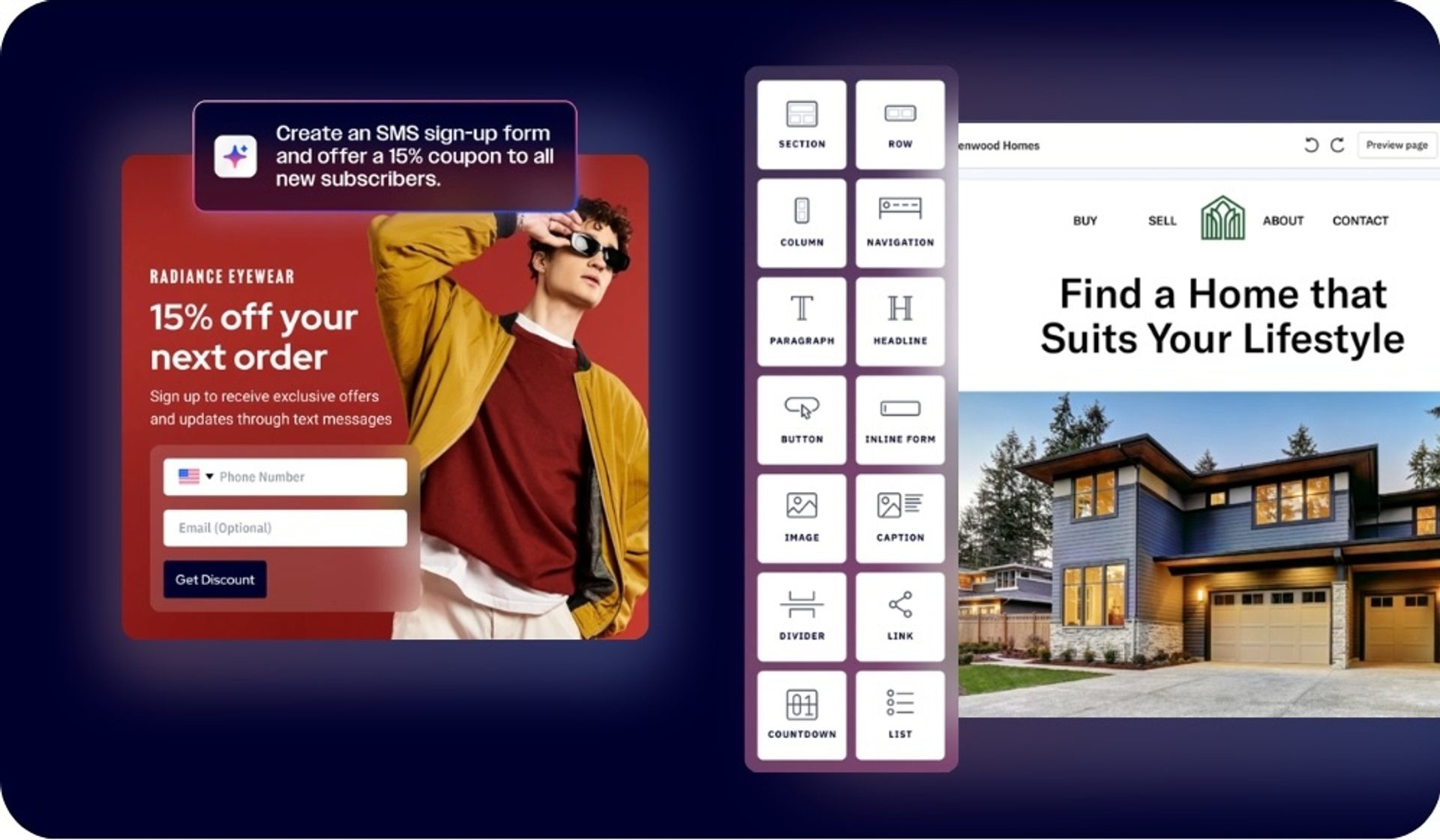
Because capture, automations, and CRM all live inside the same platform, it’s easy to route new leads into nurture tracks, sales handoffs, or lifecycle campaigns the moment they convert, without exporting lists or stitching tools together.
Constant Contact provides a landing page builder as part of the signup form builder, rather than a standalone tool. Forms are built primarily for audience growth: create a page, share the link, and collect new email and SMS contacts quickly. You can also share lead magnet forms with customizable surveys and quizzes to social feeds, websites, or via QR codes.
The product experience emphasizes speed and simplicity, with templates and simple data capture via surveys/forms (including custom fields) to help you get a page live fast and move contacts into your list so you can start emailing.
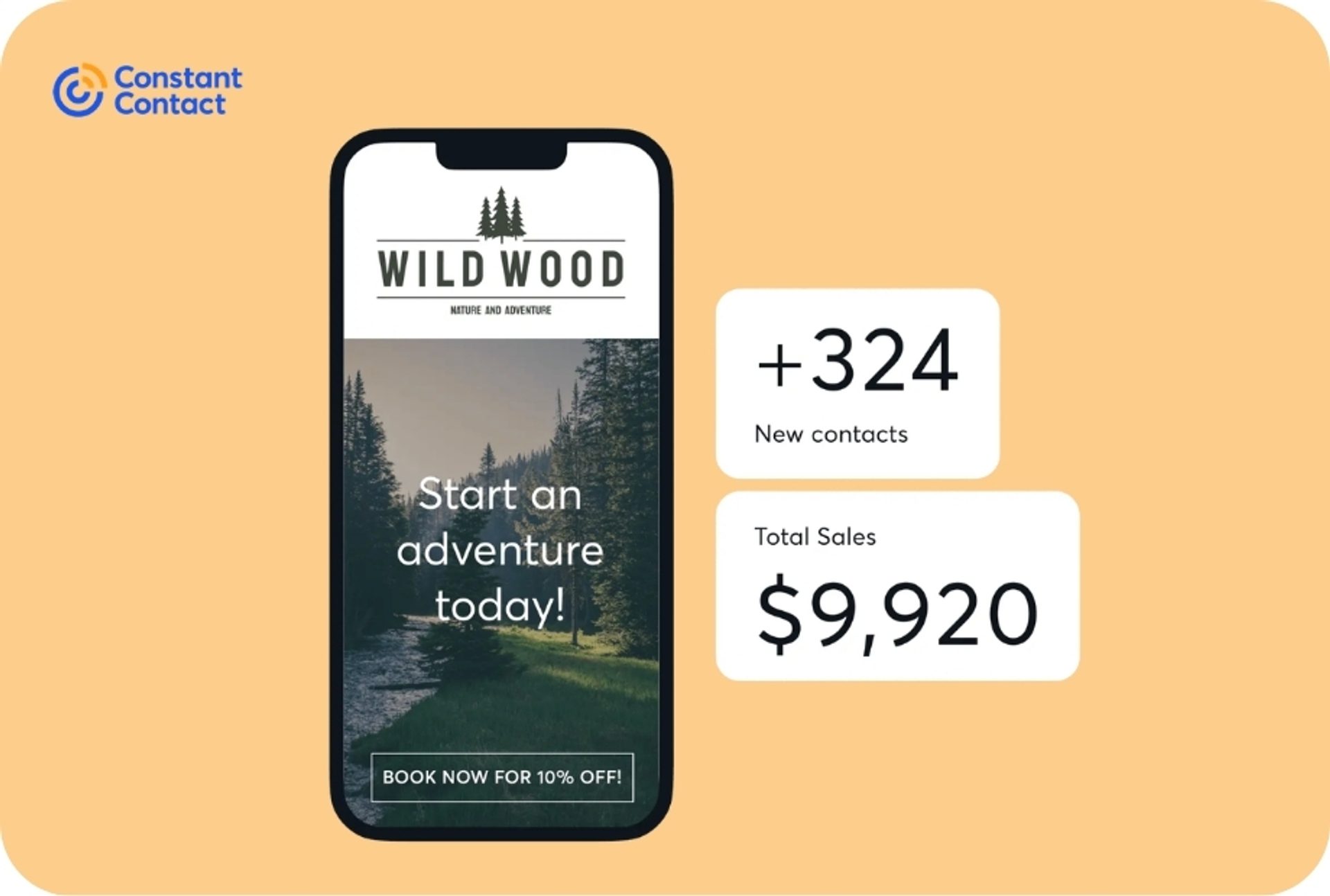
Constant Contact does include a Welcome Series feature, which automatically triggers a welcome email to each new contact who signs up through your Landing Pages, but this is typically the extent of automation integration.
ActiveCampaign offers lead capture features that function as the start of a segmented, automated system, where every signup can immediately route into tailored follow-ups and complex journeys. Constant Contact provides a practical way to collect subscribers and start communicating.
Though both platforms technically offer a CRM, the offering is not the same:
ActiveCampaign includes a native Sales CRM that shares the same data, triggers, and segmentation as your campaigns.
Constant Contact splits the experience: its core email product is email-first, and CRM capability lives in a different product with separate onboarding and pricing.
ActiveCampaign includes a native Sales CRM designed to connect marketing engagement to pipeline movement. The CRM is more than contact storage. It combines pipelines, automation, lead scoring software, and AI-driven insights so teams can act on buyer intent in real time.
You can build unlimited pipelines with unlimited stages, then use automations to create deals, move deals between stages, assign owners, and trigger sales tasks based on contact behavior. Lead scoring and deal scoring help separate high-intent prospects from low-intent ones, and Win Probability tooling uses historical pipeline patterns to estimate likelihood of closing, so reps can prioritize effectively.
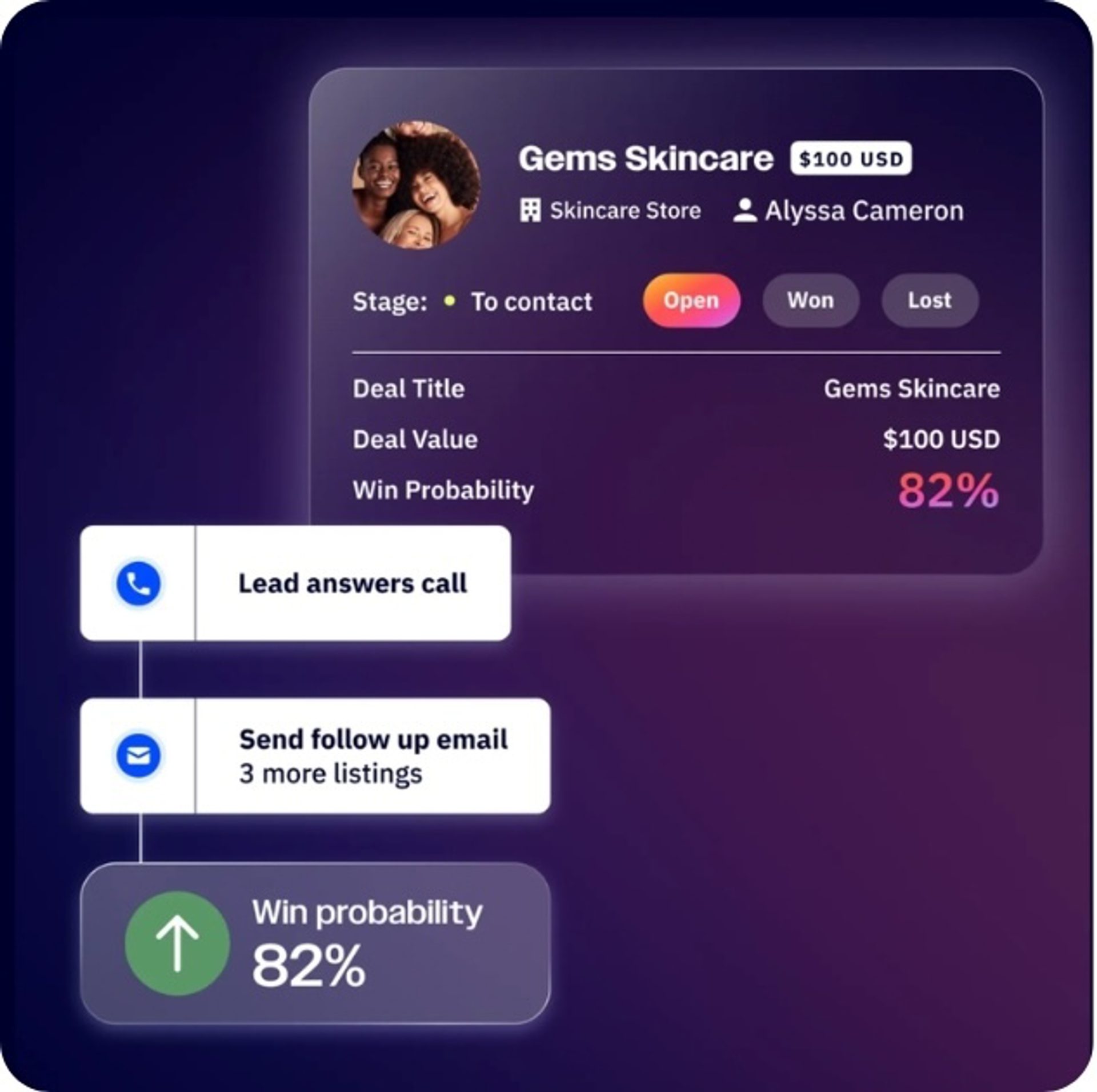
Because it’s native, CRM events can feed directly into segmentation and marketing automation without exporting or syncing tools.
Constant Contact’s core email marketing product focuses on contact management and campaigns, not pipeline or sales workflow.
CRM functionality is provided in a separate product, Constant Contact Lead Gen & CRM (formerly SharpSpring). In Lead Gen & CRM, you can manage contacts and use opportunities/pipelines with customizable stages and reporting. But those capabilities aren’t part of the email marketing plans, which means sales alignment requires adding another product (and often another budget) if you want pipelines, opportunity tracking, and sales-oriented reporting alongside email.
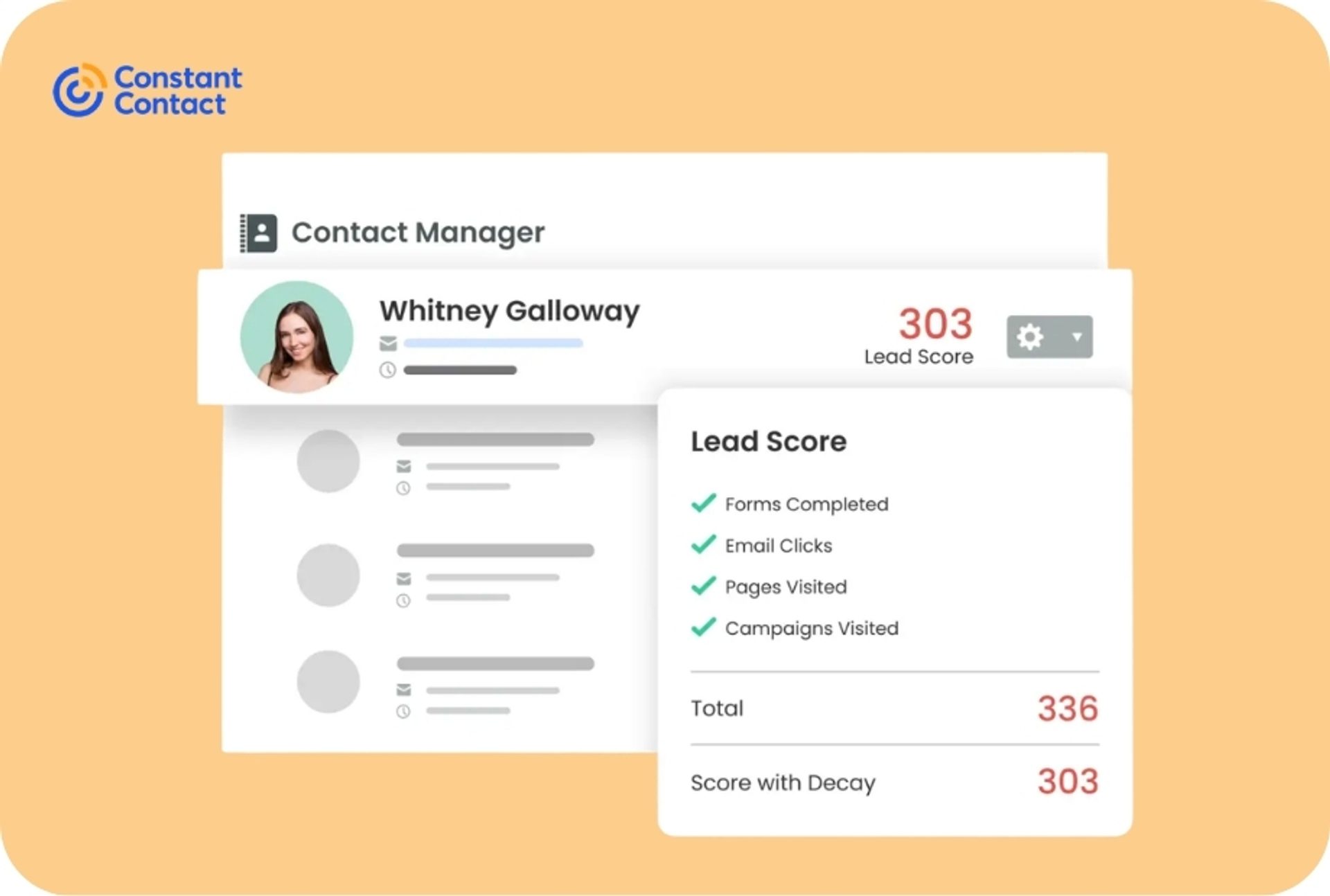
ActiveCampaign activates immediate sales follow-ups by keeping contact data, automations, and deals in one system. For Constant Contact, you’ll need two separate products (and budgets) to get marketing and sales working together.
Integrations
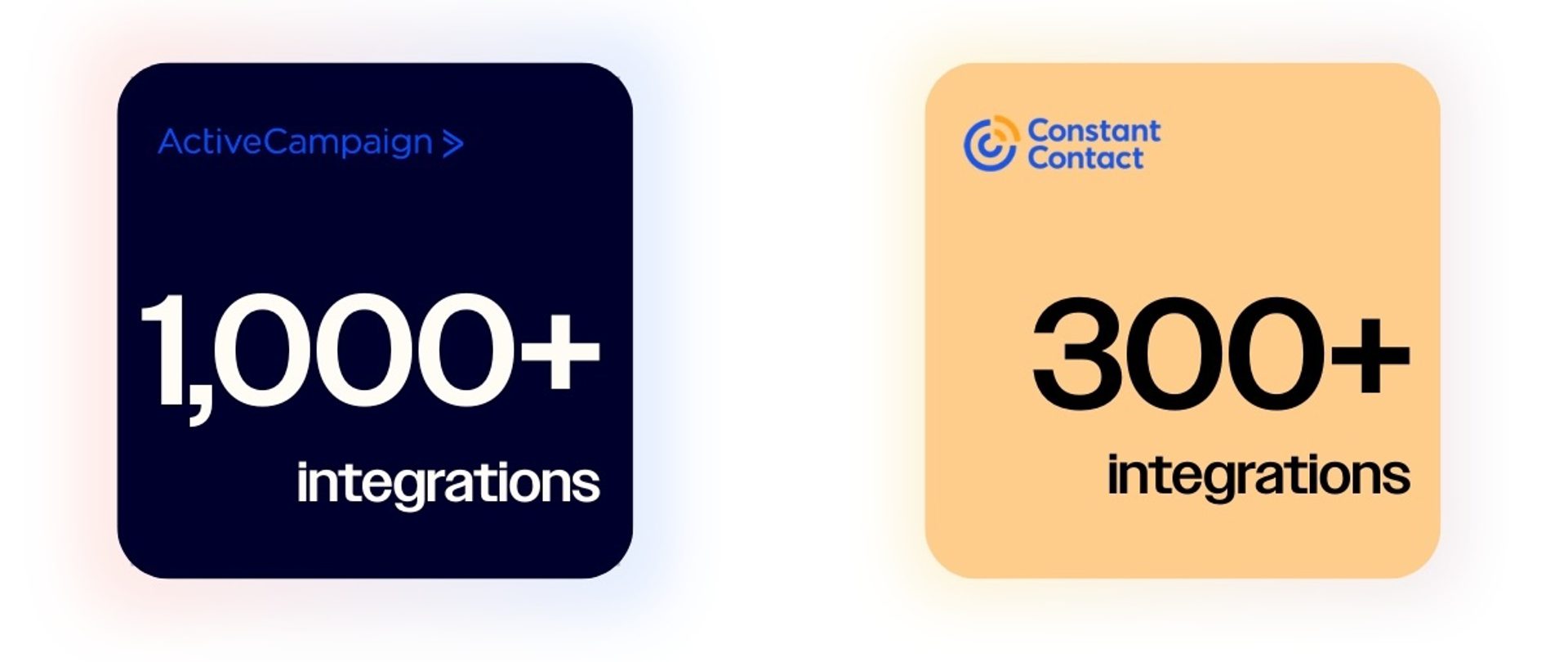
Integration depth dictates how much data moves between systems, and what you can do with it once it arrives.
ActiveCampaign is built for deeper data sync, so purchase and lifecycle signals can drive targeting and reporting.
Constant Contact focuses on connecting the essentials for straightforward email programs.
ActiveCampaign connects with 1,000+ apps and supports both “plug-and-play” connections and deeper, data-rich integrations. Deep Data Integrations for ecommerce platforms like Shopify, WooCommerce, BigCommerce, Square, and Magento sync commerce data into ActiveCampaign so you can use real purchase and order activity inside segmentation and automations, rather than just adding contacts.
For teams that need even more connectivity, ActiveCampaign also provides developer-grade options: App Studio to build and publish native CX apps, plus developer sandbox accounts for testing.
ActiveCampaign also supports webhooks to send event notifications to your own endpoints when contacts take actions.
Constant Contact offers 300+ integrations. Its directory focuses on helping small businesses connect the most common tools they already use: website builders, ecommerce platforms, social channels, and other everyday marketing utilities.
However, integrations are typically oriented around simpler contact-level syncing and campaign workflows rather than deeper, event- and revenue-level data flowing back and forth. For broader connectivity beyond the native directory, teams often rely on third-party connectors to link Constant Contact to additional apps, which can add cost and complexity depending on the workflows you need.
That makes it a strong match for straightforward stacks, with more limits as requirements get more specialized.
ActiveCampaign integrates deeply enough to make your whole stack usable for personalization and revenue-driven marketing. Constant Contact covers the core stack well for simpler programs.
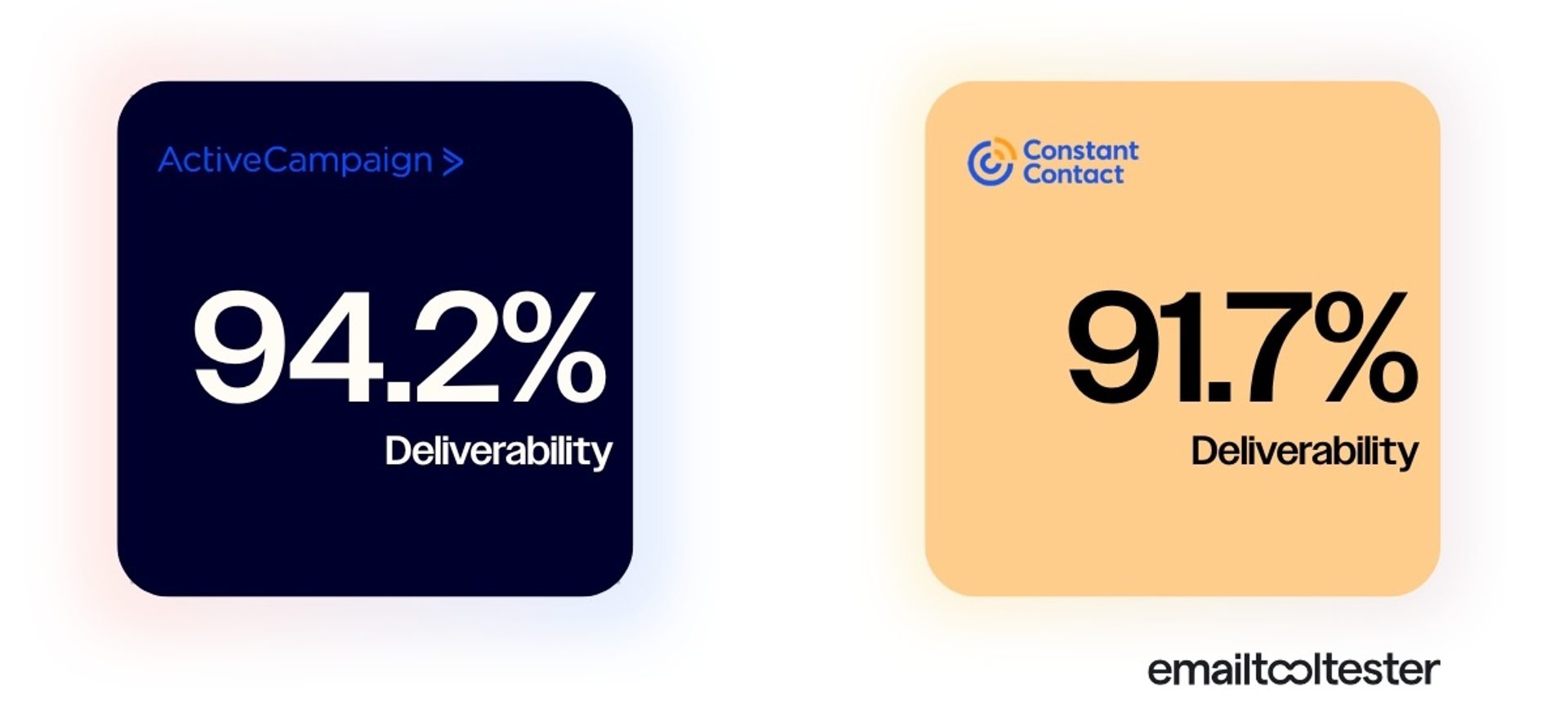
Deliverability is an essential metric to consider when comparing email marketing software. Both platforms can deliver email reliably, though ActiveCampaign scores higher in the most recent deliverability comparison done by third-party platform EmailToolTester, and is ranked #1 out of sixteen tools. Constant Contact comes in 2nd place.
Let’s compare how each platform helps you protect sender reputation and troubleshoot issues.
ActiveCampaign pairs a strong baseline with built-in levers for consistent deliverability and inbox placement as you scale.
Domain authentication can be handled automatically: when you add a sending domain, you can use in-platform domain configuration that sets up DKIM, SPF, and DMARC for you, or choose a manual path with guided steps. Free verification tools can be used by anyone to check that DKIM, SPF, and DMARC records are correctly configured, so you can troubleshoot issues quickly.
On list health, the platform offers automated cleanup workflows for suppressing or unsubscribing unengaged contacts and handles bounce-related hygiene so you’re not managing it all manually.
For higher-volume needs, ActiveCampaign supports dedicated IPs and provides deliverability resources for monitoring reputation. And if you need expert help, a 60-minute deliverability consultation is available for $79.
Constant Contact provides some default tools for deliverability. Authentication support is available, but setup is done with manual DNS work (adding records via your domain/DNS provider) rather than an auto-configuration flow.
Constant Contact email is sent via a shared IP address, so your sender reputation will be tied to all of their other customers. A few customers' spam complaints can affect deliverability for all users, regardless of your account set up. This can be very risky for large senders: if the shared IP’s reputation drops, thousands (or millions) of emails could be blocked or filtered, causing major revenue impact.
ActiveCampaign gives you more deliverability “instruments” to keep performance steady as volume and complexity grow. Constant Contact can be dependable for straightforward, small-scale sending.
Both platforms report on what happened after you hit “send,” but they’re built to answer different questions:
ActiveCampaign connects campaigns to automations, lifecycle behavior, and pipeline impact so you can diagnose why performance changed and how to improve it.
Constant Contact focuses on clear, campaign-level engagement metrics so you can quickly confirm how each email performed.
ActiveCampaign reporting spans more than campaigns: you can analyze performance across email, SMS, automations, and CRM/deals in one place.
Automation reporting shows how contacts move through journeys—including entries/completions, time-in-automation, and where people drop off—so you can pinpoint friction and improve conversion paths. The platform also supports deeper revenue and pipeline visibility when you’re using its CRM, tying marketing activity to deal movement instead of treating reporting as a separate spreadsheet exercise.
For teams that need flexibility, Custom Reports include a drag-and-drop report builder and dashboards with reusable reporting recipes.
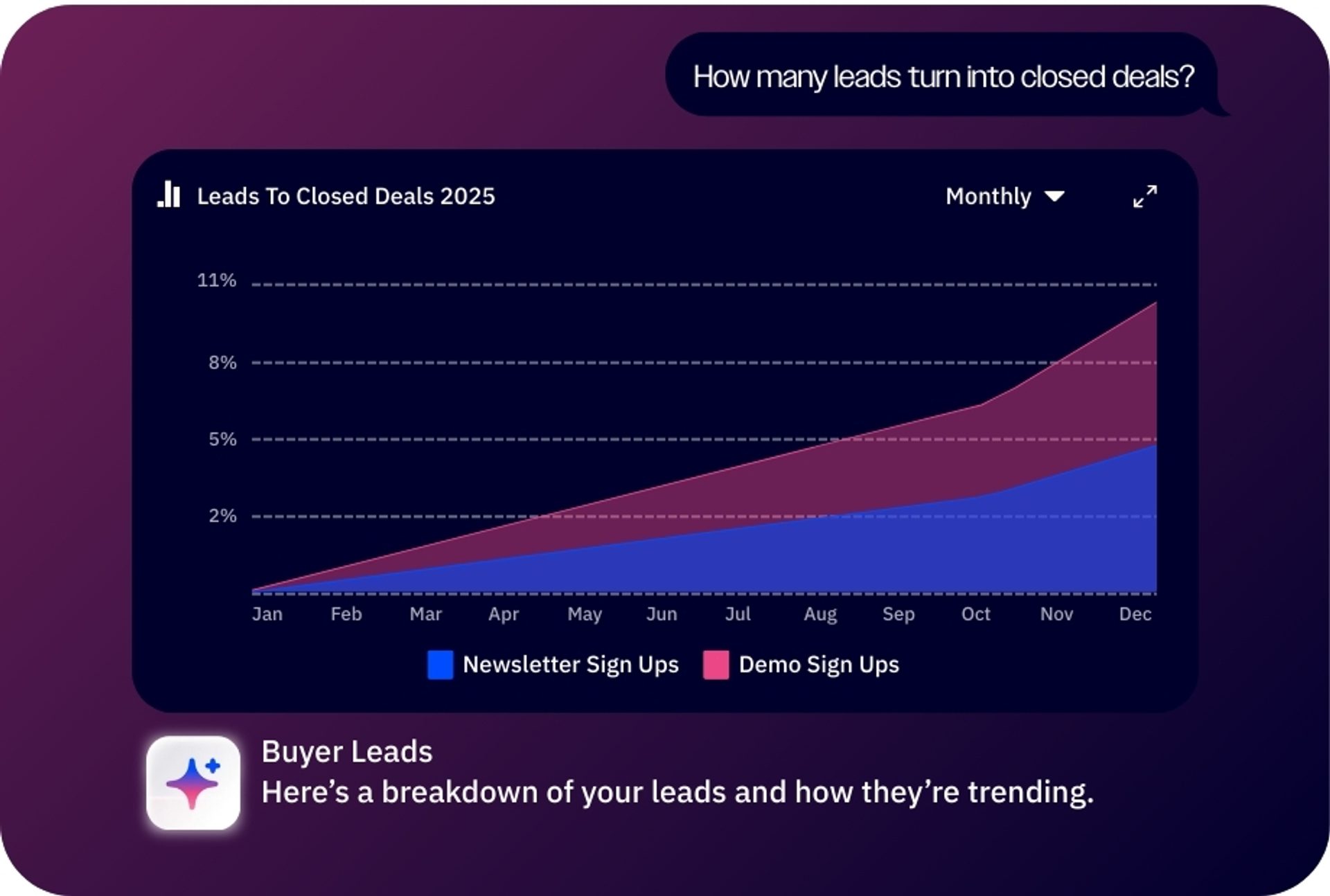
AI insights make analytics as easy as asking a question; simply ask Active Intelligence about your campaigns and immediately surface insights including how to optimize and meet your specified Business Goals.
Constant Contact’s reporting is strong for quick, campaign-level visibility: opens, clicks, bounces, unsubscribes, and other engagement indicators, plus practical views like device-level engagement and click tracking visuals in its reporting experience.
It’s built to answer basic performance questions without overwhelming smaller teams with configuration. However, these lighter cross-journey analytics mean you won’t be able to get step-level diagnostics, lifecycle attribution, or pipeline reporting inside the core email product.
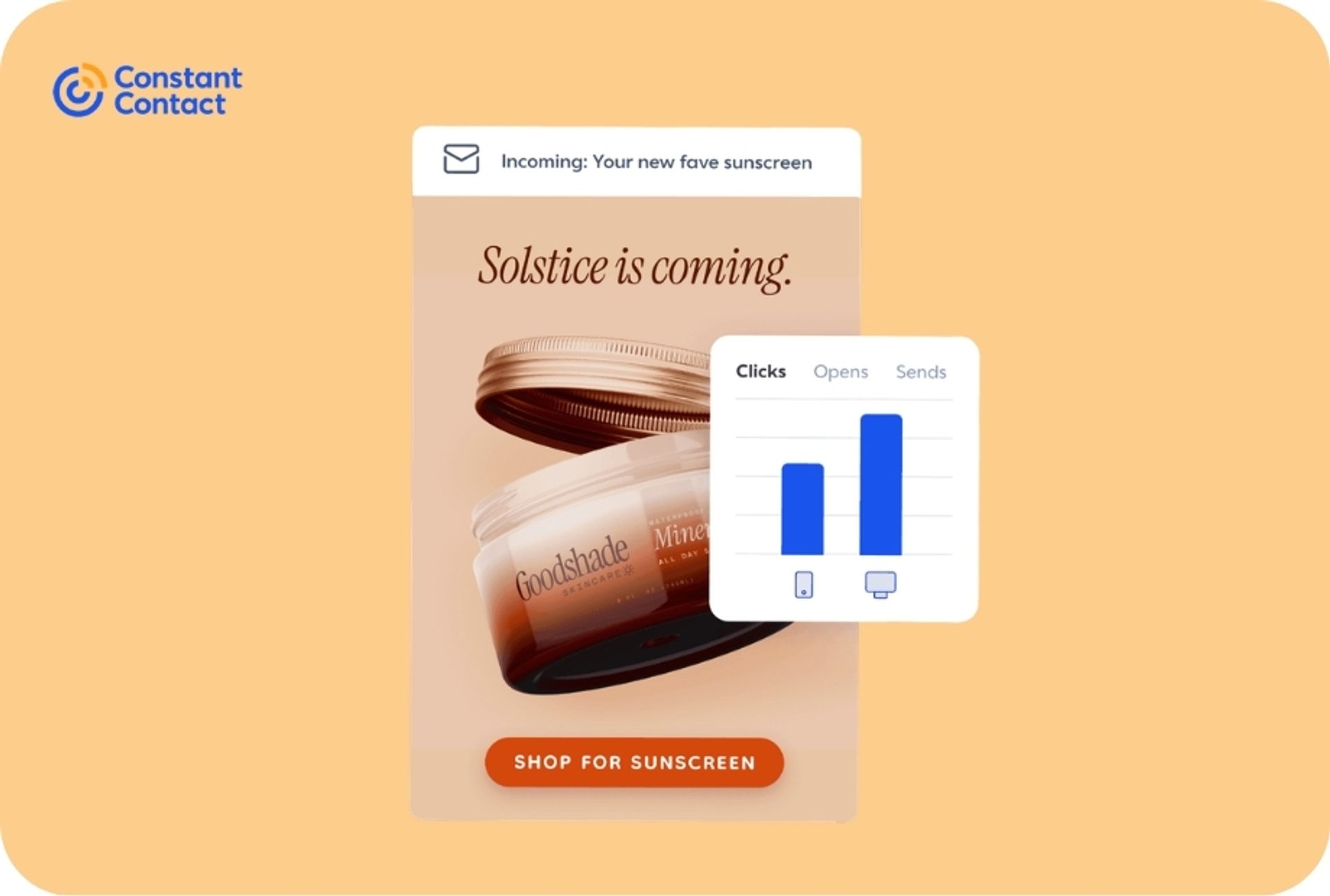
Exports are available (for selected emails) as CSV files with core metrics, but sharing “dashboard-style” results often still means exporting drilldowns or relying on a screenshot for the on-screen summary view. Constant Contact’s own community support suggests users “grab a screen capture” for sharing reports, and agency users describe having to "copy and paste numbers" across client accounts.
Constant Contact gives you clear campaign reporting. ActiveCampaign gives you campaign reporting plus the journey-and-revenue analytics you need to continuously optimize.
AI tools are popping up in every software platform. In marketing terms, that can mean anything from a copy assistant to software that actually builds and runs the work for you. The best way to compare them is to look at how they change your day-to-day workload.
ActiveCampaign’s AI is woven into the platform.
It provides a full suite of AI tools, including:
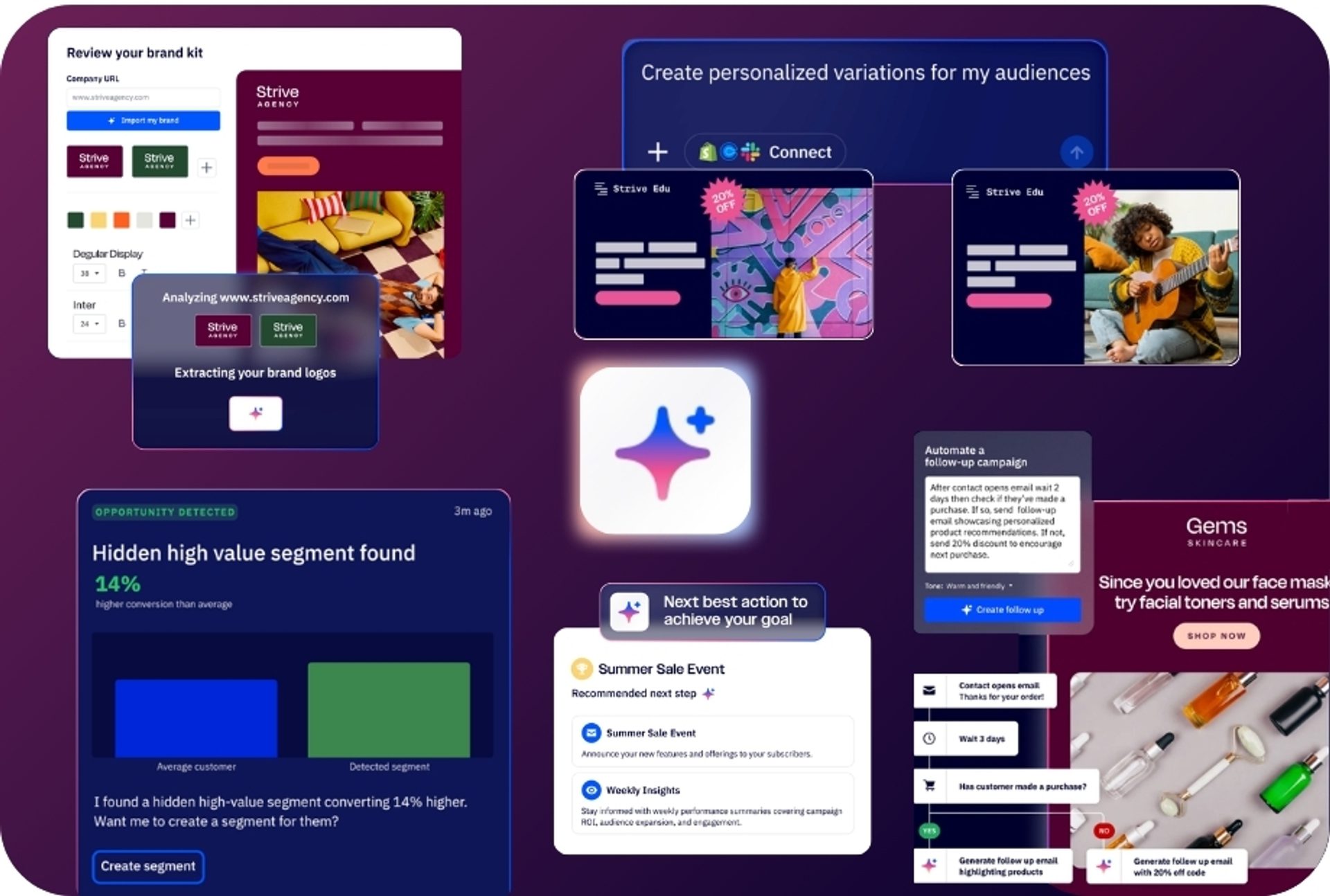
With this infrastructure in place, it doesn’t just suggest improvements in one screen, but can help you execute across the system.
You can explore ActiveCampaign’s AI capabilities yourself in the interactive product tours.
Constant Contact’s AI is focused on helping small teams create faster, especially around writing and repurposing content. Their AI marketing tools are made up of:
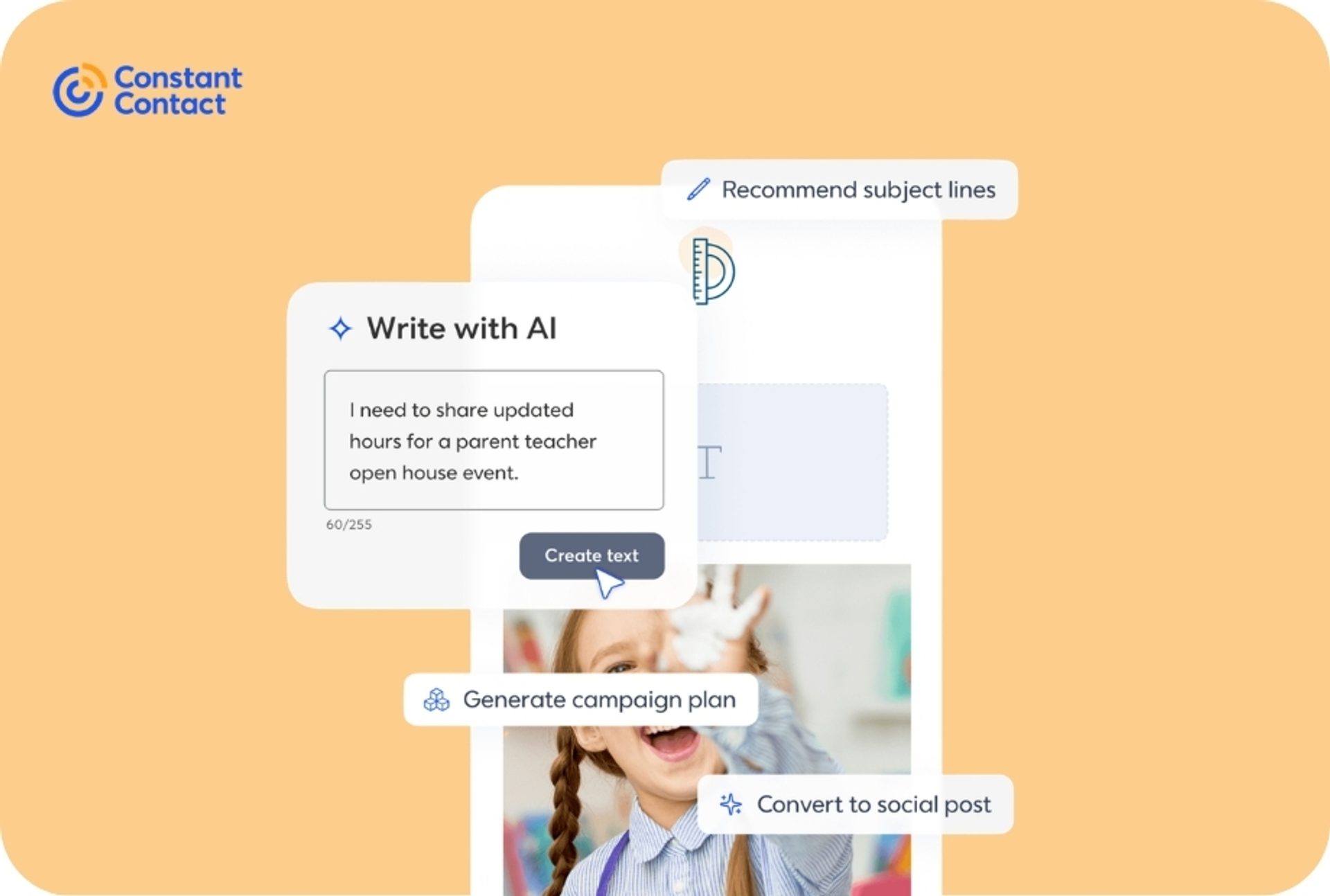
AI value in Constant Contact is primarily based on creative acceleration.
Constant Contact uses generative AI to speed up creation, while ActiveCampaign uses both generative and agentic AI together to imagine, activate, and validate entire strategies.
Constant Contact has earned a strong reputation as one of the easiest marketing platforms to pick up. “Easy” is often defined as how fast you can send your first campaign, and by that definition, Constant Contact can feel easier. But ease of use should also take into account time-to-value: how effective your marketing is and how well you can understand your results, so that you can keep driving improvements.
There’s a common assumption that more capable platforms must be harder to use. It’s true that ActiveCampaign offers more depth, and getting familiar with advanced features can take a bit more initial engagement than a simpler tool. But the payoff is that you spend far less time doing the same work over and over as your program matures.
In practice, the biggest usability difference shows up when targeting and follow-up get more nuanced. In Constant Contact, ease comes from guided workflows and limited configuration—but that simplicity can translate into more hands-on effort later: recreating variants, managing groupings, and repeating steps as you add segments and campaigns.
ActiveCampaign is designed to reduce repetition. With automation recipes, templates, and AI-assisted setup, you can build journeys that adapt based on behavior and attributes—so you set up once, then let the system do more of the ongoing work.
ActiveCampaign users save more than 10 hours every week on manual processes.
ActiveCampaign is priced as a marketing automation platform, with automation capabilities included in all subscription plans.
Many basic, “newsletter-first” email marketing platforms have low starting price points. Considering this, Constant Contact’s prices are higher than you might expect for a simple tool. Let’s have a look at subscription pricing for a few different list sizes across the two platforms:
| List Size | ActiveCampaign | Constant Contact |
|---|---|---|
| 1,000 Contacts | Starter: $15 Plus: $49 Pro: $79 Enterprise: $145 | Lite: $30 Standard: $55 Premium: $110 |
| 5,000 Contacts | Starter: $79 Plus: $145 Pro: $205 Enterprise: $375 | Lite: $80 Standard: $110 Premium: $200 |
| 10,000 Contacts | Starter: $149 Plus: $189 Pro: $375 Enterprise: $589 | Lite: $180 Standard: $210 Premium: $325 |
Before you even get into feature depth, ActiveCampaign undercuts Constant Contact at some pricing points, particularly the lighter plans.
ActiveCampaign’s pricing scales primarily by contact count and feature tier, which makes growth costs predictable and means that there are no surprise upgrades when you hit workflow limits.
At the high end, ActiveCampaign is more modular. You can grow it beyond core marketing automation into a broader marketing and sales setup by adding capabilities like sales engagement and transactional email. That means teams can start with the essentials, then bolt on advanced features later—once there’s a clear use case, and the ROI makes sense.
Constant Contact is straightforward to buy at the beginning. But as your needs grow, you’ll largely be paying more for having more contacts (and sends), not because you unlock a substantially deeper platform and tooling.
It’s worth keeping in mind that you’ll also probably be paying additional costs for a CRM (their isolated solution or an external provider) and automation tooling. ActiveCampaign treats automation as foundational infrastructure. For Constant Contact customers, it is a premium upsell.
Another factor to consider is payment friction. Constant Contact’s cancellation isn’t a self-serve toggle in account settings. Prepay arrangements automatically renew, and you’re directed to contact their team to cancel and avoid future charges.
Complaint logs and customer reviews include a noticeable volume of billing and cancellation disputes—often centered on renewals and expectations around cancellation timing.
Constant Contact might be cost-effective when you’re running a small program for a mid-sized list (and are clear on the T&Cs). Once you’re running more segments, more journeys, and sending more often, ActiveCampaign typically delivers better value because you can invest in specific features that suit your team’s needs.
I couldn’t imagine our product without ActiveCampaign. If ActiveCampaign didn’t exist, we would have to create it ourselves, which we wouldn’t be able to afford.
Support is an important differentiator when it comes to platform choice—especially if you’re migrating. The two platforms look slightly different in their approaches to support and enablement:
ActiveCampaign is built to help you get set up quickly and keep leveling up.
Constant Contact is built to help beginners get unstuck fast.
ActiveCampaign offers multiple support paths including:
Onboarding is also geared toward getting you to a working system quickly, with free personalized onboarding for qualifying plans and complimentary data migration so you’re not rebuilding from scratch.
Constant Contact includes some self-serve resources for product support including:
Outside of this, they focus on phone support during business hours. This resource is focused on account inquiries, but reviews are mixed. Some reviewers praise the friendliness and accessibility, while others report frustration with resolution quality, especially with technical questions.
If you want support that accelerates setup and long-term growth, ActiveCampaign has impressive resources that can help you. Constant Contact prioritizes quick, phone-first help instead.
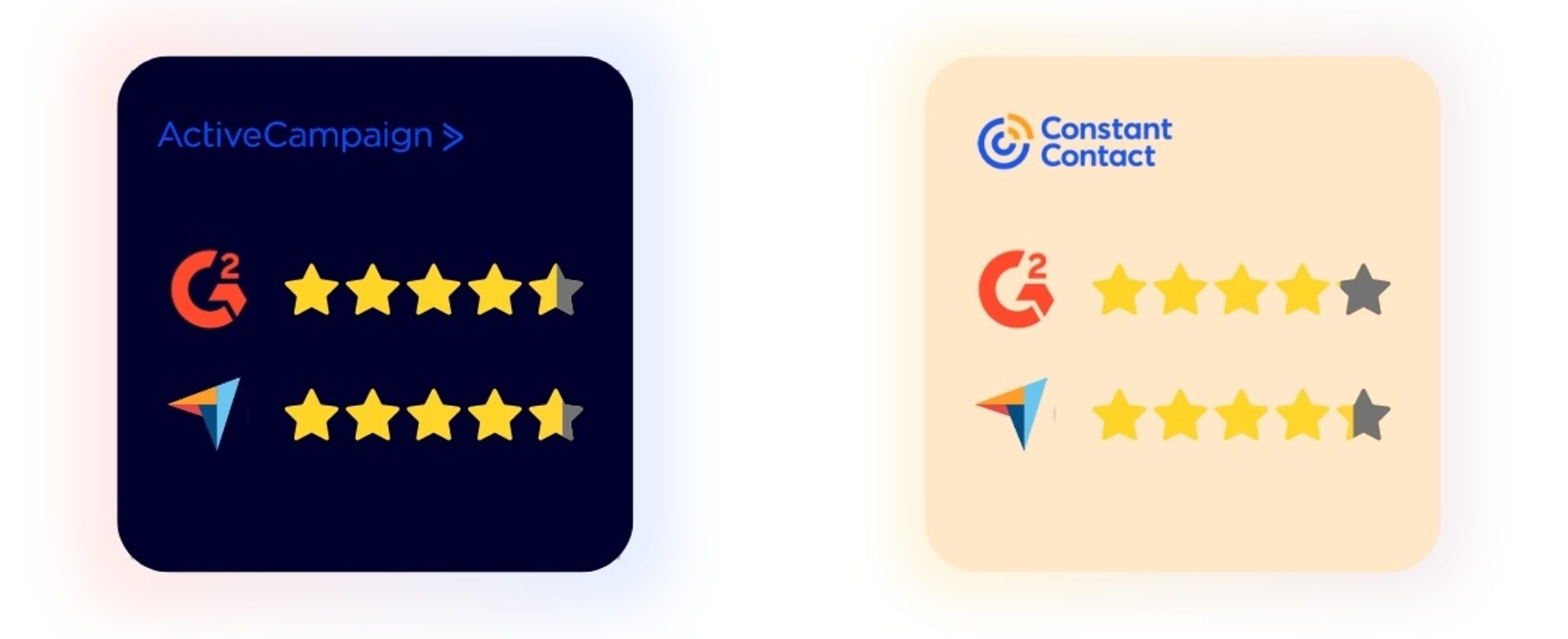
ActiveCampaign and Constant Contact both have broadly positive sentiment on popular independent review sites, though ActiveCampaign is slightly ahead.
ActiveCampaign sentiment is dominated by one theme: it’s built for deep automation and behavior-based marketing.
Reviewers commonly call out:
The most common caveat is a learning curve: many users feel it takes a bit more initial effort to set up properly, but pays off once workflows are running because it reduces repetitive manual work.
Constant Contact is known for being straightforward to learn and easy to use for classic SMB email marketing: newsletters, promos, and list growth.
Reviewers frequently highlight:
However, as needs get more advanced, reviews tend to shift. Many users describe limitations once they want more sophisticated personalization, automation depth, or analytics.
We know we’re biased. You’re on the ActiveCampaign site reading a comparison. So, why not hear it from customers instead?
While Constant Contact offers a solid feature set, it can be a bit pricey compared to some competitors, especially as your contact list grows. The automation features are effective but somewhat limited when compared to more advanced platforms like ActiveCampaign or HubSpot.
Limited Automation: Compared to competitors like Mailchimp or ActiveCampaign, automation features feel basic and less flexible. Pricing: While it’s affordable for small lists, costs can climb quickly as your subscriber base grows. Reporting Tools: Analytics are decent but lack depth—marketers looking for granular insights might find it lacking. Design Limitations: While templates are plentiful, customization options can feel restrictive for advanced users.
If you’re deciding between Constant Contact and ActiveCampaign, the cleanest way to choose is to match the tool to your marketing reality today—and what you’ll need once your list, channels, and campaigns get more complex.
Constant Contact is a reasonable starting point: it’s built to help small teams get emails out the door quickly, grow a list with simple forms, and rely on friendly, phone-first support.
ActiveCampaign is built for what comes next: it’s the better fit when growth means more segments, more personalization, more connected data, and less manual upkeep.
When people switch from Constant Contact to ActiveCampaign, the story is not necessarily that Constant Contact is bad, but that they outgrew it. Recurring triggers are:
I went from Constant Contact, then switched to MailChimp, before finally settling on ActiveCampaign and I love it.
I had Constant Contact before and I was not impressed. Moving away from Constant Contact has been fruitful for our organization.
Switched from Constant Contact to ActiveCampaign and it is a much better experience — especially because there are less issues and better deliverability.
For many years, I used Constant Contact. It was a good platform, but as my business needs evolved, CC’s ability to provide more business intelligence did not keep up. Recently, I re-started my consulting services; I reviewed a wide range of services, and ActiveCampaign stood out for many reasons. A simple but powerful reason for my choice was that ActiveCampaign makes it easy to set up lead scoring. Also, the powerful lead management and filtering tools make it easy to work with your contacts in constructive ways.
Coming from Constant Contact (a very basic and beginner platform), ActiveCampaign is perfect for what I need. It was easy to transfer everything from CC to AC and anytime I reach out with a question, they’re happy to help. I use AC daily! Integrating everything from CC was a breeze with the help of customer support of course.
If you’re ready for a platform that can simply do more, request an ActiveCampaign demo or take a look at our migration guides to see how easily you can switch platforms.
ActiveCampaign makes it easy to get started with marketing automation. The interface is user-friendly, and AI agents, prebuilt templates, and automation recipes are there to support you. Most users find they can launch campaigns quickly, and the platform grows with you as your needs become more advanced.
Yes, ActiveCampaign provides guided onboarding, a large Help Center, and training resources to help you get campaigns and automations live fast. If you’re switching from Constant Contact, migration support can help you move faster without rebuilding everything manually.
As your list grows, ActiveCampaign tends to deliver better value because you’re scaling into deeper automation, segmentation, and reporting rather than paying more for mostly the same feature set. It’s also often competitively priced versus Constant Contact while offering more room to grow.
Constant Contact uses shared IP infrastructure, so your sender reputation depends partly on other users. EmailTooltester’s most recent testing measured Constant Contact at 91.7% inbox placement vs ActiveCampaign’s 94.2%, a gap of roughly 250 more missed emails per 10,000 sends.
At scale, those numbers compound. ActiveCampaign ranks #1 for deliverability on EmailTooltester, and 93% of surveyed customers say deliverability is superior to their previous platform.
Constant Contact’s AI is limited to copywriting assistance, restricted to higher-tier plans. Core and Standard plan users write all email content manually with no AI support.
ActiveCampaign includes AI Campaign Builder, AI Email Generator, and AI Brand Kit on all paid plans. Predictive Sending analyzes each contact’s engagement history to optimize timing, producing a 17% average improvement in click-through rates.
Constant Contact limits A/B testing to subject lines only, with no testing of body content, images, CTAs, or send times. Dynamic content is gated to Premium, so Core and Standard plans get basic merge fields only.
ActiveCampaign supports multivariate testing across 5 elements simultaneously and includes conditional dynamic content on all paid plans. Predictive Sending adds individual-level timing optimization on top of that.
Constant Contact handles simple use cases well: welcome sequences, birthday emails, newsletters. The ceiling hits when you need behavioral triggers, conditional branching, lead scoring, or cross-channel campaigns. Advanced automation is a premium add-on ($80+/month) with limited capabilities.
ActiveCampaign includes the full automation suite on all paid plans: 900+ recipes, behavioral triggers, CRM with deal pipelines, and 1,000+ integrations (vs Constant Contact’s ~300). No platform switch needed as you grow.
On G2, ActiveCampaign holds 4.5/5 across 14,500+ reviews vs Constant Contact’s 4.1/5 with significantly fewer. ActiveCampaign is ranked #1 in 63 G2 reports and has been Top Rated on TrustRadius for 8 consecutive years.
Constant Contact has genuine strengths: integrated event management and phone support on all plans serve certain use cases well. But for teams focused on automation, personalization, and multi-channel marketing, review data consistently favors ActiveCampaign.
Try it free for 14 days.