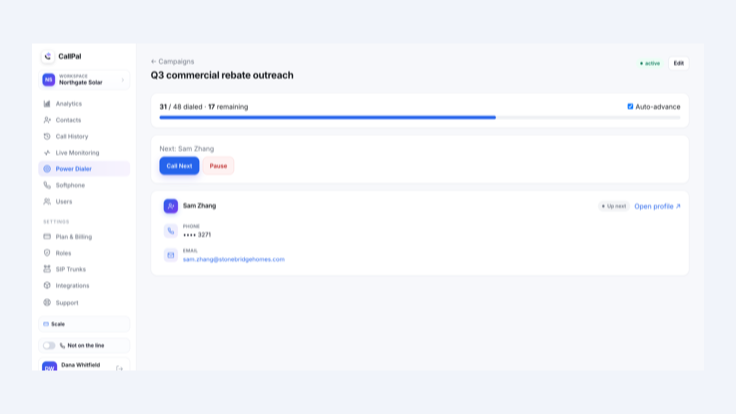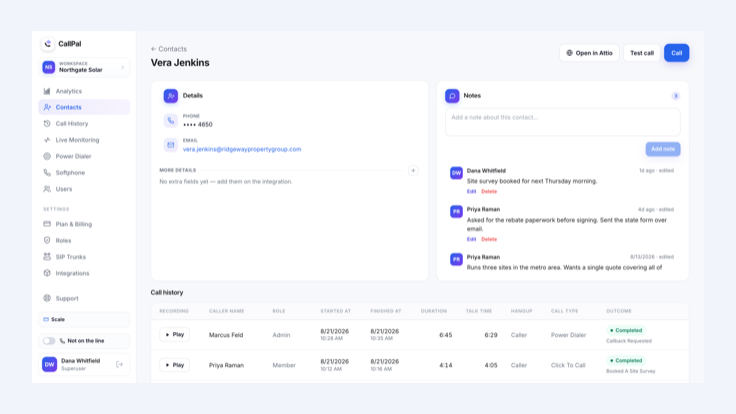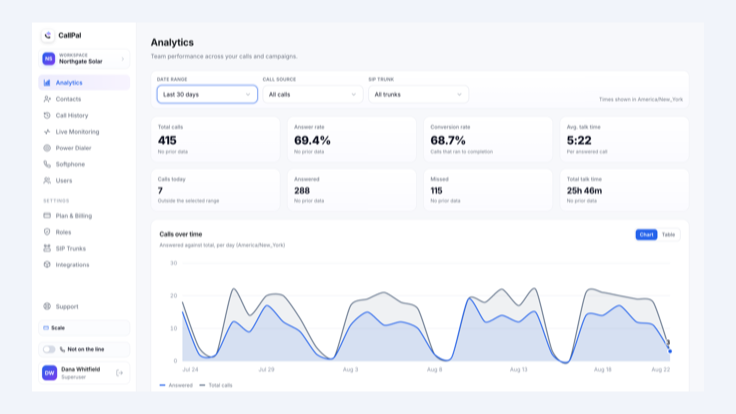

Integration Overview: Add outbound calling to ActiveCampaign. Click to call any contact from your browser or power-dial a saved list, then automatically record each call’s duration, outcome, and recording on the contact record so your automations can act on the results.
Is This Integration Right for You?
- Sales Representatives: Work through outbound contact lists without dialing numbers manually or logging call results afterward.
- Sales Managers: Review answer rates, talk time, and conversions by representative while coaching team members during live calls.
- Operations and RevOps Teams: Capture dependable call activity in ActiveCampaign and use call outcomes to trigger automations.
Why Use the CallPal Integration?
Call Without Leaving the Contact Record
- Click to call any ActiveCampaign contact from your browser or work through an entire saved list using the power dialer. Make calls without a desk phone, separate softphone, or manually copying numbers into a keypad.
Log Every Call Automatically
- Write each call’s duration, outcome, and recording to the corresponding ActiveCampaign contact record without manual data entry. Use this activity to maintain complete records and trigger follow-up automations.
Bring Your Own Carrier
- Connect your own SIP trunk and continue paying your carrier directly at your negotiated rate. Keep control of your calling costs and telephone numbers without purchasing marked-up minutes through CallPal.
Key Features of the CallPal Platform:
- Click to call and power-dial ActiveCampaign contacts directly from your browser.
- Automatically record call duration, outcome, and recordings on contact records.
- Coach representatives during live calls by listening, whispering, or joining the conversation.
- Connect your own SIP trunk with a backup trunk and automatic failover.
- Review answer rates, talk time, and conversion reporting by representative.