The best WooCommerce extensions depend on the job you need done. ActiveCampaign suits email marketing and automation, Direct Checkout suits faster checkout, FunnelKit suits sales funnels, and Stripe for WooCommerce suits payments. OptinMonster suits popups, TrustPulse suits social proof, AffiliateWP suits affiliate programs, All in One SEO suits search optimization, PushEngage suits push notifications, and Smash Balloon suits social feeds. This guide covers all 10, with prices checked on each vendor's site on November 20, 2026.
What are WooCommerce extensions?
WooCommerce extensions are add-ons that add features to a WooCommerce store, such as payments, shipping, marketing and checkout tools. They let you customize your store without writing code. WooCommerce is itself a WordPress plugin, so extensions build on top of it. Pick them by the problem they solve.
Common types include:
- Payment gateways: Extensions like PayPal, Stripe, or Square allow you to accept different forms of payment securely.
- Shipping solutions: Extensions like UPS, FedEx, or DHL help streamline your shipping processes, offering real-time shipping rates and label printing.
- Marketing tools: Extensions for email marketing, social media integration, and SEO optimization can boost your store's visibility and customer engagement.
- Product management: These include tools for managing inventory, variations, and pricing, making it easier to handle large product catalogs.
- Customer experience: Extensions like live chat, product reviews, and personalized recommendations can enhance the shopping experience and build customer loyalty.
Choosing the right extensions matters. The right tools streamline operations and help you sell more, but adding too many, or the wrong ones, can slow your site and complicate management. Evaluate what your store needs, and prioritize reputable extensions with good support and regular updates for compatibility and security.
Learn more about how WooCommerce and WordPress work together.
The difference between WooCommerce extensions and WordPress plugins
WordPress plugins add features to any WordPress site, from SEO tools and security to performance and widgets. WooCommerce extensions are built to enhance WooCommerce, which turns a WordPress site into an online store. Extensions add e-commerce features such as advanced payment options, shipping calculators, inventory tools and marketing integrations.
Use a plugin for general site features. Use an extension for store-specific features.
Where to download WooCommerce extensions
You can download WooCommerce extensions from four main places:
- WooCommerce Marketplace: The official marketplace is the best place to find reliable, compatible extensions, both free and paid. Many are built by Woo itself.
- WordPress plugin repository: Some WooCommerce extensions are available in the WordPress plugin repository. You can search for these directly from your WordPress dashboard under the "Plugins" section.
- Third-party developers: Many reputable developers and companies create WooCommerce extensions. Websites like Codecanyon and Themeforest often offer unique or specialized extensions. Just make sure to check reviews and support options to ensure you're getting a quality product.
- Direct from the extension developer: Some developers offer their WooCommerce extensions directly on their own websites. This can be a good way to get support directly from the source and ensure you’re getting the latest updates.
When downloading extensions, always look for those that are regularly updated and well-reviewed to ensure compatibility and security for your store.
Compare the 10 extensions at a glance
Compare the 10 extensions at a glance
| Extension | Best for | Price (vendor, November 20, 2026) | Free option |
|---|---|---|---|
| ActiveCampaign | Email marketing and automation | See the ActiveCampaign pricing page | 14-day free trial |
| Direct Checkout for WooCommerce | Faster checkout | $49 a year (Personal) | Free version |
| FunnelKit | Sales funnels | $99.50 a year listed, regularly $129 (Basic) | Free plugin |
| Stripe for WooCommerce | Payments | Extension is free; Stripe processing fees apply | Free extension |
| OptinMonster | Popups | $9 a month in the first year, then $210 a year (Basic) | Free trial |
| TrustPulse | Social proof | $5 a month billed annually, introductory (Basic) | Free for up to 500 sessions |
| AffiliateWP | Affiliate programs | $149.50 a year listed, regularly $299 (Personal) | None found |
| All in One SEO | WordPress SEO | $49.50 a year listed, regularly $99 (Basic) | Free version |
| PushEngage | Push notifications | From $9 a month, billed yearly | Free for up to 200 subscribers |
| Smash Balloon | Social feeds | Pro feeds from $49 a year listed, regularly $98 | Free version |
ActiveCampaign: best for email marketing and automation
The ActiveCampaign for WooCommerce integration sends data from your store to ActiveCampaign, so you can send follow-up emails, trigger automations, build segments and set automation goals. It syncs historical orders, abandoned carts and your product catalog, plus new activity as it happens. The sync is one-way, from WooCommerce to ActiveCampaign. You can connect multiple stores to one account.
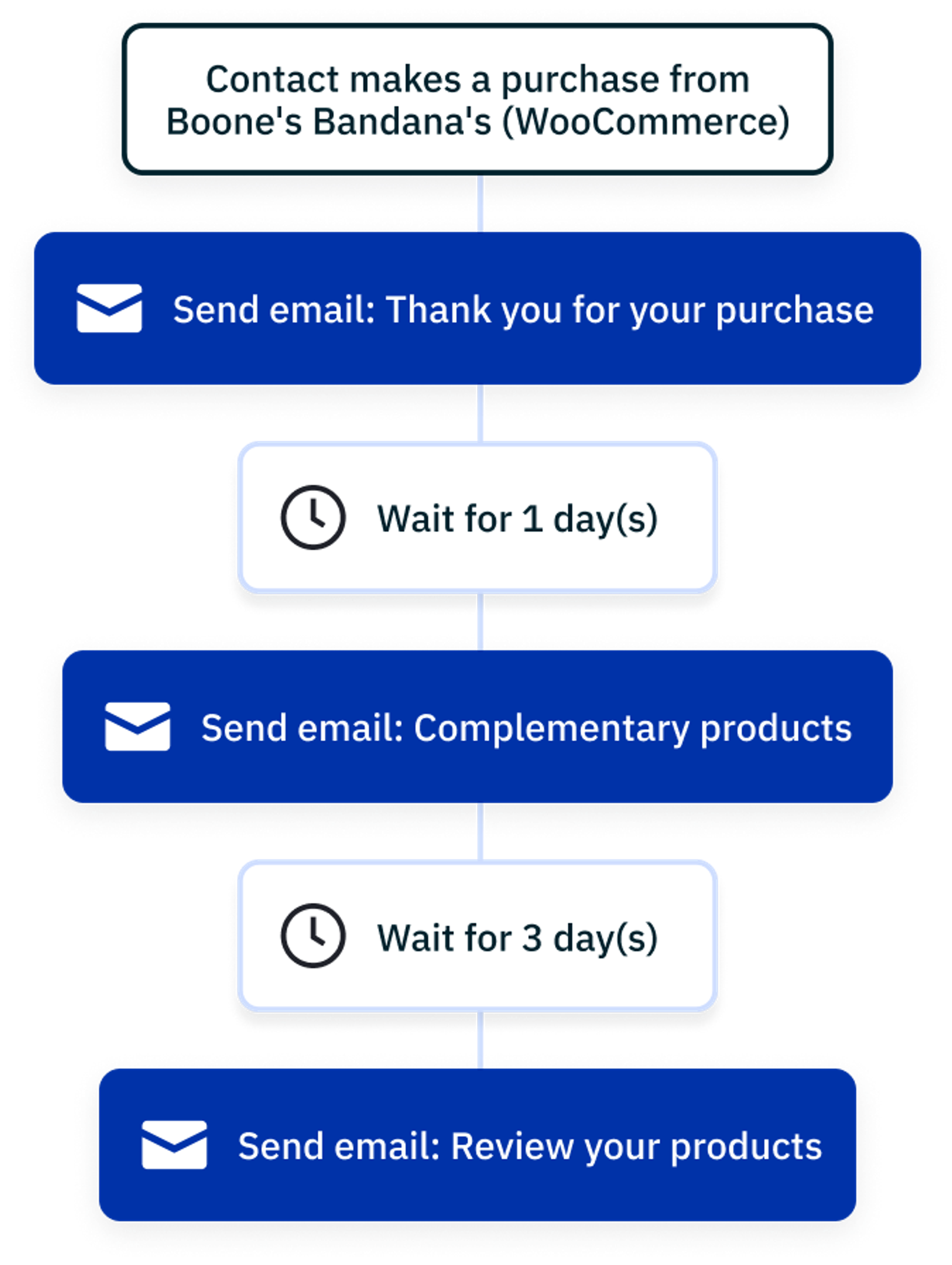
The ActiveCampaign extension for WooCommerce allows you to easily follow up with personalized automated emails so you increase your chances of upselling other products.
Key features of ActiveCampaign
- Trigger automations when an order status changes, such as pending, completed, cancelled, refunded or failed.
- Segment contacts by event data, like abandoned carts, and behavior data, like placed or refunded orders.
- Send abandoned cart reminders, personalized recommendations, feedback requests and win-back campaigns.
- Use Recurring Payments automations to manage subscription customers.
Pros and cons of ActiveCampaign
Pros: Automations can follow customers from their first order through upsell and win-back campaigns, and ActiveCampaign connects to over 1,000 apps. Cons: Advanced automations take time to learn, and automation needs regular review to stay relevant.
How much does ActiveCampaign cost?
ActiveCampaign's pricing page shows plans (Starter, Plus, Pro and Enterprise) but no dollar prices, so see the pricing page for current plans. You can try ActiveCampaign free for 14 days, no credit card needed. The historical sync is not available on the Starter plan.
Where to download ActiveCampaign
Install the ActiveCampaign for WooCommerce plugin from the WordPress plugin repository. It requires WordPress 7.0 or newer, PHP 8.1 or newer and WooCommerce 10.0 or newer (WordPress.org, November 20, 2026). Setup steps are in the ActiveCampaign help article. Read more on the ActiveCampaign WooCommerce integration page.
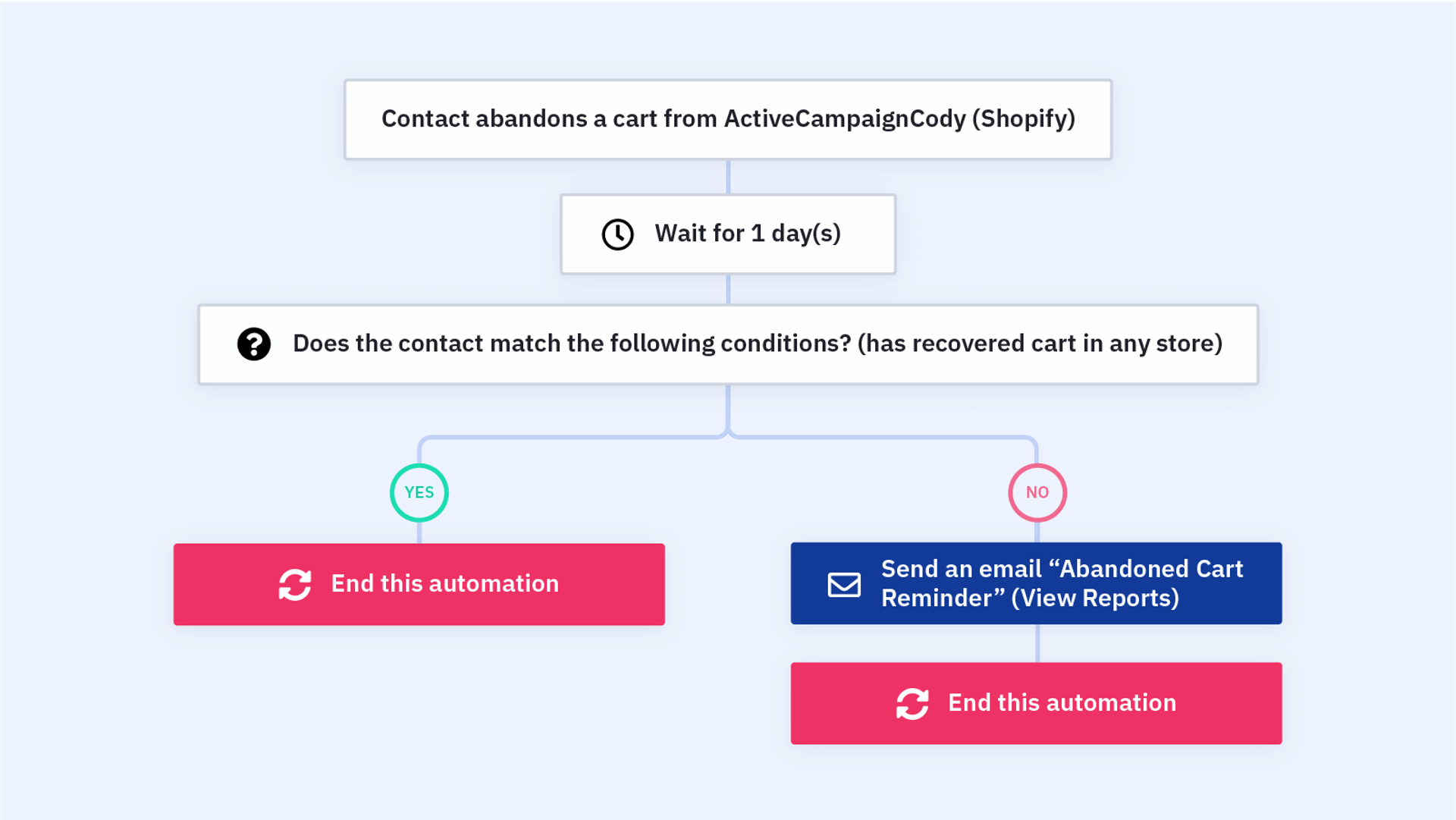
Do less manual work and set up abandoned cart automations to easily remind customers when they leave products behind.
Direct Checkout for WooCommerce: best for faster checkout
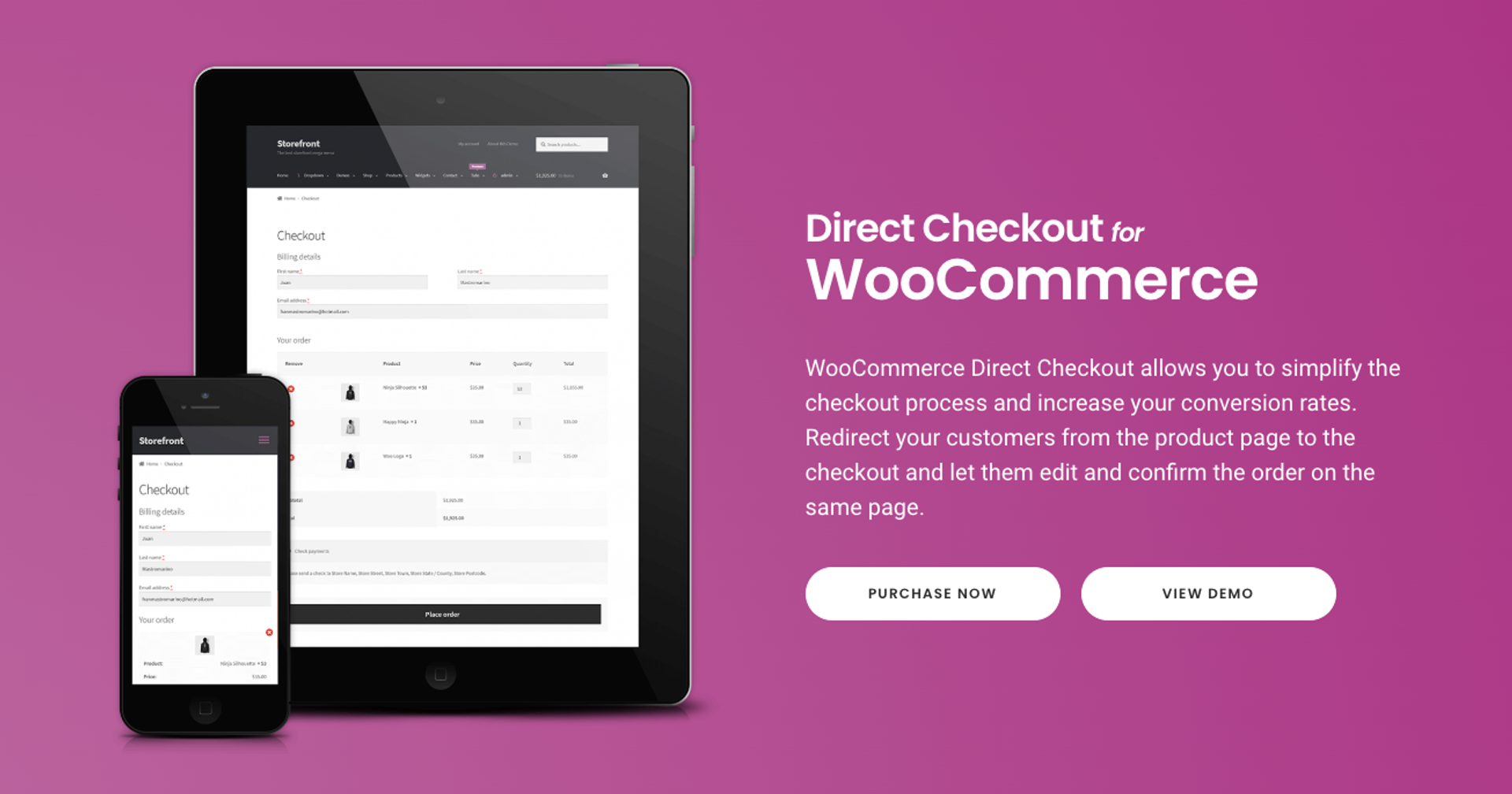
Direct Checkout for WooCommerce, from QuadLayers, shortens the path to purchase. It can send customers straight from a product page to checkout, so fewer steps stand between them and a sale.
Key features of Direct Checkout for WooCommerce
- Skip the cart page and go straight to checkout.
- Add a quick purchase ("Buy Now") button to product pages.
- Offer one-page checkout.
- Customize checkout fields to remove ones you don't need.
Pros and cons of Direct Checkout for WooCommerce
Pros: Fewer steps can reduce cart abandonment and lift conversions. Cons: It may not work with every theme or plugin, and stores with complex checkouts may need more features. The quick purchase button and one-page checkout are paid features.
How much does Direct Checkout for WooCommerce cost?
The paid plans are $49 a year for one site (Personal), $99 a year for five sites (Agency) and $149 a year for unlimited sites (Developer). Lifetime licenses start at $99. A free version is available (QuadLayers, November 20, 2026).
Where to download Direct Checkout for WooCommerce
Download the free version from the WordPress plugin repository, or buy the pro version from the WooCommerce Marketplace. See pricing details on the QuadLayers site.
FunnelKit: best for sales funnels
FunnelKit (Funnel Builder) helps you build sales funnels and checkout flows for WooCommerce, from landing pages through upsells. Its goal is to raise the average order value of each customer.

Key features of FunnelKit
- Offer one-click upsells and order bumps at checkout.
- Test funnel variations with A/B testing.
- Review funnel analytics.
- Recover abandoned carts, and on higher plans send email and SMS follow-ups with automations.
Pros and cons of FunnelKit
Pros: It can raise average order value, and the builder works without code. Cons: It takes time to learn all the features, and it may have compatibility issues with some themes or plugins.
How much does FunnelKit cost?
Basic is listed at $99.50 a year for one site, with a regular price of $129 a year. Plus is listed at $149.50 a year (regularly $299), and A/B testing, one-click upsells and order bumps start on Plus (FunnelKit, November 20, 2026). Listed prices appear to be a limited-time offer, so check the page before you buy.
Where to download FunnelKit
Download Funnel Builder from the WordPress plugin repository. See pricing details on the FunnelKit site.
Stripe for WooCommerce: best for payments
Stripe for WooCommerce connects the Stripe payment gateway to your store, so customers can pay on your site. Stripe publishes the extension, and the WooCommerce Marketplace marks it as Excellence verified.
Key features of Stripe for WooCommerce
- Accept Link, Apple Pay and Google Pay.
- Offer buy now, pay later options such as Klarna, Afterpay and Affirm.
- Accept credit and debit cards on a responsive checkout.
Pros and cons of Stripe for WooCommerce
Pros: A wide choice of payment methods gives customers more ways to pay. Cons: Stripe charges processing fees that can add up for high-volume stores, and setup takes some configuration.
How much does Stripe for WooCommerce cost?
The extension itself is free to add. Stripe charges processing fees on each payment, so check Stripe's own pricing page for your country (Stripe, November 20, 2026).
Where to download Stripe for WooCommerce
Download the extension from the WooCommerce Marketplace. A WordPress plugin repository version is listed as WooCommerce Stripe Payment Gateway.
OptinMonster: best for popups and lead capture
OptinMonster helps you grow your email list and reduce cart abandonment with popups and opt-in forms. It targets the right message to the right visitors on your WooCommerce store.
Key features of OptinMonster
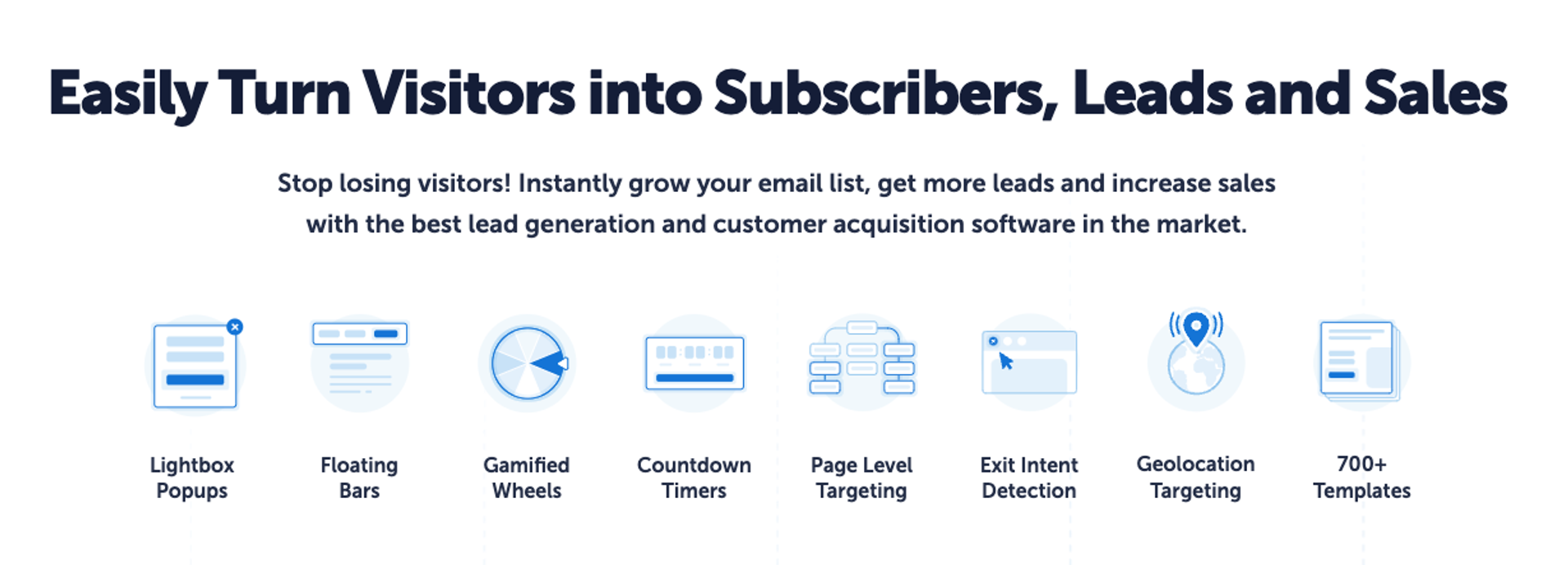
- Build campaigns with 700+ templates.
- Use page targeting and time-on-site and scroll triggers.
- Show exit-intent campaigns that catch visitors before they leave (Pro plan and above).
- Run A/B tests (Plus plan and above).
Pros and cons of OptinMonster
Pros: Targeting options and templates make it easy to personalize campaigns. Cons: Costs can be high for small businesses, and advanced features take time to learn.
How much does OptinMonster cost?
Basic is $9 a month for the first year ($108 billed yearly) and renews at $210 a year. Pro, which adds exit intent, is $29 a month in year one and renews at $870 a year. OptinMonster also lists a Black Friday offer, so prices may change (OptinMonster, November 20, 2026).
Where to download OptinMonster
Download OptinMonster from the WordPress plugin repository. See pricing details on the OptinMonster site.
TrustPulse: best for social proof
TrustPulse shows real-time notifications of customer activity, such as recent purchases and sign-ups. The goal is to build trust and nudge new visitors to act.

Key features of TrustPulse
- Show recent activity and on-fire notifications.
- Target notifications by page and display timing.
- Connect to Zapier.
- Use the WooCommerce integration on the Pro plan and above.
Pros and cons of TrustPulse
Pros: Social proof can raise trust and conversions with little setup. Cons: Paid plans can be a stretch for small stores, and too many notifications can annoy visitors. The WooCommerce integration needs the Pro plan or above.
How much does TrustPulse cost?
Basic is $5 a month billed annually at introductory pricing (normally $9 a month), and renewals are at full price. Pro, which includes WooCommerce, is $19 a month billed annually (normally $34). A free plan covers up to 500 sessions (TrustPulse, November 20, 2026).
Where to download TrustPulse
Download TrustPulse from the WordPress plugin repository. See pricing details on the TrustPulse site.
AffiliateWP: best for affiliate programs
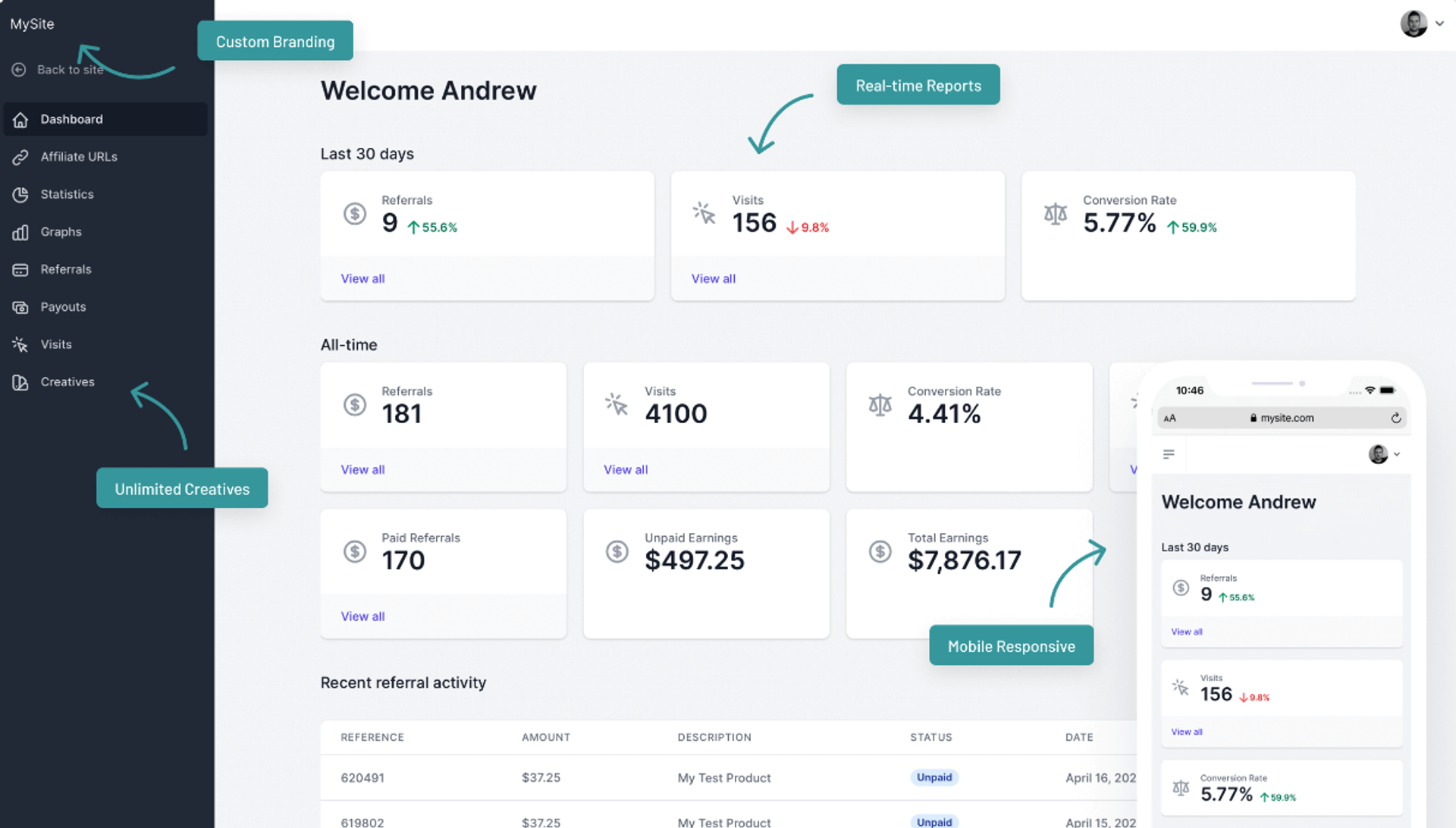
AffiliateWP lets you run an affiliate program for your WooCommerce store. Affiliates promote your products, and you track and pay them from your dashboard.
Key features of AffiliateWP
- Add unlimited affiliates and commissions.
- Charge zero platform fees.
- Use affiliate management tools for approvals and payouts.
- Track affiliate activity in real time.
Pros and cons of AffiliateWP
Pros: A scalable way to drive traffic and sales, with unlimited affiliates. Cons: Pricing can be high for small businesses, and a program needs ongoing management.
How much does AffiliateWP cost?
Personal, for one site, is listed at $149.50 a year, with a regular price of $299 a year. Plus is listed at $199.50 (regularly $399) and Pro at $299.50 (regularly $599). The listed prices are a 50% offer, so check the page before you buy (AffiliateWP, November 20, 2026).
Where to download AffiliateWP
Find pricing details and download AffiliateWP on the AffiliateWP site.
All in One SEO: best for WordPress SEO
All in One SEO (AIOSEO) helps you optimize your store's content, product pages and metadata so search engines can index and rank your products. It adds e-commerce features on top of its general SEO tools.

Key features of All in One SEO
- Optimize product pages, categories and other content.
- Manage SEO audits, redirects and 404s, including for WooCommerce products and categories (higher plans).
- Track keyword rankings and search statistics (higher plans).
- Generate sitemaps and schema markup.
Pros and cons of All in One SEO
Pros: Full SEO management inside WordPress, with automated settings to get started. Cons: Costs can be high for small stores, and advanced features take time to learn. It can conflict with other SEO plugins.
How much does All in One SEO cost?
Basic, for one site, is listed at $49.50 a year, with a regular price of $99 a year. Plus is listed at $99.50 (regularly $199) and Pro at $199.50 (regularly $399). The listed prices are a limited-time discount (All in One SEO, November 20, 2026).
Where to download All in One SEO
Download All in One SEO from the WordPress plugin repository. See pricing details on the All in One SEO site.
PushEngage: best for push notifications
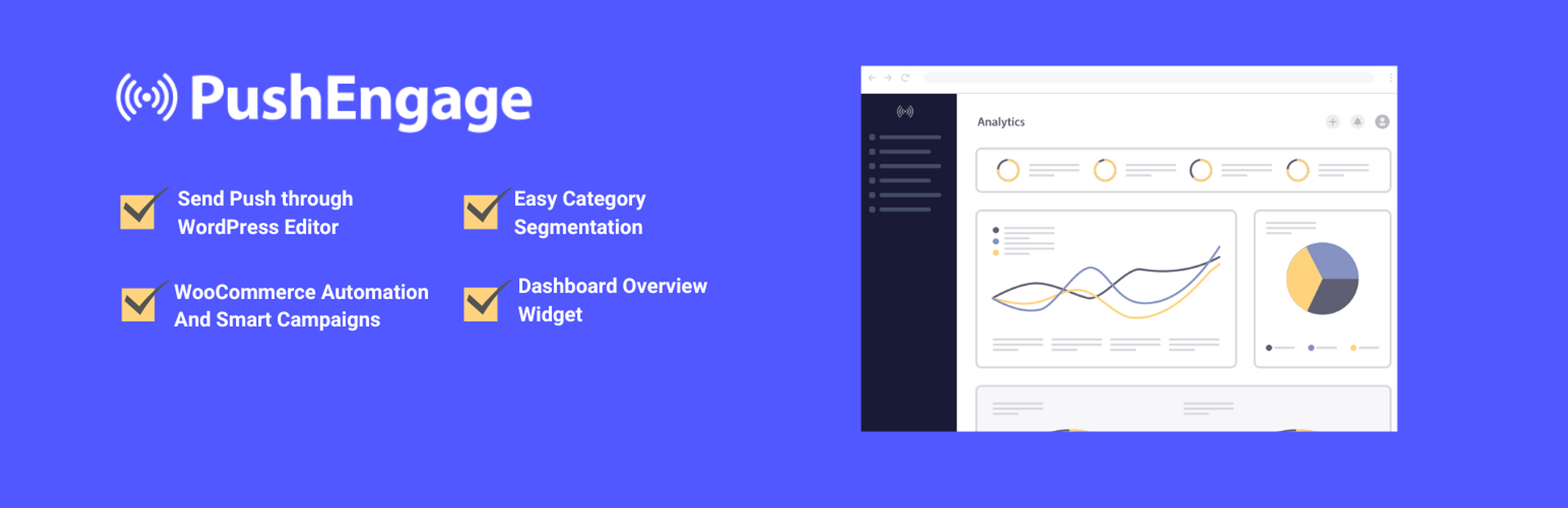
PushEngage sends push notifications to your customers' browsers and apps. You can use it to share new products and offers and to recover abandoned carts.
Key features of PushEngage
- Send web and app push campaigns.
- Recover carts on WhatsApp, in the browser and in the app (Growth plan).
- Alert customers on price drops and when stock returns (Growth plan).
- Segment audiences with geo and URL targeting.
Pros and cons of PushEngage
Pros: Timely, behavior-based messages can bring visitors back and support retention. Cons: Paid plans can be a concern for small stores, and sending too many notifications can overwhelm customers.
How much does PushEngage cost?
A free plan covers up to 200 subscribers with no time limit. Paid plans start at $9 a month, billed yearly, for up to 1,000 subscribers (Business). Premium is $17 and Growth is $25 a month, billed yearly (PushEngage, November 20, 2026).
Where to download PushEngage
Download PushEngage from the WordPress plugin repository. See pricing details on the PushEngage site.
Smash Balloon: best for social feeds
Smash Balloon shows social media feeds on your store, so visitors see your latest posts and customer content. It has separate plugins for Facebook, Instagram, X, TikTok, YouTube and reviews feeds.

Key features of Smash Balloon
- Display Facebook, Instagram, X, TikTok and YouTube feeds.
- Show a reviews feed.
- Moderate and filter posts, and customize layouts.
- Cache feeds in the background to keep pages fast.
Pros and cons of Smash Balloon
Pros: Live social content can build trust and bring social visitors to your store. Cons: Paid plans can be pricey for small stores, and unoptimized feeds can slow your site.
How much does Smash Balloon cost?
Facebook Feed Pro is listed at $49 to $199 a year (regularly $98 to $398). The All Access Bundle is listed at $299 (regularly $598). Both are on a 50% offer (Smash Balloon, November 20, 2026). A free version is on the WordPress plugin repository.
Where to download Smash Balloon
Download the free Smash Balloon plugin from the WordPress plugin repository. See pricing details on the Smash Balloon site.
Frequently asked questions
What are the best WooCommerce extensions?
It depends on the job. ActiveCampaign suits email marketing, Direct Checkout suits checkout, FunnelKit suits funnels, Stripe for WooCommerce suits payments, OptinMonster suits popups, TrustPulse suits social proof, AffiliateWP suits affiliates, All in One SEO suits SEO, PushEngage suits push notifications, and Smash Balloon suits social feeds.
Are WooCommerce extensions free?
Some are. Stripe for WooCommerce is free to add, and Direct Checkout, All in One SEO, PushEngage and Smash Balloon have free versions or plans. TrustPulse offers a free plan for up to 500 sessions, and OptinMonster offers a free trial. FunnelKit has a free plugin, and AffiliateWP has no free option we found.
Does ActiveCampaign work with WooCommerce?
Yes. The ActiveCampaign for WooCommerce plugin syncs orders, abandoned carts and your product catalog to ActiveCampaign, so you can trigger automations, segment contacts and send follow-up emails. The sync is one-way, from WooCommerce to ActiveCampaign.
How many WooCommerce extensions should I install?
Only as many as solve a real problem. Each one adds code to your store, and too many can slow your site and complicate management. Start with the job that matters most, such as payments or email, and check support and update history before you add more.
Recap: how to pick WooCommerce extensions
Start with the job you need done: email, checkout, funnels, payments, popups, social proof, affiliates, SEO, push or social feeds. Check support and update history, then compare prices on each vendor's page before you buy.
Ready to turn WooCommerce orders into follow-up emails? Try ActiveCampaign free for 14 days, no credit card required.
Turn every order into your next campaign
Next read: How to Sell More With WordPress