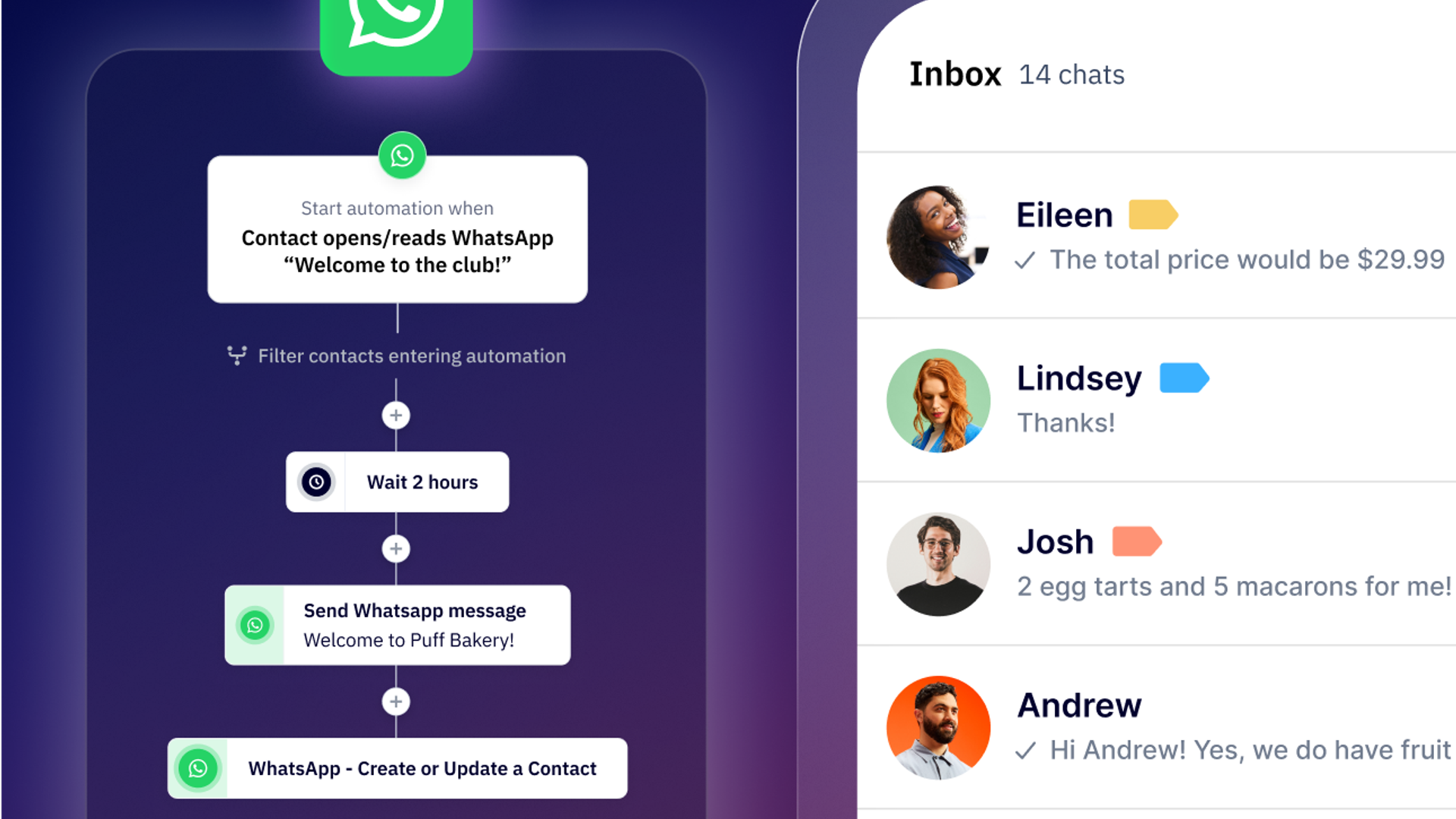
More than 3 billion people use WhatsApp every month, chatting with friends, family, and, increasingly, their favorite brands.
Businesses no longer need to rely solely on crowded email servers or expensive SMS campaigns to stay connected to their customers' inboxes. Instead, they have access to one of the most responsive marketing channels in the world.
Today, WhatsApp supports customer service, product launches, lead nurturing, and re-engagement in real time. When done right, WhatsApp marketing turns private, permission-based chats into a high-converting, conversational channel that drives meaningful engagement.
But for your WhatsApp marketing strategy to work, you need more than the app: you'll have to consider automation, compliance, and personalization at significant scale.
In this guide, we'll show you how to get started, craft high-performing campaigns, and connect WhatsApp seamlessly to your broader marketing strategy.
Why WhatsApp belongs in your channel mix
WhatsApp marketing is the use of the WhatsApp messaging channel to communicate with customers for promotions, sales, support, and retention. WhatsApp marketing for business works best as a permission-based, two-way channel, because customers opt in and reply in the same app they use with friends and family.
Customers expect fast, personal, and convenient communication, and WhatsApp marketing delivers all three. With more than 3 billion monthly users in 180+ countries, WhatsApp is now one of the most direct and trusted ways to reach customers anywhere in the world.
WhatsApp marketing shines best when it comes to real-time, two-way communication. Messages arrive instantly, appear in the same thread customers use for friends and family, and are read within minutes instead of hours.
WhatsApp's own marketing materials report average open rates as high as 98%. That is a vendor-reported figure, so treat it as an upper bound. For comparison, the average email open rate across ActiveCampaign customer campaigns is 39.26% (campaigns with 1,000+ sends, January 1 to December 10, 2025).
Unlike email, there's no spam folder to compete with. And unlike SMS, WhatsApp supports rich media (images, videos, buttons, and quick replies) that make engagement seamless.
WhatsApp dominates the messaging industry across several major markets. In Latin America, Europe, and parts of Asia, WhatsApp is the preferred primary messaging channel. Meanwhile, adoption in the U.S. continues to rise as more consumers prefer chat-based service over email or phone.
Email, SMS, or WhatsApp: which channel fits which message?
| Channel | Use it for | Reply expected? |
|---|---|---|
| Broad reach: product updates, newsletters, and low-cost nurture | No | |
| SMS | Urgent, one-way alerts that need high visibility | No |
| Two-way conversations within a set timeframe that move the customer toward a purchase | Yes |
Use email for broad, low-cost nurture, SMS for instant alerts that need no reply, and WhatsApp for two-way conversations that convert. The strongest programs run all three together.
Common mistake: sending every urgent message through SMS and WhatsApp at once. The channels start to cannibalize each other, and it isn't necessary. Choose by the action you want: SMS when no reply is expected, WhatsApp when you need the customer to engage, reply, or reach a person.
The distinction comes down to the desired action.
Who sees the strongest results:
- B2C brands, because they reach customers in an app those customers already use all day
- Financial services, insurance, and online education, where businesses send time-sensitive updates and nudge customers through the final stages of conversion
WhatsApp marketing campaigns that convert
A small team can cover the full funnel with five WhatsApp campaign types: promotions, cart recovery and follow-up, support and qualification, order updates, and loyalty. Permission-based chats make each one feel like a personal update, and the strongest programs pair WhatsApp with email and SMS, so a customer might get a WhatsApp promo, an email reminder, and an SMS alert for critical updates.
Promotions and product launches
Start with the segment, then write the message. Send a launch only to opted-in customers whose purchase history points to the product, and use that history in the copy. A skincare brand launching a refill pack, for example, can message only the customers who bought the original, with a button that opens the product page.
Keep the broadcast short and give it one call to action, either a reply or a tap through to buy. Write it for the chat. A launch email pasted into WhatsApp wastes the conversation.
Pair launches with Click-to-WhatsApp ads on Facebook or Instagram. When a customer starts the chat from an ad, delivery is free for 72 hours, so replies, order confirmations, and follow-ups in that window cost nothing to send.
If you take a product launch email and paste that wall of text into a WhatsApp broadcast, you’ll ruin the user experience and waste the conversation.
Abandoned cart recovery and lead follow-up
Sales follow-up is the most underused stage in WhatsApp campaigns. Reps juggle long task lists, and the cost is a missed window: the moment a prospect is ready for a nudge passes before anyone sends it.
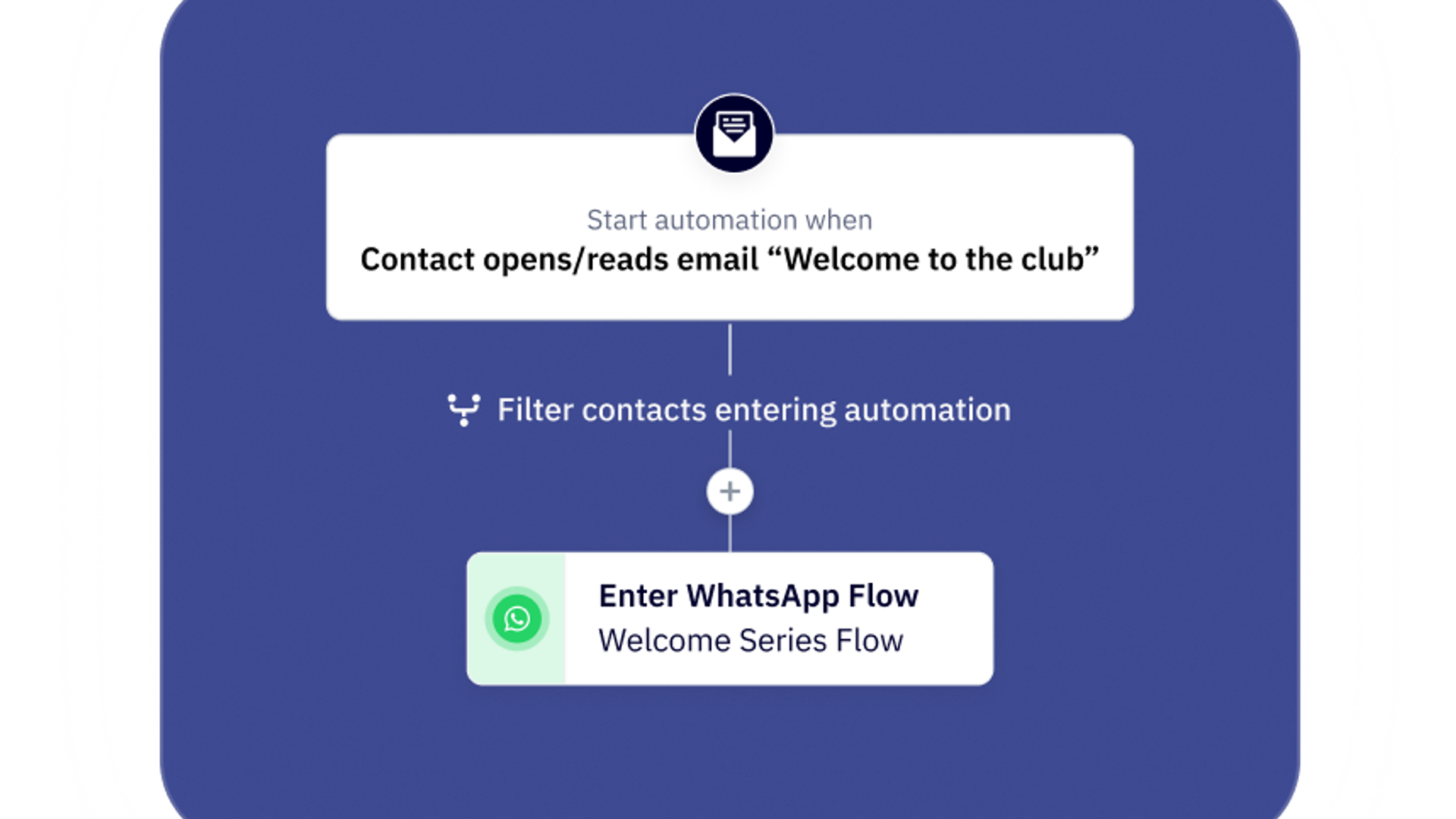
Connect WhatsApp to your CRM and let real-time events send the message, such as an abandoned cart, a submitted form, or an email that goes unopened. The follow-up lands at the right moment and adds no manual work for your reps.
Surveyed ActiveCampaign WhatsApp Messaging customers reported a 66% increase in their lead follow-up rate after switching, and 40% said that before ActiveCampaign they followed up on fewer than 30% of their WhatsApp inquiries.*
E-commerce brand Fisiopharm & Cream used the same approach to retarget shoppers. Behavior-triggered WhatsApp flows handled abandoned-cart reminders, targeted promotions, and product catalogs, personalized to each customer's earlier interactions.
Customer support and lead qualification
Two automations carry most of the load: an inbound triage chat and a pre-qualification flow.
- Triage inbound chats. Open with "How can we help you today?" and offer quick replies for common questions, such as business hours or pricing.
- Pre-qualify before a person steps in. Ask two or three questions upfront, such as "What product are you interested in?" for sales or "What issue are you experiencing?" for support.
When your team takes over, the context is already there. That saves minutes per ticket and frees your team for the problems that need a person. With a BSP like ActiveCampaign, the inbox, media handling, and campaign builders come built in, so conversations from your whole team stay in one place.
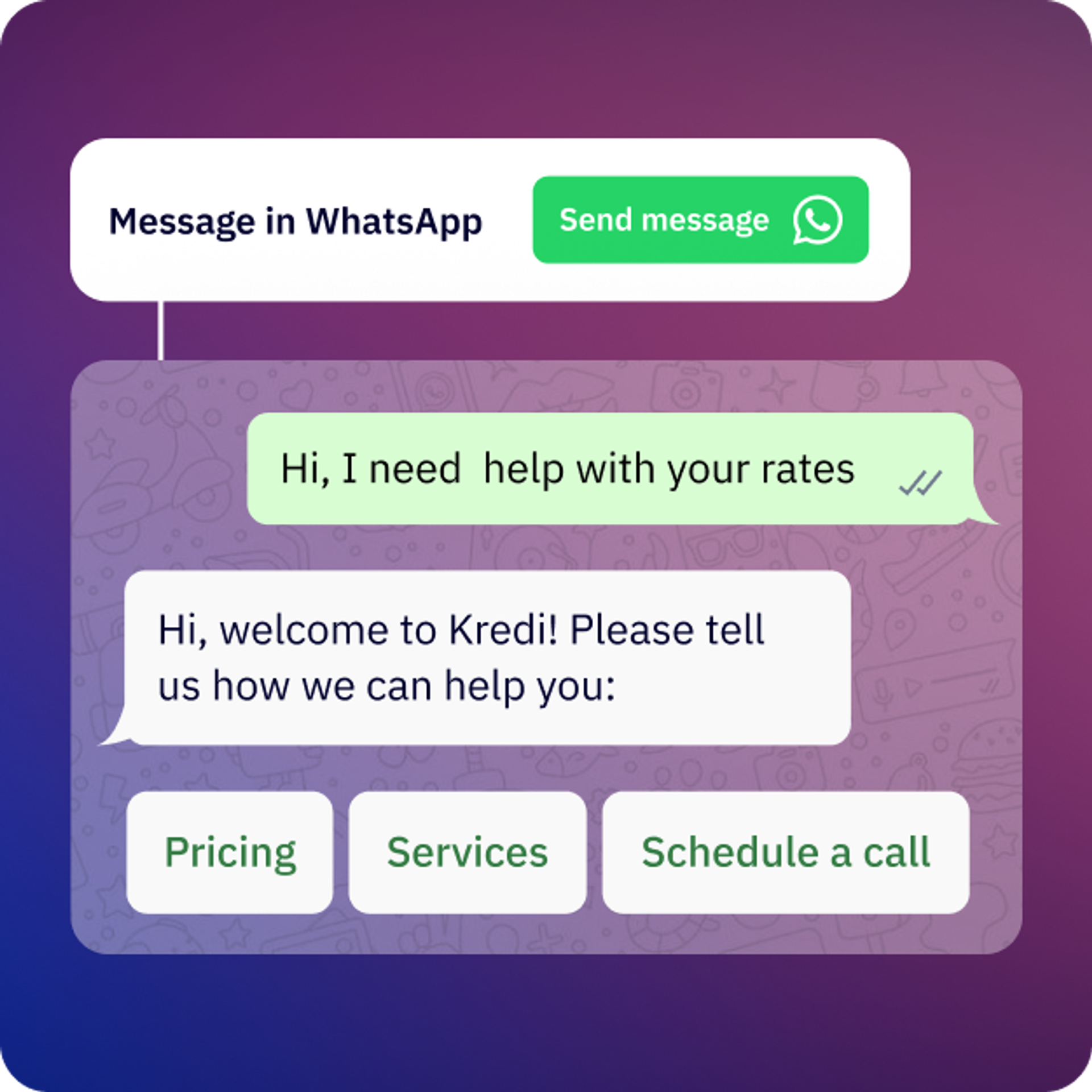
Quiz Patente & Guida e Vai, an Italian driving-school network, used WhatsApp with ActiveCampaign to qualify leads. The team segmented contacts by license type and interest level, and real-time interactions triggered the WhatsApp messages. A prospect who clicked or replied moved into a personalized flow, and one who didn't got automated reminders. Every response updated the CRM and routed the lead to sales.
Common mistake: automating the whole customer journey on day one. Automate the minimum first, look at your engagement data, and then automate the repetitive tasks you find. Always give people a clear, easy way to reach a live agent, so the chat never feels like a bot loop.
Automate the absolute minimum to map out the customer journey.
Order updates, shipping notifications, and appointment reminders
Utility messages keep customers informed after they buy or book, and they can reduce inbound support volume because the update arrives before the question does. Examples include order confirmations, delivery alerts, and appointment reminders.
Trigger them automatically from ecommerce or CRM events, such as an order-status change or a booking. Schedule reminders so they land during the customer's local business hours.
Because Meta bills each delivered message, combine status, delivery estimate, and tracking link into one update instead of three.
Loyalty, retention, and conversational commerce
Post-purchase nurture, re-engagement, and loyalty campaigns extend the relationship after the first sale. A short check-in after delivery, a nudge for customers who've gone quiet, and a reward for repeat orders each give customers a reason to reply.
Rich, interactive formats turn those messages into conversational commerce. Here's an illustrative flow driven by customer data:
- A customer buys running shoes, and a set number of days later receives a short message with two quick-reply buttons.
- A tap on "Show me trail shoes" sends recommendations based on what that customer bought.
- A tap on "Not now" tags the contact to pause promotions for a while.
How to set up WhatsApp marketing in your stack
Before you can launch high-performing WhatsApp marketing campaigns, you need the right setup. Whether you're just starting or ready to scale, your approach determines what you can automate, personalize, and measure.
Pick your WhatsApp setup: Business App or Business API via a BSP
Most businesses have two paths: the free WhatsApp Business App, or the WhatsApp Business API through a Business Solution Provider (BSP). A BSP is an official Meta partner that gives you access to the API, so working with one means using the API. Your choice depends on your conversation volume, your automation needs, and how closely you want messaging tied to your marketing stack.
WhatsApp Business App – for small businesses with low conversation volume: Ideal for solopreneurs or local businesses that send a few manual messages each day. The app lets you create a basic business profile, quick replies, and labels, but it's not designed for automation, CRM syncing, or campaign analytics. It is free to download and easy to use. You manage it by hand, and you don't need a CRM.
WhatsApp Business API via a BSP, like ActiveCampaign – for growing, mid-size, and large businesses: Choose this path when you need to sync data with a CRM, automate messages, and handle high volumes. The API unlocks WhatsApp automation, segmentation, and templated notifications, letting you send approved messages at scale. A BSP provides the software out of the box, including the inbox, media handling, and campaign builders, so you don't have to build any of it. As a BSP, ActiveCampaign manages onboarding, compliance, integration, and billing, and you pay only for the messages you send, not for separate setup or maintenance. You'll have no-code access to advanced automation, templates, and reporting tools so you can focus on the strategy, not the setup.
The edge case: connecting directly to Meta's API. Any company can connect straight to Meta's API, but it would have to build the entire software infrastructure from scratch. That usually only makes sense for very large enterprises with dedicated dev teams and simple, one-way transactional use cases, such as sending one-time authentication codes, where they don't need to manage replies or conversation states.
How Meta charges for WhatsApp Business API messages
- Billing unit: each delivered message, with rates that vary by country and message category.
- Service messages, new since October 1, 2026: free-form replies inside the 24-hour customer service window are billed per message after the first 1,000 per business phone number each month. Utility templates sent in that window are billed too.
- Free entry points: when a customer starts a chat by tapping a Click-to-WhatsApp ad, or a call-to-action button on your Facebook or Instagram page, every message you send in the next 72 hours is free to deliver.
- Still free: messages your customers send you.
For the full breakdown, see our WhatsApp Business API guide.
- Start with the Business App for low volume and manual chats.
- Move to the API through a BSP when you need CRM sync, automation, or high volume.
- Go direct to Meta's API only if you have a dev team and a one-way transactional use case.
Automation is where WhatsApp marketing scales, so most growing businesses end up on the API through a BSP.
Step-by-step WhatsApp Business API onboarding
Getting started with the WhatsApp Business API can sound technical, but with the right partner, it's straightforward. Here's what the process looks like with ActiveCampaign.
- Verify your business profile You'll need a Meta Business Manager account with a verified legal entity name, business address, and website. This verification ensures your brand appears as an official, trusted sender on WhatsApp.
- Choose and register your phone number Select a dedicated number for WhatsApp messaging (it can't already be tied to a personal or Business App account). Once registered, this number will appear on your WhatsApp Business profile and power all automated and broadcast campaigns.
- Connect your account via a BSP like ActiveCampaign Instead of managing the technical setup and hosting yourself, connect through ActiveCampaign, an official WhatsApp Business Solutions Provider. ActiveCampaign manages the API connection, compliance, and hosting. So you can start sending messages from within your existing automations and contact lists.
- Submit and approve your message templates WhatsApp requires pre-approval for outbound marketing templates, ensuring they meet quality and compliance standards. ActiveCampaign streamlines this process with an in-platform template manager, letting you easily create, customize, and track approvals for utility, authentication, or marketing messages.
- Start messaging and measuring performance Once approved, you can send campaigns, automate responses, and track engagement. This is all easy in ActiveCampaign's reporting dashboard. From open and delivery rates to conversion metrics, you'll have full visibility into WhatsApp performance alongside email, SMS, and other channels.
Connect WhatsApp to your email, SMS, and CRM
Integrating WhatsApp with your marketing stack turns it from a standalone messaging tool into a powerful, personalized engagement channel. With WhatsApp marketing software connected to your CRM, automation platform, and customer data, you can deliver messages that are timely, relevant, and tailored to individual behavior.
Brands can use these connections to:
- Leverage segmentation and personalization: target messages based on purchase history, lifecycle stage, or past interactions.
- Orchestrate cross-channel campaigns: coordinate WhatsApp with email, SMS, and other channels for consistent, multi-touch experiences.
- Streamline opt-in tracking: record opt-ins, preferences, and consent across platforms.
- Measure performance: view open rates, click-throughs, and conversions alongside other channels to optimize campaigns and prove ROI.
By connecting WhatsApp through a trusted BSP, like ActiveCampaign's WhatsApp Messaging, brands can seamlessly integrate marketing channels, and scale personalized, automated campaigns confidently.
6 best practices to craft high-performing WhatsApp marketing campaigns
Launching WhatsApp campaigns is just the first step. True success comes from crafting messages that engage, convert, and maintain trust. Unlike email or SMS, WhatsApp thrives on personal, concise, and timely communication, so understanding best practices is essential.
The following practices will ensure your WhatsApp campaigns feel human, drive engagement, and avoid spammy impressions.
1. Lead with value and one clear next step
Each WhatsApp message should focus on a single benefit and a clear action. Avoid overloading customers with multiple offers or requests.
- Open with the value the recipient cares about.
- Stick to one objective per message to avoid decision fatigue.
- Write for the chat, not the inbox. Keep messages short, direct, and conversational, and never paste a launch email into a broadcast.
- Make the CTA unmistakable.
This approach ensures your messages are relevant, engaging, and actionable, increasing the likelihood of a response or conversion.
2. Personalize with guardrails and localization
Personalization drives engagement, but it must be safe and context-aware.
- Use dynamic variables (name, product, order, timing) with fallbacks for missing data.
- Localize content. Language, currency, and time zone should match the recipient.
- Personalize on behavior, not just a name. Purchase history, repeat visits to a page, and form answers say more about what a customer needs than a first name does.
By personalizing thoughtfully, you'll increase relevance and conversion while avoiding mistakes that can reduce trust.
3. Pick the right template category and keep copy tight
WhatsApp requires that messages fit into approved template categories, so aligning your content ensures compliance and higher engagement.
- Choose the right category, such as utility (informational), marketing (promotional), or authentication (verification, alerts).
- Keep your copy short, clear, and focused. Avoid spammy language, excessive emojis, or ALL CAPS that can trigger rejections or reduce trust.
- Limit each template to one specific use case, making it easier for recipients to understand and act on the message.
- Review performance and iterate — small tweaks to wording or CTA placement can significantly improve approval rates and engagement.
Following these steps helps your WhatsApp campaigns stay compliant while delivering messages that resonate and drive action.
4. Use media and buttons sparingly but strategically
Rich media and interactive buttons can boost engagement, but too much can overwhelm or annoy recipients.
- Include lightweight images or short videos only when they clarify value or support the message.
- Pair media with a concise caption and a single primary CTA to guide action.
- Use 2–3 quick-reply buttons to simplify responses and reduce typing, but avoid cluttering the conversation.
- Test media formats and button placement to see what drives higher clicks and conversions without compromising readability.
Strategic use of media and buttons ensures messages remain clear, actionable, and visually engaging without feeling intrusive.
5. Trigger messages at the moment of need
Sending messages at the right time improves engagement and reduces opt-outs.
- Respect local hours and daypart messages by region and industry norms.
- Trigger messages based on high-intent signals like browsing behavior, abandoned carts, signups, or delivery events.
- Let context set the cadence. A reminder sent a couple of hours after someone abandons a loan application arrives when they may have free time, and they appreciate it because it helps them finish.
- For promotional broadcasts, start light, stagger larger campaigns, and watch your opt-outs and blocks to find your limit.
- Use historical engagement data to optimize send times for maximum impact.
Align timing with customer intent and keep a close eye on frequency, so your campaigns feel timely, relevant, and non-intrusive, driving higher engagement and satisfaction.
It’s less about arbitrary frequency caps and more about triggering messages at strategic moments when the user actively needs that touchpoint.
6. Earn explicit consent and make opt-out effortless
Trust is critical on WhatsApp — every message should be permission-based.
- Capture opt-in via forms, checkout checkboxes, click-to-WhatsApp links, QR codes, or WhatsApp ads, and clearly set expectations for content and frequency.
- Consider double opt-in and record the timestamp, source, and consent language for compliance.
- Make opting out simple and immediate (e.g., "STOP" or menu-based options), and confirm removal to maintain transparency.
Prioritize consent and easy opt-out, so your campaigns build trust, stay compliant, and maintain long-term engagement. Easy opt-outs also protect your budget, because Meta bills each delivered message and every send to someone who doesn't want it is money spent for nothing.
How ActiveCampaign automates your WhatsApp marketing
Running WhatsApp campaigns manually can quickly become overwhelming, especially as you scale. ActiveCampaign transforms WhatsApp from a standalone channel into a fully automated, personalized, and measurable marketing engine.
Let's break down ActiveCampaign's features and how they solve common challenges and make WhatsApp marketing easy, effective, and profitable.
ActiveCampaign funnel-based workflows for WhatsApp
ActiveCampaign enables businesses to map WhatsApp campaigns to each stage of the customer journey, turning conversations into measurable results.
- Awareness: Deliver automated gated content or welcome series to new leads via WhatsApp.
- Consideration: Use drip nurturing or FAQs through chatbots to answer questions and guide prospects.
- Purchase: Trigger abandoned cart reminders or promotional nudges to drive conversions.
- Retention: Send loyalty updates, re-engagement messages, and post-purchase follow-ups to encourage repeat business.
By connecting WhatsApp messaging to automated workflows, marketers can reach the right audience at the right time, reduce manual effort, and increase conversions across the funnel.
ActiveCampaign AI-driven segmentation for one-to-one WhatsApp messaging
ActiveCampaign lets you deliver highly personalized WhatsApp messages using real-time data and AI-driven segmentation.
- Trigger messages based on behavioral signals such as site visits, purchase history, or engagement patterns.
- Use dynamic content blocks powered by predictive models to tailor messaging for each recipient.
- Combine segmentation with lifecycle or intent data to ensure each message resonates personally.
This approach moves campaigns beyond mass messaging, enabling one-to-one conversations at scale that drive higher engagement and conversion rates.
WhatsApp cross-channel orchestration in ActiveCampaign
WhatsApp is most effective when it's part of a cohesive multi-channel strategy. ActiveCampaign enables seamless orchestration across WhatsApp, email, SMS, and other channels so you can:
- Coordinate campaigns so messages reinforce each other rather than compete.
- Maintain consistent messaging and branding across all touchpoints for a unified customer experience.
By orchestrating campaigns across channels, businesses can maximize reach, engagement, and conversion.
Prevent spam and boost engagement with WhatsApp smart templates
Even high-quality campaigns can feel intrusive without proper structure. ActiveCampaign's pre-approved templates and robust personalization features help brands deliver messages that are relevant, timely, and compliant:
- Tailor content to context using optimized message variables, images, and CTAs for each recipient.
- Align message type with WhatsApp-approved categories to ensure compliance and higher approval rates.
- Choose templates that help you to maintain a conversational tone, so your messages feel personal rather than promotional or spammy.
Smart templates allow businesses to scale messaging without sacrificing engagement or trust, turning WhatsApp into a reliable channel for meaningful customer interactions.
Automate WhatsApp at scale and prove ROI in ActiveCampaign
Scaling WhatsApp campaigns can be tricky. Manual messaging quickly becomes unmanageable, and without proper tracking, it's hard to measure which messages drive engagement, conversions, or revenue. Businesses risk wasting time on ineffective sends or accidentally spamming customers.
ActiveCampaign makes it easy to run large-scale WhatsApp campaigns while tracking performance.
- Built-in automations for the WhatsApp Business API handle scheduling, triggers, and routing so teams don't need manual intervention.
- Measure key metrics like delivery, open, click-through, and conversions directly within the platform.
With automation and robust reporting, businesses can scale WhatsApp marketing confidently while proving impact to stakeholders.
Design segmented WhatsApp customer journeys in ActiveCampaign
Many businesses struggle to move beyond one-size-fits-all messaging, sending the same content to every contact regardless of behavior or interests. This approach often leads to low engagement and unsubscribes.
ActiveCampaign's smart segmentation and routing solve this by:
- Creating dynamic paths based on real-time behavior, purchase history, or lifecycle stage.
- Delivering personalized messages that adapt to each customer's journey.
- Ensuring every contact receives relevant follow-ups, rather than generic blasts.
Segmented, personalized journeys increase engagement, nurture leads more effectively, and drive higher conversion rates across WhatsApp campaigns.
Turn conversations into conversions with ActiveCampaign
WhatsApp marketing works best when it's part of a deliberate, data-driven strategy. By combining automation, segmentation, and cross-channel orchestration, businesses can move from one-off messages to ongoing, measurable customer engagement.
Our WhatsApp ROI Data Report found that survey respondents who adopted ActiveCampaign's WhatsApp messaging report the following:
- 94% see positive ROI in under a year
- 82% improved response times
- 66% increase in lead follow-up rate
- An average of 5 hours saved per week on follow-up
*"Surveyed respondents" refers to 108 ActiveCampaign WhatsApp Messaging customers surveyed through UserEvidence, not all ActiveCampaign customers.
ActiveCampaign makes it easy to start small, iterate based on real-time insights, and scale campaigns while maintaining personalization and compliance. Whether you're nurturing leads, driving sales, or re-engaging past customers, WhatsApp can become a core revenue channel when paired with the right automation tools.
Turn WhatsApp conversations into customers
ActiveCampaign connects WhatsApp to your email, SMS, and CRM, so every conversation can trigger the next step in your campaign.
WhatsApp marketing FAQs
What is WhatsApp marketing?
WhatsApp marketing is the use of the WhatsApp messaging channel to engage customers with personalized, timely messages for promotions, sales, support, and retention. Businesses send permission-based messages through the WhatsApp Business App or the WhatsApp Business API, often with automation, to drive awareness, conversions, and loyalty.
How effective is WhatsApp marketing compared to email and SMS?
Each channel has a different job: email for broad updates, SMS for urgent one-way alerts, and WhatsApp for two-way conversations that move a customer toward a purchase. WhatsApp’s own materials cite open rates as high as 98%, a vendor-reported figure, while email averages 39.26% across ActiveCampaign customer campaigns. The strongest programs run all three together.
Do I need customer consent to send WhatsApp marketing messages?
Yes. WhatsApp requires businesses to get opt-in before sending marketing messages, and regional rules such as GDPR add their own requirements. ActiveCampaign streamlines opt-in tracking, and you should still record when, where, and how each customer agreed.
How often should I send WhatsApp marketing campaigns?
Let customer context set the cadence. Triggered messages such as reminders, order updates, and follow-ups can go out whenever the customer needs them, while promotional broadcasts should start light and scale back if opt-outs rise.
How does ActiveCampaign help me avoid sending spammy messages?
ActiveCampaign’s pre-approved templates, personalization features, behavior-based automations, and segmentation ensure relevant, compliant messaging.
How much does the WhatsApp Business API cost?
Meta charges per delivered message, with rates that vary by country and message category. Since October 1, 2026, service replies inside the 24-hour customer service window are billable after the first 1,000 per business phone number each month, and utility templates sent in that window are billed too. Conversations that start from a Click-to-WhatsApp ad stay free to deliver for 72 hours.
Can ActiveCampaign handle compliance for different regions?
Yes. ActiveCampaign streamlines opt-in tracking by recording consent timestamps and source information, and it supports regional rules like GDPR. WhatsApp-approved templates and opt-out handling help keep your campaigns compliant, though you stay responsible for the consent you collect.
How do I track revenue generated from WhatsApp campaigns?
Tie every message to a trackable outcome, such as a UTM-tagged link or a conversion event in your CRM, then compare conversions and revenue by campaign. In ActiveCampaign, built-in reporting and CRM integration show opens, clicks, conversions, and ROI alongside your other channels.