Ecommerce email marketing is one of the highest-returning channels an online store has. According to Litmus, email returns an average of $36 for every $1 spent, and $45 for retail and consumer goods brands. It also scales as your list grow, giving you direct access to your customers.
So how do you get started? If you’re just setting up your ecommerce store, are only firing off the occasional promo blast, or set up a welcome email once and have never touched it again, this guide is for you. We’ll cover all of the essentials you need to know to shape your ecommerce email marketing approach and drive tangible results for your brand.
Why email marketing is essential for online stores
Ecommerce email marketing is email content that you send to shoppers based on their behaviour and purchases from your online store. It guides them from their first visit to being a loyal repeat customer.
Email works well for ecommerce businesses because it's an owned channel. Paid ads get more expensive every quarter, and a single algorithm change can wipe out organic social reach overnight. Your email list, though, stays yours. Because no platform sits between you and your shoppers, a policy change can’t take the relationship away.
"Email marketing is something that’s real, meaning that the brand is initiating and actually communicating with you versus things that are being created on the internet with AI."—Joann Ng, Senior Product Marketing Manager at ActiveCampaign
Email also reads as real in a feed full of AI-generated content because the brand itself is writing directly to the shopper. You can personalize content using what you know about each shopper: purchase history, repeat visits to a product page, and answers from any forms they might’ve filled out.
Ecommerce email campaigns can profoundly influence three critical business areas: lead nurturing, relationship-building, and after-sales care.
Lead nurturing
Lead nurturing isn't just about pushing a sale. It's about crafting a memorable and satisfying journey for potential customers. Remember, nurturing through methods like engaging email newsletters is pivotal in converting qualified leads into dedicated customers. Leveraging personalized content can be a game-changer, guiding your email subscribers toward that final purchase.
Building relationships
While lead nurturing paves the way for forming relationships, it's crucial to cherish those who've already made a purchase. In ecommerce email marketing, the goal isn't just to make a sale but to foster enduring connections. Your strategy should spotlight opportunities to keep these customers engaged, perhaps with an enticing discount code, ensuring they continue frequenting your online store. It's all about laying the bricks for a foundation of loyalists who'll stand by your brand.
After the sale
So, the deal's sealed. It's time to move on to the next customer, right? Think again. This post-purchase phase is golden for cementing customer loyalty. Keep the conversation alive. Employ automated follow-up messages, tempt them with related or complementary product lines to encourage cross-selling, and always solicit feedback. These post-sale practices aren't just beneficial for your ecommerce sales; they're a win-win, enhancing your brand's reputation and customer experience.
How to build an ecommerce email marketing strategy
Before you build a single automated email, you need a framework that fits your store. Start by establishing your email marketing strategy by focusing on three keystones:
- Pinpoint your target audience
- Set clear objectives
- Choose metrics that matter
Let's explore how to do so in detail.
Understand your audience
Every strong email campaign starts with a real understanding of your audience. These aren't just "recipients" or "potential customers", they're people with distinct habits, preferences, and buying patterns. The better you understand what they browse, what they buy, and how they engage, the more relevant every send becomes.
Case study
Marianna Sachse is the founder and only full-time employee of Jackalo, a sustainable kids’ clothing brand stocked in Nordstrom and Target. She uses customer calls, survey responses, and Shopify reports to customize her emails. The result: an 80% increase in website conversion rate and a 250%+ increase in email conversion rate over six months, compared with the same period a year earlier.
Choose email marketing software that is geared toward ecommerce. Platforms like ActiveCampaign pull your store data (purchase history, browsing behavior, engagement) into one place so you can act on it. Then, use segmentation and dynamic content tools to send tailored messages to the right shoppers automatically. ActiveCampaign’s AI segmentation software can even surface high-value micro-audiences you didn't manually build, so the relevant groups take shape without hours of list work. If you build one thing first, make it your segments.
From the practitioners: Start with segmentation
Parrish Law Firm started with segmentation before anything else. Their sign-up forms tag each new contact by interest, so a reader who downloads the car-accident ebook gets a different follow up from the one who downloaded the dog-bite ebook. The result? Open rates jumped from under 20% to 35-40%.
The same approach works for any store: just tag shoppers by the category they browse or buy from. Then send each group its own emails.
Set clear objectives
Pick the goal that fits your store best and start there: recovering abandoned carts, driving repeat purchases, winning back lapsed customers, or moving specific inventory. A first goal can be rough, because it sharpens as results come in, but it still tells you who to target, what to say, and which automation to reach. When new ActiveCampaign customers pick a goal at sign-up, some of the most-selected options include sending more effective campaigns, growing their list and generating leads, and nurturing contacts.
From the expert
For those looking to run their own campaign… Pam Covarrubias advises knowing the goal and desired outcome of your campaign and continuing to come back to that time and time again.
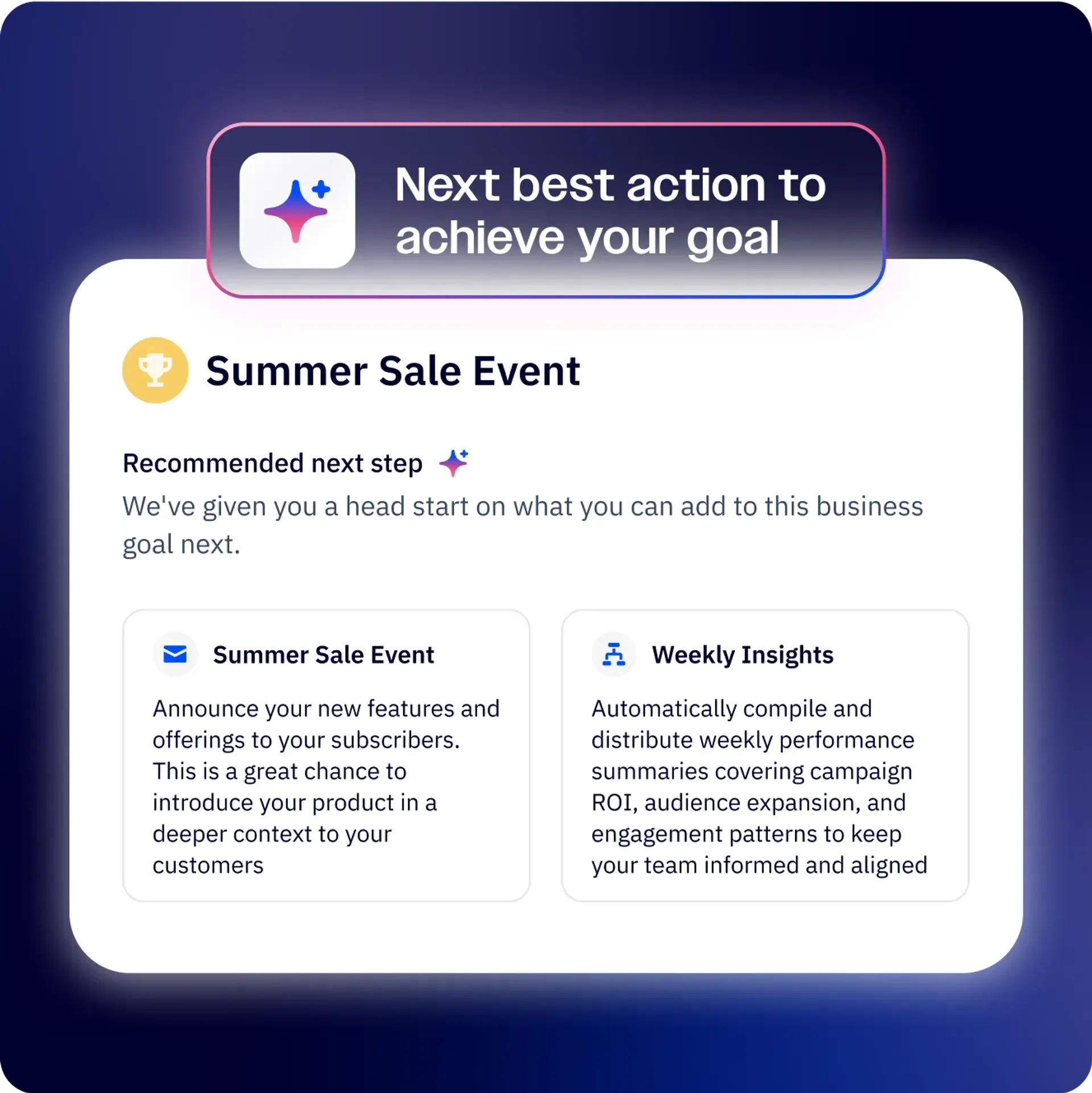
In ActiveCampaign, you can explain your ideas in plain language and AI will translate them into the campaigns and automations needed to reach it, so "recover more carts" or "bring back lapsed buyers" becomes a working sequence instead of a line on a to-do list. Business Goals are saved, and used to inform your future campaigns.
Establish your benchmarks
Close out your planning by deciding what success looks like. For an ecommerce store, the benchmarks worth setting are tied to revenue: revenue per email, conversion rate, average order value, repeat-purchase rate, and cart-recovery rate, alongside foundational targets for open and click rates. These give every campaign a bar to clear and tell you quickly whether a flow is pulling its weight or needs work.
The hard part is knowing what "good" actually looks like for a store like yours. ActiveCampaign's industry intelligence tracks emerging trends, seasonal patterns, and demand signals relevant to your market, so you can set targets against what's happening in your industry rather than guessing in a vacuum. Ask it what's shifting in your space and it turns those signals into context you can plan around.
5 email automation flows that every ecommerce business should run
Email campaigns are the emails you decide to send, automations are the ones that send themselves. These are the always-on flows that trigger on what a shopper actually does (signing up, leaving a full cart, making a purchase) and they quietly do most of the revenue work in ecommerce, running around the clock without anyone touching them. Set them up once and they keep selling while you focus on everything else. Here are five every online store should have in place.
1. Welcome series
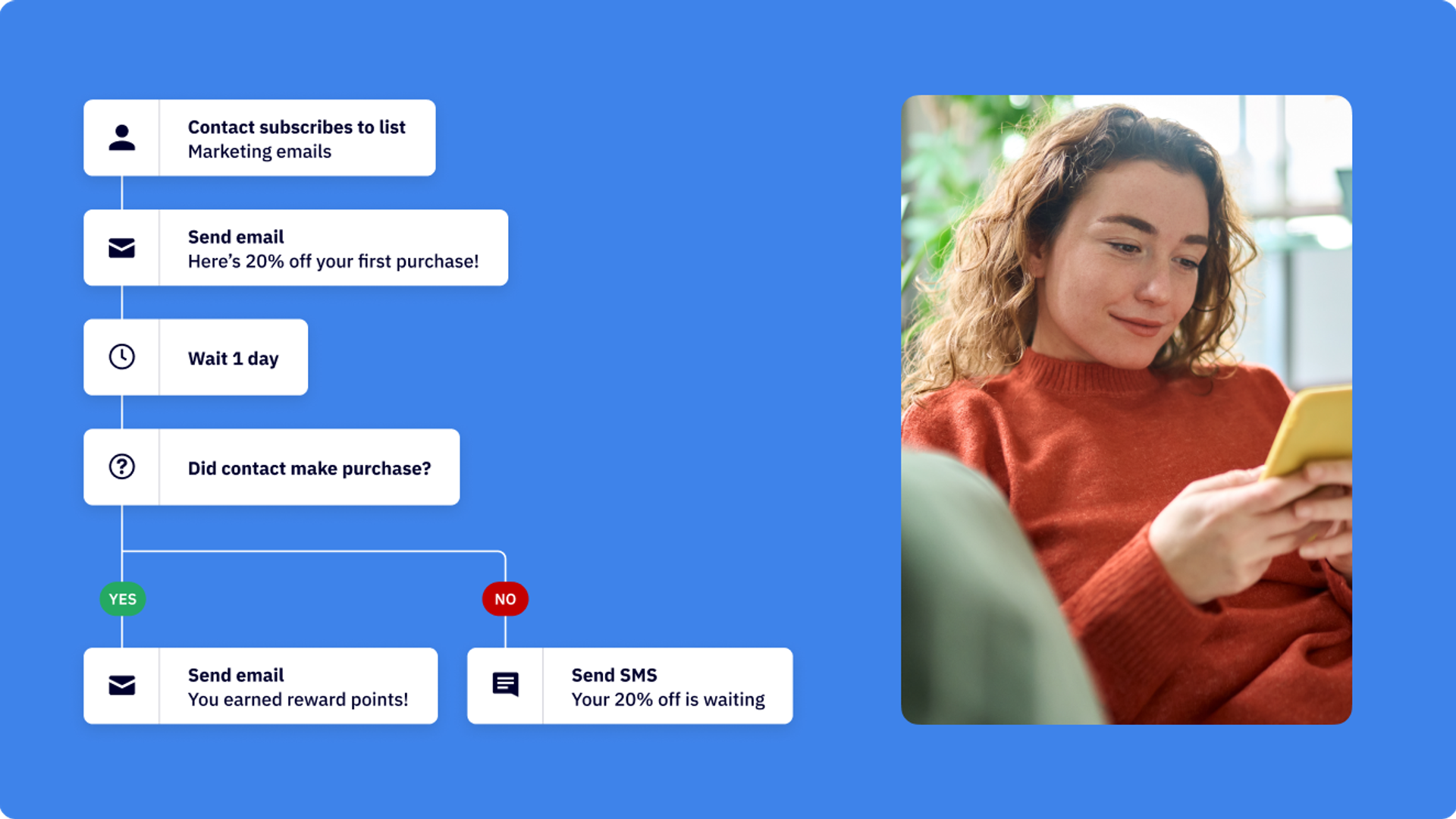
A welcome series answers one question: how do you turn a brand-new subscriber into a first purchase while their interest is at its peak? Someone who just signed up is more curious about you right now than they'll ever be again. So you move while the attention is hot.
Spread the work across two or three emails. The first introduces the brand and sets expectations for what's coming. The second builds a little trust or tells your story. The last makes a clear first-purchase offer, often a modest discount to nudge the initial order.
Apple Rose Beauty asks new subscribers about their biggest challenge in the first email. The reply gets tagged and used to segment that contact, so every message afterward speaks to what the person actually cares about. It's a simple move that turns a generic welcome into a personalized path.
Case study
See how Scrappy ABM's Mason Cosby and Evan Cox build their email welcome sequence.
“Our unsubscribe rate is less than 1% because I think we do a good job inviting people into the ecosystem so that they actually feel like they want to open our emails and stay engaged.”
2. Cart, browse, and checkout abandonment
Abandonment flows recover sales you've almost already made. Instead of paying to acquire a fresh shopper, you're nudging one who already showed intent. That's far cheaper and far more effective.
The three types trigger at different moments:
- Browse abandonment: Someone views products but never adds anything to the cart. Trigger a gentle reminder of what they looked at.
- Cart abandonment: Someone adds items but doesn't start checkout. Trigger a recovery sequence showing those exact items.
- Checkout abandonment: Someone begins checkout but drops off before paying. This shopper had the highest intent, so follow up fast.
A workable timing sequence runs at 1 hour, 24 hours, and 48 hours. Lead with a simple "forgot something?" reminder, not a discount. Save any incentive for the final email, so you don't train shoppers to abandon carts on purpose just to score a coupon.
Morrow Audio's two-email cart series recovered 26% of abandoned carts and around $30,000 in revenue, roughly 3.7x the industry average. Getting that return comes from connected store data. It lets each email display the precise items the shopper left behind rather than a generic "come back" message.
3. Post-purchase and product recommendation flows
Post-purchase flows squeeze more value from customers you already won. They lift repeat-purchase rate and average order value without spending a dollar on acquisition.
Build the sequence around the real customer experience:
- Order confirmation: Reassure the buyer immediately.
- Shipping updates: Keep them informed while they wait.
- Check-in: A few days after delivery, ask how they're enjoying it.
- Cross-sell or upgrade: Recommend a complementary product or a trade-up.
Timing the upsell counts more than simply sending it. Morrow Audio uses a day 1, day 45, day 105 sequence to time its trade-up offers, giving customers room to enjoy the product before pitching the next tier. That patience turns a one-time buyer into a repeat one.
4. Win-back and back-in-stock flows
Win-back flows re-engage customers who've gone quiet. Trigger them based on inactivity or purchase recency, say, no order in 90 or 120 days. Make the offer compelling enough to reignite interest. But don't lead with your deepest discount every time, or you'll teach customers to lapse on purpose and wait for the deal.
Back-in-stock alerts capture demand you'd otherwise lose. When a popular item sells out, shoppers who wanted it drift away. An automatic alert the moment it returns converts that pent-up demand into an order, often within minutes of the email landing.
Win-back and loyalty messaging pull in opposite directions, and it helps to see the difference. Win-back targets people slipping away with a reason to return. Loyalty rewards your best customers so they never slip in the first place. One recovers value; the other protects it.
5. Loyalty and VIP flows
Loyalty flows identify your best customers by spend and frequency, then reward them with early access, exclusive perks, or members-only offers. These are the people who fund the business, and treating them well keeps them buying.
The trick is keeping VIP status current without manual effort. Tags and contact scoring can update tiers automatically as spending changes. A customer who crosses a threshold moves into the VIP segment on their own, and one who slows down drops out.
These flows lift customer lifetime value, the metric that pays for acquisition and inventory. To make all five flows fire at the right moment, connect your store, whether Shopify, WooCommerce, or BigCommerce, so purchase and behavior data flow straight into your automations. ActiveCampaign’s automations sync with 1,000+ integrations, so store events can trigger every flow above.
3 strategies for more relevant ecommerce emails (and more sales)
Relevance should drive revenue, not send volume. A store that sends fewer, sharper emails will almost always beat one that sends generic blasts. The three strategies below remove the manual work of personalizing your emails, so even a lean team can target well and spend its time selling instead of building.
From the practitioners
"So you default to generic batch and blast content and tell yourself it's good enough, because at least you're staying in touch. But it's not good enough. Heck no. Because every time you send a generic email to your entire database, you're diluting your sender reputation."— Don Purdy, director, Executive MBA Program, University at Albany
1. Automate the manual work behind your campaigns
With modern, AI-driven email marketing platforms, you can move from writing-and-blasting individual campaigns to an always-on system that handles the recurring decisions for you. Choose one of these and you’ll spend your time directing the system rather than starting from a blank page every week.
Start by letting your own data tell you what to send next. Your store's purchase history, engagement patterns, and best-performing past sends are the best guide to your next campaign. Look for what's worked before and repeat it deliberately rather than guessing.
Case study
“[AI will] say things like, ‘You’re running low on this item. So now would be a good time to prioritize urgency on it.’ Or, ‘Your pants sold well during back to school, so let’s prioritize messaging on pants.’ Some of that’s obvious, but it’s always nice to have it backed up with data.”—Marianna Sachse, founder, Jackalo
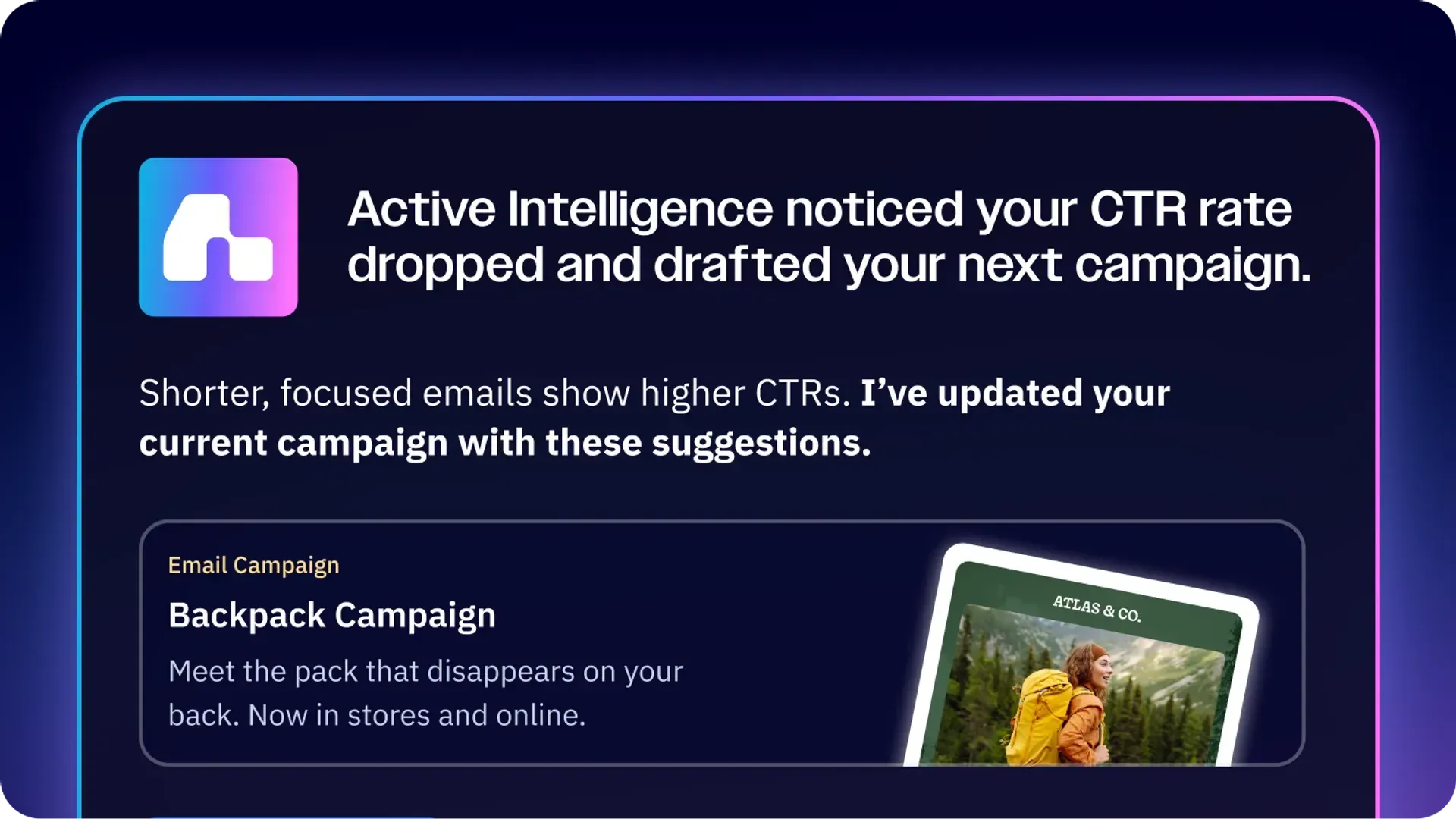
ActiveCampaign’s AI, Active Intelligence is account-aware, and can surface these patterns for you by drawing on your history, automations, performance patterns, audience behavior, brand, and relevant external signals to surface the right next move.
Active Intelligence in action
"Today, I asked [Active Intelligence] how many emails have we sent that reference ICP? And it gave me a list back. I could look at it all, see what performed well, what didn't. and then customize what we're creating now for when we send it."—Evan Cox, marketing director, Scrappy ABM
Plan around the calendar and your market, not just your inbox. Map your seasonal peaks, upcoming holidays, and known busy periods in advance so promotions are ready before demand arrives instead of after. When using Active Intelligence to plan campaigns, the tool will factor in what's happening outside your account, including holidays relevant to your industry and geography, competitor activity, and market news, so campaign ideas arrive timely and pre-briefed, without you having to ask.
Active Intelligence in action
When PPL Electric Utilities announced a rate increase effective December 1, 2025, the email system at ElectricityRates.com identified the form submissions in that service area, filtered for the customers most likely to switch, generated personalized emails referencing the rate change, and sent each one at the optimal time for its recipient. Read our story on Adam Cain, the company's VP of growth and marketing, who notes that no one manually drafted the campaign or scheduled the sends.
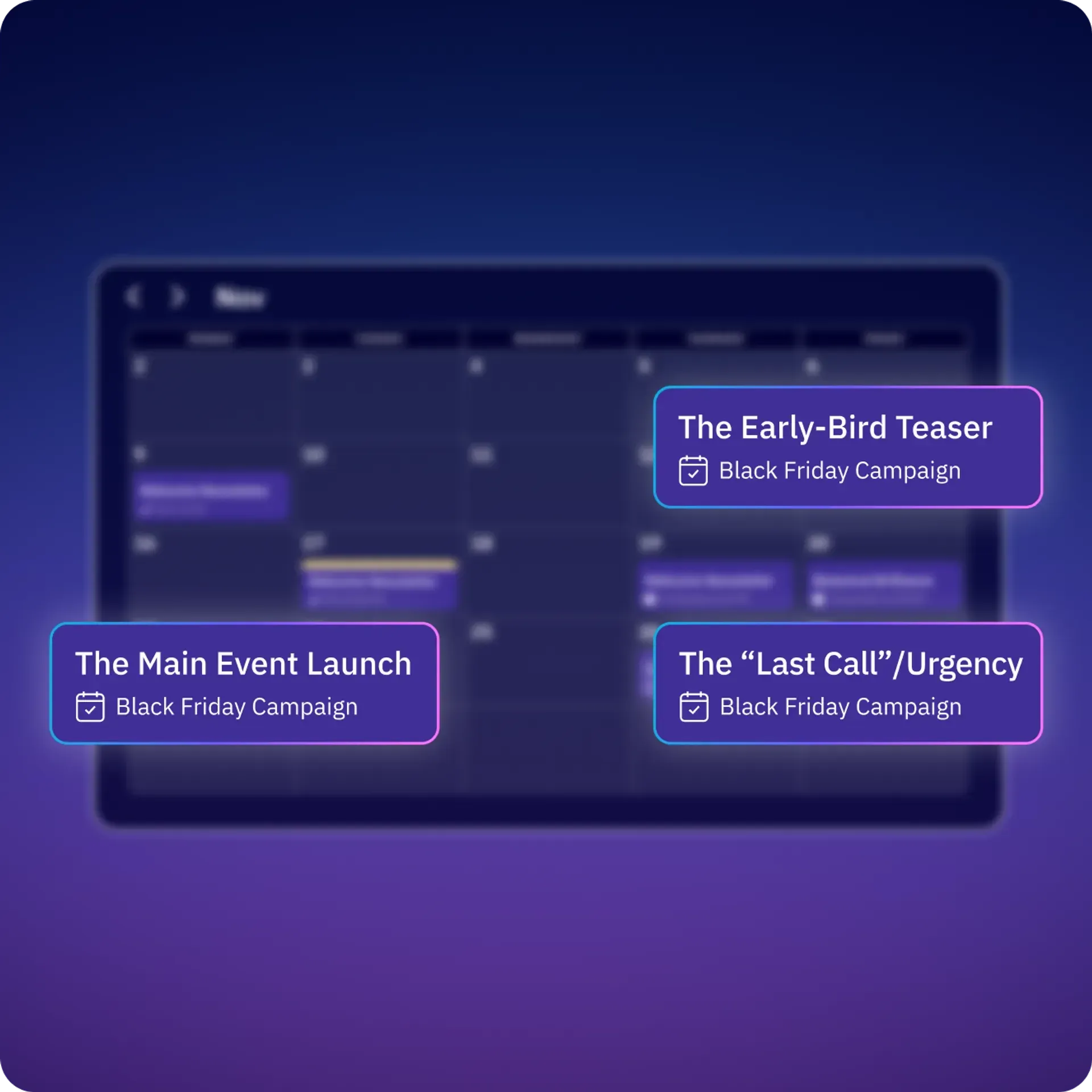
Keep a light eye on what competitors are running, too; a shift in their pricing or promotions is often a cue to adjust your own. When working manually, all concepts should be briefed and queued ahead of time, not scrambled together the week of. But any marketer knows that plans change. Using an AI-powered design tool takes a lot of the work off your plate, so you can adapt and respond at speed.
Don't let the operational upkeep slide. List hygiene, consistent tagging, and deliverability checks are the unglamorous work that keeps everything else performing, so put them on a schedule (monthly is a reasonable baseline) and automate the routine fixes wherever your platform allows.
Coordinate your channels so they don't collide. Run cross-channel marketing, with email alongside SMS or WhatsApp, and sequence them so a shopper gets one cart-recovery nudge that moves across channels rather than three messages landing at once. Running them from a single system makes this far easier to control. The payoff for a lean team is simple: less time deciding what to send, more time selling.
2. Segment your audience for relevance
Segmentation splits your list into groups that each deserve a different message. The most common approaches target:
- Purchase history: What someone has bought signals what they'll buy next.
- Lifecycle stage: New, active, and lapsing customers need different asks.
- RFM (recency, frequency, monetary value): Ranks customers by how recently, how often, and how much they buy.
- Engagement level: Separates active openers from dormant contacts.
- Product or category interest: Groups shoppers by what they browse.
- Discount sensitivity: Flags who needs a deal and who buys at full price.
- Stated preferences: Shoppers who pick their own topics in a preference center open and click more, and their choices show who to cross-sell to.
Take one worked example. An RFM segment of high-value buyers who haven't purchased in 60 days is a prime target. These people love your brand but have gone quiet. A personalized "we saved your spot" message with a new arrival or a small perk often revives them before they lapse for good.
Tags, custom fields, and dynamic segments keep these groups current on their own. A dynamic segment updates in real time as behavior changes, so contacts move in and out without you cleaning lists by hand.
Describe a segment idea, and ActiveCampaign can produce complex segments without you having to do any building. Active Intelligence will also proactively surface high-value micro-audiences that you might never have thought of. UBITS lifted click-through rates from 2.92% to 10.8% using these.
3. Personalize every send automatically
If I get an email, I expect it to be sent to me as a person.
Personalization works in three escalating levels, and each adds precision:
- Merge fields: The basics, like a first name or last order date pulled into the copy.
- Behavioral triggers: Sends that fire based on what someone did, like viewing a product.
- Dynamic content blocks: Sections that change per contact inside a single send.
Dynamic product recommendations are one of the most effective strategies. They are driven by browsing and purchase history, and email adapts listed products to the shopper. A returning customer sees complementary items, while a new one sees your bestsellers, all from the same campaign.
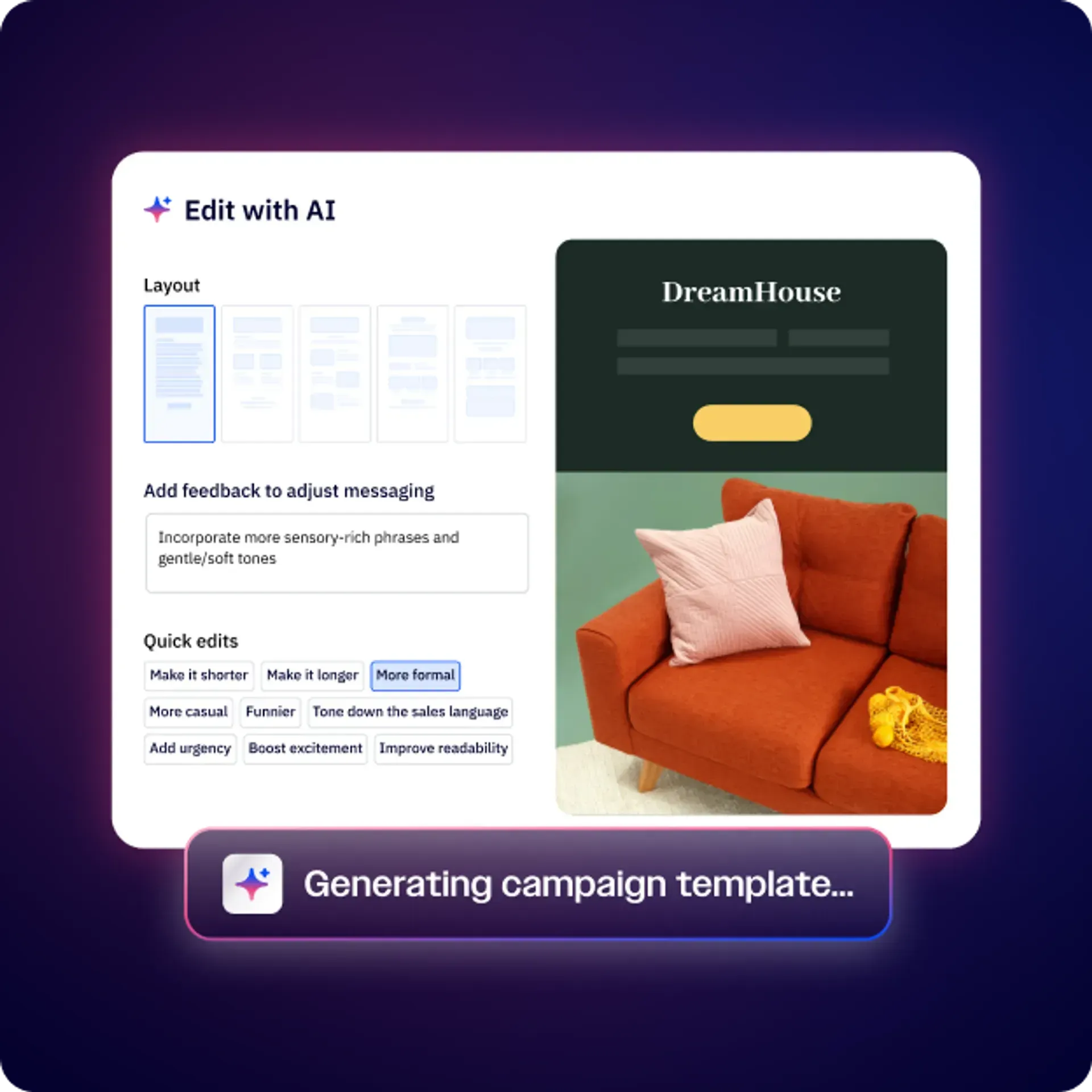
That kind of relevance drives meaningfully more revenue per send and ActiveCampaign helps you personalize without adding hours to your week. AI content and image generation produce on-brand subject lines, copy, and visuals in seconds. Link your store landing page and Active Intelligence will automatically generate a campaign that mirrors its design. For global customer bases, AI Translations adapt an email into 75+ languages based on each contact's preferred language.
Timing personalizes too. ActiveCampaign's Predictive Sending optimizes each contact's send time individually, delivering when that specific person is most likely to open rather than at one blanket hour.
How to track and optimize your ecommerce emails
So you have all this in place. How do you know it’s working? Let’s look into the metrics that show success in ecommerce email marketing, and some fundamentals that will help you protect and optimize it.
Key ecommerce email metrics
Track the metrics that connect to money, not vanity. Here's how to read each:
- Revenue per recipient (RPR): Total attributed revenue divided by emails delivered. The single best measure of email's financial value.
- Conversion rate: The share of recipients who purchase.
- Click-through rate (CTR): Who clicked out of everyone who received it.
- Bounce rate: Emails that failed to deliver. High bounces hurt reputation.
- Unsubscribe rate: A spike signals your frequency or relevance is off.
- List growth: Net new subscribers over time.
- Repeat-purchase rate / CLV: How much a customer is worth across their lifetime.
From the practitioners: Don’t (only) focus on the negative
“[AI] helps me see things I'm not looking at, because human brains focus on the loss rather than the gain,” says Covarrubias. “Because AI is so pragmatic, it allows me to be like, ‘Wait. Sure, I had X number of unsubscribes, but look at the people that actually stayed.”—Pam Covarrubias, founder, Spread Ideas Move People
Open rate is no longer trustworthy as a primary metric. Apple's Mail Privacy Protection automatically pre-loads email content, which registers as an open even when the subscriber never viewed the message. That inflates open rate figures across the board. Click-through rate, click-to-open rate, and conversion rate are far more reliable signals of genuine engagement and revenue. Treat opens as directional at best.
Autonomous Insights from ActiveCampaign proactively highlight important information about your campaigns and automations to help you make better marketing decisions as quickly as possible.
Use attribution reporting to tie campaigns to real sales. ActiveCampaign's Marketing Revenue report, for example, tracks purchases made within seven days of an engaged email send, so you can prove ROI instead of guessing at it. The upside can be enormous. Your Therapy Source cites over 2,000% return on its email investment.
Deliverability fundamentals
Deliverability is a score of how often your email actually lands in the inbox. Get the fundamentals right and revenue follows. Get them wrong and even a brilliant campaign disappears into spam. The essentials are straightforward:
- Authenticate your domain with SPF, DKIM, and DMARC.
- Keep your list clean by removing hard bounces and dead addresses.
- Use double opt-in so only real, willing subscribers join.
- Reduce spam complaints by sending relevant content at a sane frequency.
- Send based on engagement, prioritizing people who actually open and click. ActiveCampaign can flag unengaged contacts first so you can exclude them before a send.
From the practitioners: The cost of getting it wrong
“Open rates plummeted. Unsubscribes climbed and prospects started telling me, ‘I didn't even know you were emailing me’ or ‘I haven't heard from you all in years.’ Emails were landing in spam, even for people who actually wanted to hear from us."—Don Purdy, University at Albany
Authentication works like a passport for your email. Together, SPF, DKIM, and DMARC prove the message really came from you, so mailbox providers trust it enough to let it through. Without that passport, your mail gets stopped at the border.
This is urgent now, not optional. In February 2024, Gmail and Yahoo turned email authentication from a best practice into an entry ticket. Senders who don't meet their requirements see mail throttled, sent to spam, or rejected outright. As of November 2025, these requirements are enforced, with Google stating that non-compliant emails will face temporary and permanent rejections. Inbox placement now directly protects revenue.
The infrastructure of your email service provider (ESP) is important for inbox placement. ActiveCampaign has the number one spot with a deliverability rate of 94.2% in independent testing. Built-in domain verification and spam checks support inbox placement before you hit send. On the compliance side, make sure to choose a provider with accessible GDPR, CAN-SPAM, and TCPA support. These all share a common goal: get clear permission before sending and include an obvious way to unsubscribe. Both are non-negotiable.
Design and A/B testing that optimize for revenue
Most ecommerce email is now opened on a smartphone, with 55% of all email sends taking place on a pocket device in 2025, so design mobile-first. Single-column layouts, large tap targets, and legible text sizes are the baseline. Add dark-mode testing, since transparent logos and dark text can vanish against a dark background and break your email for a big slice of readers.
A/B testing helps you improve without guessing. Test the variables that move revenue:
- Subject lines: What gets the email opened.
- Offers: Which incentive drives more orders.
- CTAs: Wording, color, and placement of the button.
- Send timing: When your audience actually buys.
Optimize for revenue, not opens. A subject line that wins on open rate but loses on sales won’t meet your revenue goals. Lean on content-performance analysis to flag which subject lines and creative are climbing or fading, so you double down on what's working while it's still working. Treat testing as an ongoing feedback loop rather than a one-off experiment.
How to choose an ecommerce email marketing platform that scales
The right platform turns email from scattered campaigns into a coordinated, revenue-focused program that mostly runs itself. The wrong one will box you in the moment you try to grow. Use this checklist to evaluate any option against your own goals.
Here's what to look for:
- Deep ecommerce integrations: Your platform needs live purchase and browsing data to trigger flows accurately. Shallow integrations mean generic emails.
- Automation depth: Multi-step flows with branching logic let you handle real customer journeys, not just linear sequences.
- Segmentation and dynamic content: Relevance depends on splitting your audience and adapting content per contact.
- Deliverability tooling: Authentication support and spam checks protect the revenue every other feature generates.
- AI assistance: As your list grows, AI removes the manual work of building, timing, and optimizing sends.
- Revenue reporting: You can't justify investment without tying email to dollars.
- Room to add SMS and CRM: A platform you won't outgrow saves a painful migration later.
Platform fit depends on where you're headed. A Shopify-only store that wants the fastest possible setup and nothing more might lean toward a purpose-built ecommerce tool. A store planning to expand across the full customer lifecycle, add channels, and connect sales to marketing needs something broader from day one.
A few email marketing platforms popular with ecommerce stores include:
- ActiveCampaign: Pairing sophisticated AI workflows with a built-in CRM, plus SMS and WhatsApp in one system, ActiveCampaign is best for stores planning to expand across the full customer lifecycle, add channels, and connect sales to marketing without migrating tools later.
- Klaviyo: Built tightly around Shopify and ecommerce data, and popular with DTC brands, Klaviyo is a strong fit for a Shopify-centric store that wants deep ecommerce-specific flows and reporting out of the box.
- Omnisend: Purpose-built for ecommerce with email and SMS in one tool, Omnisend suits small-to-midsize stores that want pre-built ecommerce automations without much setup overhead.
- Mailchimp: Familiar, low-cost, and easy to start with, Mailchimp is a reasonable pick for very small stores or those just beginning, where simplicity and price matter more than automation depth.
- Shopify Email: Native to Shopify and simple to switch on, Shopify Email works for stores sending occasional campaigns that don't yet need advanced flows or segmentation.
Want a deeper dive into platforms that could work for your store? Check out our guide to the best ecommerce email marketing platforms.
For stores ready to graduate past basic sends, ActiveCampaign brings marketing automation, a sales CRM, SMS, and WhatsApp into one system, so customer data and channels stay connected as you grow. Underneath it all, Active Intelligence 3.0 learns how your store sells and turns your data, seasonal demand, and competitor moves into your next campaign, so email becomes a revenue engine that mostly runs itself.
Turn your store's data into your next sale. Start a 14-day free trial with ActiveCampaign.
FAQs
How much revenue should email marketing for ecommerce generate?
A healthy ecommerce email program typically drives 25% to 40% of total store revenue, with most of it coming from automated flows rather than one-off campaigns. Brands at $5M revenue typically generate $750K to $1.2M from email. At $20M the target is $4M to $7M, and at $50M+ email should drive $12M to $18M annually. If you’re well below these ranges, your flows likely need attention first.
How do I keep my ecommerce emails out of spam?
To keep ecommerce emails out of spam, authenticate your domain with SPF, DKIM, and DMARC. Sending at volume now means proving your identity this way, or the mail won’t reliably land. Beyond that, keep your list clean, use double opt-in, include a one-click unsubscribe, and send relevant content based on engagement so complaint rates stay low.
How often should an online store send marketing emails?
There’s no universal number, but most stores land between two and five email sends per week when you combine campaigns and flows. Watch your unsubscribe and spam rates as your guide. A sudden spike signals that your content is no longer relevant, your frequency is too high, or your audience expectations aren’t being met. Let engagement, not a fixed schedule, set the pace.
What’s the best email marketing platform for ecommerce?
The best email marketing platform for your business depends on your ambitions, but a growing online store should prioritize deep store integrations, automation depth, strong deliverability, and room to add channels. ActiveCampaign fits stores that want to scale past basic sends, combining marketing automation, a sales CRM, SMS, and WhatsApp in one connected system, backed by a 94.2% deliverability rate in independent testing.