A bad newsletter gives readers no clear reason to open it, read it, or act on it. The cost shows up fast: unsubscribes, spam complaints, and a list that stops opening anything you send.
Most bad newsletters share one root problem. The sender knew what they wanted to promote and never asked what the reader wanted to get. Design, length, and send time all matter, but they only help once the purpose is clear.
This guide walks through ten newsletter mistakes. Where a screenshot of a real brand email makes the point, it is included. Where it does not, the example is illustrative and labeled that way. Each mistake comes with a fix you can use in your next send.
Here is what the guide covers:
- What separates a bad newsletter from a good one
- Ten bad newsletter examples and the fix for each
- Seven habits that keep subscribers reading
- How ActiveCampaign supports each habit
Writing a one-to-one message instead of a recurring newsletter? Our guide to email etiquette and 13 bad email examples covers that side. To build a newsletter from scratch, start with our guide to building a newsletter people read.
What makes a bad newsletter?
A bad newsletter has no clear purpose, no clear structure, or no clear fit with the person reading it. Flashy design and discount codes matter far less than those three things.
Intent comes first. If you plan a newsletter without knowing who it serves and what they should walk away with, every section turns into filler. A newsletter with intent can say in one sentence what the reader gets: a tutorial, a teardown, a first look at something new.
Clarity comes second. Readers decide in seconds whether to keep going. Copy that states the value, the reason they are hearing from you, and the single action to take earns the next few seconds.
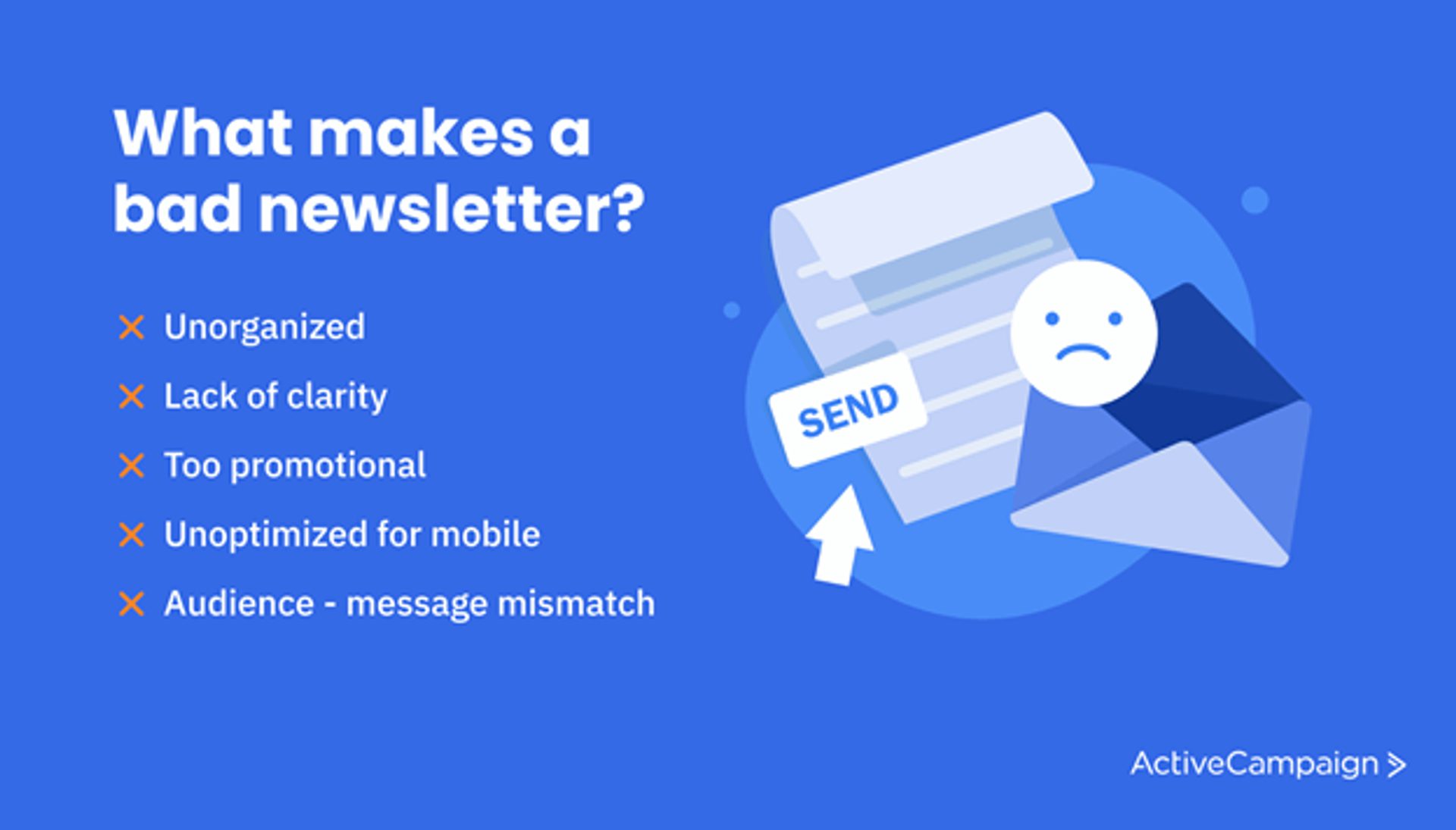
These five traits show up in nearly every bad newsletter:
- Unorganized layout: no hierarchy, so the eye has nowhere to land
- Lack of clarity: readers can't tell what to read first or do next
- Too promotional: every section sells and none of them helps
- Unoptimized mobile layout: small text, oversized images, and buttons packed too close together
- Audience and message mismatch: the content follows the sender's calendar instead of the subscriber's interests
Spam-rate limits worth knowing
Gmail applies its bulk-sender rules to senders who deliver more than 5,000 messages a day to Gmail accounts. Those senders must keep their spam rate below 0.30% in Google Postmaster Tools, and Google recommends staying below 0.10%. Readers who feel misled click "report spam" instead of "unsubscribe," and every report counts toward that rate. Source: Google's email sender guidelines.
What does a good newsletter do differently?
A good newsletter gives the reader context, value, and one clear next step. The Unsplash email below delivers all three in a few short lines.
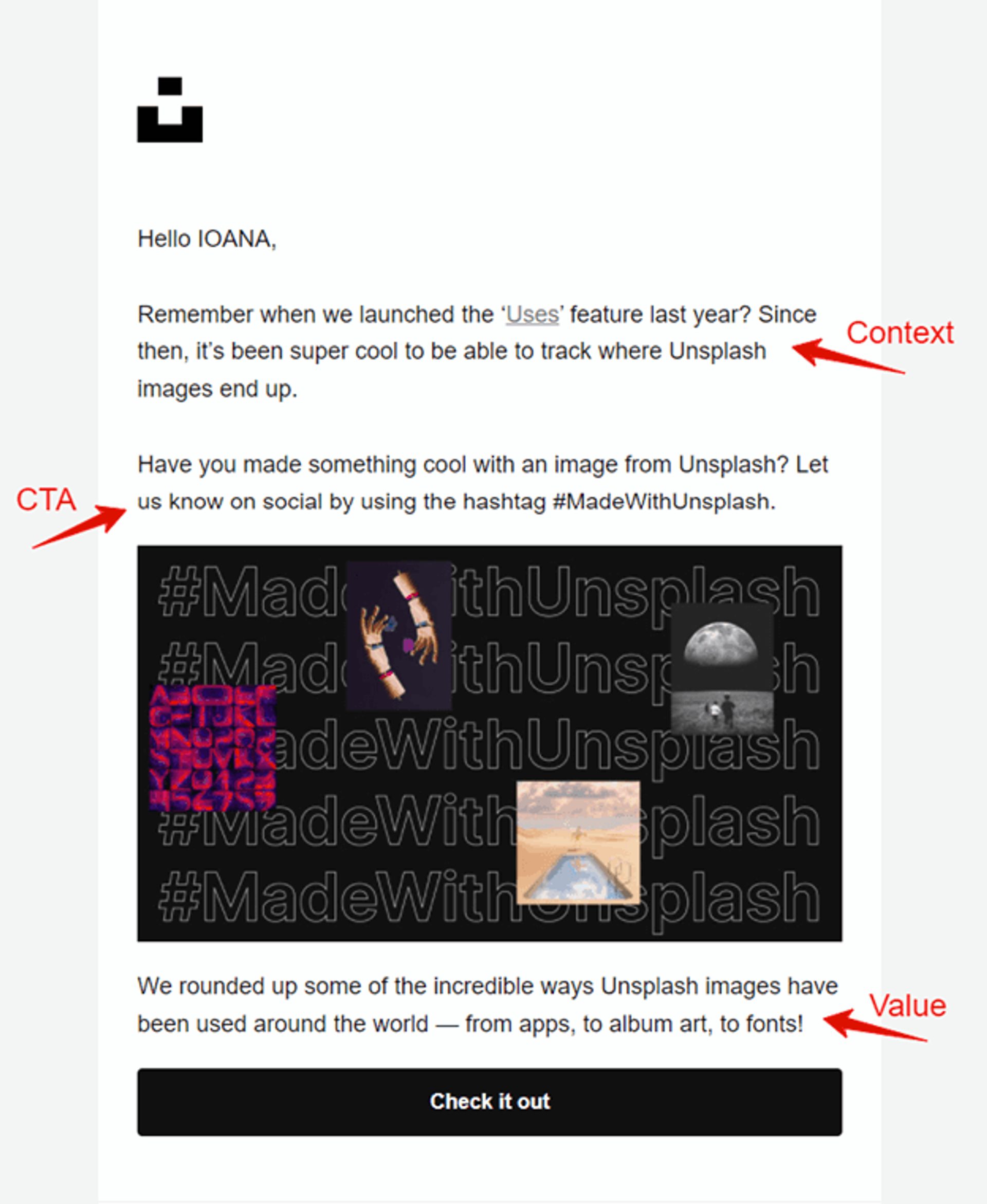
Each part of that email does a separate job:
- Context reminds the reader of a feature they already know, so the email has a reason to exist
- Call to action invites one low-effort step: share your work on social with a hashtag
- Value delivers a roundup of how other people use the product, which is worth the click
The email has no coupon, no long intro, and a single button. Every line earns its place.
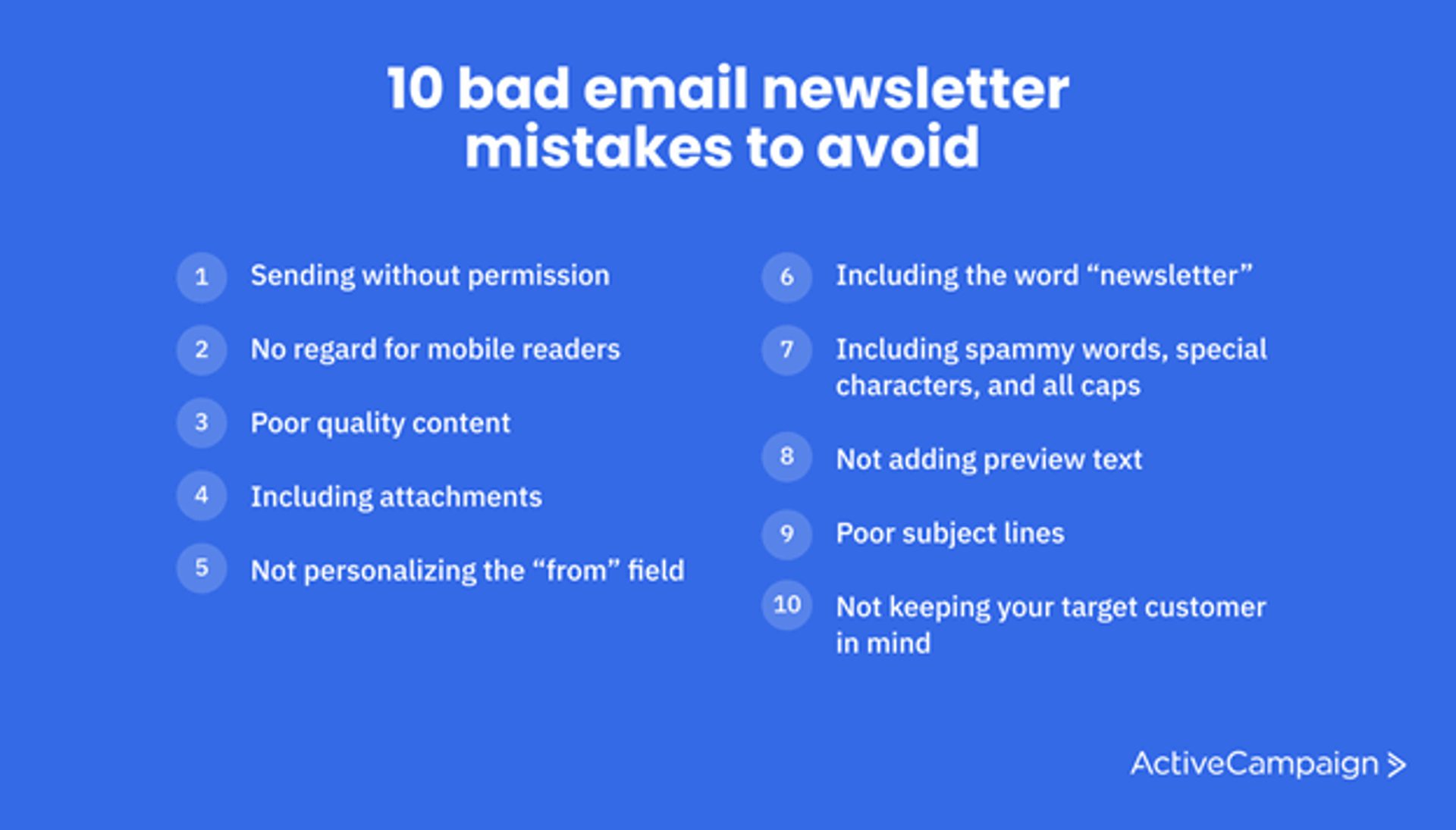
10 bad newsletter mistakes to avoid
These ten mistakes come up again and again. Each one covers what goes wrong, what it looks like, and how to fix it.
1. Sending without permission
Adding people to your list without their opt-in is the fastest way to earn spam complaints. Readers who never asked for your email have no reason to trust it, and many report it instead of unsubscribing.
The legal side matters too. Privacy laws such as the GDPR set strict rules for marketing email, including consent requirements in many cases. Check the rules for every region where your subscribers live.
Fix it by earning every address. Collect sign-ups through a form or checkout opt-in that says what subscribers will receive and how often. Our guide to opt-in copy shows wording that sets expectations, and our guide to email deliverability explains how complaints and unsubscribes affect inbox placement.
2. No regard for mobile readers
A newsletter that needs pinching and zooming gets deleted. Many subscribers read on their phones, so a layout that only works on a wide screen fails them.
The Foodtown email below shows how it goes wrong. It is a printed weekly circular dropped into an email.
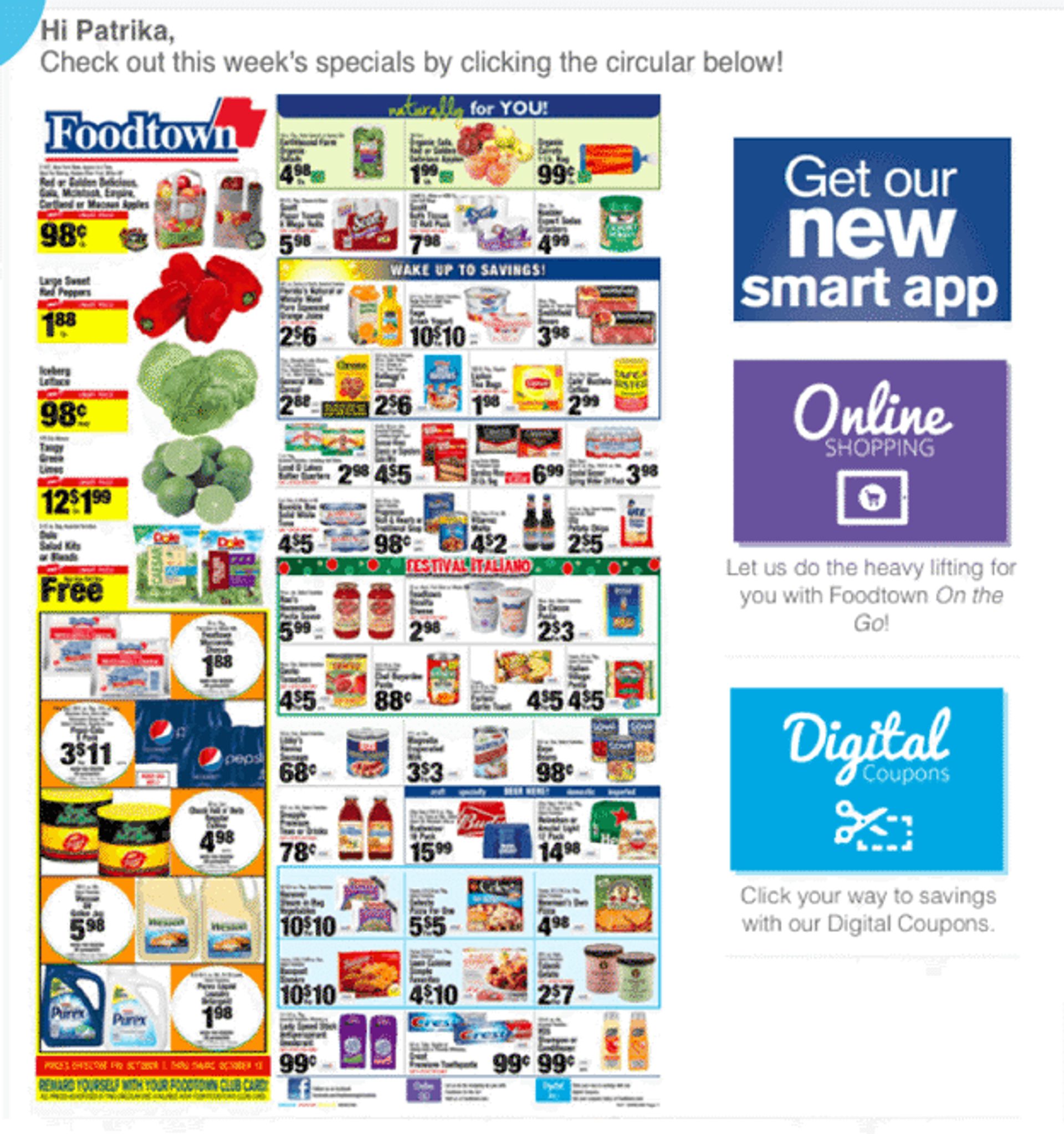
Three problems stand out. The content has no clear structure, the text is too small to read on a phone screen, and the email depends on a flat graphic that cannot reflow to fit the device. If images stay blocked, readers see very little.
Design for the phone first with these steps:
- Use a single column so content stacks in reading order
- Set body text large enough to read without zooming
- Make buttons easy to tap with space around each one
- Add alt text to every image so the message survives when images stay blocked
- Send yourself a test and read it on a phone before it goes out
Start from a mobile-responsive email template, and see our email design guide for layout patterns.
3. Poor quality content
Readers open a newsletter out of curiosity and stay for the content. An email that only promotes gives them no reason to stay or click. The pdfFiller email below is a typical case.
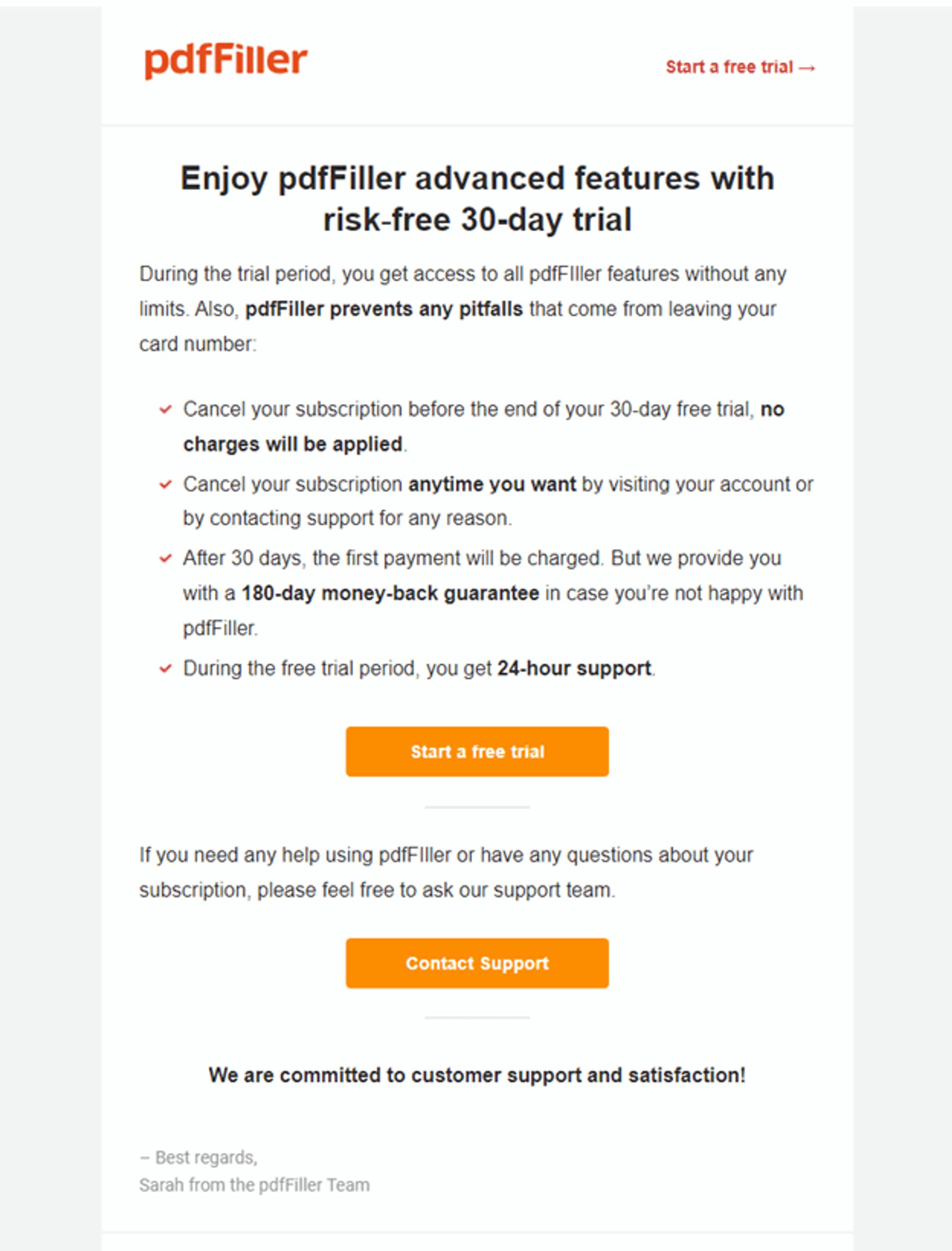
The email lists trial terms and a handful of features. It has no introduction, no story, and no benefits. A reader learns that a trial exists but never what they could do with the product on day one.
Rebuild a promotional email around the reader with these steps:
- Open with the problem the reader has or the result they want
- Name one specific outcome the feature creates
- Add one proof point, such as a customer example or a number you can source
- Finish with one button tied to that outcome
4. Including attachments
Attachments in a newsletter raise security flags, slow loading on phones, and make filters more suspicious of your message. Many readers hesitate to open an unexpected file from a marketing sender, too.
Use attachments sparingly and in one-to-one or transactional messages, such as a welcome package sent to people who registered for a webinar. For a newsletter, host the file on a page and link to it. A link keeps the email light and shows you who clicked.
5. Not personalizing the "from" field
Subscribers decide whether to open an email partly from the sender name. A "from" field that reads "s4912fq@gmail.com" looks like spam, because readers can't tell who is writing.
A real name or a recognizable brand fixes that. "Natasha Riggs" or "June with Linkify" (both illustrative) tells readers that a person or company they know is writing. The PayPal example below uses a bare service address instead.
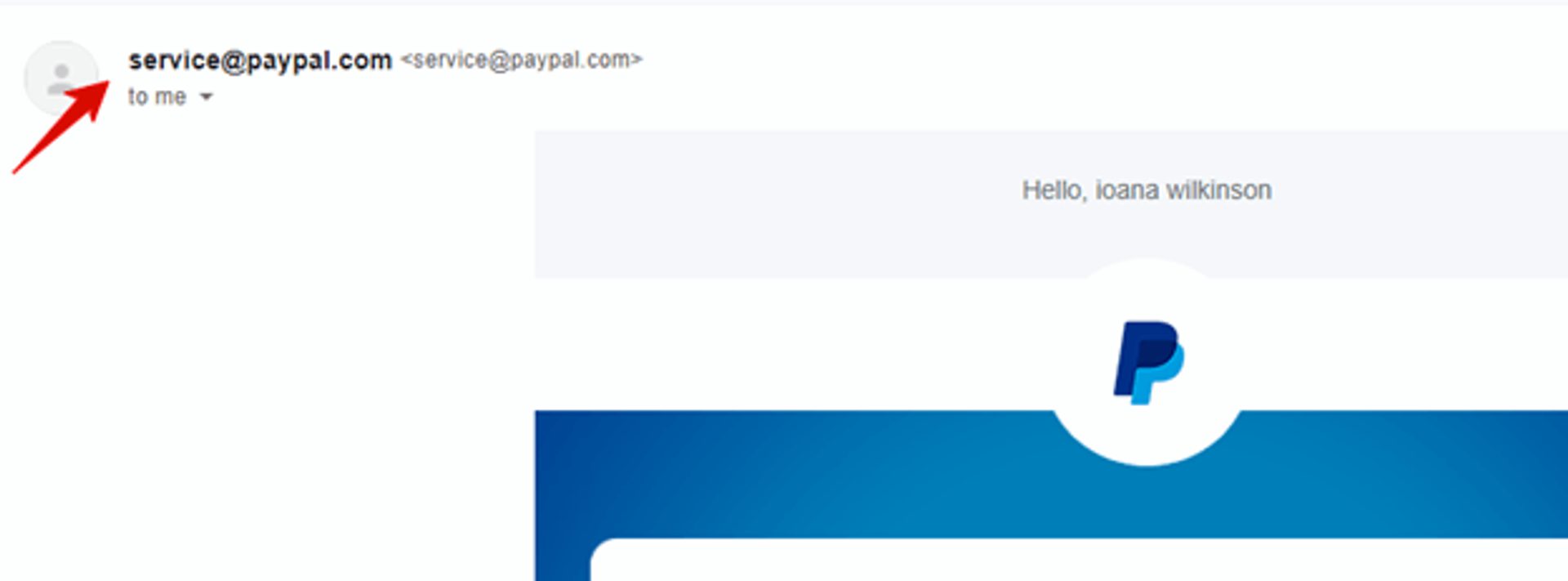
PayPal's "from" field reads service@paypal.com. Most people know the brand, but a generic address still reads like a system message. A named sender such as "PayPal Updates" feels more intentional.
Choose a sender name with these rules:
- Use a name subscribers recognize: a person, a brand, or a "person at brand" combination
- Keep it the same on every send so your emails are easy to spot
- Send from an address that accepts replies, which also builds trust
Our guide to no-reply emails explains why a monitored address works better.
6. Including the word "newsletter"
Subscribers sign up for what they get, so a subject line or sender name that leads with the format wastes your best real estate. The word itself is harmless. Using it as the hook is the mistake.
Readers want helpful tips, useful updates, and the occasional offer. Tell them which one is inside.
Compare these two illustrative subject lines for the same send:
- Format first: "Acme Newsletter: November Edition"
- Value first: "Three pricing changes to make before the holidays"
Name the value in the subject line, and keep the word "newsletter" for your sign-up page, where it sets expectations.
7. Including spammy words, special characters, and all caps
Phrases like "Buy now," "Free," and "Too late," plus exclamation points and all caps, make an email read like a hard sell. Spam filters weigh many signals, including sender reputation and engagement, so one word rarely decides the outcome. Pressure language still costs you trust with readers.
The email below uses all caps for urgency ("TOO LATE") and bold promises in nearly every line.
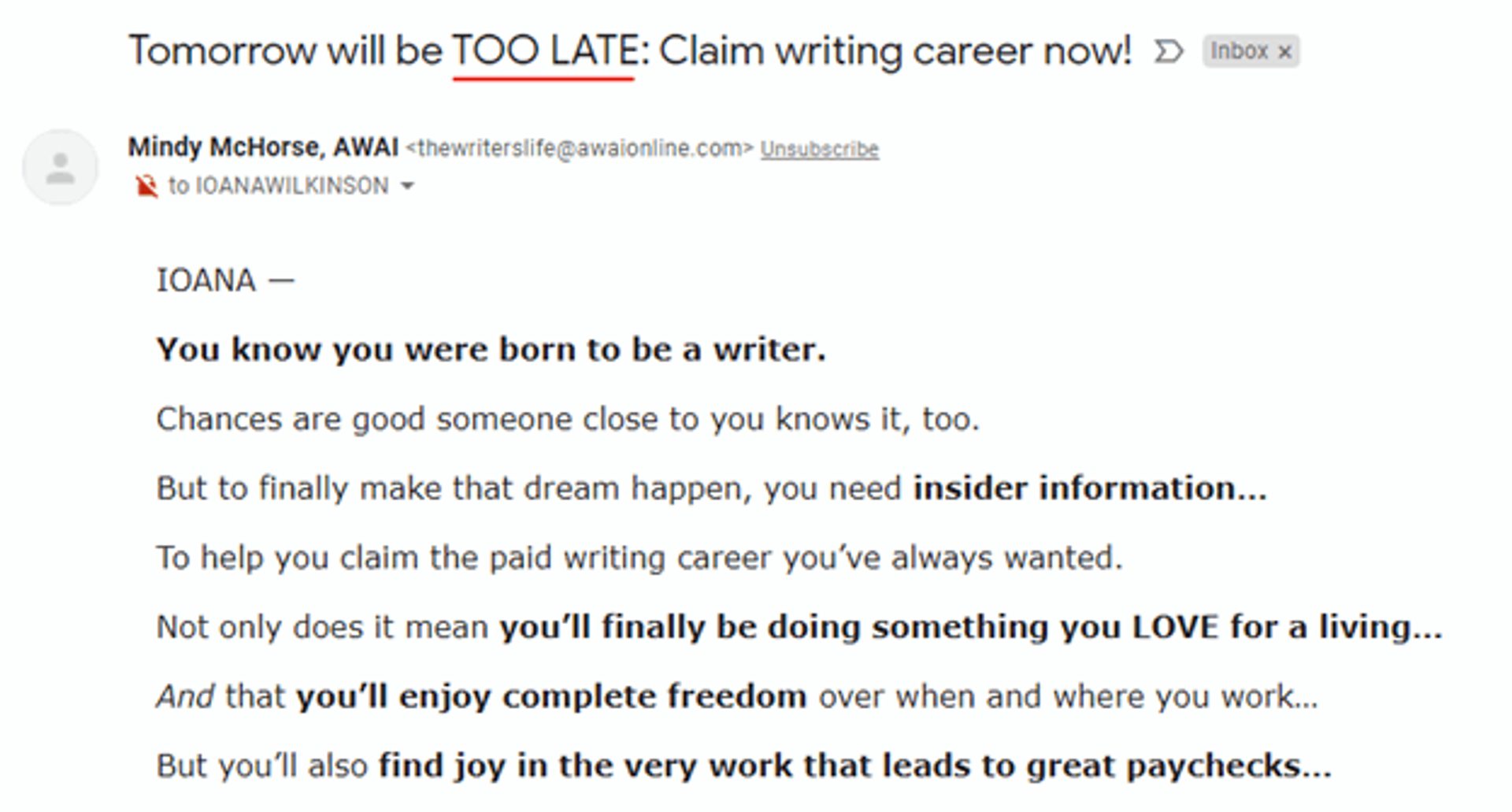
Read aloud, it sounds like a sales rep trying to close before you leave the room. The subject line promises a deadline that the visible copy never explains.
Keep your tone credible with these habits:
- Cut false urgency: save deadlines for real deadlines
- Use caps and punctuation sparingly: one emphasized word beats five
- Write the way you would talk to one reader: plain words build more trust than hype
Our list of spam trigger words helps you review a draft before it goes out.
8. Not adding preview text
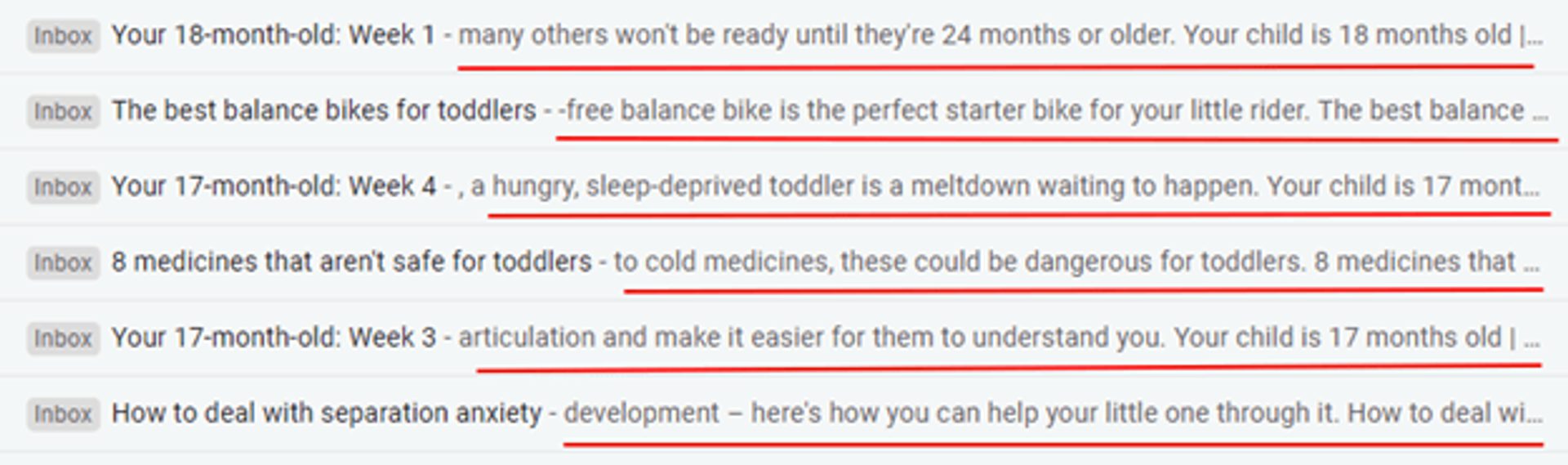
Preview text is the line of copy an inbox shows next to the subject line, and it works as a second subject line. When you leave it blank, the inbox fills the space with whatever sits at the top of the email.
The screenshot below shows the result: previews that start mid-sentence or open with stray punctuation.
Write preview text with these guidelines:
- Add context the subject line can't carry, such as who the email is for or what they will get
- Put the useful words first, because inboxes cut preview text off, especially on phones
- Avoid repeating the subject line word for word
In ActiveCampaign, you set preview text in the same step as the subject line when you build a campaign.
9. Poor subject lines
A subject line has one job: give the reader a reason to open. Vague teasers such as "Shhhh!" or "Big news inside" give them none, so the email goes unread no matter how good the body is.
Specific subject lines name the topic, the benefit, or the reader. The table below pairs illustrative weak subject lines with stronger rewrites.
Subject line rewrites
| Weak subject line | What goes wrong | Stronger rewrite |
|---|---|---|
| Shhhh! | Names no topic or benefit | A private look at next month's workshop |
| Big news inside!!! | Vague, with stacked punctuation | Our spring pricing changes start Friday |
| Newsletter #12 | Labels the format instead of the value | Five subject line fixes for your next send |
| You won't believe this | Promises a surprise the email may not deliver | The three questions subscribers asked most this month |
Sharpen your subject lines with these steps:
- Lead with the specific benefit or topic
- Keep it short enough to read on a phone, and front-load the key words
- Test two versions on a slice of your list, then send the winner
Our free subject line generator gives you starting options, and our guide to A/B testing email subject lines shows how to test them. For a full writing workflow, see our guide to writing a newsletter.
10. Not keeping your target customer in mind
Subscribers can tell when a newsletter was written for the sender's calendar instead of for them.
Newsletters that ignore the reader tend to show these signs:
- Unclear actions for the reader to take
- Inconsistent tone, content, and design from send to send
- Ignored pain points, preferences, and communication styles
When you write for a specific reader, each send builds on the last and moves subscribers closer to a purchase. Watch your unsubscribe rate after every send, because a spike shows which topic missed. The seven habits below show how to get it right.
Pre-send check
Before you schedule a newsletter, answer these six questions:
- Can you say in one sentence what the reader gets?
- Did every subscriber opt in?
- Does the sender name look familiar?
- Does the subject line promise something specific?
- Is the preview text written, not left blank?
- Does it read well on a phone?
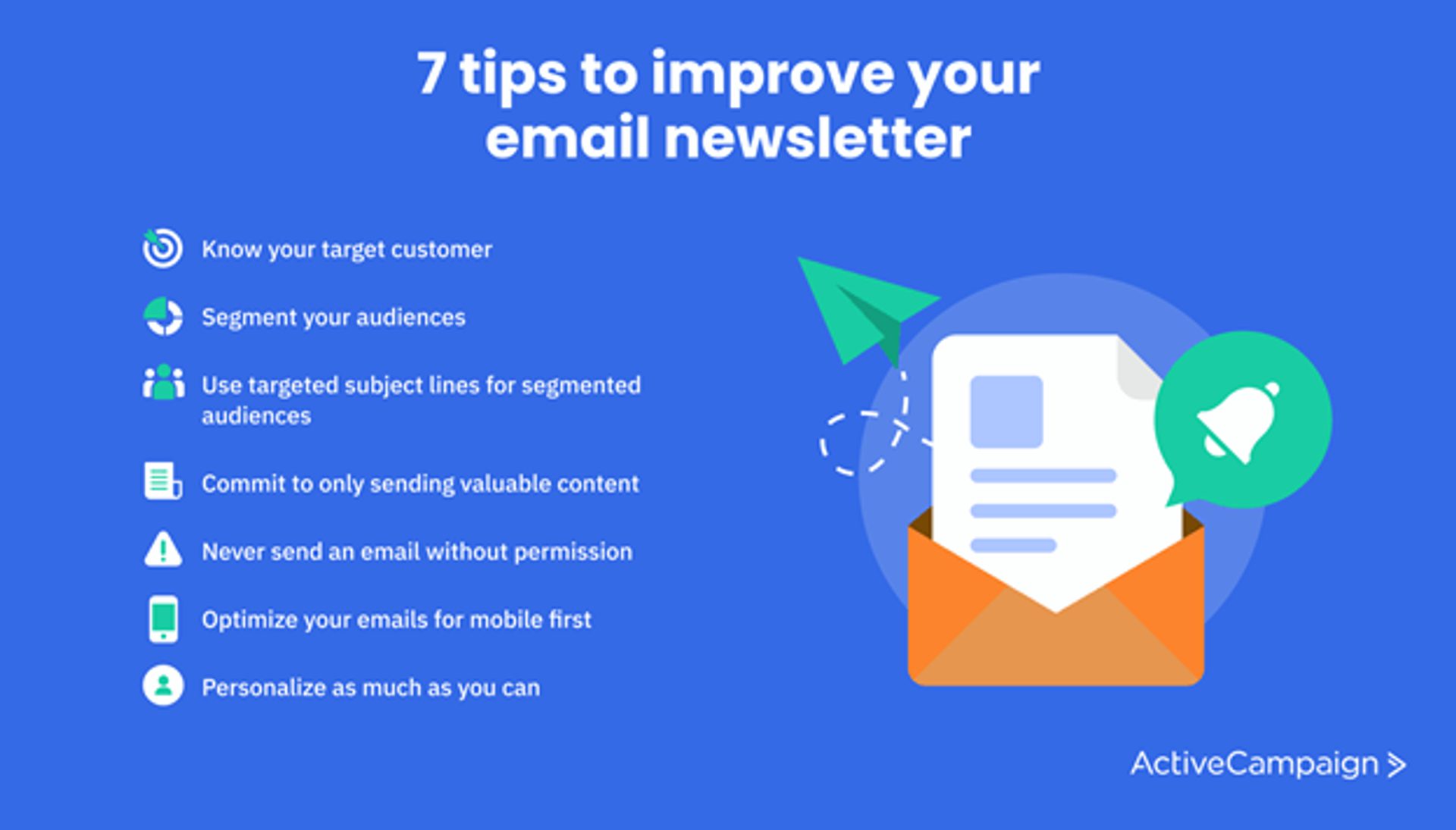
7 tips to improve your email newsletter
These seven habits fix the mistakes above at the source. Start with the first two, because every other tip gets easier once you know who you write for and which group each send is for.
1. Know your target customer
Every decision about content, timing, and tone gets easier once you can describe the reader in a few concrete sentences. A well-defined audience lets you build relationships with high-value subscribers instead of sending one message to everyone.
Research your subscribers with these questions:
- What did they sign up for? Check the form, lead magnet, or purchase that brought them in
- What problems are they trying to solve? Replies and support questions show you
- How do they read? Look at device, time of day, and email length
- What do they click? Click data shows which topics earn attention
Write the answers down, then check each draft against them.
2. Segment your audience
Segmenting splits your list into groups with shared traits so each group gets content that fits. You can segment by website activity, demographics, sign-up source, purchase history, or engagement.
Two common ways to segment a newsletter list:
- By engagement: recent clickers, occasional openers, and subscribers who have gone quiet
- By interest: readers who signed up for courses, coaching, or a community, for example
With segments in place, each newsletter reaches the right group every time. Our guide to audience segmentation covers more ways to build them.
3. Use targeted subject lines for segmented audiences
Once you have segments, speak to each one in the subject line. The email below, from business strategist Marie Forleo, uses a subject line written for readers already curious about her B-School training program.
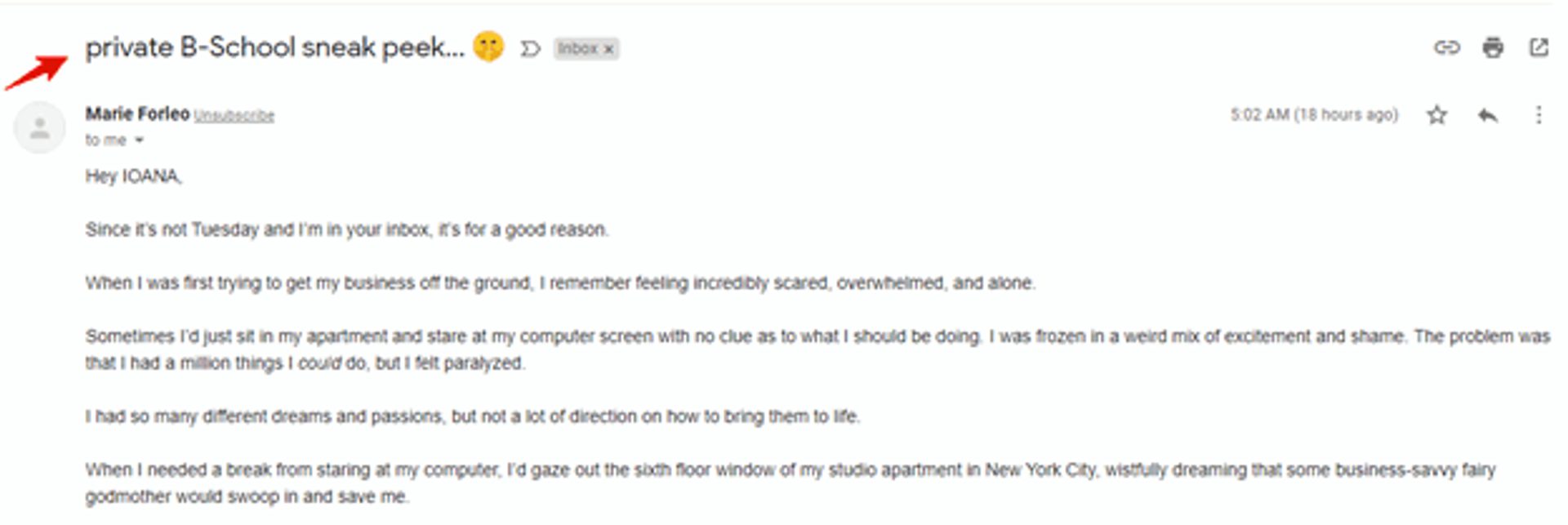
An email like this works because the reader has already raised a hand. It also opens with a personal story, which sets it apart from a standard promotion.
Pair a personal hook with a clear value, like these illustrative examples:
- "Hi Nelson, your new fonts are ready to download"
- "You asked for copywriting courses: here are the ten worth taking"
4. Commit to sending valuable content
Every issue should earn its place in the inbox by solving a problem or teaching something. A short checklist helps you hold the line before you send.
Run each draft through this valuable content checklist:
- Does the content solve a problem?
- Is it written for the target audience?
- Is it based on research, expertise, or social proof?
- Did the audience ask for it?
- Does the audience need it, and why?
- How does it add value to the reader's day?
- Does it follow the 80/20 rule of thumb: about 80% helpful content and 20% promotion?
5. Never send an email without permission
Earn the opt-in instead of assuming it. A lead magnet, which is a free resource offered in exchange for an email address, gives people a reason to join and tells you what they care about. A checklist, a template, a short guide, or a webinar recording all work.
Our list of lead magnet ideas and examples shows what works, and our opt-in email examples show how to confirm a subscription.
6. Optimize your emails for mobile first
Check each newsletter against this mobile checklist before sending:
- Text is legible without zooming
- The email loads quickly
- Every image is clear, adds value, and has alt text
- The layout reads in a single column
- The email looks right in major mobile email apps
Starting from mobile-responsive email templates handles most of this for you.
7. Personalize as much as you can
Personalization starts with the first name and extends to recommendations based on purchases, quiz results, or pages a subscriber visited. Each detail tells the reader the email was written for them.
The Il Makiage email below greets the reader as "bestie" instead of by name, yet it still feels personal.
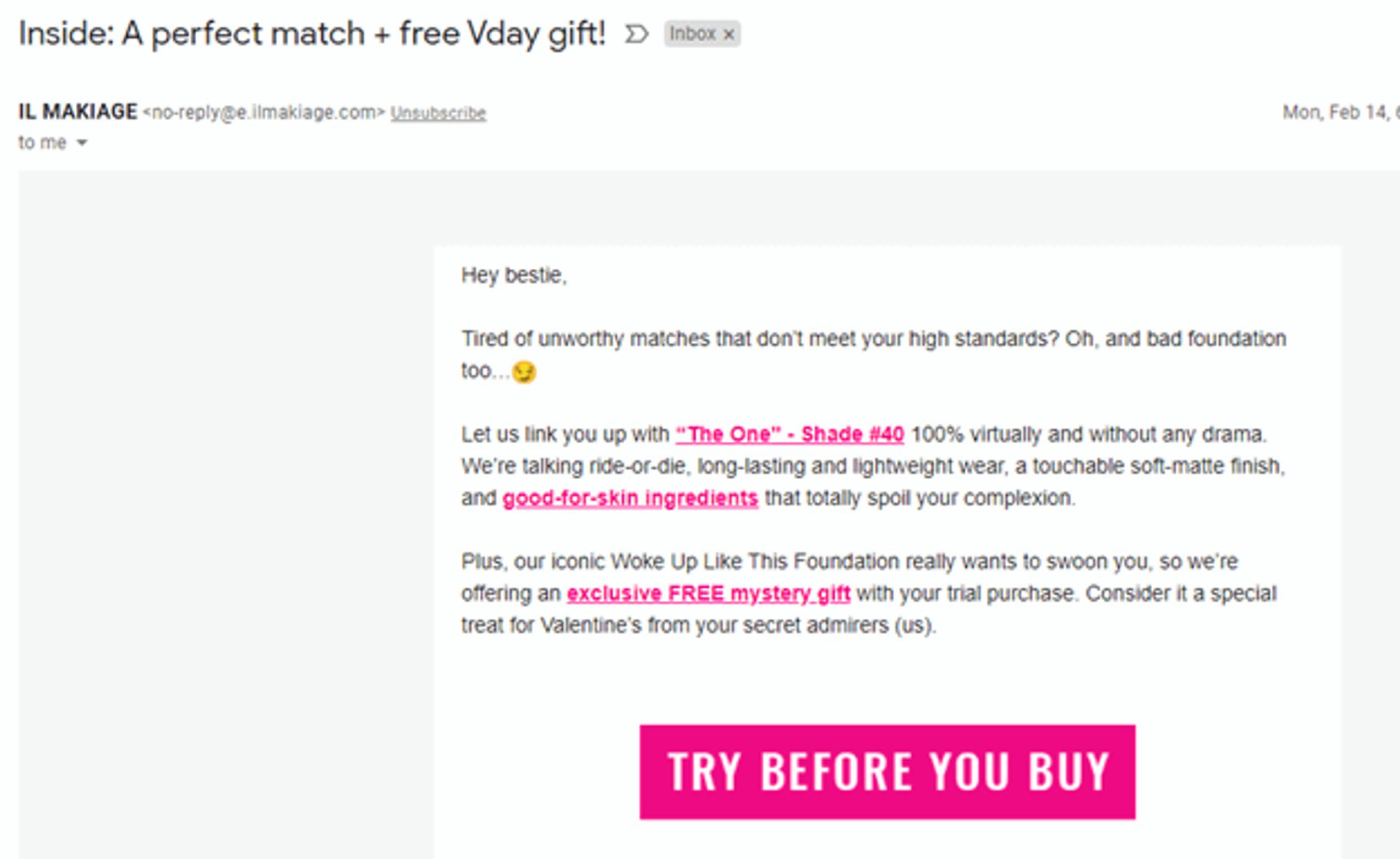
The email recommends a specific foundation shade, picked from a quiz the reader took a few hours earlier. That follow-up continues the conversation instead of starting a new one. It sends from a no-reply address, though, which cuts off replies.
Personalizing at this level for every subscriber is only practical with marketing automation, because nobody has time to review each customer's history before every send. Our guide to sending personalized emails shows how to set it up.
How ActiveCampaign helps you send better newsletters
ActiveCampaign is an AI platform for marketers, with Active Intelligence built into every plan. For newsletters, it does the groundwork behind each fix in this guide, and you approve what goes out.
Here is how ActiveCampaign supports each fix:
- Know and segment your audience: build segments from engagement, site activity, and purchase history so each send reaches the group it was written for
- Personalize with what subscribers do: pull contact, deal, and custom fields into each email so it reflects what the subscriber did
- Write faster without losing your voice: Active Intelligence drafts campaign copy from a prompt, and you edit and approve every word
- Test before you commit: run a split test on subject lines and send the winner
- Send at the right moment: Predictive Sending picks a send time for each contact
Together, these let one marketer run a newsletter program that used to need a bigger team, with every send aimed at the right group. You can try ActiveCampaign free and build your next newsletter with ActiveCampaign email marketing.
Send a newsletter people look forward to
Bad newsletter FAQ
What makes a newsletter bad?
A newsletter is bad when readers can’t tell why it exists or what to do with it. Common causes include sending without permission, a layout that fails on phones, promotional copy with no benefit, vague subject lines, and content that ignores who is reading. A clear purpose fixes most of them.
How often should you send a newsletter?
Send at the pace you can keep with useful content, and say what to expect when people sign up. Weekly, biweekly, and monthly schedules all work when each issue delivers value. Watch unsubscribes and engagement after any change in frequency, then adjust.
Do spam words still send newsletters to spam?
Filters weigh many signals, including sender authentication, reputation, complaint rates, and engagement, so no single word decides the outcome. Spammy language still makes readers distrust a message and report it, and reports raise your spam rate. Keep it below Gmail’s 0.30% limit for bulk senders.
How do you reduce unsubscribes from a newsletter?
Set expectations at sign-up, segment your list, and send content tied to what each group asked for. Keep the unsubscribe link easy to find. A reader who can leave easily is less likely to report spam, and a spam report costs more than a lost subscriber.