TL;DR: To avoid a WhatsApp ban, you should only message people who opted in, stay within your messaging limits, use Meta-approved templates, maintain good WhatsApp hygiene, and use an official WhatsApp Business API. If your account is restricted or banned, do not send any more messages and identify the source of the violation so you can fix and request a review.
From customer service to sales prospecting, WhatsApp is a lifeline keeping businesses connected to their customers at all stages of their journey. So you can imagine that a banned or blocked WhatsApp account is a nightmare for any business to wake up to.
That’s why it’s important to know what contributes to a blocked account. While not impossible, recovering your account is a frustrating process that includes a lengthy review and isn’t always guaranteed. Prevention is a much stronger strategy.
In this article, we’ll walk through the most common ban triggers, a repeatable account-health routine, and what to do if Meta restricts your number.
The most common WhatsApp ban triggers
Meta doesn't ban accounts at random, as restrictions can almost always be traced back to one of several triggers:
- Spam, bulk, or unsolicited messaging, including cold outreach with aggressive marketing templates sent to people who never agreed to hear from you
- High block and report rates and repeated negative feedback from recipients
- Bought, scraped, or outdated contact lists and messages sent without context
- No easy way to opt out, resulting in people blocking you instead
- Maxing out your messaging limits. A new, unverified business portfolio starts at 250 unique recipients every 24 hours, and repeatedly trying to exceed that limit will get your account flagged
- Prohibited industries and content, such as adult content, alcohol, tobacco, drugs, gambling, and unsafe supplements
- Unauthorized automation tools and unofficial WhatsApp applications
High block and report rates
When someone receives a WhatsApp message from a number they don’t recognize, they can either add the number to their contacts, block it, or report it. If too many recipients click “Block” or “Report”, Meta lowers your quality rating. Too much negative feedback means you can face restrictions or a ban.
A high block or report rate is one of the most common reasons why an account is restricted or banned and can happen if you:
- Buy or scrape contacts and cold message people: If someone doesn’t recognize your number or expects you to reach out, they’re more likely to report it as spam.
- Reach out to old contacts without context: Failure to introduce yourself or remind a customer of what your business does can feel spammy or even like a phishing attempt.
- Don’t offer an easy opt-out: Customers that can’t easily opt out of receiving your messages are more likely to block you instead.
- Use language that triggers a spam filter: Phrases like “earn money from home” or language that creates a sense of urgency might be legitimate messages but they’re viewed as red flags by WhatsApp.
- Send generic promotional blasts: Messages that aren’t built for a specific segment and push deals that recipients might read as scams draw the most reports, even when the template technically passed Meta’s approval.
Before sending messages, put yourself in your customer’s shoes and ask:
- Would I want to receive this message? If I got this message out of the blue, does it feel like a scheme or does it actually provide me real value?
- Do I recognize this number? If I don’t have a business’ number saved, is there enough context in the message that I could recognize who is sending this chat?
- Is there an easy way to opt out of messages? If I don’t want to keep receiving these messages, can I opt out or remove myself from the mailing list without blocking the number?
- Am I getting too many messages from this business? How often am I getting marketing messages from a business? Are they adding me to groups or communities that I didn’t ask to be a part of?
With a reported 98% average open rate on WhatsApp, messages need to be personal, because unsolicited content can feel especially intrusive. Only message people who have opted in to receive WhatsApp messages from you and expect to hear from you to keep your block and report rates low.
How Meta scores your account
Meta doesn’t wait for a ban to start judging your account. It tracks quality signals from every conversation and uses them to score you, looking at factors like:
- Quality rating: A High, Medium, or Low score (green, yellow, or red) for your phone number, based on user feedback such as blocks, reports, and the reasons people give for blocking you. When it drops to Medium, Meta emails your registered address, making it your earliest warning sign.
- Block and report rates: Meta factors in how often recipients block or report you after a message, contributing to your overall rating.
- Template status: Every template has its own quality rating. If a template reaches Low quality, Meta automatically pauses it for three hours the first time, six hours the second time, and disables the template the third time.
- Messaging limits: The number of unique people you can message outside a customer service window in 24 hours. Limits are set at the business portfolio level and start at 250 for a new portfolio. Your limits can scale to 2,000, 10,000, 100,000, and unlimited as you verify your business and continue sending high-quality messages.
Proactive best practices to avoid a WhatsApp ban
Businesses can avoid penalties and keep their WhatsApp accounts in good standing when they regularly check their health signals before Meta steps in. These five practices contribute to your overall WhatsApp strategy, starting with getting consent to selecting tools that are official partners.
1. Get consent right first
Consent is the foundation of a compliant WhatsApp number. A valid WhatsApp opt-in is explicit permission from a person to receive messages from your business on WhatsApp, tied to a clear expectation of what they’ll receive and from whom.
Scraped, imported, or event-sign-in lists without documented consent are a ban risk because those recipients are the ones most likely to ban or report you. Here are several examples of compliant opt-in scenarios:
- Checkout: a clearly worded WhatsApp checkbox at the point of purchase
- Website or landing page form: a dedicated WhatsApp consent field next to the phone number that says what you’ll send and how often
- Reply-to-join: the customer starts the chat or replies with a keyword such as “JOIN”
Give every contact an easy opt-out that you honor. A simple line like “Reply STOP to unsubscribe” costs you a few words but prevents people from utilizing the Block button. Once someone opts out, make sure you remove them from future sends right away.
Re-confirm consent before messaging old lists. If you collected numbers years ago, or consent was given for a different channel such as email or SMS, ask for fresh WhatsApp permission before you send marketing messages.
With ActiveCampaign, consent-ready opt-in forms capture explicit written consent on your website or landing pages. Keep in mind that ActiveCampaign doesn’t verify WhatsApp consent when you upload a list and Meta holds you responsible for how you use it, so only import contacts whose consent you can document.
2. Send messages people actually want
Fewer blocks and reports protect your account, keep your quality rating High, and let your messaging limit grow. The following habits help you stay safe and drive stronger results:
- Personalize and give context. Use the person’s name, say who you are, and remind them why they’re hearing from you.
- Segment before you send. Send campaigns only to people interested in that topic and not to everyone on the list.
- Monitor frequency. Aim to keep your daily sends below 50% of your messaging limit when you first start out. Gradually scale up your send frequency if your quality rating stays High. but keep in mind Meta caps how many marketing templates one person receives across all businesses. Over-messaging can potentially leave some messaging sends undelivered, even if you’re within your limits. For more on sending at volume, see our WhatsApp bulk messaging guide.
Here’s what these habits look like in practice:
| Cold blast (high risk) | Contextual, opted-in message (safer) | |
| Example | “Hi Franklin! We just emailed you the training ‘HOW TO BUILD A PROFITABLE STORE WITH $3,000 IN THE NEXT 90 DAYS’ plus our guide to the top 10 winning products. Have you checked it out yet?” | “Hi Maria, it’s Sam from Northside Fitness. You joined our waitlist for the November strength program and asked us to message you when spots opened. Two just did. Want us to hold one for you? Reply STOP anytime to opt out.” |
| Consent | None. The number came from a purchased or scraped list. | Maria opted in on the waitlist form and chose WhatsApp. |
| What recipients do | Block and report, because it reads like a scam. | Reply, book, or ignore it without blocking. |
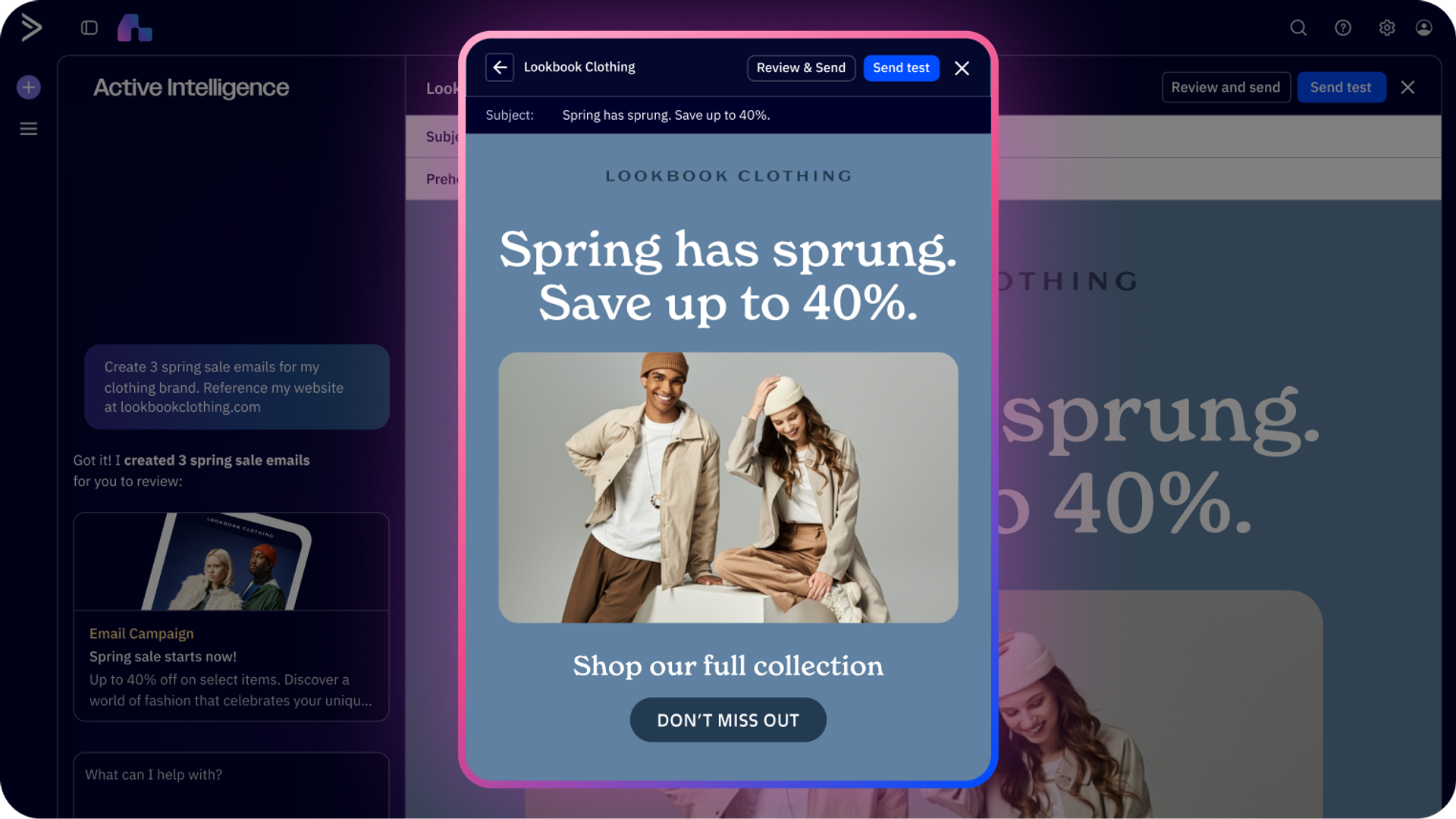
Meta must approve every message template before you can send it to keep outbound content within its standards. ActiveCampaign’s Active Intelligence can generate template copy based on Meta’s best practices, resulting in template submissions that Meta is more likely to approve. Approval doesn’t mean a safety guarantee though; approved templates can still be flagged if it’s sent to the wrong audience.
3. Use an account-health checklist
Check your quality rating before every campaign, then run a more comprehensive review once a week. Here’s a sample routine you can follow:
- Check your quality rating. Review your phone number’s status in the WhatsApp Manager. High means you’re safe to send while Medium means you should pause and review your campaigns. Stop sending immediately if you see a Low status and audit your past sends.
- Review block and report trends. While Meta doesn’t publish a fixed cutoff, keep an eye on if blocks or reports trend upward after a campaign so you can change the audience or copy before it escalates.
- Scan template feedback. Review your message templates, especially any showing Medium or Low quality, or a Paused or Disabled status. Edit or retire those templates before Meta does it for you.
- Confirm your messaging limits. Check your portfolio’s limit in WhatsApp Manager under Account tools, then compare it with your actual daily sends. Stay under 50% at first and scale up only if your rating stays High.
- Review opt-outs and engagement. Look at opt-out volume, replies, and any “healthy ecosystem engagement” delivery failures on marketing templates. Rising opt-outs, falling replies, or more of these failures mean your audience is tiring, so reduce frequency or tighten your segments.
| Quality rating | What it means | What to do |
| High (green) | Recipients are engaging and your account is in good standing. | Send normally and scale volume gradually. |
| Medium (yellow) | Recipients are giving negative feedback. Meta emails your registered address. | Review and pause campaigns. Fix targeting and template copy. |
| Low (red) | A serious quality problem that puts your templates, limits, and account at risk. | Stop all campaigns immediately and audit your content and lists. |
The fastest way to reverse a drop in your rating is to pause campaigns completely, restructure your template content, and wait at least three days before sending again. Then restart with small, controlled sends to your most engaged contacts.
4. Don’t use WhatsApp for prohibited activities
This one should go without saying, but using WhatsApp for anything that violates their Terms of Service can get your account restricted or banned. Meta typically starts with a warning and escalates, but severe violations such as scams can lead to immediate removal. This includes:
- Sending unsolicited, promotional messages or spam
- Sharing misleading or fraudulent content
- Distributing malware or phishing links
- Engaging in illegal activities
- Selling or promoting prohibited goods and services, such as adult content, alcohol, tobacco, drugs, gambling, or unsafe supplements
Before launching your campaign, make sure you review the WhatsApp Business Messaging Policy and Commerce Policy to ensure your content is compliant. Repeat violations can lead to restrictions that grow longer over time and, eventually, a permanent ban from the WhatsApp Business Platform.
5. Use a trusted provider to do the heavy lifting
Choosing the right third-party platform is maybe the most important factor in maintaining compliance at scale. Manually monitoring accounts works for small lists, but it doesn’t scale as your volume grows and a tool that doesn’t enforce good habits leaves you at risk.
The wrong tool is also a ban risk. WhatsApp has ramped up its automation enforcement, blocking accounts that use automation to potentially harm WhatsApp users. Using an unauthorized automation tool, or bulk sending an excessive number of messages with suspicious links, can lead to a ban. If your operations have grown to the point where automation is a necessity, choose a platform with official access to the WhatsApp Business API. You’ll gain access to chatbots, automated follow-ups, and templated messages that fall within WhatsApp’s approved guidelines. Our complete guide to the WhatsApp API covers how it works, and our roundup of the best WhatsApp marketing software can help you compare options.
ActiveCampaign is one platform built to capture, store, and serve WhatsApp contacts at scale. Here’s how ActiveCampaign’s features protect your account:
- Consent-ready opt-in forms capture explicit written consent from your website or landing pages.
- Phone number validation when you send a campaign, with reports showing which numbers were successfully delivered to and which numbers are inactive on WhatsApp.
- A connected CRM saves every WhatsApp response to the contact record for automatic tagging and real-time segmentation, so conversation history, consent, and engagement live in one place for faster review.
- Active Intelligence learns your brand, customers, and industry, surfaces high-intent audiences, and suggests segments so promotional broadcasts reach only the contacts most likely to engage, keeping report rates low.
- A shared team inbox helps your agents reply to customers quickly, so the conversations don’t go cold.
How the WhatsApp Business API reduces ban risk
The WhatsApp Business API is the safer path to automate at volume without putting your number at risk. Unofficial bulk senders, modified WhatsApp apps, and unauthorized automation tools all violate Meta’s terms, and using them is one of the fastest ways to get banned.
It helps to know which product you’re using. The free WhatsApp Business app is built for manual, one-to-one conversations from a single phone number and isn’t designed for bulk or scripted sending. The WhatsApp Business API (also called the WhatsApp Business Platform) is built for professional automation, CRM integration, and scale.
ActiveCampaign is an official WhatsApp Business Solution Provider and Meta Business Partner. It handles the technical infrastructure, setup, and compliance requirements, so your team can migrate off risky tools without building everything from scratch. ActiveCampaign also assists with official WhatsApp Business verification, which unlocks a higher starting messaging limit, and provides expert guidance on the compliance signals Meta monitors, including quality ratings and messaging limits.
Migrating your account to the WhatsApp API also gives you even more protection against account bans. The WhatsApp API ensures that:
1. Templates are flagged first, not your entire account. If a customer reports your message, WhatsApp will first lower the template’s quality rating and, if negative feedback continues, pause it instead of automatically shutting down your whole account. This gives you an opportunity to adjust your messaging before you face permanent consequences.
2. Automation is built-in and compliant. The WhatsApp API is built for automation, so you’re less likely to run the risk of violating terms by setting up chatbots or automated workflows. Businesses using WhatsApp chatbots can also reduce their customer support costs and time while staying fully compliant. See our guide to WhatsApp automation for examples.
3. Opt-in and consent management is easier. The API integrates with CRM and other marketing automation platforms that make it simple to track who’s opted in, manage preferences, and honor unsubscribe requests.
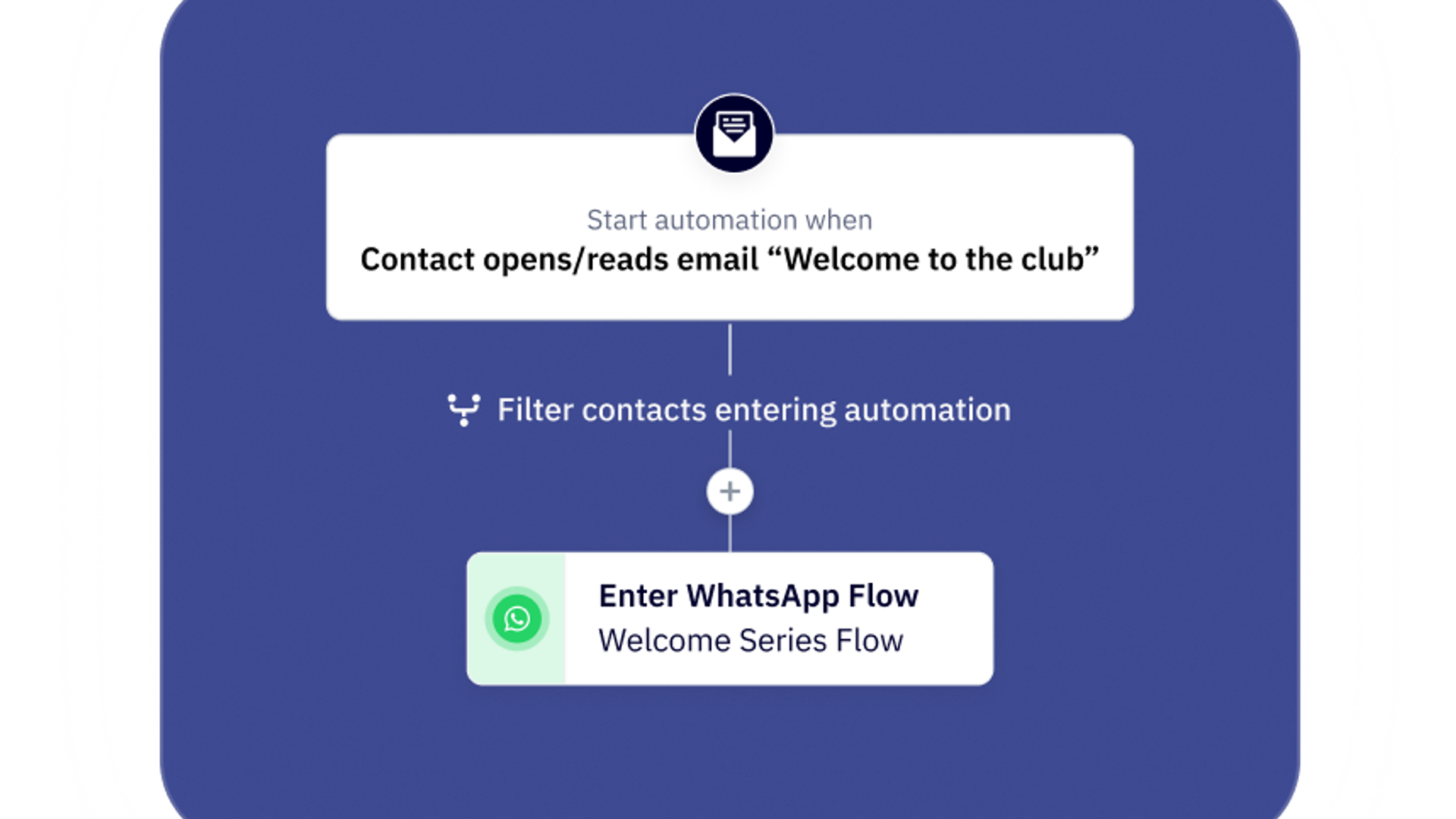
4. WhatsApp Flows automate qualification and follow-up. With ActiveCampaign, you can design no-code, conditional conversation journeys that qualify leads and follow up automatically, while routing high-value conversations to a human agent.
What to do if your account is banned
If your WhatsApp account is banned or restricted, stop all sending, find the violation notice in Meta Business Support Home, fix the underlying cause, and then request a review. Meta says appeal decisions typically take 24 to 48 hours, although not every spam violation can be appealed.
Suppose your account does get blocked. You’ll see the message “Your account can no longer use WhatsApp” and will receive an explanation for why your account was banned. If you use the WhatsApp API, Meta will email your Business Manager admins and you’ll see the notice in WhatsApp Manager.
Steps to take before you appeal
- Pause all sending. Stop broadcasts and switch off all automations so you don’t add new violations or negative feedback while your case is under review.
- Identify the likely trigger. Read the violation in the Business Support Home. You’ll see the policy involved, any active restrictions, and what happens if it happens again.
- Audit recent campaigns. Review the audiences, templates, send volume, and frequency from the weeks before the violation, and flag any spikes in blocks or reports.
- Clean your lists. Remove contacts without documented consent, anyone who opted out, and invalid or inactive numbers.
- Update your opt-in and opt-out processes. Fix the collection point that lets non-consented contacts in, make the opt-out instruction obvious, and keep records of how and when each contact consented.
How to request a review
If you believe this was a mistake, you’ll have an opportunity to request a review directly in the app where you can add details to support your case. If you’re using the WhatsApp API, you’ll be able to request a review through Business Support Home in Meta Business Suite, where you select the violation and choose Request Review. To improve your chances of getting your account reinstated, you’ll need to:
- Provide all relevant account information and how you’ve been using it
- Explain the situation clearly and acknowledge any mistakes made, if applicable
- Outline the steps you’ll take to prevent future violations
- Include documentation of how and when your contacts opted in
While there’s no guarantee that your appeal will succeed, it’s always a best practice to be as transparent and thorough as possible to give you the best shot at recovering your account. Outcomes can feel inconsistent: they depend on your business type and industry, how often the account has been restricted before, and how much Meta trusts your business.
How to resume sending after reinstatement
Once you regain account access, take your time rebuilding your quality rating instead of jumping back into full volume sends. Remember to:
- Start with small, controlled sends to your most engaged contacts who have clearly opted in
- Keep daily sends under 50% of your messaging limit and check your quality rating before every campaign
- Scale up gradually, for example to 60% and beyond, only if your rating stays High
- Wait at least three days after any quality drop before sending again
Starting over is costly. One business that spoke with the ActiveCampaign team had to open a new WhatsApp account, business portfolio, and phone number after a ban, with reapproval taking roughly two months.
The bottom line
The best way to avoid a WhatsApp account ban is to take preventative measures and ensure you’re following the terms of service from the beginning. Only message people who have opted in, check your quality rating before every send, avoid spamming your contact list, and make sure every message delivers real value.
With more than two billion people using WhatsApp every day, according to WhatsApp for Business, the platform is too valuable to lose access to overnight. In the 2025 ActiveCampaign WhatsApp ROI report, 94% of surveyed WhatsApp Messaging customers reported positive ROI in under a year. By taking the time today to ensure your WhatsApp strategy is compliant with the platform’s guidelines, you’ll be setting yourself up for success in the long run.
See how WhatsApp Messaging can help you scale your WhatsApp strategy safely or get in touch to schedule a demo today.
Frequently asked questions
Which WhatsApp features in ActiveCampaign help streamline marketing campaign workflows?
ActiveCampaign streamlines WhatsApp marketing workflows with features like behavioral triggers for real-time messaging, a unified inbox for managing all conversations, and automation builders that let you sequence WhatsApp alongside email, SMS, and social channels. Templates, segmentation, and CRM integration ensure campaigns are both efficient and highly personalized.
How can WhatsApp chatbots in ActiveCampaign improve customer engagement and response times?
WhatsApp chatbots in ActiveCampaign can instantly answer questions, qualify leads, and guide customers through key steps, reducing wait times and ensuring every inquiry gets a timely, relevant response. This automation not only boosts engagement but also frees your team to focus on high-value interactions.
What role does WhatsApp message automation play in scaling personalized outreach?
WhatsApp message automation lets you deliver personalized, timely messages to large audiences without manual effort. By using data-driven triggers and dynamic content, you can scale 1:1 conversations, nurture leads, and follow up at the perfect moment, ensuring every contact receives a tailored experience.
What’s the difference between a WhatsApp restriction, a temporary ban, and a permanent ban?
A restriction limits what your account can do, a temporary ban blocks all sending for a set period, and a permanent ban removes you from the WhatsApp Business Platform. Meta’s enforcement system escalates in this order:
- Restriction: a 1- or 3‑day block on sending template messages and adding phone numbers, usually after repeated spam or template violations.
- Temporary ban: a 5‑, 7‑, or 30-day block on sending any messages.
- Account lock: an indefinite block on sending any messages that only a successful appeal can remove.
- Permanent ban: Meta permanently disables the account if the business doesn’t change after multiple warnings, and removes accounts immediately for severe harm such as scams.
Restricted or disabled accounts can still appeal, and if Meta reverses the violation, the account returns to its previous status.
How do I check my WhatsApp quality rating?
Open WhatsApp Manager in Meta Business Suite, go to Account tools, and select the Phone numbers tab to see your number’s status and quality rating: High, Medium, or Low. Template-level ratings appear in your message templates list. Check both before every campaign, since a drop to Medium is your earliest warning sign.
How many WhatsApp messages can I send before getting banned?
There’s no single number that triggers a ban. Meta limits how many unique people you can message outside a customer service window in 24 hours: 250 for a new, unverified business portfolio, rising to 2,000, 10,000, 100,000, and unlimited as you verify your business and send high-quality messages. Bans come from quality problems, not volume alone, so stay under 50% of your limit at first and scale up while your rating stays High.
How does ActiveCampaign help businesses reduce the risk of WhatsApp account bans?
ActiveCampaign reduces the risk of WhatsApp account bans by providing an official, compliant integration with the WhatsApp Business API. This ensures all messaging and automation are conducted within WhatsApp’s approved guidelines, including proper opt-in, consent management, and template use. By using only authorized automation and following best practices, businesses avoid the common pitfalls that lead to bans, such as unsolicited messaging or using unverified tools.
Can I manage multi-agent WhatsApp conversations with ActiveCampaign’s tools?
Yes, ActiveCampaign provides a shared team inbox for WhatsApp, allowing multiple agents to collaborate, assign conversations, and track every interaction. This ensures efficient, coordinated responses and seamless customer experiences, even as your team and message volume grow.